
Introduction
Welcome to the user manual for your Loosafe LS-S27 4G LTE Cellular Solar Security Camera. This guide provides comprehensive instructions to help you set up, operate, and maintain your camera, ensuring optimal performance and security. The LS-S27 is designed for off-grid surveillance, featuring 4G LTE connectivity, a dual-lens system for 360° coverage, AOV (Always-On Video) continuous recording, and solar power for uninterrupted operation.
Please read this manual carefully before using the product and retain it for future reference.
What's in the Box
Verify that all components are present in your package:
- Loosafe LS-S27 4G LTE Cellular Solar Security Camera
- Solar Panel (integrated)
- Mounting Bracket and Screws
- Charging Cable
- Pre-installed 32GB SD Card
- SIM Card (for immediate setup)
- User Manual (this document)
Product Overview
The Loosafe LS-S27 camera is an advanced security solution designed for remote locations without Wi-Fi or consistent power. It features a unique dual-lens system, providing both a wide-angle panoramic view and a PTZ (Pan-Tilt-Zoom) lens for detailed tracking. The integrated solar panel and 12000mAh battery ensure continuous operation, while AOV technology guarantees 24/7 recording without missing critical moments.
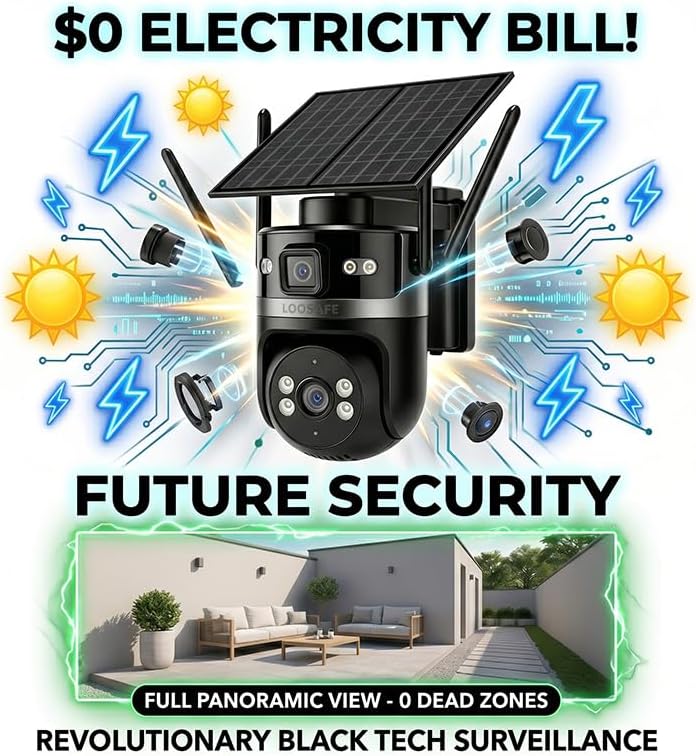
Image: The Loosafe LS-S27 camera, showcasing its solar panel and dual-lens design.
Dual-Lens System
Unlike conventional single-lens cameras, the LS-S27 incorporates two lenses. One lens provides a fixed wide-angle view for overall area monitoring, while the second is a PTZ lens that can rotate 355° horizontally and 90° vertically, allowing for dynamic tracking and detailed observation without blind spots.

Image: A visual comparison illustrating how the Loosafe dual-lens system eliminates blind spots compared to a conventional single-lens camera.
Setup
Follow these steps for initial setup of your Loosafe LS-S27 camera.
1. SIM Card & SD Card Installation
- Locate the SIM card slot and SD card slot on the camera. These are typically protected by a rubber cover.
- Insert the provided 4G LTE SIM card into the SIM card slot. Ensure it is inserted correctly according to the diagram near the slot.
- The 32GB SD card is pre-installed. If you need to replace it, gently press the existing card to eject it, then insert a new Class 10 or higher microSD card (up to 128GB supported).
- Close the rubber cover firmly to ensure waterproofing.
2. Initial Charging
Although solar-powered, it is recommended to fully charge the camera using the provided charging cable before the first use. Connect the charging cable to the camera's charging port and a standard USB power adapter (not included). The charging indicator will show status.
3. Mounting the Camera
Choose a location with good cellular signal and direct sunlight exposure for the solar panel. The camera can be mounted on a wall, pole, or tree using the included mounting bracket and screws.
- Mark the drilling points using the mounting bracket as a template.
- Drill holes and insert wall anchors if mounting on masonry.
- Secure the mounting bracket to the surface.
- Attach the camera to the mounting bracket. Adjust the angle of the solar panel to maximize sun exposure.

Image: Demonstration of the quick and tool-free installation process for the Loosafe camera on various outdoor surfaces.
4. App Download & Pairing
- Download the "CAMHIPRO" app from your smartphone's app store (iOS or Android).
- Register for an account and log in.
- Tap the "+" icon to add a new device.
- Select "4G Camera" or scan the QR code located on the camera body.
- Follow the on-screen prompts to complete the pairing process. Ensure your phone has a stable internet connection during pairing.
Operating Instructions
This section details how to use the various features of your Loosafe LS-S27 camera.
Power Management
The camera is powered by an integrated 8W solar panel and a 12000mAh rechargeable battery. The solar panel continuously charges the battery during daylight hours, providing 365-day non-stop protection. You can monitor the battery level and solar input status via the CAMHIPRO app.

Image: The CAMHIPRO app interface displaying the camera's power management, including battery charge level and solar input status.
Continuous Recording (AOV Technology)
The LS-S27 utilizes AOV (Always-On Video) technology for true 24/7 continuous recording at ultra-low power. This ensures that the camera captures every second, providing a complete record of events, unlike traditional PIR-activated cameras that may miss initial moments.
Dual Lens & PTZ Control
Access the live view in the CAMHIPRO app. You will see the wide-angle view. To control the PTZ lens, use the directional controls within the app to pan (355° horizontal) and tilt (90° vertical) the camera. This allows you to focus on specific areas of interest while maintaining a broad overview.
Motion Detection & Smart Alerts
The camera features intelligent human motion detection. When motion is detected, the camera will:
- Send instant mobile alerts to your smartphone.
- Activate dual spotlights for illumination.
- Trigger a loud siren to deter intruders.
You can customize alert settings, including sensitivity and notification preferences, within the CAMHIPRO app.

Image: A smartphone screen showing a "Thief Alert!" notification from the Loosafe camera, indicating motion detection and the camera's active deterrence with spotlights.
Two-Way Audio
Utilize the two-way audio feature to communicate with visitors or deter trespassers. In the live view interface of the CAMHIPRO app, tap the microphone icon to speak through the camera's speaker, and listen through your phone's speaker.

Image: The CAMHIPRO app interface demonstrating the "Talk" function for remote two-way audio communication via the camera.
Color Night Vision
The LS-S27 provides crystal-clear 2K color night vision, allowing for detailed identification of objects and individuals even in low-light or complete darkness. This is achieved through advanced image processing and the camera's integrated spotlights.

Image: A side-by-side comparison highlighting the superior clarity and color reproduction of Loosafe's night vision compared to traditional black and white night vision.
Maintenance
Proper maintenance ensures the longevity and optimal performance of your security camera.
- Cleaning: Regularly wipe the camera lenses and solar panel with a soft, damp cloth to remove dust, dirt, or debris. Avoid abrasive cleaners.
- Solar Panel Efficiency: Ensure the solar panel is free from obstructions (e.g., leaves, snow) to maximize sunlight absorption.
- Battery Health: While designed for continuous charging, avoid prolonged storage of the camera with a completely depleted battery. If storing for extended periods, ensure it is charged to at least 50%.
- Weather Resistance: The camera is 100% waterproof and storm-ready, built to withstand harsh outdoor conditions. However, avoid intentionally submerging the device.
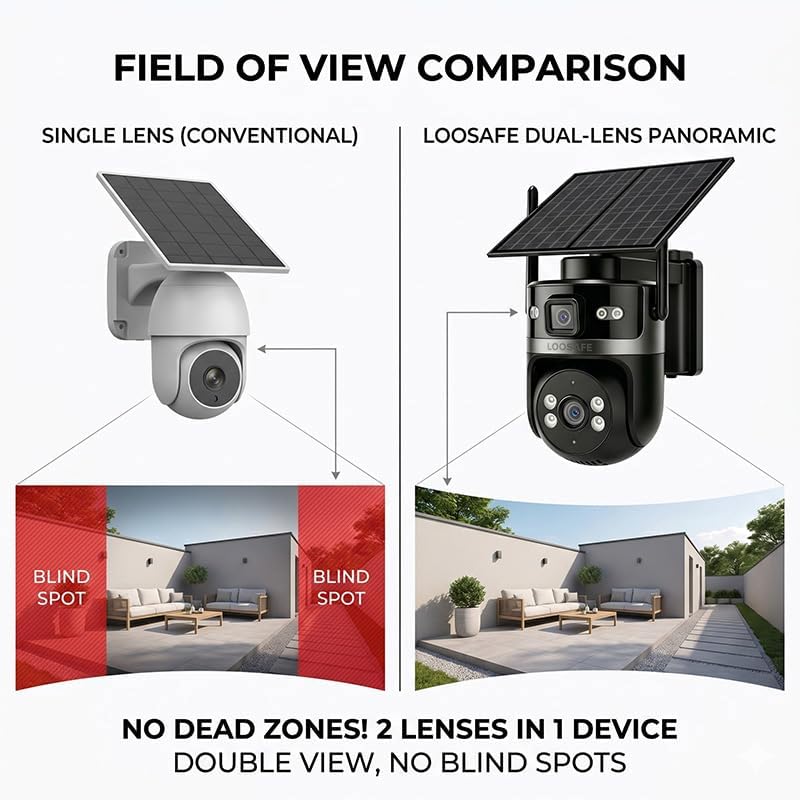
Image: The Loosafe camera being subjected to a high-pressure water jet, illustrating its robust waterproof and storm-ready construction.
Troubleshooting
If you encounter issues with your camera, refer to the following common problems and solutions:
| Problem | Possible Cause / Solution |
|---|---|
| Camera not connecting to 4G network. |
|
| Battery not charging via solar panel. |
|
| No motion detection alerts. |
|
| Poor video quality at night. |
|
Specifications
| Feature | Detail |
|---|---|
| Model Name | LS-S27 |
| Connectivity Technology | 4G LTE Cellular (No WiFi Needed) |
| Power Source | Solar Powered (8W Solar Panel, 12000mAh Battery) |
| Indoor/Outdoor Usage | Outdoor |
| Video Capture Resolution | 1920p (2K) |
| Special Features | AOV 24/7 Continuous Recording, Dual Lens, 360° PTZ (355° Pan, 90° Tilt), Color Night Vision, Two-Way Audio, Smart Alerts, Built-in 32GB SD Card |
| Compatible Devices | Smartphone (via CAMHIPRO app) |
| Mount Type | Tree Mount (also suitable for wall/pole) |
| Item Dimensions | 7.3 x 5.7 x 10.3 inches |
| Color | Black |
Warranty and Support
Warranty Information: Loosafe products are covered by a limited manufacturer's warranty against defects in materials and workmanship. Please refer to the warranty card included in your product packaging or visit the official Loosafe website for detailed warranty terms and conditions. Keep your proof of purchase for warranty claims.
Customer Support: For technical assistance, troubleshooting not covered in this manual, or warranty inquiries, please contact Loosafe customer support. Contact information can typically be found on the official Loosafe website or within the CAMHIPRO app's 'About Us' section.
When contacting support, please have your camera's model number (LS-S27) and purchase details ready.