
Introduction
This manual provides instructions for the SakerPlus 7-in-1 External USB DVD Drive, Model HA111690. This device combines an external optical drive with a built-in hub, including 2 USB-A ports, 1 USB-C port, an SD card reader, and a TF (microSD) card reader. It supports reading and writing various disc formats and offers high-speed data transfer for enhanced connectivity and media management.
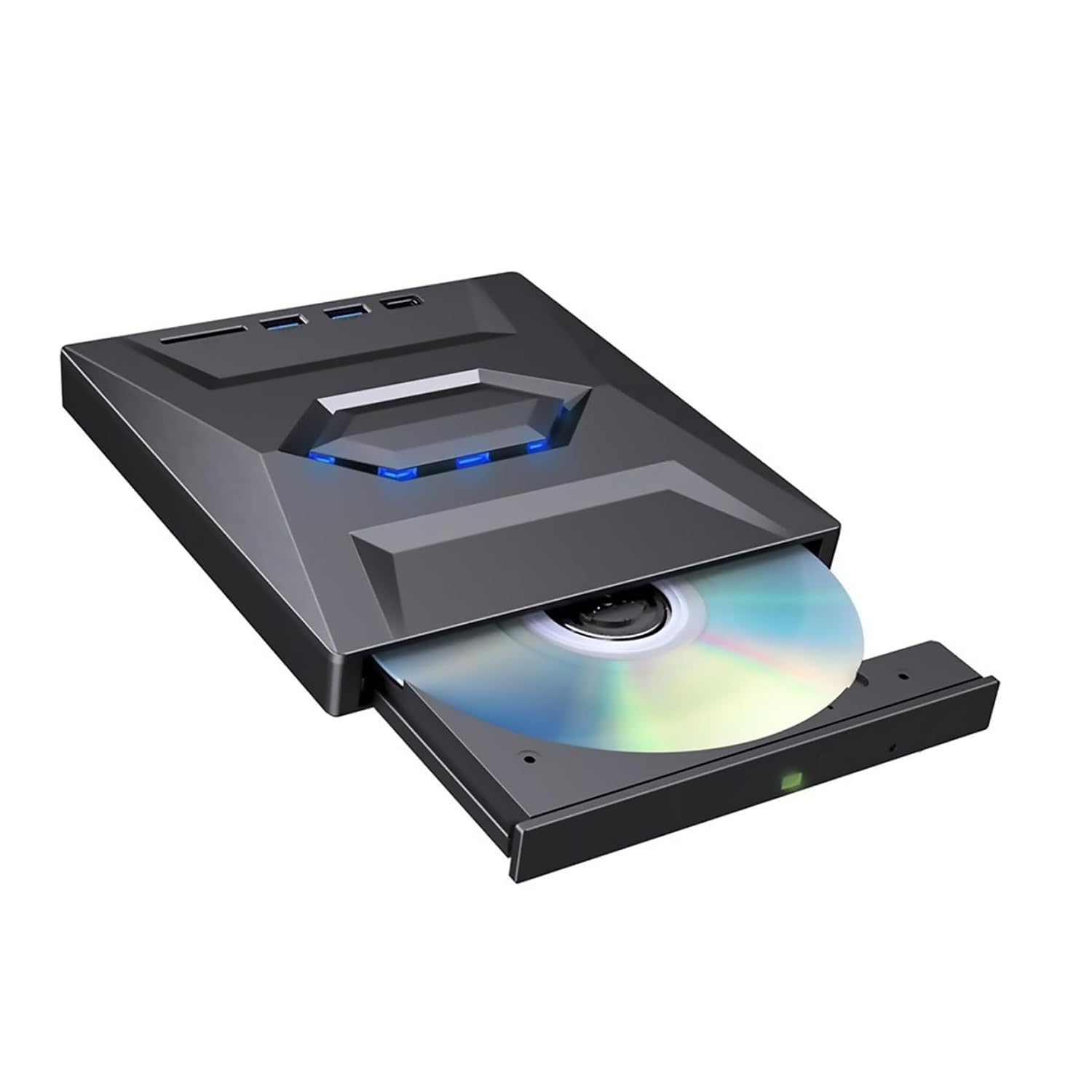
Image: The SakerPlus 7-in-1 External USB DVD Drive, a compact black device, connected to a laptop, showcasing its various ports and a disc nearby.
Package Contents
- SakerPlus External Drive USB 3.0 & Type-C
- Instruction Manual (this document)
Setup
- Connect to Computer: Connect the integrated USB-A or USB-C cable from the SakerPlus drive to an available USB 3.0 or Type-C port on your laptop or desktop computer.
- System Recognition: The drive is designed for plug-and-play operation on most operating systems. Your computer should automatically detect and install the necessary drivers.
- Optional Power: For systems with lower power output or when using multiple high-power USB devices, connect an external 5V power adapter (not included) to the Micro-USB power input port on the drive.

Image: The SakerPlus external drive connected to a laptop, demonstrating its use with an SD card and a USB flash drive inserted into its ports.
Operating Instructions
Disc Operations (Read & Write)
- Supported Disc Types: VCD, DVD±R/RW, DVD-RAM, CD-R/RW.
- Inserting a Disc: Gently press the eject button on the drive to open the disc tray. Place the disc label-side up onto the tray spindle, ensuring it clicks into place. Close the tray by gently pushing it back until it locks.
- Ejecting a Disc: Press the eject button on the drive or use the eject function within your computer's operating system or media player software.
- Playing Discs: For DVD movie playback, compatible player software (e.g., VLC Media Player, CyberLink PowerDVD) may be required depending on your operating system. Insert the disc, and your system should prompt you to open it with an installed player.
- Burning Discs: Use disc burning software (e.g., Nero, Ashampoo Burning Studio, Windows Media Player) to write data to compatible blank discs. Follow the software's instructions for burning files, creating backups, or installing software.
- Read/Write Speeds:
- DVD Read Speed: Up to 8X
- CD Read Speed: Up to 24X
- Write speed varies by disc type and software used.
USB Hub Functionality
The drive includes additional ports for connecting USB devices:
- 2x USB-A Ports: Connect USB flash drives, external hard drives, keyboards, mice, or other USB-A compatible peripherals.
- 1x USB-C Port: Connect USB-C compatible devices.
- Data Transfer Rate: USB 3.0 ports support data transfer speeds up to 5Gbps.
SD/TF Card Reader Functionality
The integrated card reader allows you to access data from memory cards:
- SD Card Slot: Insert standard SD cards (SD, SDHC, SDXC) into the designated slot.
- TF (microSD) Card Slot: Insert microSD cards into the designated slot.
- Accessing Files: Once inserted, the card will appear as a removable drive in your computer's file explorer, allowing you to transfer files.

Image: The SakerPlus external drive with blue light accents, symbolizing active data transfer and efficient operation.
Maintenance
- Cleaning the Drive: Use a soft, dry, lint-free cloth to wipe the exterior of the drive. Do not use liquid cleaners or abrasive materials.
- Disc Care: Handle discs by their edges. Keep discs clean and free from scratches, dust, and fingerprints to ensure optimal performance.
- Storage: Store the drive in a cool, dry place away from direct sunlight and extreme temperatures. When not in use, disconnect it from your computer.
- Anti-Shock Design: The drive features an anti-shock structure to help reduce vibration during operation. However, avoid sudden movements or impacts while a disc is spinning.
Troubleshooting
- Drive not recognized by computer:
- Ensure the USB cable is securely connected to both the drive and your computer.
- Try connecting to a different USB port on your computer.
- If using a desktop, try a USB port on the back of the computer (directly connected to the motherboard).
- Restart your computer.
- Check Device Manager (Windows) or System Information (macOS) to see if the drive is listed.
- If necessary, connect an external 5V power adapter to the Micro-USB port on the drive.
- Disc not reading or writing:
- Ensure the disc is clean and free from scratches or smudges.
- Verify the disc type is supported by the drive (VCD, DVD±R/RW, DVD-RAM, CD-R/RW).
- For playback, ensure you have compatible media player software installed (e.g., VLC, PowerDVD).
- For burning, ensure you are using appropriate burning software and a compatible blank disc.
- Try a different disc to rule out a faulty disc.
- Slow data transfer speeds:
- Ensure the drive is connected to a USB 3.0 or Type-C port on your computer for optimal speeds. Connecting to a USB 2.0 port will result in slower performance.
- Avoid running multiple resource-intensive applications during large data transfers.
- Ensure the connected USB devices or memory cards are also high-speed compatible.
Specifications
| Feature | Description |
|---|---|
| Model Number | HA111690 |
| Brand | SakerPlus |
| Hardware Interface | USB 3.0 Type A, USB Type C |
| Data Transfer Rate | 5 gigabits per second (USB 3.0) |
| Optical Storage Read Speed | Up to 8X DVD / 24X CD |
| Optical Storage Write Speed | Varies by disc type |
| Supported Disc Types | VCD, DVD±R/RW, DVD-RAM, CD-R/RW |
| Additional Ports | 2x USB-A, 1x USB-C, SD Card Slot, TF (microSD) Card Slot, Micro-USB Power Input |
| Hardware Platform | Laptop, PC |
| Special Feature | Lightweight, Anti-Shock Design |
| UPC | 703079400992 |

Image: A close-up of the SakerPlus external drive, highlighting its internal smart chip technology for stable performance.
Warranty and Support
The SakerPlus 7-in-1 External USB DVD Drive comes with a 1-Year Warranty from the date of purchase.
For technical support, warranty claims, or further assistance, please contact SakerPlus customer service through their official website or the retailer where the product was purchased. Please have your model number (HA111690) and proof of purchase ready.