
Introduction
Thank you for choosing the MilleLoom Drafting Table. This manual provides essential information for the safe assembly, operation, maintenance, and troubleshooting of your new drafting table. Please read these instructions carefully before use and retain them for future reference.

Image: The MilleLoom Drafting Table, featuring an adjustable tabletop, three storage drawers, a lower shelf, and an accompanying stool. Art supplies are displayed on the table and shelf.
Safety Information
- Ensure all parts are securely fastened before use.
- Do not exceed the maximum weight capacity of the tabletop or shelves.
- Keep small parts away from children during assembly to prevent choking hazards.
- Use on a flat, stable surface to prevent tipping.
- Exercise caution when adjusting the tabletop angle to avoid pinching fingers.
Package Contents
Please verify that all components listed below are present before beginning assembly. If any parts are missing or damaged, please contact customer support.

Image: An exploded diagram showing all individual components and hardware included in the package for the drafting table and stool assembly.
Main Components:
- Adjustable Tabletop
- Table Legs (X-shaped frames)
- Auxiliary Table/Storage Unit
- Stool Seat and Legs
- Lower Storage Shelf
- Fabric Drawers (3 units)
Hardware & Tools:
- Screws, bolts, and washers
- Allen wrench (provided)
- Assembly instructions manual
Setup and Assembly
Assembly is required. Follow these steps carefully. It is recommended to have a second person assist with certain steps.
- Unpack Components: Carefully remove all parts from the packaging and lay them out on a clean, soft surface to prevent scratches. Refer to the 'Package Contents' section to ensure all parts are present.
- Assemble Table Legs: Connect the X-shaped table leg frames using the provided crossbars and hardware. Ensure all connections are finger-tight at this stage.
- Attach Lower Shelf: Secure the lower storage shelf to the assembled table leg frames.
- Assemble Auxiliary Table/Storage Unit: Construct the frame for the auxiliary table and drawer unit.
- Attach Auxiliary Unit to Main Frame: Connect the auxiliary table/storage unit to the main table leg frame.
- Install Tabletop: Carefully place the adjustable tabletop onto the main frame and secure it according to the instructions. Ensure the tilting mechanism is correctly aligned.
- Insert Drawers: Slide the three fabric drawers into their designated slots in the auxiliary unit.
- Assemble Stool: Connect the stool seat to the stool legs using the provided hardware.
- Tighten All Fasteners: Once all components are in place, systematically tighten all screws and bolts using the Allen wrench. Do not overtighten.

Image: A detailed diagram illustrating a specific step in the assembly of the drafting table, showing how the main frame components connect.
Operating Instructions
Adjusting Tabletop Angle
The main tabletop can be adjusted from 0 to 60 degrees to suit various tasks such as writing, reading, or drawing.
- To adjust the angle, gently lift the front edge of the tabletop.
- The tabletop will click into various preset positions. Select your desired angle.
- To return the tabletop to a flat (0-degree) position, lift it to its highest point, then slowly lower it until it rests flat.
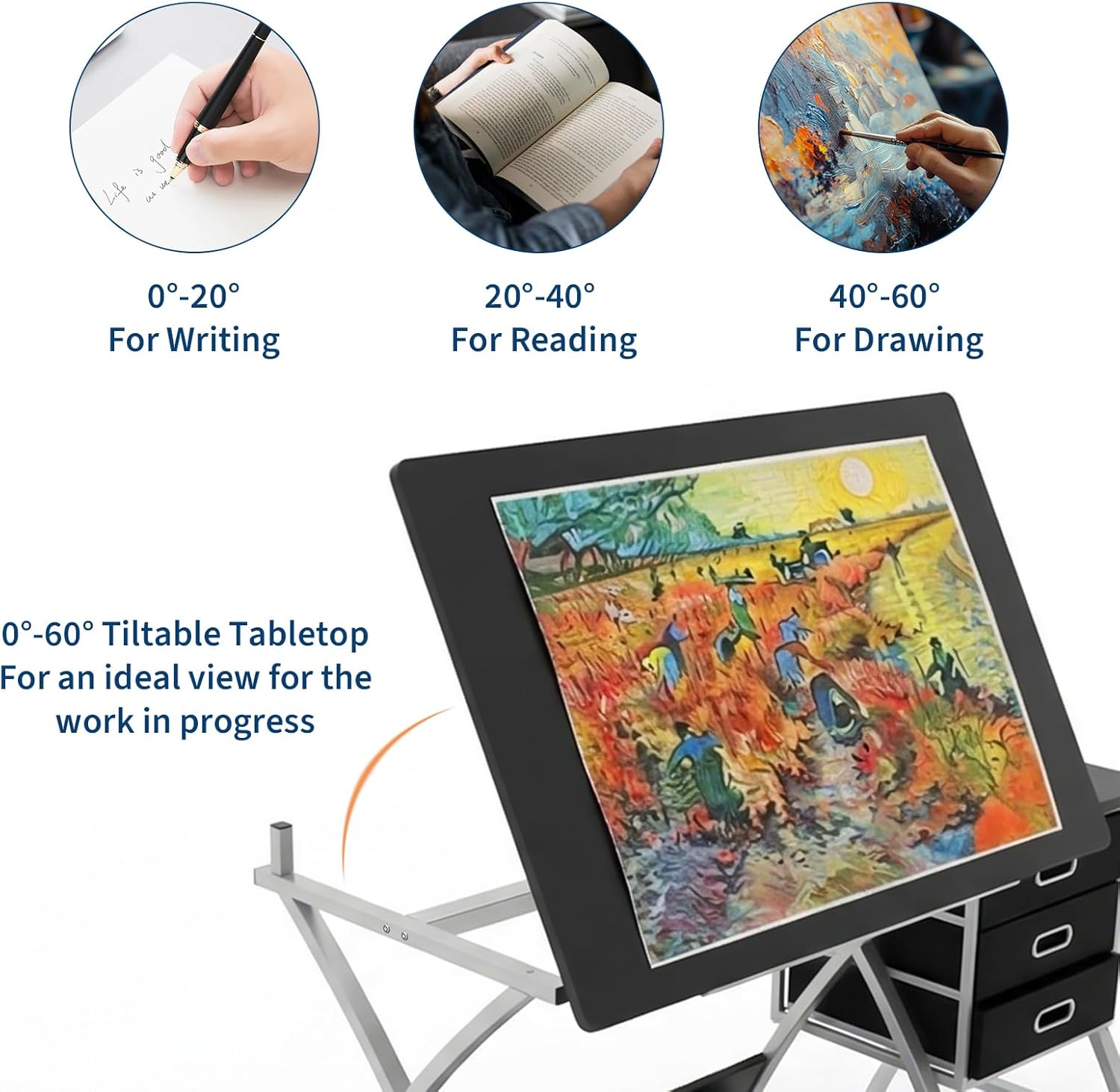
Image: A visual guide demonstrating the tabletop's adjustable angles: 0-20° for writing, 20-40° for reading, and 40-60° for drawing, with an example of a painting on the tilted surface.
Using Storage Features
- Slide Drawers: The three fabric drawers located in the auxiliary unit are designed for storing stationery, small tools, and other art supplies. Pull them out gently to access contents.
- Auxiliary Tabletop: The flat surface on the right side of the table is suitable for placing laptops, cups, or additional supplies.
- Lower Shelf: The shelf beneath the main tabletop provides space for larger items such as books, paper rolls, or storage boxes.

Image: A collage of close-up views showcasing key features: rounded tabletop corners, three fabric drawers for hidden storage, an open lower shelf for extra space, and the stable X-shaped table legs.
Maintenance
- Cleaning: Wipe surfaces with a soft, damp cloth. Avoid abrasive cleaners or harsh chemicals that may damage the finish.
- Hardware Check: Periodically check all screws and bolts to ensure they remain tight. Retighten if necessary.
- Drawer Care: The fabric drawers can be spot cleaned with a mild detergent if needed. Ensure they are completely dry before reinserting.
Troubleshooting
Common Issues and Solutions:
- Table Wobbles:
Solution: Ensure the table is on a level surface. Check and tighten all assembly screws and bolts. - Tabletop Adjustment Difficulty:
Solution: Ensure no obstructions are preventing the mechanism from moving freely. Lift the tabletop fully before attempting to lower it flat. - Missing Parts:
Solution: Refer to the 'Package Contents' section. If parts are genuinely missing, contact customer support with your purchase details.
Specifications
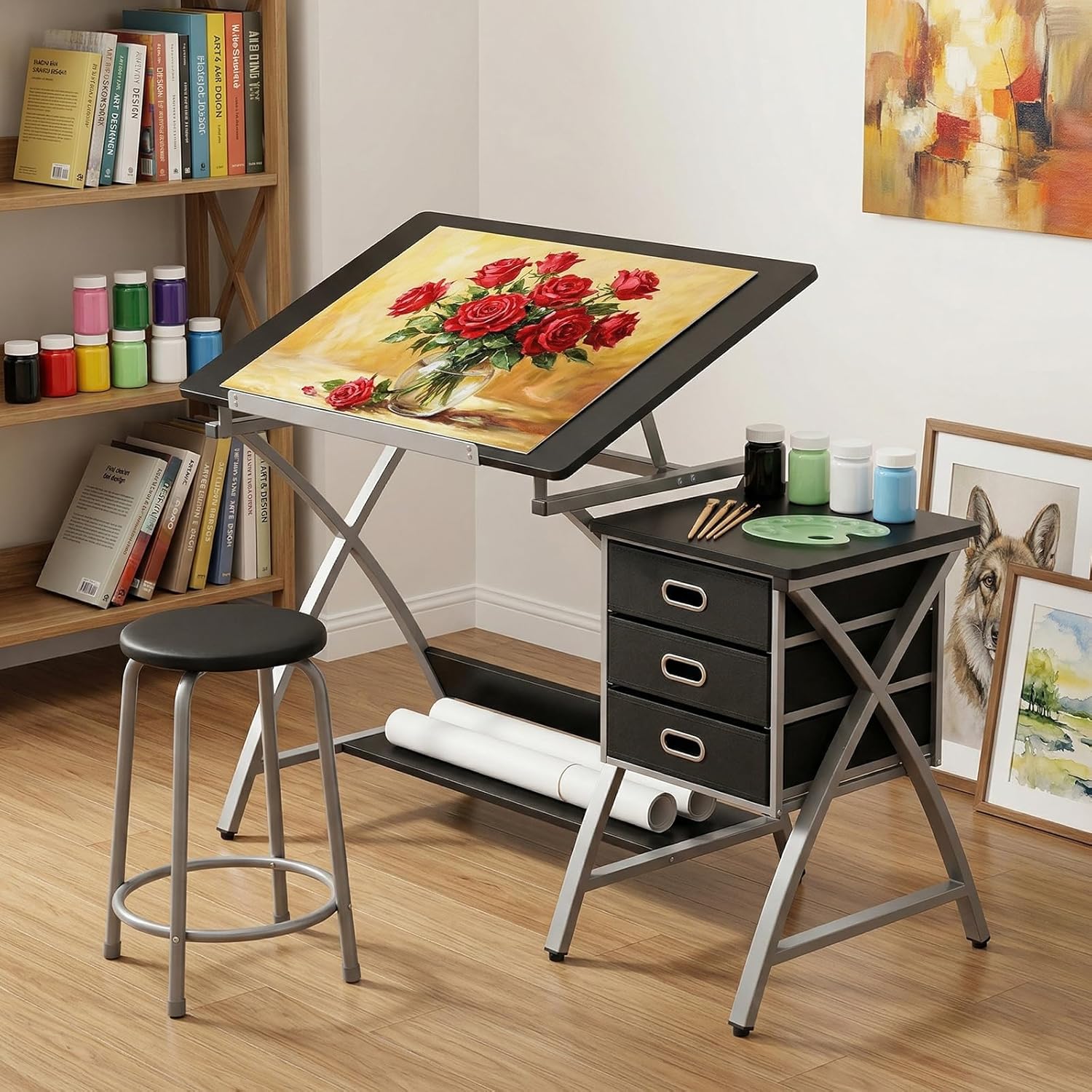
Image: A detailed diagram illustrating the overall dimensions of the drafting table and the accompanying stool, including length, width, height, and drawer sizes.
| Feature | Detail |
|---|---|
| Brand | MilleLoom |
| Model Number | 9ZA-ashI-tzYLnABGteqzT9Vzw |
| Desk Design | Drafting Table |
| Colour | Black |
| Product Dimensions (L x W x H) | 126D x 60W x 76H Centimetres (50.5" L x 23.6" W x 30" H approx.) |
| Maximum Height (Adjustable) | Up to 471.59 Inches (for tabletop tilt) |
| Tabletop Angle Adjustment | 0-60 degrees |
| Base Material | Alloy Steel |
| Top Material Type | Engineered Wood |
| Finish Type | Painted |
| Number of Drawers | 3 (Fabric) |
| Item Weight | 23 kg |
| Assembly Required | Yes |
Warranty Information
Specific warranty details are not provided in the product information. Please refer to your purchase documentation or contact the retailer/manufacturer for warranty terms and conditions.
Customer Support
For assistance with assembly, missing parts, or any other inquiries, please contact the seller or manufacturer directly through your purchase platform. Have your model number (9ZA-ashI-tzYLnABGteqzT9Vzw) and purchase date ready.