
Introduction
Thank you for purchasing the aowoka S15-1-YTEU-BK2 Bluetooth Speaker. This manual provides essential information for setting up, operating, and maintaining your speaker. Please read it carefully before use and retain it for future reference.
Package Contents
Ensure all items are present in the package:
- 1 x aowoka Bluetooth Speaker
- 1 x USB Charging Cable
- 1 x AUX Connection Cable
- 1 x Nylon Lanyard
Product Overview
The aowoka S15-1-YTEU-BK2 is a powerful 20W portable Bluetooth speaker designed for rich audio experiences. It features a full-range speaker and a metal bass diaphragm for deep, clear bass. The speaker includes a digital display, LED lights, and multiple connectivity options.

Figure 1: General view of the aowoka S15-1-YTEU-BK2 Bluetooth Speaker.

Figure 2: Internal structure highlighting the dual diaphragms for powerful 20W bass sound.
Controls and Indicators
The speaker features intuitive controls and a digital display for easy operation:
- Power Button: Press and hold to turn the speaker On/Off. Short press to play/pause music.
- Volume Buttons (+/-): Short press to adjust volume. Long press to skip tracks.
- Mode Button: Short press to switch between Bluetooth, TF Card, and AUX modes.
- EQ Button: Short press to cycle through Normal and Vocal EQ modes.
- Light Button: Short press to change LED light effects or turn them off.
- Digital Display: Shows battery level, current mode, and other status indicators.

Figure 3: Speaker controls, illustrating the EQ mode selection.
Setup
1. Charging the Speaker
Before first use, fully charge the speaker. Connect the provided USB charging cable to the speaker's charging port and a 5V USB power adapter (not included). The digital display will show the charging progress. A full charge provides up to 20 hours of playback, depending on usage.

Figure 4: Digital display indicating battery level and extended playback time.
2. Powering On/Off
Press and hold the Power button for approximately 3 seconds to turn the speaker On or Off. A sound prompt will indicate the power status.
3. Bluetooth Pairing
- Turn on the speaker. It will automatically enter Bluetooth pairing mode, indicated by a flashing Bluetooth icon on the digital display.
- On your device (smartphone, tablet, etc.), enable Bluetooth and search for available devices.
- Select "aowoka S15-1-YTEU-BK2" from the list.
- Once connected, the speaker will emit a confirmation sound, and the Bluetooth icon on the display will stop flashing.
Operation
1. Music Playback
- Bluetooth Mode: After successful pairing, play music from your connected device. Use the speaker's Power button for play/pause and Volume buttons for track control.
- TF Card Mode: Insert a TF (Micro SD) card with audio files into the TF card slot. The speaker will automatically switch to TF Card mode and begin playback.
- AUX Mode: Connect an audio device using the provided AUX cable to the speaker's AUX port. Press the Mode button to select AUX mode.

Figure 5: Speaker displaying icons for Bluetooth and TF card connections.
2. Volume Control
Short press the '+' button to increase volume and the '-' button to decrease volume.
3. LED Light Modes
The speaker features seven dynamic RGB light effects. Short press the Light button to cycle through different light modes or to turn the lights off. The lights synchronize with the music rhythm.
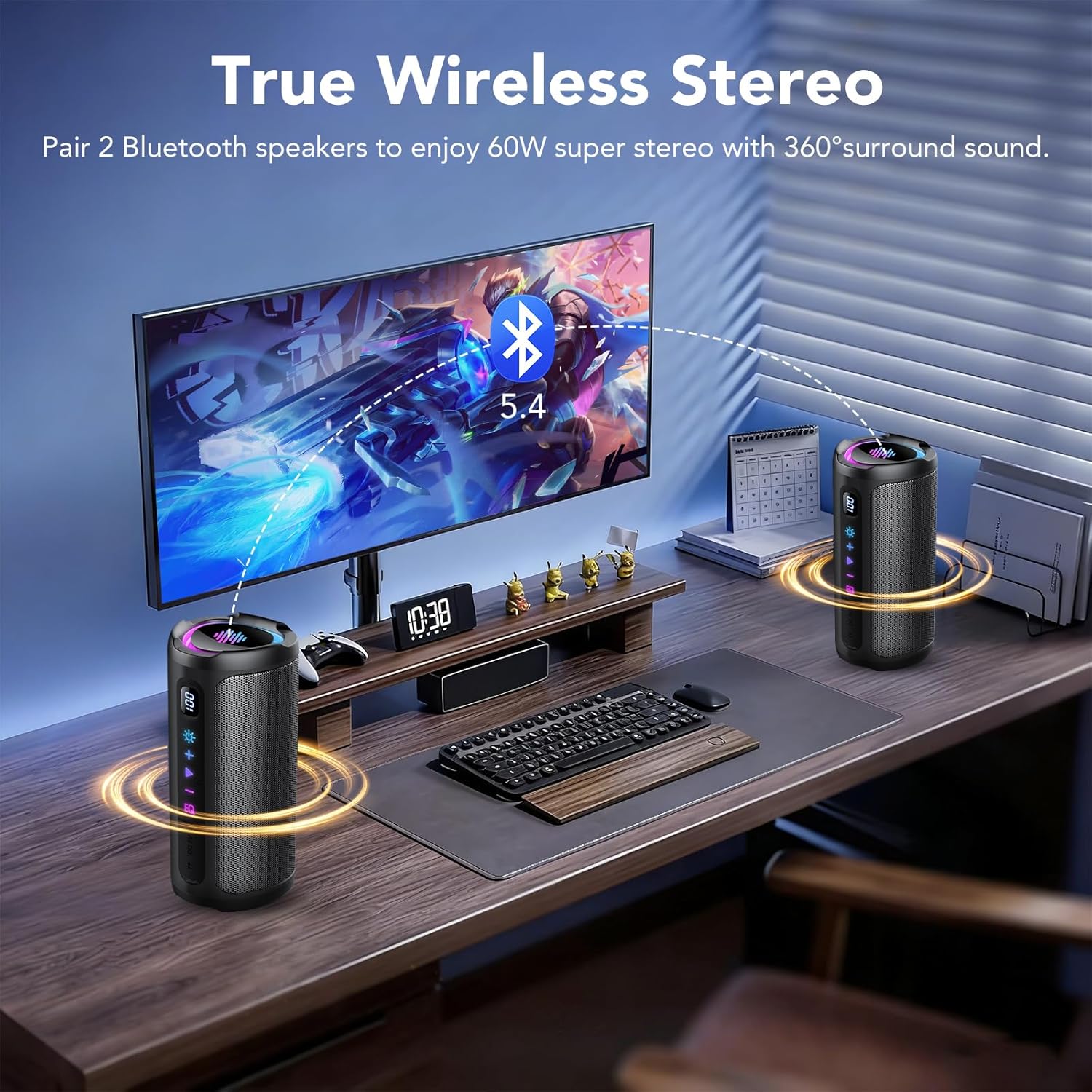
Figure 6: Examples of the speaker's dynamic RGB light effects.
4. True Wireless Stereo (TWS) Pairing
To achieve true wireless stereo sound, you can pair two aowoka S15-1-YTEU-BK2 speakers:
- Ensure both speakers are powered on and not connected to any Bluetooth device.
- On one speaker, press and hold the Mode button until you hear a TWS pairing prompt. This speaker will become the primary unit.
- The primary speaker will automatically search for and connect to the secondary speaker.
- Once paired, connect your device to the primary speaker via Bluetooth. Both speakers will now play audio in stereo.

Figure 7: Two speakers set up for True Wireless Stereo (TWS) sound.
5. EQ Modes
Short press the EQ button to switch between "Normal" and "Vocal" sound equalization modes, optimizing audio for different content types.
Maintenance
1. Waterproofing (IPX7)
The speaker is IPX7 waterproof, meaning it can withstand rain, splashes, and temporary immersion in water (up to 1 meter for 30 minutes). Ensure the charging port cover is securely closed before exposing the speaker to water.
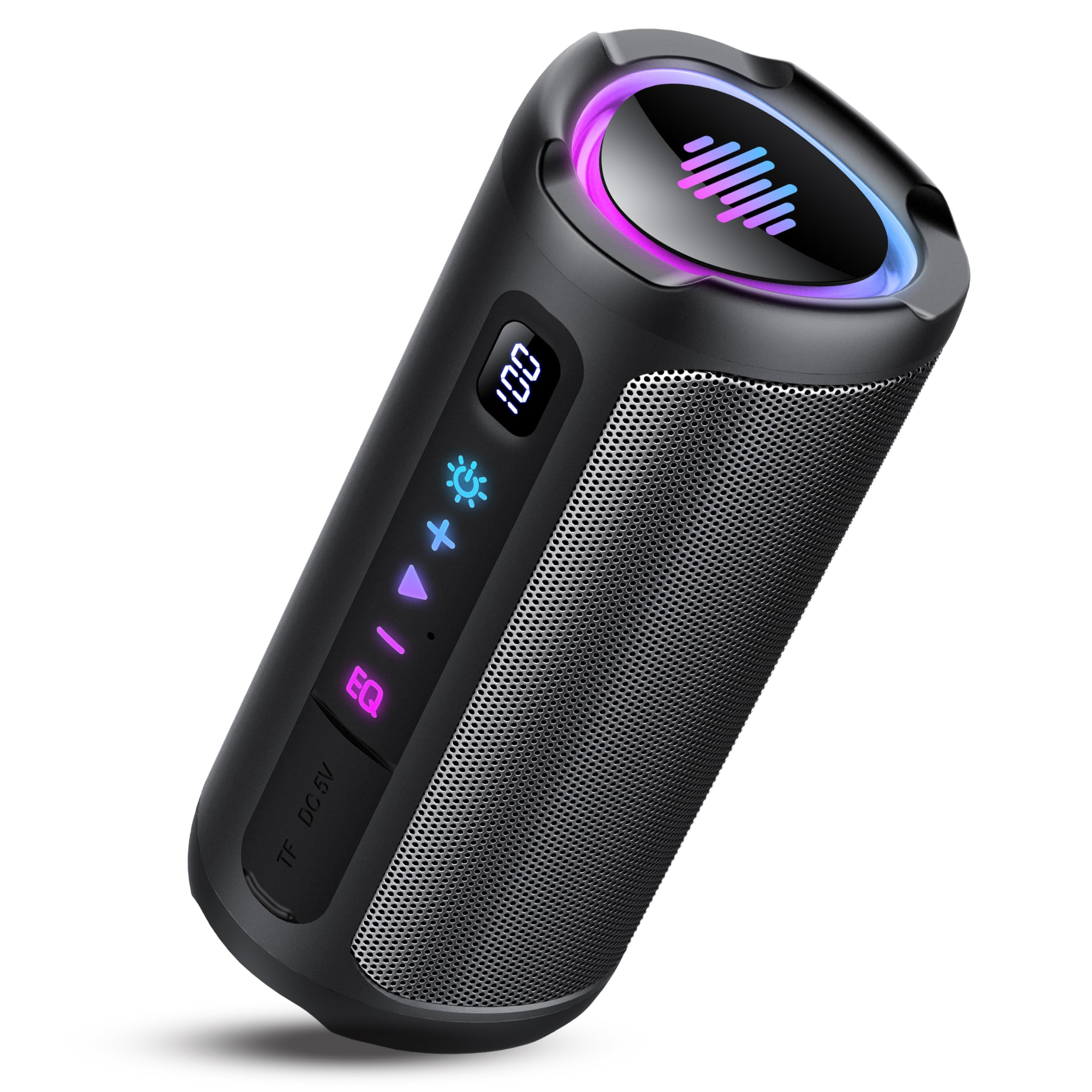
Figure 8: Speaker in water, highlighting its IPX7 waterproof capability.
2. Cleaning
Wipe the speaker with a soft, damp cloth. Do not use abrasive cleaners or solvents.
3. Storage
Store the speaker in a cool, dry place away from direct sunlight and extreme temperatures. If storing for an extended period, charge the battery periodically to maintain its lifespan.
Troubleshooting
- Speaker does not turn on: Ensure the battery is charged. Connect the speaker to a power source and try again.
- Cannot pair via Bluetooth: Make sure the speaker is in pairing mode (flashing Bluetooth icon). Ensure your device's Bluetooth is enabled and within range. Forget previous pairings on your device and try again.
- No sound: Check the volume levels on both the speaker and your connected device. Ensure the correct input mode (Bluetooth, TF, AUX) is selected.
- Poor sound quality: Move the speaker closer to your Bluetooth device to reduce interference. Try a different audio source or file.
- TWS pairing fails: Ensure both speakers are fully charged and not connected to any other Bluetooth devices before initiating TWS pairing.
Specifications
| Brand | aowoka |
| Model Name | S15-1-YTEU-BK2 |
| Connectivity Technology | Bluetooth 5.4 |
| Speaker Type | Portable Speaker |
| Maximum Speaker Output Power | 20 Watts |
| Audio Output Mode | Stereo |
| Waterproof Rating | IPX7 |
| Average Battery Life | 20 Hours |
| Compatible Devices | Smartphone, Tablet, Television, MP3 Player |
| Special Features | LED Lights, Digital Display, Enhanced Bass, TWS, TF Card Support |
| Item Dimensions (L x W x H) | 8.2 x 8.2 x 18.3 cm |
Safety Information
- Do not expose the speaker to extreme temperatures or direct sunlight for prolonged periods.
- Do not disassemble or attempt to repair the speaker yourself. This will void the warranty.
- Keep the speaker away from children and pets.
- Use only the provided charging cable or a certified equivalent.
- Avoid listening at high volumes for extended periods to prevent hearing damage.
Warranty and Support
For warranty information or technical support, please refer to the documentation provided with your purchase or contact aowoka customer service. Keep your proof of purchase for warranty claims.