
1. Introduction
This manual provides comprehensive instructions for the FUNYET NY-19 15.6-inch laptop. Please read this manual carefully before using your device to ensure proper operation and to maximize its lifespan.
Package Contents
Verify that all items listed below are included in your package:
- 1 × FUNYET NY-19 Laptop (R7-6800H)
- 1 × Type-C Charging Cable
- 1 × Instruction Manual (This Document)
- 1 × Warranty Card
2. Setup
2.1 Initial Power On
- Charge the Laptop: Before first use, connect the Type-C charging cable to the laptop's charging port and a power outlet. Allow the battery to charge for at least 30 minutes.
- Power On: Open the laptop lid and press the power button located on the keyboard.
- Windows Setup: Follow the on-screen instructions to complete the Windows 11 Pro setup, including language selection, network connection, and user account creation.
2.2 Connecting Peripherals
The FUNYET NY-19 laptop offers various ports for connecting external devices:
- USB Devices: Connect USB mice, keyboards, external hard drives, or flash drives to the USB 3.0 or USB 2.0 ports.
- External Displays: Use the HDMI port or a full-function Type-C port with an appropriate adapter to connect an external monitor or projector.
- Audio Devices: Plug headphones or external speakers into the 3.5mm audio jack.
- Memory Cards: Insert a TF card into the dedicated TF card slot for expanded storage.
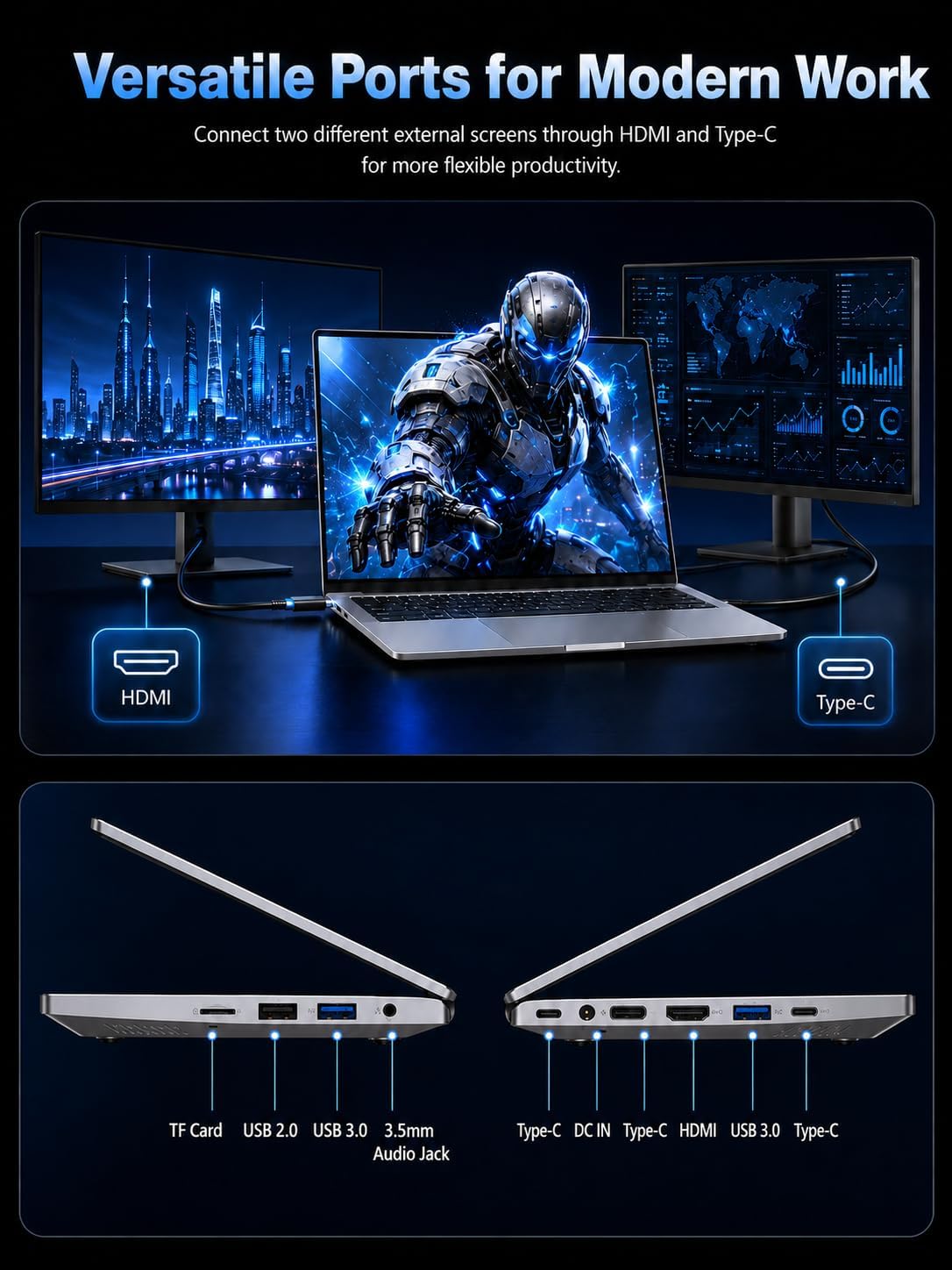
Image: Overview of the laptop's versatile ports and connectivity options, including HDMI and Type-C for external displays.
3. Operating Your Laptop
3.1 Key Features
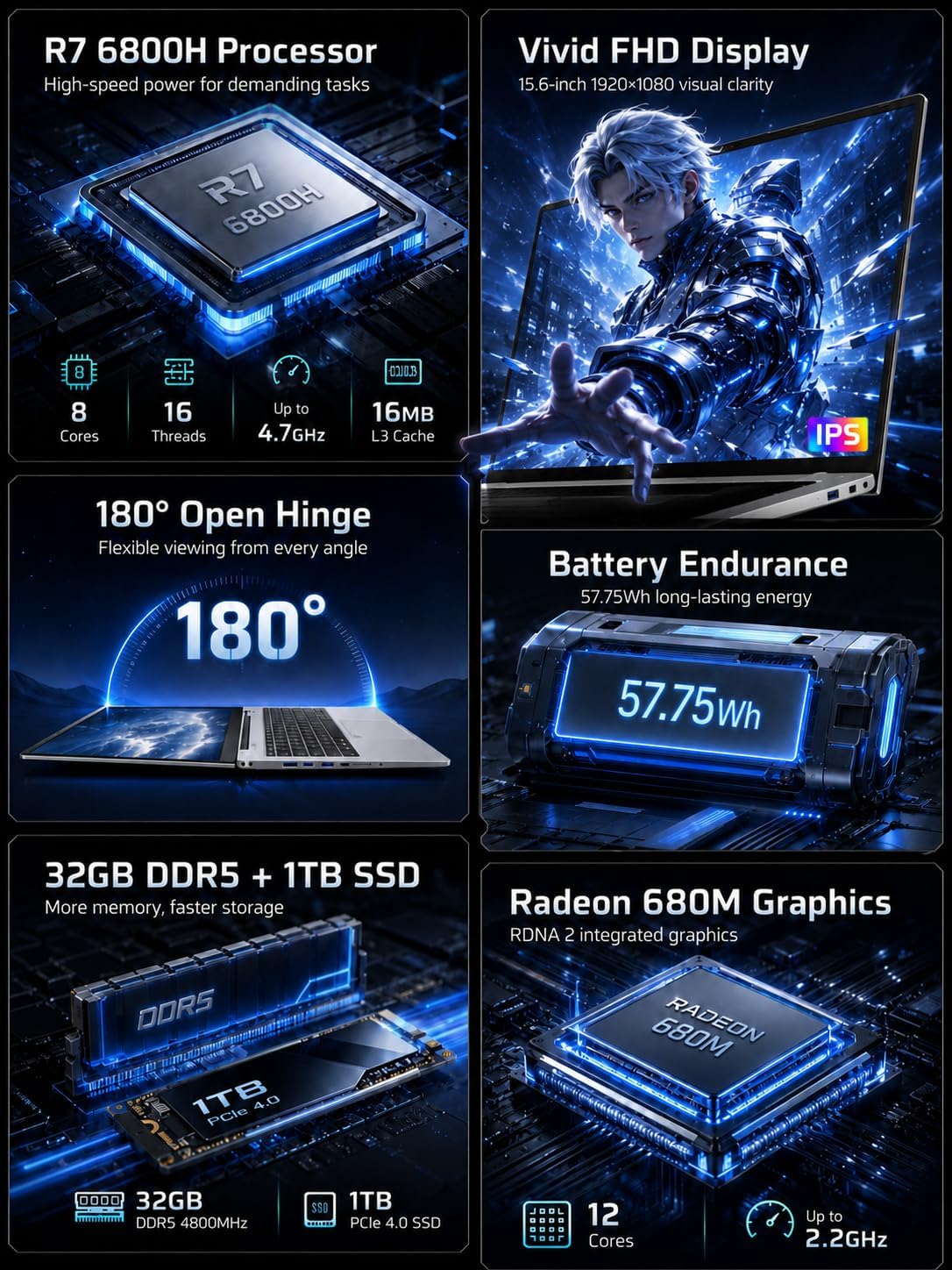
Image: Visual summary of the laptop's main components and capabilities.
- Processor: Equipped with an AMD Ryzen 7 6800H CPU, featuring 8 cores and 16 threads, boosting up to 4.7 GHz for efficient multitasking and demanding applications.
- Memory & Storage: 32GB LPDDR5 RAM ensures smooth operation across multiple applications, complemented by a fast 1TB SSD for ample storage and quick data access.
- Display: A 15.6-inch IPS FHD (1920x1080) display provides clear visuals and wide viewing angles.
- Battery: The 5000 mAh / 57.75 Wh battery offers extended usage, up to 6 hours at maximum brightness.
- Connectivity: Features dual-band Wi-Fi 5 (802.11 b/g/n/ac) for stable internet and Bluetooth 4.2 for wireless peripheral connections.
- Security: Integrated fingerprint sensor for quick and secure login.
- Keyboard: Backlit keyboard for improved typing in low-light conditions, includes an independent numeric keypad.
- Webcam & Microphone: Built-in 1MP front camera and microphone for video calls and online meetings.
- Hinge Design: The 180-degree open hinge allows for flexible viewing and collaboration.
3.2 Processor Performance
The AMD Ryzen 7 6800H processor is designed for high performance, suitable for advanced office tasks, academic work, entertainment, and light content creation.

Image: Detailed view of the Ryzen 7 6800H CPU specifications and performance comparison.
3.3 Memory and Storage
The combination of 32GB LPDDR5 RAM and a 1TB SSD provides a responsive and efficient computing experience, allowing for quick application launches and ample space for your files.

Image: Visual representation of the laptop's memory and storage capabilities, demonstrating multitasking.
3.4 Display and Visuals
Experience clear and vibrant visuals on the 15.6-inch Full HD IPS display. The ultra-narrow bezel design enhances the immersive viewing experience.
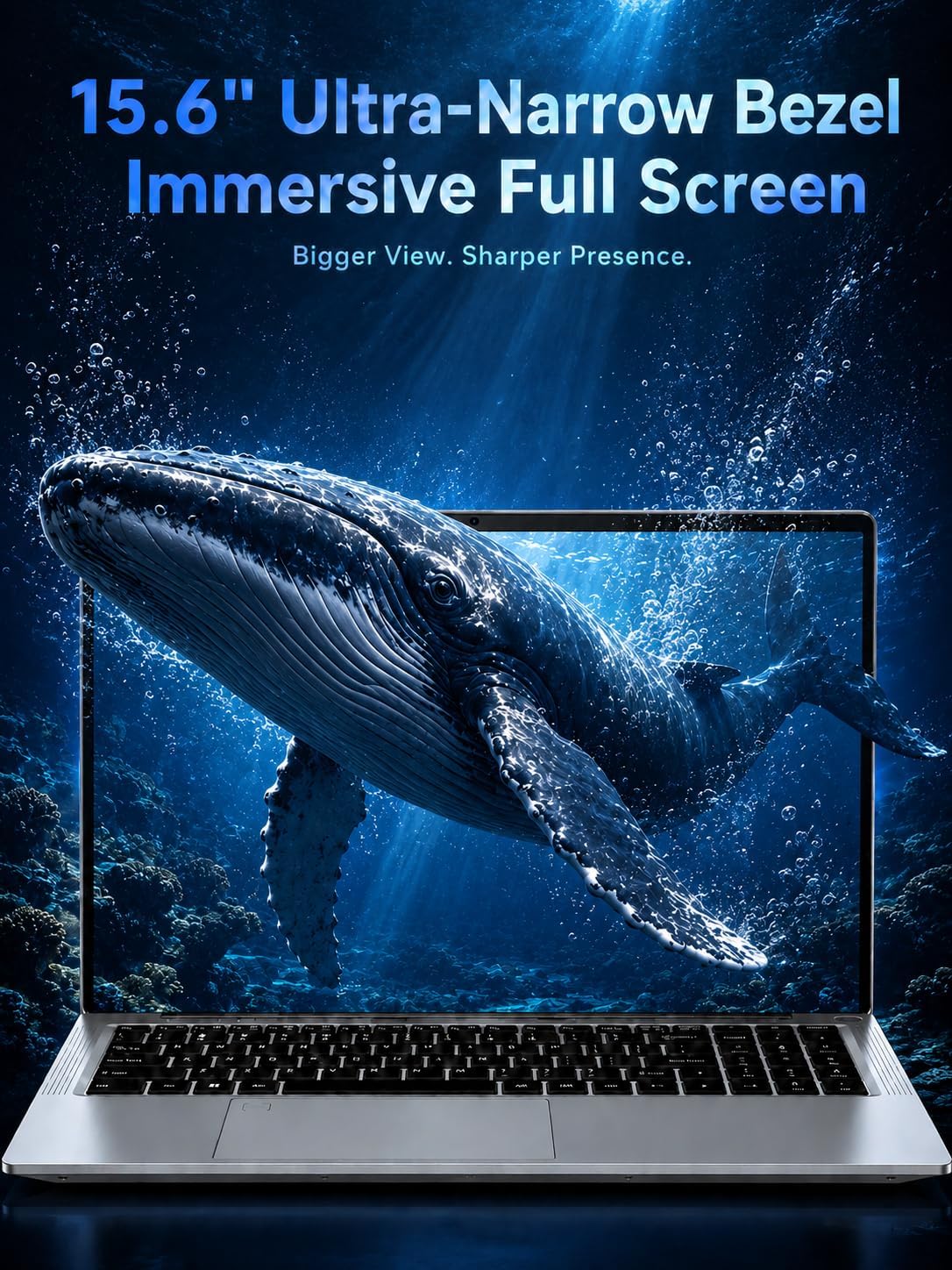
Image: The laptop's display showcasing its immersive visual quality with a narrow bezel.
3.5 Battery Life
The 5000mAh / 57.75Wh battery provides reliable power for extended periods, making the laptop suitable for use on the go without frequent recharging.

Image: Illustration of the laptop's battery capacity and estimated endurance.
3.6 Flexible Design
The laptop's 180-degree hinge allows the screen to lay flat, offering versatility for presentations, collaboration, or comfortable viewing from various angles.

Image: The laptop's 180-degree hinge in use for collaborative work.
3.7 Advanced Features
The FUNYET NY-19 includes several features designed to enhance user experience:

Image: Overview of advanced features including stereo speakers, backlit keyboard, front camera, microphone, numeric keypad, and touchpad.
- Stereo Speakers: For clear audio output.
- Backlit Keyboard: Allows for comfortable typing in various lighting conditions.
- 1MP Front Camera: Suitable for video conferencing.
- Built-in Microphone: For voice communication.
- Independent Numeric Keypad: Enhances productivity for data entry.
- Smooth Touchpad: Provides precise navigation.
4. Maintenance
Proper maintenance ensures the longevity and optimal performance of your FUNYET NY-19 laptop.
- Cleaning: Use a soft, lint-free cloth to clean the screen and exterior. For stubborn marks, slightly dampen the cloth with water or a screen cleaner. Avoid harsh chemicals.
- Ventilation: Ensure the laptop's ventilation openings are not blocked to prevent overheating. Use the laptop on a hard, flat surface.
- Battery Care: To prolong battery life, avoid fully discharging the battery frequently. Store the laptop in a cool, dry place if not used for extended periods.
- Software Updates: Regularly update your operating system and drivers to ensure security and performance.
- Data Backup: Periodically back up important data to an external drive or cloud storage to prevent data loss.
5. Troubleshooting
This section addresses common issues you might encounter with your laptop.
| Problem | Possible Solution |
|---|---|
| Laptop does not power on. | Ensure the charging cable is securely connected and the power outlet is functional. Allow the laptop to charge for at least 30 minutes before attempting to power on again. |
| Screen is blank or black. | Check if the laptop is powered on. Try connecting an external monitor to see if there's a display output. Restart the laptop. |
| Wi-Fi connection issues. | Restart your router and the laptop. Check Wi-Fi settings to ensure the correct network is selected and the password is entered correctly. Update Wi-Fi drivers if necessary. |
| Slow performance. | Close unnecessary applications. Check for background processes consuming high resources. Ensure sufficient free space on the SSD. Run a system scan for malware. |
| Battery not charging. | Verify the charging cable and adapter are not damaged. Try a different power outlet. Ensure the charging port on the laptop is clean and free of debris. |
If the issue persists, please contact customer support for further assistance.
6. Specifications
Detailed technical specifications for the FUNYET NY-19 laptop:
| Feature | Detail |
|---|---|
| Model Number | NY-19 |
| Processor | AMD Ryzen 7 6800H (up to 4.7 GHz, 8 Cores, 16 Threads) |
| Graphics Coprocessor | AMD Radeon 680M Graphics |
| RAM | 32 GB LPDDR5 |
| Storage | 1 TB SSD (M.2) |
| Display Size | 15.6 Inches |
| Display Resolution | 1920 x 1080 Pixels (FHD IPS) |
| Operating System | Windows 11 Pro |
| Battery Capacity | 5000 mAh / 57.75 Wh |
| Wireless Connectivity | Wi-Fi 5 (802.11 b/g/n/ac), Bluetooth 4.2 |
| Ports | 2x USB 3.0, 1x USB 2.0, 2x Full-function Type-C, 1x Mini-HD (HDMI), 1x 3.5mm Audio Jack, 1x TF Card Slot, 1x DC Charging Port |
| Special Features | Fingerprint Reader, Memory Card Slot, Numeric Keypad, Backlit Keyboard, 1MP Front Camera, Built-in Microphone |
| Dimensions (L x W x H) | 35.74 x 22.8 x 1.83 cm (approx.) |
| Weight | 1.6 kg (approx.) |
| Color | Cromado (Chrome) |
| Country of Origin | China |
7. Warranty and Support
7.1 Product Warranty
The FUNYET NY-19 laptop comes with a 2-year warranty from the date of purchase. Please retain your proof of purchase and the warranty card for any warranty claims.
7.2 Customer Support
For technical assistance, troubleshooting, or warranty inquiries, please contact FUNYET customer service:
- Online Support: Available 24/7.
- Telephone: +49 800-000-7147 (1:00 PM - 6:00 AM CET)
- Email: funyestore@outlook.com


Images: Customer support contact details and visual representation of online support.
