
1. Safety Information
Please read and follow all safety instructions carefully to prevent injury or damage to the appliance.
- Always ensure the machine is placed on a stable, level surface away from water sources.
- Do not immerse the machine, power cord, or plug in water or other liquids.
- Unplug the machine from the power outlet when not in use and before cleaning.
- Keep children and pets away from the machine during operation.
- Do not operate the machine if the power cord or plug is damaged.
- Use only accessories and attachments recommended by the manufacturer.
- Exercise caution when handling hot surfaces and steam.
2. Package Contents
Verify that all items are present in the packaging:
- 1x Tuni E2 Gen3 Espresso Machine
- 1x 58mm Portafilter
- 2x Single Wall Filter Baskets (Single Shot & Double Shot)
- 2x Dual Wall Filter Baskets (Single Shot & Double Shot)
- 1x Stainless Steel Powder Tamper
- 1x 400ml Milk Pitcher
- 1x Spoon Tamper
- 1x Cleaning Kit
- 1x 58mm Dosing Ring
- 1x User Manual (this document)

Image: Tuni E2 Gen3 Espresso Machine with all included accessories, including the portafilter, milk pitcher, various filter baskets, tampers, and dosing ring.
3. Product Overview
The Tuni E2 Gen3 is a semi-automatic espresso machine designed for home use, featuring a dual boiler system and advanced temperature control for consistent coffee extraction and powerful steam generation.
Key Features:
- 58mm Brew Head & Visible Pressure Gauge: Ensures stable heat and even water distribution for optimal extraction and rich crema. The pressure gauge allows real-time monitoring.
- Dual Boilers & Upgraded Heating System: Provides rapid and stable heating, allowing immediate milk frothing after espresso extraction.
- PID + NTC Dual Temperature Control: Delivers precise and stable water temperature for optimal espresso extraction.
- Hot & Cold Brewing Function: Supports both hot espresso extraction and cold brew coffee preparation.
- Powerful Frothing Steam: Features adjustable standard and Super+ steam modes for continuous, powerful, and dry steam, creating fine microfoam for latte art.
- Automatic Pressure Release: Quickly releases residual pressure after extraction, preventing messy portafilter sneezes and protecting the machine.
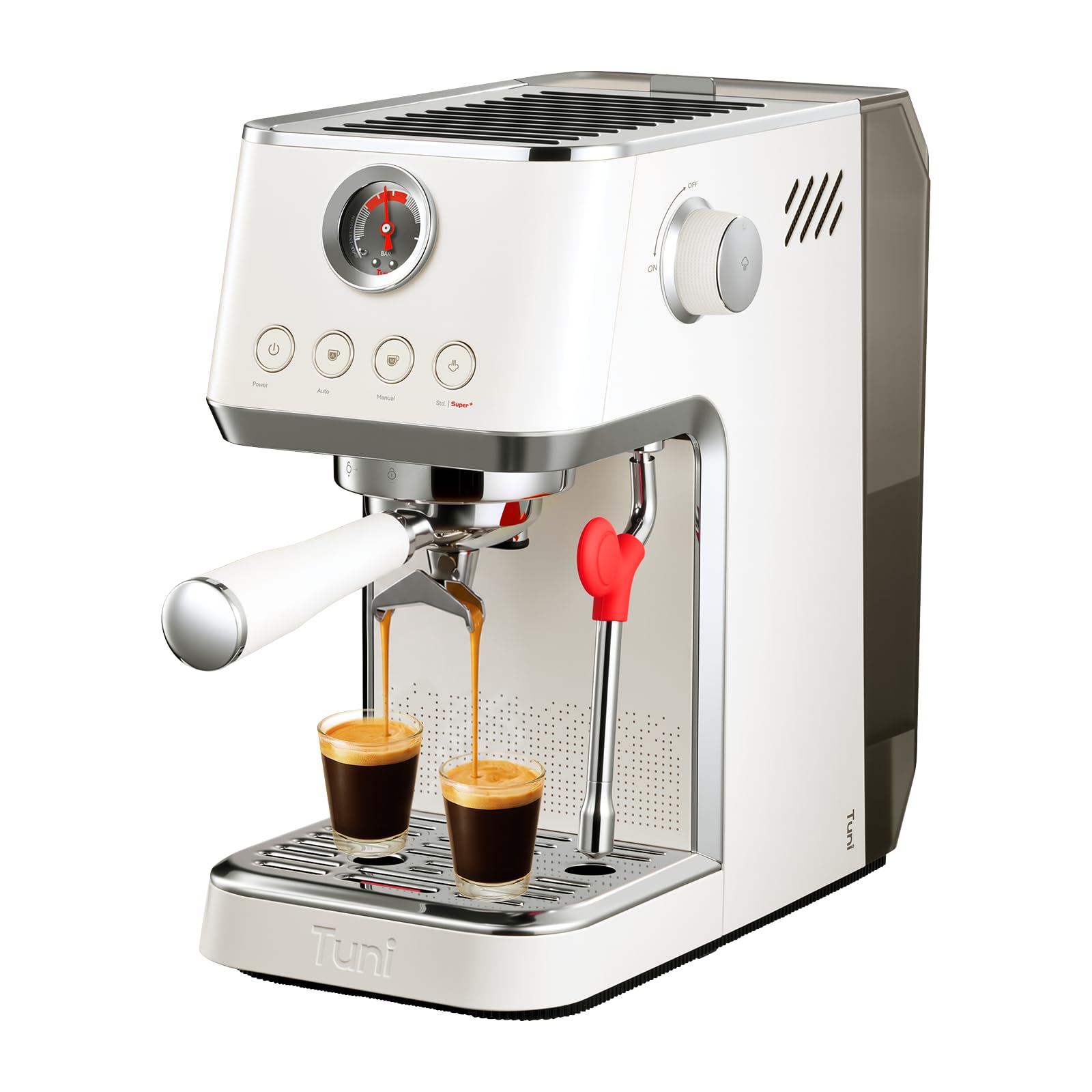
Image: Front view of the Tuni E2 Gen3 Espresso Machine, showcasing its ivory finish and control panel.
4. Setup
4.1 Unboxing and Initial Placement
Carefully remove all components from the packaging. Place the espresso machine on a dry, stable, and level surface. Ensure adequate clearance around the machine for ventilation and access to the water tank.
Video: Official Tuni E2 Gen3 Espresso Machine Unboxing. This video demonstrates the unboxing process and initial setup steps for the espresso machine.
4.2 Water Tank Installation and Filling
- Remove the removable water tank from the back of the machine.
- Fill the water tank with fresh, filtered water up to the MAX line. Do not use hot water or other liquids.
- Place the water tank back into its position, ensuring it is securely seated.

Image: The removable 44oz water tank, shown detached from the machine and filled with water.
4.3 Initial Rinse Cycle (Priming)
- Ensure the water tank is filled.
- Place a large container under the brew head and steam wand.
- Plug the machine into a grounded power outlet.
- Press the Power button to turn on the machine. The machine will begin heating.
- Once heated, press the 'Auto' button to run a cycle through the brew head.
- Turn the steam knob to release steam through the steam wand for 15-20 seconds to prime the steam system.
- Repeat this process 2-3 times to thoroughly rinse the internal components.
5. Operating Instructions
5.1 Preparing Espresso
- Grind Coffee: Use freshly ground coffee. For optimal espresso, a fine grind is recommended.
- Dose and Tamp: Insert the desired filter basket (single or double shot, single or dual wall) into the 58mm portafilter. Use the dosing ring to help fill the basket with ground coffee. For single shot, use 12-13g (single wall) or 8-10g (dual wall). For double shot, use 17-18g (single wall) or 12-14g (dual wall). Tamp the coffee evenly and firmly using the provided tamper.
- Attach Portafilter: Wipe any excess coffee from the rim of the portafilter. Insert the portafilter into the brew head and twist firmly to lock it into place.
- Place Cup: Position your espresso cup(s) under the portafilter spouts.
- Extract Espresso:
- For an automatic shot, press the 'Auto' button. The machine will perform a low-pressure pre-infusion followed by stable high-pressure extraction.
- For manual control, press the 'Manual' button to start extraction and press it again to stop when the desired volume is reached.
- Monitor Pressure: Observe the built-in pressure gauge during extraction. The optimal pressure range is typically indicated on the gauge.

Image: The Tuni E2 Gen3 Espresso Machine highlighting the 20 Bar ULKA pump and visible pressure gauge during espresso extraction.

Image: Illustration of the low-pressure pre-infusion process, which wets the coffee puck for balanced extraction and rich crema.
5.2 Cold Brew Function
The machine supports cold brew extraction for refreshing iced coffee.
- Ensure the water tank is filled with cold water, preferably ice water.
- Prepare the portafilter with ground coffee as described in section 5.1.
- Long press the Power button for 3 seconds to activate the cold brew mode. The indicator lights will change to signify cold brew mode.
- Place a cup under the portafilter and press the 'Auto' or 'Manual' button to start cold extraction.

Image: The Tuni E2 Gen3 Espresso Machine demonstrating how to activate the cold brew function by long-pressing the power button.
5.3 Milk Frothing (Steam Wand)
The dual boiler system allows for immediate milk frothing after espresso extraction.
- Fill the 400ml milk pitcher with cold milk (dairy or non-dairy).
- Position the steam wand into the milk, just below the surface.
- Press the 'Hot | Super+' button once for Standard Steam, or double-press for Super+ Steam.
- Turn the steam knob to release steam. Adjust the pitcher's position to create a vortex, frothing the milk to your desired texture.
- Once frothed, turn the steam knob off and press the 'Hot | Super+' button again to deactivate steam mode.
- Immediately wipe the steam wand with a damp cloth and purge briefly to clear any milk residue.

Image: The Tuni E2 Gen3 Espresso Machine's 90mm extended steam wand in action, frothing milk in a pitcher.
5.4 Adjustable Volume
The machine allows for customized shot volumes.
- Double Shot: The 'Auto' button is pre-programmed for a standard double shot volume.
- Customized Volume: Use the 'Manual' button to start and stop extraction at your preferred volume (Max 220ml).

Image: Control panel of the Tuni E2 Gen3 Espresso Machine illustrating the options for automatic double shot and customized manual volume.
6. Maintenance
Regular cleaning and maintenance ensure the longevity and optimal performance of your espresso machine.
6.1 Daily Cleaning
- Drip Tray: Empty and clean the removable drip tray daily. The drip tray has a full indicator to prevent overflow.
- Portafilter & Filter Baskets: After each use, remove the portafilter, discard the coffee grounds, and rinse the portafilter and filter basket under hot water.
- Brew Head: Wipe the brew head screen with a damp cloth to remove any coffee residue.
- Steam Wand: As mentioned in section 5.3, wipe and purge the steam wand immediately after each use.

Image: The removable drip tray of the Tuni E2 Gen3 Espresso Machine, designed for easy cleaning.
6.2 Descaling
Depending on water hardness, descaling should be performed every 2-3 months. Refer to the full user manual for detailed descaling instructions using a suitable descaling solution.
6.3 Automatic Pressure Release System
The Tuni E2 Gen3 features a built-in automatic pressure release system that instantly releases residual pressure after extraction. This function helps maintain machine stability and protects internal components.

Image: An internal diagram illustrating the automatic pressure relief system within the Tuni E2 Gen3 Espresso Machine.
7. Troubleshooting
| Problem | Possible Cause | Solution |
|---|---|---|
| No coffee dispenses | Water tank empty; machine not primed; coffee too finely ground/over-tamped. | Fill water tank; perform initial rinse cycle; adjust grind size or tamping pressure. |
| Espresso extracts too fast/weak | Coffee too coarsely ground; insufficient coffee dose; under-tamped. | Use finer grind; increase coffee dose; tamp more firmly. |
| Espresso extracts too slow/no flow | Coffee too finely ground; over-tamped; brew head clogged. | Use coarser grind; reduce tamping pressure; clean brew head. |
| Steam wand not producing steam | Steam function not activated; wand clogged. | Activate steam mode; clean steam wand thoroughly. |
| Machine not heating up | Not plugged in; power button not pressed; internal fault. | Check power connection; press power button; contact customer support if issue persists. |
For more detailed troubleshooting or issues not listed, please refer to the comprehensive user manual or contact Tuni customer support.
8. Specifications
| Feature | Detail |
|---|---|
| Brand | Tuni |
| Model Name | E2 Gen3 |
| Coffee Maker Type | Espresso Machine |
| Operation Mode | Semi-Automatic |
| Color | Ivory Espresso Machine |
| Material | Stainless Steel |
| Product Dimensions (D x W x H) | 12.9"D x 7.4"W x 13.2"H |
| Item Weight | 13 pounds |
| Capacity (Water Tank) | 44 oz (approx. 2.8 pounds) |
| Wattage | 1500 watts |
| Voltage | 120 volts |
| Output Pressure | 20 bar |
| Special Feature | Auto Shut-Off, Dual Boiler, PID + NTC Temp Control, Hot & Cold Brewing, Super+ Steam |
9. Warranty & Support
The Tuni E2 Gen3 Espresso Machine comes with a 1-Year Standard Warranty. An additional 6-month extended warranty is available upon product registration.
For warranty claims, technical support, or any questions regarding your product, please contact Tuni customer service. Contact information can typically be found on the Tuni official website or through your purchase platform.
Tuni values your satisfaction and is committed to providing assistance whenever needed.