
1. Product Overview
The ZAQE M505 is a versatile MP3/MP4 player designed for a comprehensive multimedia experience. Running on Android 9, it offers access to popular streaming services and a wide range of features.
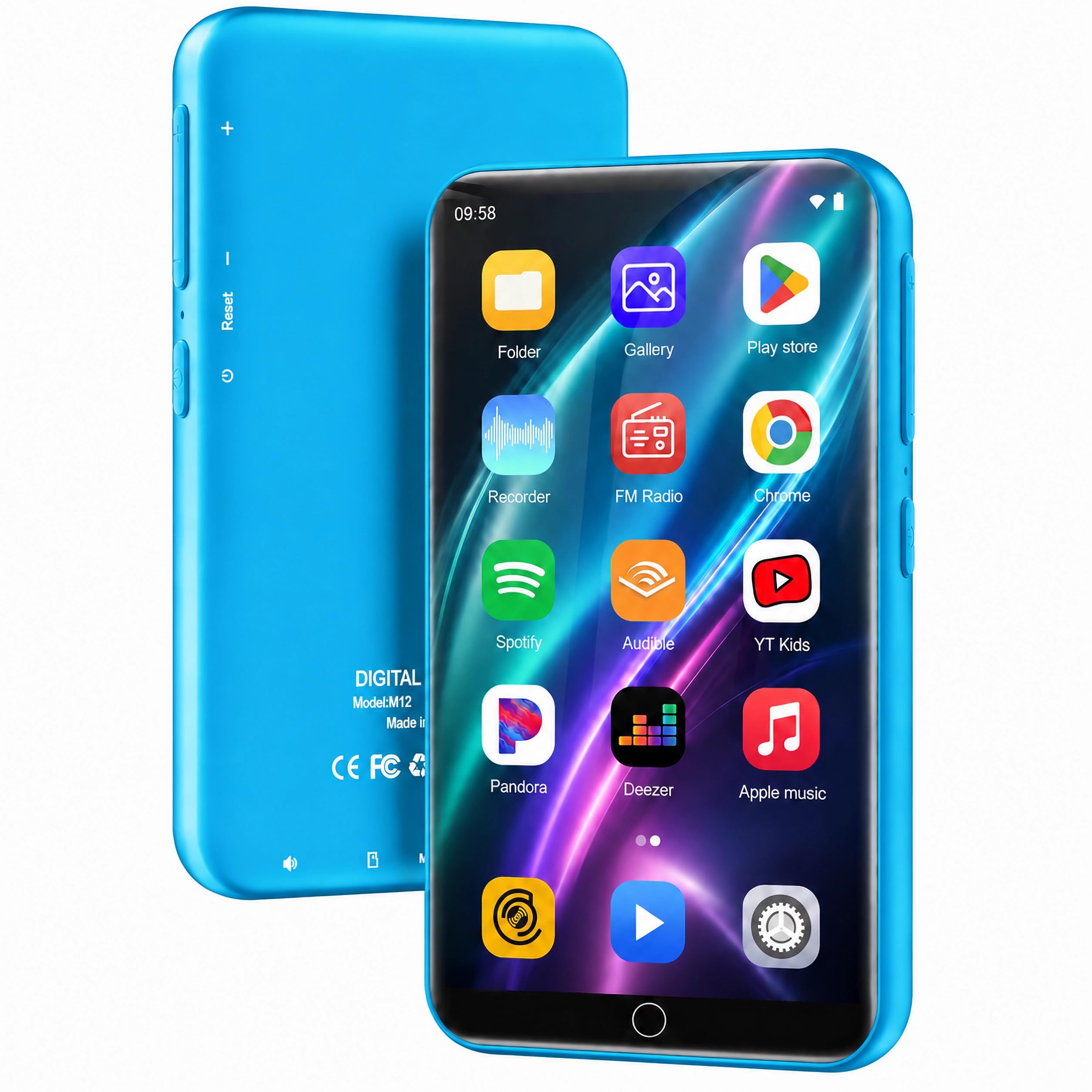
Image: Front view of the ZAQE M505 MP3 Player, showcasing its 4-inch touch screen.
Key Features:
- Operating System: Android 9 with preloaded apps like Spotify, Audible, and Deezer.
- Storage: 144GB internal storage, expandable up to 1TB via microSD card.
- Connectivity: Stable Bluetooth and high-speed Wi-Fi for wireless audio and internet access.
- Display: 4-inch 1080P HD full-color touch screen, supporting direct 720P/1080P video playback.
- Audio Quality: HiFi lossless sound with an independent HiFi chip, built-in speaker, synchronized lyrics, custom playlists, and adjustable equalizer.
- Multimedia Support: FM radio, video playback, voice recorder, and e-book reading.
- Battery: 2000mAh for extended usage (approximately 16 hours music, 5 hours video).
2. Getting Started: Setup
2.1 Package Contents
Ensure all items are present in the package:
- ZAQE M505 MP3 Player
- USB Type-C Charging Cable
- Included Accessory: 2ASNBM301 (Please refer to product packaging for specific accessory details)
2.2 Charging the Device
Before first use, fully charge the device. Connect the provided USB Type-C cable to the player's charging port and the other end to a USB power adapter (not included) or a computer's USB port.

Image: The ZAQE M505 MP3 Player connected to a USB Type-C charging cable, illustrating the charging process and battery capacity.
- A full charge typically takes approximately 3 hours.
- The battery indicator on the screen will show charging status.
2.3 Powering On/Off
- To Power On: Press and hold the Power button (usually on the side) until the screen lights up.
- To Power Off: Press and hold the Power button, then select "Power off" from the options on the screen.
- To Restart: Press and hold the Power button, then select "Restart" from the options.
2.4 Initial Setup and Wi-Fi Connection
Upon first power-on, follow the on-screen prompts to set up your device:
- Select your preferred language.
- Connect to a Wi-Fi network:
- Go to Settings > Network & Internet > Wi-Fi.
- Toggle Wi-Fi On.
- Select your desired network from the list and enter the password if prompted.
- Sign in with your Google account to access the Google Play Store and other services.

Image: The ZAQE M505 MP3 Player displaying the app download interface, highlighting its Android 9 system and Google Play Store access.
2.5 Expanding Storage (MicroSD Card)
The device supports microSD cards up to 1TB for additional storage.
- Locate the microSD card slot on the side of the player.
- Gently insert the microSD card into the slot until it clicks into place.
- The device will recognize the new storage. You may need to format the card if it's new or from another device (this will erase all data on the card).

Image: The ZAQE M505 MP3 Player illustrating its 144GB internal storage and the option to expand up to 1TB with a microSD card.
3. Operating the Device
3.1 Navigation and User Interface
The ZAQE M505 features a 4-inch touch screen for intuitive navigation. Swipe, tap, and pinch to interact with apps and menus, similar to a smartphone.
3.2 Music Playback
The device supports various audio formats including MP3, OGG, FLAC, AAC, WAV, WMA, and APE.
- Transferring Music: Connect the player to your computer using the USB Type-C cable. The device will appear as a removable storage drive. Drag and drop your music files into the "Music" folder.
- Playing Music: Open the pre-installed music player app or your preferred streaming app (e.g., Spotify). Browse your library or stream online content.
- Creating Playlists: Most music apps allow you to create and manage custom playlists. Follow the app's instructions to organize your music.
- Equalizer Settings: Access the equalizer settings within your music player app to adjust audio output (e.g., bass, treble, presets).

Image: The ZAQE M505 MP3 Player displaying a music playback screen, emphasizing its advanced audio technology and support for various formats.

Image: The ZAQE M505 MP3 Player demonstrating the process of creating a playlist within a music application.
3.3 Bluetooth Connectivity
Connect your player to Bluetooth headphones, speakers, or car stereos for wireless audio.
- Go to Settings > Connected devices > Bluetooth.
- Toggle Bluetooth On.
- Ensure your Bluetooth accessory is in pairing mode.
- Select your accessory from the list of available devices to pair.

Image: The ZAQE M505 MP3 Player wirelessly connected to Bluetooth headphones, illustrating its wireless audio capabilities.
3.4 Video Playback
The 4-inch HD screen supports direct playback of 720P/1080P videos in formats such as RM, RMVB, FLV, MP4, DAT, MKV, MPG, MOV, and TS.
- Transferring Videos: Connect the player to your computer and drag video files into the "Videos" folder.
- Playing Videos: Open the pre-installed video player app or a downloaded third-party app. Select your desired video to play.

Image: The ZAQE M505 MP3 Player showcasing its 4-inch screen displaying video content, highlighting its video playback capabilities.
3.5 Other Functions
- FM Radio: Access the FM Radio app to listen to local radio stations. You may need to connect wired headphones to act as an antenna.
- Voice Recorder: Use the Voice Recorder app to capture audio notes or lectures.
- E-book Reader: Open the E-book app to read compatible e-book files. Transfer e-book files (e.g., EPUB, PDF) to the "Books" folder on your device.
4. Maintenance
Proper maintenance ensures the longevity and optimal performance of your ZAQE M505 MP3 Player.
- Cleaning: Use a soft, lint-free cloth to clean the screen and body of the device. Avoid abrasive cleaners or solvents.
- Battery Care:
- Avoid fully discharging the battery frequently.
- Do not expose the device to extreme temperatures (hot or cold).
- If storing for a long period, charge the battery to about 50% before storage.
- Software Updates: Periodically check for system updates in Settings > System > System update to ensure you have the latest features and security patches.
- Storage Management: Regularly review and delete unnecessary files or apps to free up internal storage. Utilize the microSD card for large media files.
5. Troubleshooting
If you encounter issues with your ZAQE M505, refer to the following common problems and solutions:
5.1 Device Not Turning On
- Check Battery: Ensure the device is charged. Connect it to a power source and wait a few minutes before attempting to power on.
- Hard Reset: Press and hold the Power button for 10-15 seconds to force a restart.
5.2 No Sound
- Volume Level: Check the device's volume settings and ensure it's not muted.
- Headphone/Speaker Connection: If using external audio, ensure they are properly connected or paired via Bluetooth.
- App Settings: Verify that the volume within the specific app (music player, video player) is also turned up.
5.3 Bluetooth/Wi-Fi Connectivity Issues
- Toggle On/Off: Turn Bluetooth/Wi-Fi off and then back on in the settings.
- Forget Network/Device: For Wi-Fi, "forget" the network and reconnect. For Bluetooth, "unpair" the device and pair it again.
- Router/Accessory Check: Ensure your Wi-Fi router or Bluetooth accessory is functioning correctly and within range.
5.4 Apps Crashing or Freezing
- Restart App: Close the app and reopen it.
- Clear Cache: Go to Settings > Apps & notifications > select the app > Storage & cache > Clear cache.
- Update App: Check the Google Play Store for app updates.
- System Update: Ensure the device's operating system is up to date.
5.5 Storage Full
- Delete Unnecessary Files: Remove old photos, videos, or music you no longer need.
- Uninstall Apps: Delete apps that are not frequently used.
- Move to SD Card: Transfer large media files to an installed microSD card.
6. Specifications
| Feature | Detail |
|---|---|
| Brand | ZAQE |
| Model Name | M505 |
| Operating System | Android 9 |
| Memory Storage Capacity | 144 GB (Expandable up to 1 TB via microSD) |
| Connectivity Technology | Bluetooth, Wi-Fi |
| Screen Size | 4.0 inches |
| Screen Resolution | 480*800 pixels |
| Battery Capacity | 2000 mAh |
| Audio Formats Supported | MP3, OGG, FLAC, AAC, WAV, WMA, APE |
| Video Formats Supported | RM, RMVB, FLV, MP4, DAT, MKV, MPG, MOV, TS |
| Special Features | Built-In Speaker, Equalizer, Video Playback, Voice Recorder, FM Radio, E-book Reader |
| Included Components | USB Type-C Cable, 2ASNBM301 Accessory |
7. Warranty and Support
7.1 Warranty Information
The ZAQE M505 MP3 Player comes with a manufacturer's warranty. Please refer to the warranty card included in your product packaging or visit the official ZAQE website for detailed warranty terms and conditions.
7.2 Customer Support
For further assistance, technical support, or inquiries, please contact ZAQE customer service through their official website or the contact information provided in your product documentation.
You can also visit the ZAQE Store on Amazon for more product information and support resources.


