
Goiaey GO2
Contents
Goiaey GO2 4K Projector User Manual
Model: GO2 | Brand: Goiaey
Introduction
This manual provides detailed instructions for the safe and efficient operation of your Goiaey GO2 4K Projector. Please read this manual thoroughly before using the product and retain it for future reference.
The Goiaey GO2 is a high-brightness smart projector designed for both indoor and outdoor use, featuring 4K decoding, WiFi 6, Bluetooth 5.4, auto-focus, auto-keystone correction, and a 360° rotatable stand.
What's in the Box
Upon opening the package, verify that all the following items are included:
- 1x Goiaey GO2 Smart Projector
- 1x Remote Control
- 1x HDMI Cable
- 1x User Manual
- 1x Cleaning Kit
Setup Guide
1. Placement and Positioning
The Goiaey GO2 projector is designed for versatile placement. It can be used on a table, mounted on a ceiling, or placed on a tripod. The integrated 360° rotatable stand allows for projection onto various surfaces, including walls and ceilings.
- Recommended Projection Distance: For optimal viewing, a 100-inch image is achieved from approximately 8 feet (2.4 meters). The projector supports image sizes from 50 to 500 inches at distances between 4 to 25 feet.
- Mounting Options: The projector features a standard 1/4'' screw hole on the bottom for compatibility with tripods and ceiling mounts.

Image: The Goiaey GO2 projector demonstrating its 360° adjustable stand for flexible projection angles.

Image: Various mounting options for the Goiaey GO2 projector, including ceiling, tripod, and table setups.

Image: Comparison illustrating the Goiaey GO2's short throw ratio, achieving a 100-inch screen from 8 feet.
2. Powering On and Initial Adjustment
Connect the projector to a power source using the provided power cable. Press the power button on the projector or remote control to turn it on. The projector will automatically perform image adjustments.
- Automatic Adjustments: The GO2 features Smart AI Auto Focus, Auto Keystone Correction, Auto Screen Fit, and Auto Obstacle Avoidance. These functions automatically adjust the image for clarity and proper alignment within approximately 3 seconds when the projector is moved. Ensure these functions are enabled in the settings for optimal performance.

Image: The Goiaey GO2 projector automatically adjusting focus, keystone, screen fit, and avoiding obstacles.
Video: Official product video demonstrating the Goiaey GO2 projector's automatic focus, keystone, and screen alignment features.
Operating Instructions
1. Basic Navigation and Remote Control
Use the provided remote control to navigate the projector's interface. The remote allows you to power on/off, adjust volume, select input sources, and access settings and built-in applications.
2. Connecting External Devices
The GO2 projector offers multiple connectivity options:
- HDMI: Connect laptops, PCs, gaming consoles (PS4, PS5), TV sticks, or Roku sticks using the HDMI ports.
- USB: Use the USB ports to connect USB drives for media playback.
- 3.5mm Audio Jack: Connect external speakers or headphones.
- WiFi 6: Connect to your home network for internet access and screen mirroring.
- Bluetooth 5.4 (Two-Way):
- Transmitter Mode: Connect wirelessly to Bluetooth speakers for enhanced audio.
- Receiver Mode: Pair your smartphone with the projector to use the projector's built-in speakers for playing music from your phone.

Image: The Goiaey GO2 projector demonstrating WiFi 6 and two-way Bluetooth 5.4 connectivity with a smartphone.

Image: Rear view of the Goiaey GO2 projector highlighting its HDMI, USB, and 3.5mm audio jack connections.
3. Using Built-in Applications
The projector comes with pre-installed applications such as Netflix, YouTube, and Prime Video. These apps can be accessed directly from the projector's main interface without needing external devices.
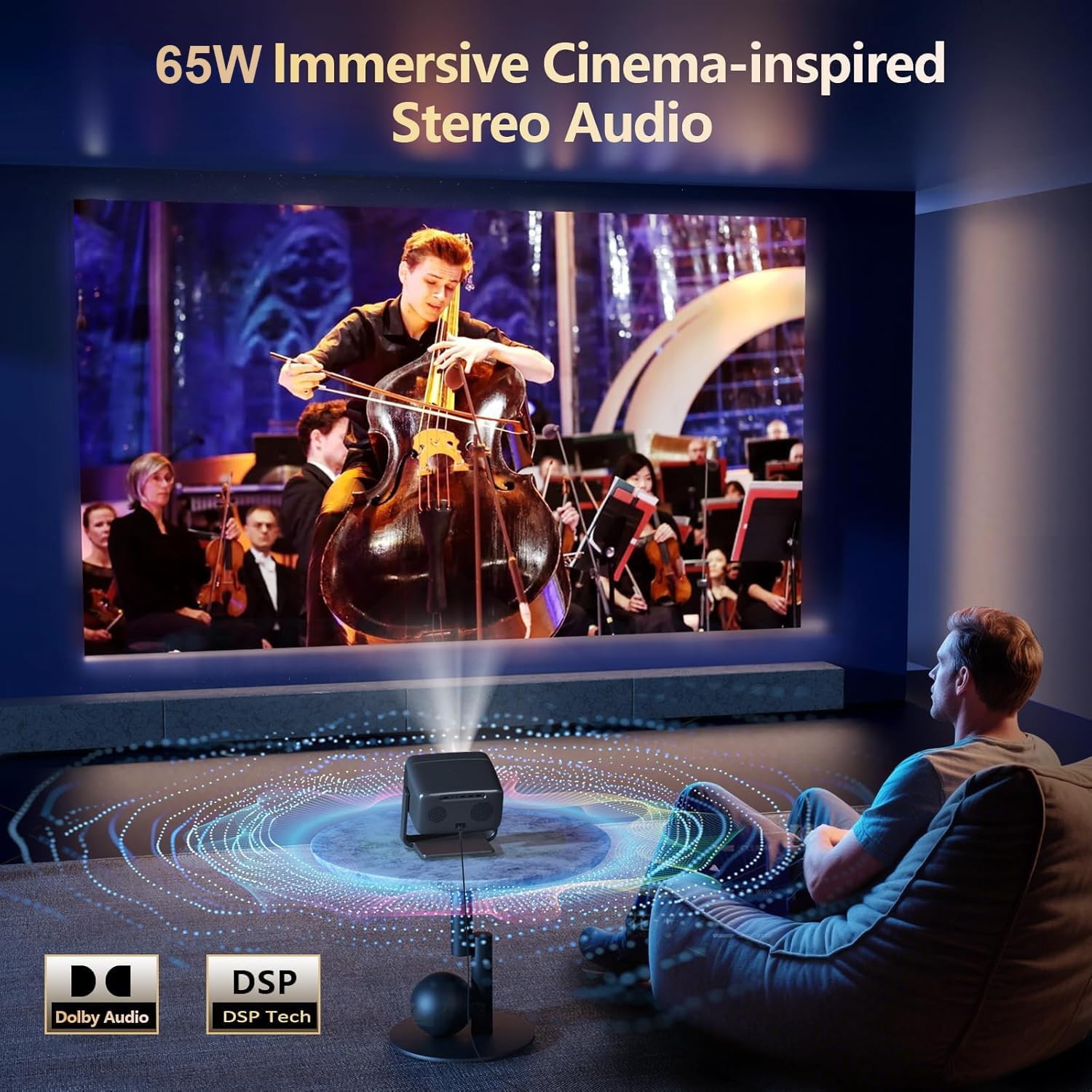
Image: The Goiaey GO2 projector interface showing pre-installed streaming applications.
4. Audio Output
The GO2 projector features powerful 65W Dolby-supported stereo speakers, providing clear and immersive sound. External speakers can also be connected via Bluetooth or the 3.5mm audio jack.

Image: Illustration of the Goiaey GO2 projector's 65W Dolby stereo audio system, filling a room with sound.
Maintenance
1. Cleaning
Regular cleaning helps maintain optimal performance and extends the lifespan of your projector. Use the provided cleaning kit for best results.
- Gently wipe the lens with a soft, lint-free cloth. Avoid abrasive materials.
- Clean the exterior casing with a dry, soft cloth. Do not use liquid cleaners directly on the projector.
- Ensure ventilation openings are free from dust and obstructions.
2. Extending Projector Lifespan
To maximize the operational life of your Goiaey GO2 projector:
- Proper Ventilation: Ensure the projector is placed in an area with adequate airflow to prevent overheating.
- Correct Shutdown: Always power off the projector properly using the remote or power button, allowing it to cool down before unplugging.
- Optimal Usage Time: Avoid excessively long continuous operation.
- Stable Power Supply: Use a stable power source to prevent electrical fluctuations.
- Proper Storage: When not in use, store the projector in a cool, dry place, protected from dust.
The projector features a sealed engine and a dual-fan system designed to prevent dust accumulation and yellow screen issues, contributing to a longer LED lifespan of up to 100,000 hours.
Troubleshooting
If you encounter issues with your Goiaey GO2 projector, refer to the following common solutions:
No Image / Poor Image Quality
- Check Power: Ensure the projector is properly connected to a power source and turned on.
- Input Source: Verify that the correct input source (HDMI, USB, etc.) is selected.
- Focus/Keystone: Allow the automatic focus and keystone correction to complete. If needed, manually adjust focus using the remote.
- Obstacles: Ensure no objects are blocking the projection path. The auto obstacle avoidance feature should adjust, but manual repositioning may be necessary.
- Lighting Conditions: While the projector offers high brightness, optimal image quality is achieved in darker environments.

Image: Comparison of projector brightness in dark and semi-dark environments, illustrating optimal viewing conditions.
Fan Noise
- The GO2 projector's high brightness requires an advanced internal fan for heat dissipation, which may produce noticeable noise.
- Recommendation: Maintain a distance of at least 3.5 feet (1 meter) from the projector to minimize the effect of fan noise.
Bluetooth Connectivity Issues
- Ensure both the projector and the external Bluetooth device are in pairing mode.
- Check that the devices are within the effective Bluetooth range.
- Verify that the correct Bluetooth mode (Transmitter or Receiver) is selected on the projector.
Specifications
| Feature | Detail |
|---|---|
| Brand | Goiaey |
| Model Name | GO2 |
| Display Resolution Maximum | 1920 x 1080 pixels (Native 1080P, 4K Decoding Supported) |
| Brightness | 4500 ANSI Lumens |
| Contrast Ratio | 50000:1 |
| Connectivity Technology | HDMI, USB, 3.5mm audio, WiFi 6, Bluetooth 5.4 |
| Audio Output | 65W Stereo Speakers (Dolby Audio Supported) |
| Light Source Operating Life | 100,000 hours |
| Maximum Image Size | 500 inches |
| Minimum Image Size | 50 inches |
| Throw Ratio | 1:1 (100" image from 8 feet) |
| Special Features | Auto Focus, Auto Keystone, Auto Obstacle Avoidance, Auto Screen Fit, Built-in Apps (Netflix, YouTube, Prime Video), 360° Adjustable Stand, HDR10, MEMC |
| Item Dimensions (L x W x H) | 7.87"L x 5.12"W x 9.45"H |
| Item Weight | 1.8 kg |
| Power Consumption | 100 watt-hours |
Warranty and Support
Goiaey is committed to providing excellent customer service and product support.
- Warranty: The Goiaey GO2 projector comes with a 3-year repair warranty.
- Replacement Policy: A 1-year replacement policy is provided for eligible issues.
- Technical Support: Lifetime technical support is available.
- Customer Service: For any questions or issues, please contact Goiaey customer service. Solutions will be provided within 24 business hours. Refer to the official address in the manual for contact details.

Image: Goiaey's commitment to customer service, including warranty, replacement, and technical support details.
Ask a question about this manual
Ask about setup, troubleshooting, compatibility, parts, safety, or missing instructions. Manuals+ will review the question and use this page’s manual context to help answer it.