
Introduction
This manual provides essential information for the assembly, operation, and maintenance of your GDFStudio 336046 Mini Vanity Desk. Please read these instructions carefully before assembly and use to ensure safe and proper functionality.

Image: The GDFStudio Mini Vanity Desk with its matching stool, positioned in a bedroom. The LED mirror is illuminated, and various cosmetics are displayed on the shelves.

Image: An overhead view of the GDFStudio Mini Vanity Desk, showing the LED mirror in an open position, revealing additional storage compartments behind it. The matching stool is placed in front of the desk.
Safety Information
- Ensure all parts are securely fastened before use.
- Do not overload shelves or drawers to prevent tipping or damage.
- Keep electrical components (LED mirror) away from water or excessive moisture.
- Use only the provided power adapter for the LED mirror.
- Keep small parts and packaging materials away from children.
Package Contents
Verify that all components are present before beginning assembly. If any parts are missing or damaged, please contact customer support.
- Vanity Desk Components (panels, hardware)
- LED Lighted Mirror Unit
- Matching Stool
- Assembly Hardware Kit
- Power Adapter for LED Mirror
Setup and Assembly
Assembly is required for this product. For detailed, step-by-step instructions, please refer to the official Installation Manual (PDF). Ensure you have adequate space and the necessary tools (typically a screwdriver) before starting.
General Assembly Steps:
- Unpack all components and verify against the parts list.
- Assemble the main vanity desk frame according to the diagram.
- Attach the multi-tier shelving unit to the vanity desk.
- Install the LED lighted mirror unit.
- Assemble the matching stool.
- Connect the LED mirror power adapter to a suitable outlet.

Image: A technical diagram illustrating the dimensions of the GDFStudio Mini Vanity Desk and its accompanying stool. Key measurements are provided in inches.
Operating Instructions
LED Lighted Mirror:
The integrated LED mirror features adjustable brightness and three color temperature modes.
- Power On/Off: Touch the power icon on the mirror surface to turn the lights on or off.
- Adjust Brightness: Press and hold the power icon to cycle through brightness levels (0-100%). Release when the desired brightness is reached.
- Change Color Temperature: Briefly touch the power icon to switch between the three lighting modes: Warm White (3200K), Neutral White (4500K), and Cool White (6000K).

Image: A visual representation of the LED mirror's three color temperature settings: Cool White (3200K), Warm White (4500K), and Warm Yellow (6000K), demonstrating the adjustable brightness feature.
Storage Features
The vanity desk is designed with multiple storage options to help organize cosmetics and accessories.
- Hidden Compartments: The mirror unit can be opened to reveal additional storage space behind it, protecting items from dust.
- Multi-Tier Shelves: Open shelves on the side of the mirror provide easy access and display for frequently used items.
- Large Drawer: A spacious pull-out drawer beneath the tabletop offers concealed storage for larger items or personal belongings.
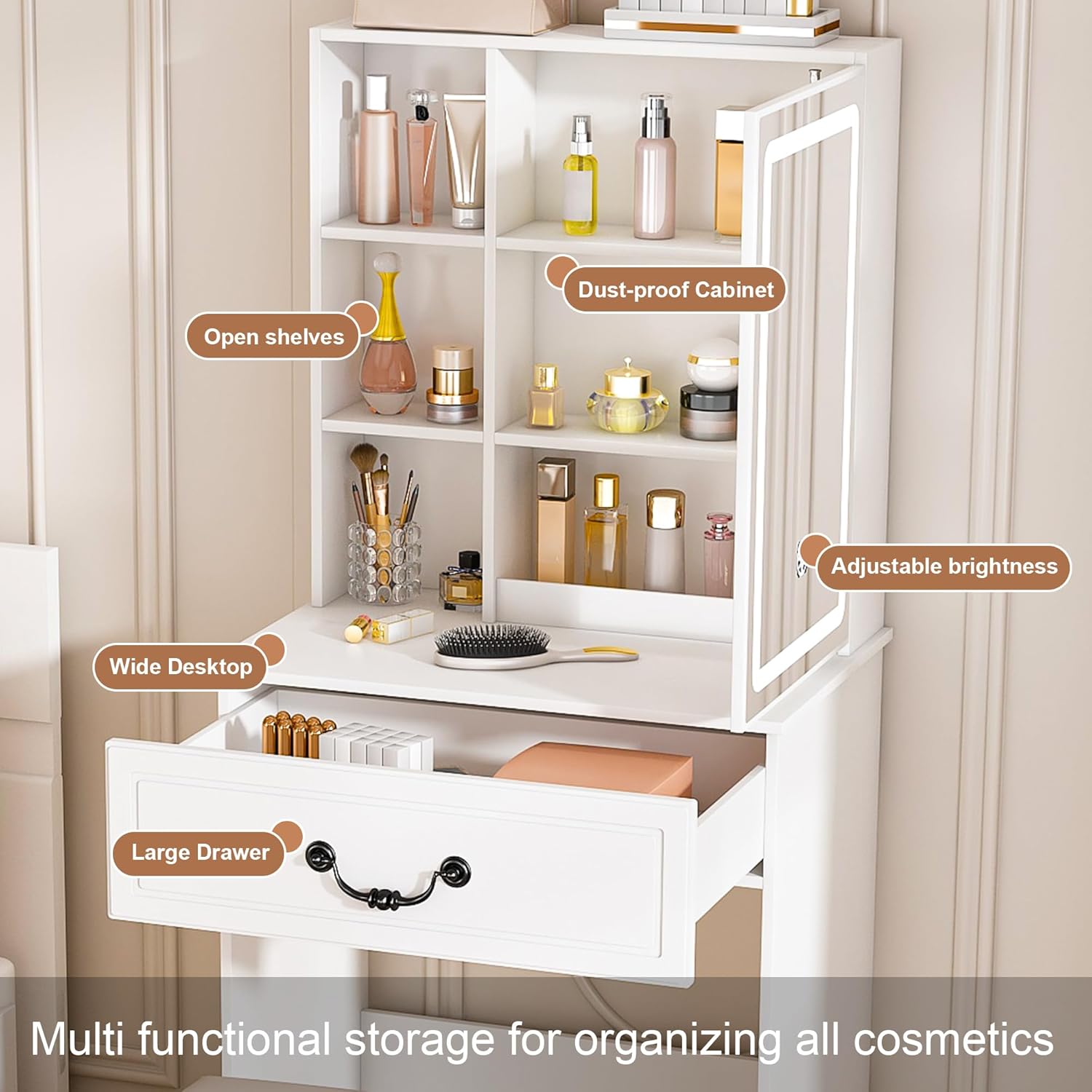
Image: A detailed view of the vanity desk highlighting its storage features, including open shelves, a dust-proof cabinet (behind the mirror), and a large pull-out drawer.
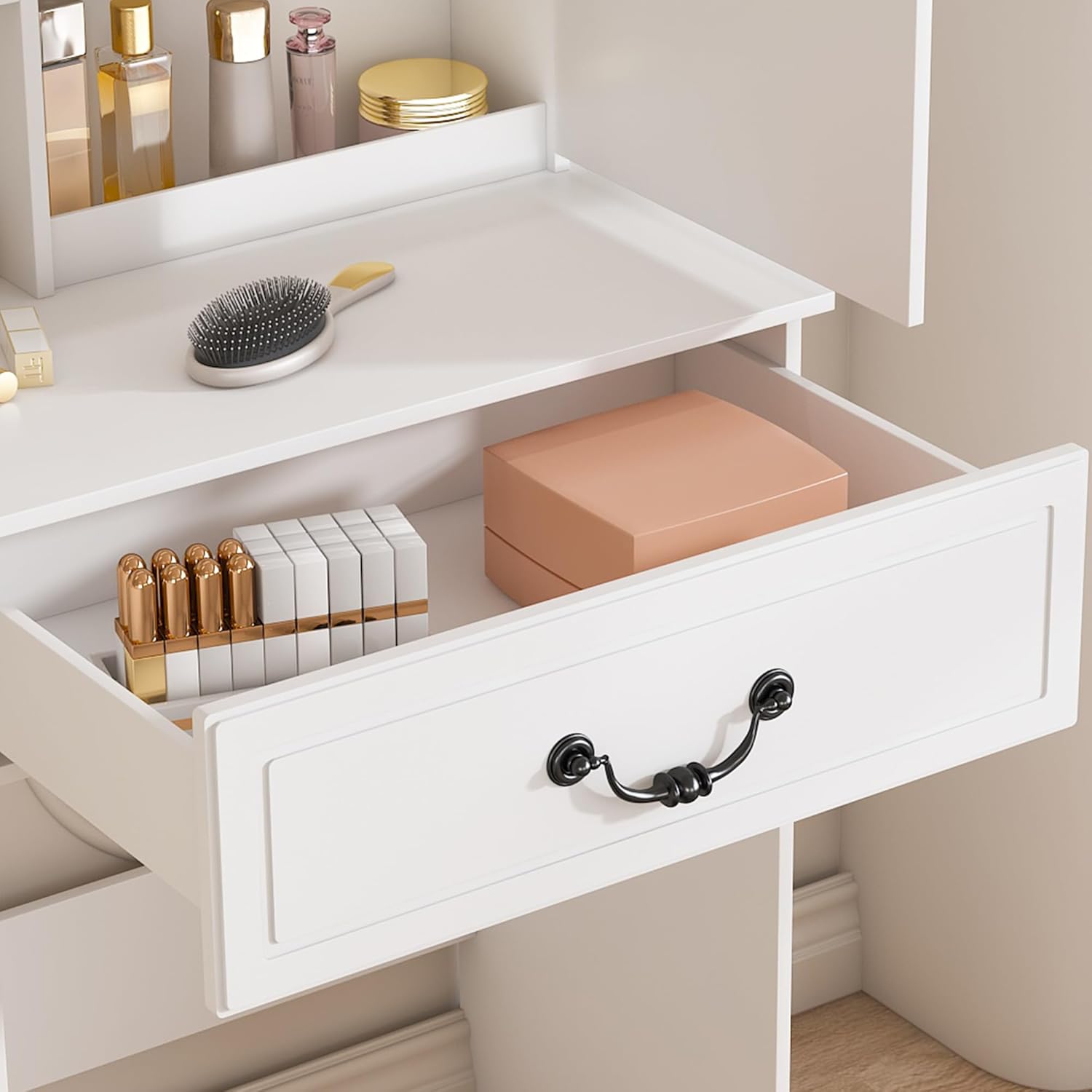
Image: A close-up of the vanity desk's large drawer, shown partially open with various cosmetic items stored inside.

Image: A close-up of the multi-tier open shelves on the vanity desk, displaying various cosmetic bottles and accessories.
Maintenance and Care
- Cleaning: For general cleaning, wipe surfaces with a soft, damp cloth. For spills or stains, spot clean immediately with a mild detergent and dry thoroughly. Avoid abrasive cleaners.
- Mirror Care: Clean the LED mirror surface with a glass cleaner and a soft, lint-free cloth. Do not spray cleaner directly onto the mirror; apply to the cloth first.
- Avoid Moisture: Protect the engineered wood from prolonged exposure to liquids to prevent swelling or damage.
- Sunlight Exposure: Avoid placing the vanity in direct sunlight for extended periods to prevent fading or discoloration.
Troubleshooting
| Problem | Possible Cause | Solution |
|---|---|---|
| LED mirror does not light up. | Power adapter not connected or faulty. | Ensure power adapter is securely plugged into the mirror and a working electrical outlet. Test the outlet with another device. |
| Lights are dim or flicker. | Brightness setting is low. | Press and hold the power icon on the mirror to increase brightness. |
| Vanity feels unstable. | Loose assembly hardware. | Check and tighten all screws and fasteners. Ensure the vanity is on a level surface. |
| Drawer does not slide smoothly. | Obstruction or misaligned runners. | Check for any objects blocking the drawer. Ensure drawer runners are correctly installed and aligned. |
Specifications
| Feature | Detail |
|---|---|
| Model Number | 336046 |
| Brand | GDFStudio |
| Material | Engineered Wood |
| Color | White |
| Vanity Dimensions (D x W x H) | 14.17" x 23.62" x 53.94" |
| Stool Dimensions (D x W x H) | 8.66" x 13.39" x 16.54" |
| Item Weight | 43 pounds |
| LED Mirror Features | 3 Color Temperatures (3200K, 4500K, 6000K), Adjustable Brightness (0-100%) |
| Storage | Hidden compartments, Multi-tier shelves, Large drawer |

Image: A close-up view of the matching white stool, featuring a padded seat, designed to complement the vanity desk.
Warranty Information
This GDFStudio product is covered by a 90-day manufacturer's warranty from the date of purchase. This warranty covers manufacturing defects and workmanship. It does not cover damage resulting from improper assembly, misuse, accidents, or normal wear and tear.
Customer Support
For any questions, assistance with assembly, or warranty claims, please contact GDFStudio customer support:
