
1. Introduction
Welcome to the user manual for your Bose QuietComfort Headphones (2nd Gen). These headphones are designed to provide an exceptional listening experience with advanced noise cancellation, immersive audio, and comfortable wear. This guide will help you set up, operate, and maintain your headphones to ensure optimal performance.
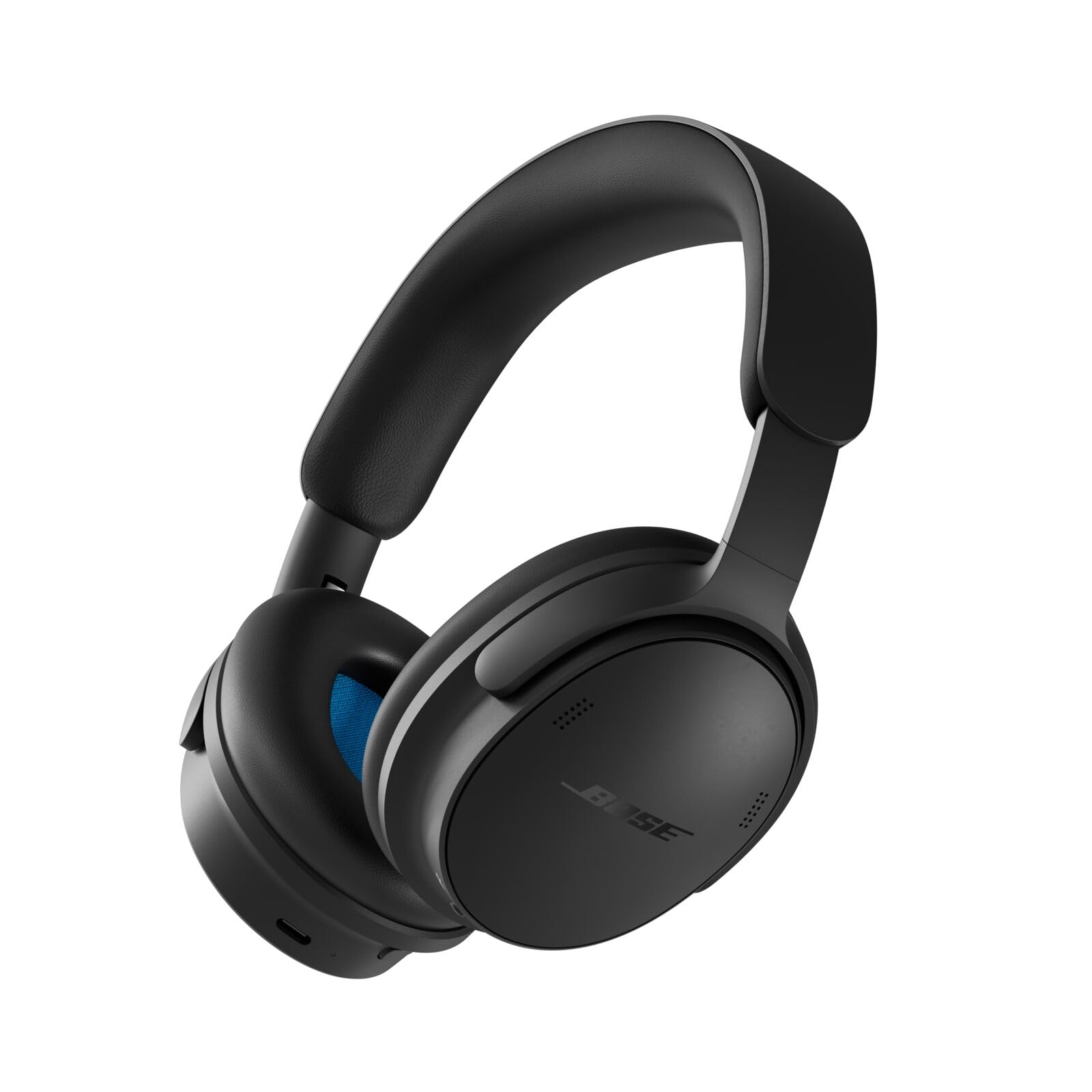
Figure 1: Bose QuietComfort Headphones (2nd Gen) in Black. These over-ear headphones feature a sleek design with the Bose logo on each earcup.
2. What's in the Box
Your Bose QuietComfort Headphones (2nd Gen) package includes the following items:
- Bose QuietComfort Headphones (2nd Gen)
- Carry Case (Black, hardshell)
- USB-C to USB-C cable (for charging and lossless audio)
- Audio Cable, 3.5mm to USB-C
- Safety Sheet

Figure 2: All items included in the product packaging. This image displays the headphones, hard-shell carry case, USB-C charging cable, and 3.5mm audio cable.
3. Setup
3.1 Charging the Headphones
Before first use, fully charge your headphones. Use the provided USB-C to USB-C cable to connect the headphones to a USB power source (e.g., wall charger, computer USB port).
- A full charge takes approximately 3 hours.
- A 15-minute quick charge provides up to 2.5 hours of playback.
- The battery indicator light will show charging status.
3.2 Powering On/Off
To power on your headphones, press and hold the Power/Bluetooth button until you hear an audible prompt or see the indicator light illuminate. To power off, repeat the process.
3.3 Bluetooth Pairing
- With the headphones powered on, press and hold the Power/Bluetooth button until the indicator light blinks blue, indicating pairing mode.
- On your device (smartphone, tablet, computer), go to the Bluetooth settings and ensure Bluetooth is enabled.
- Select "Bose QC Headphones" from the list of available devices.
- Once connected, you will hear an audible confirmation, and the indicator light will glow solid blue.
For optimal functionality and access to all features, download the Bose Music app from your device's app store.
4. Operating the Headphones
4.1 On-Product Controls
The headphones feature intuitive buttons located on the earcups for easy control:
- Power/Bluetooth Button: Powers on/off, enters Bluetooth pairing mode.
- Volume Up/Down Buttons: Adjusts audio volume.
- Multi-function Button: Play/pause music, skip tracks, answer/end calls, activate voice assistant.
- Mode Button: Cycles through listening modes (Quiet, Aware, Immersion, Cinema, ANR off).

Figure 3: Detail of the right earcup showing the control buttons for power, volume, and mode selection.
4.2 Listening Modes
Your QuietComfort Headphones offer several listening modes to adapt to your environment:
- Quiet Mode: Provides full noise cancellation, ideal for focus or travel.
- Aware Mode: Allows you to hear your surroundings while enjoying your audio, useful for awareness in public spaces. Features ActiveSense Technology to smooth unwanted noise spikes.
- Immersion Mode: Enhances audio with Bose TrueSpatial Technology for a wider, fuller soundstage.
- Cinema Mode: Optimizes audio for video content, providing a more layered and immersive experience.
- ANR Off: Disables Active Noise Reduction.
4.3 Bose Music App
The Bose Music app unlocks the full potential of your headphones. Through the app, you can:
- Customize listening modes and noise cancellation levels.
- Access software updates for new features and improvements.
- Manage Bluetooth connections.
- Personalize audio settings.
4.4 Call Quality
The headphones feature improved background noise reduction, ensuring your voice is clear during calls by effectively blocking environmental noise.
4.5 Lossless Audio
For the highest fidelity audio, connect your headphones directly to a compatible device using the supplied USB-C to USB-C cable.
5. Maintenance
5.1 Cleaning
- Wipe the exterior surfaces of the headphones with a soft, dry cloth.
- For ear cushions, gently wipe with a damp cloth and mild soap solution if necessary, then dry thoroughly.
- Do not use abrasive cleaners or solvents.
5.2 Storage
When not in use, store your headphones in the provided hardshell carry case to protect them from dust, scratches, and impacts. The case is designed to fit the headphones securely.

Figure 4: The Bose QuietComfort Headphones folded and neatly stored inside their compact, zippered hardshell carry case.
6. Troubleshooting
If you encounter issues with your headphones, try the following solutions:
- No Power: Ensure the headphones are charged. Connect them to a power source using the USB-C cable.
- No Sound: Check the volume level on both your headphones and the connected device. Ensure the headphones are properly paired and connected. Try restarting both the headphones and the audio source.
- Pairing Issues: Make sure the headphones are in pairing mode (blinking blue light). Turn off Bluetooth on other nearby devices that may be trying to connect. Forget the headphones from your device's Bluetooth list and try pairing again.
- Poor Audio Quality: Move closer to your device to reduce interference. Ensure there are no physical obstructions between the headphones and the device. Try disabling and re-enabling Bluetooth on your device.
- Noise Cancellation Not Working: Ensure Quiet Mode is selected. Check that the earcups are properly sealed around your ears.
For further assistance, refer to the Bose support website or contact customer service.
7. Specifications
| Feature | Detail |
|---|---|
| Brand | Bose |
| Model Name | Bose QuietComfort Headphones (2nd Gen) |
| Model Number | 895491-0100 |
| Color | Black |
| Ear Placement | Over Ear |
| Noise Control | Active Noise Cancellation (Adjustable Levels) |
| Connectivity Technology | Hybrid (Bluetooth, USB-C, 3.5mm) |
| Wireless Technology | Bluetooth 5.4 |
| Bluetooth Range | 30 feet |
| Battery Life | Up to 24 hours (with ANC), up to 18 hours (with Immersive Audio) |
| Battery Charge Time | 3 hours (full charge) |
| Quick Charge | 15 minutes for 2.5 hours playback |
| Weight | 8 ounces |
| Headphone Jack | 3.5 mm Jack (via included cable) |
| Hardware Interface | USB Type C |
| Water Resistance Level | Not Water Resistant |
8. Warranty and Support
8.1 Warranty Information
Your Bose QuietComfort Headphones (2nd Gen) are covered by a 1-Year Manufacturer's Warranty from the date of purchase. This warranty covers manufacturing defects in materials and workmanship. Please retain your proof of purchase for warranty claims.
The warranty does not cover damage caused by accident, misuse, unauthorized modification, or normal wear and tear.
8.2 Customer Support
For technical support, warranty claims, or additional information, please visit the official Bose support website:
You may also find FAQs and troubleshooting guides on the support page.


