
1. Introduction
The VOCOlinc VT2201T-4P Smart Tag is a versatile Bluetooth item tracker designed to help you locate your valuable belongings. Compatible with both Apple's "Find My" network and Google's "Find Hub" network, this device offers flexible tracking options for iOS and Android users. This manual provides detailed instructions for setup, operation, and maintenance to ensure optimal performance of your Smart Tag.
2. Product Overview
The VOCOlinc Smart Tag is a compact and durable device engineered for reliable item tracking. Key features include:
- Dual System Compatibility: Works with Apple's "Find My" app for iOS devices and Google's "Find Hub" for Android devices. Note: Only one system can be connected at a time.
- Extended Tracking Range: Utilizes the vast networks of Apple and Google devices to locate items over long distances without monthly subscription fees.
- Bluetooth Proximity Tracking: Locate items within a 60-meter (200 feet) Bluetooth range without obstacles.
- Forget Alerts & Lost Mode: Receive instant alerts if you leave an item behind (iOS only) and activate Lost Mode to get notifications when your lost tag is detected.
- Privacy Protection: Location data is encrypted, anonymous, and not stored on the device, ensuring user privacy.
- IP68 Water and Dust Resistance: Designed to withstand dust and immersion, providing durability for daily use.
- Rechargeable Battery: Offers up to 6 months of battery life on a single charge and supports Qi-certified magnetic wireless charging.
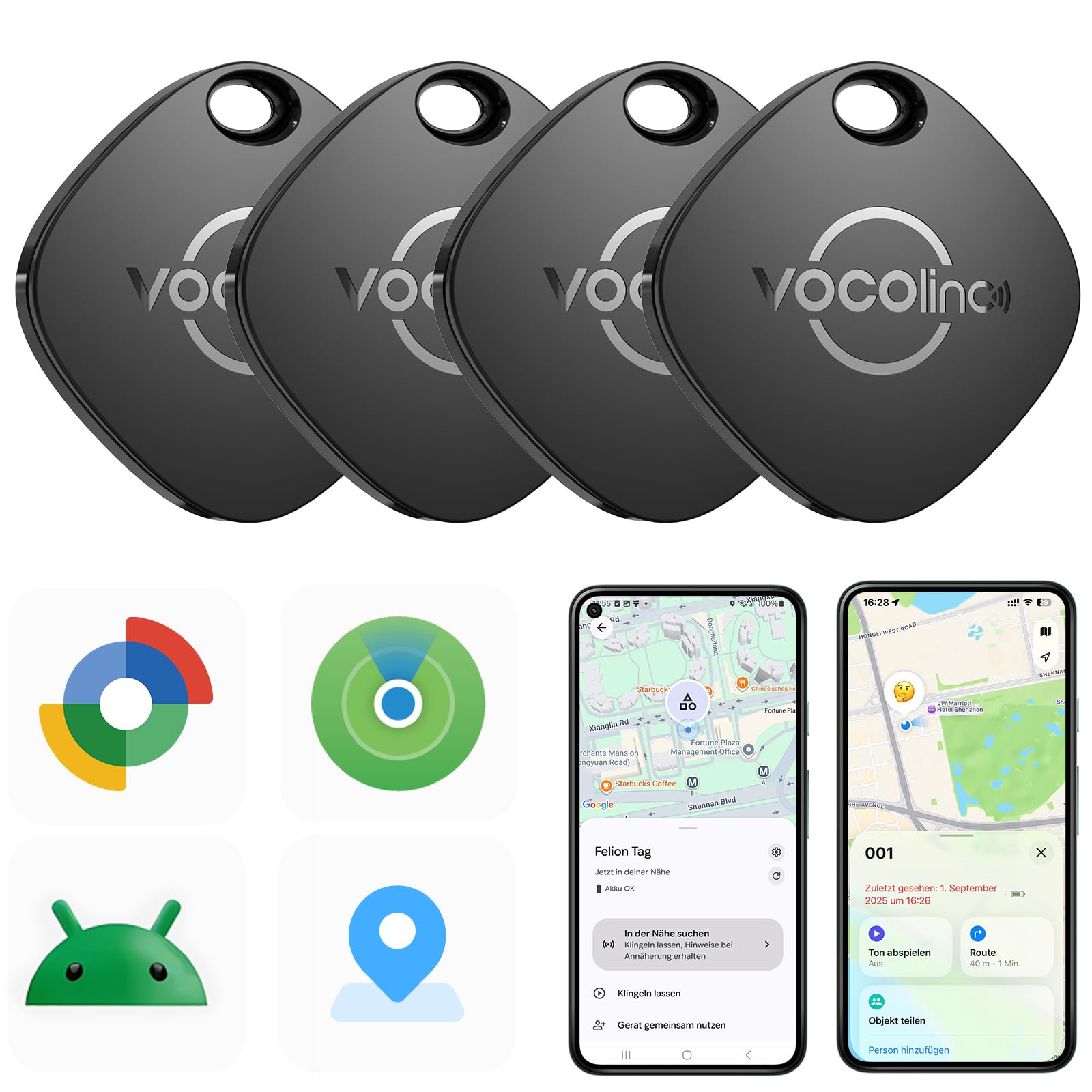
Image 1: The VOCOlinc VT2201T-4P Smart Tag, illustrating its compact design and typical use cases.
3. Setup
Follow these steps to set up your VOCOlinc Smart Tag with your preferred device:
- Power On: Ensure your Smart Tag is charged or has sufficient battery.
- Choose Your System: Decide whether you will connect the tag to an iOS device (Apple Find My) or an Android device (Google Find Hub). The tag can only be connected to one system at a time.
- For iOS Devices:
- Open the "Find My" app on your iPhone or iPad.
- Navigate to the "Items" tab.
- Tap the "+" icon and select "Add Other Item."
- Follow the on-screen instructions to pair your VOCOlinc Smart Tag.
- For Android Devices:
- Download and open the "Google Find Hub" app (or similar Google Find My Device app) from the Google Play Store.
- Ensure Bluetooth is enabled on your Android smartphone.
- Follow the in-app instructions to add a new device and pair your VOCOlinc Smart Tag.
- Switching Systems: To switch the tag from iOS to Android, or vice versa, you must first detach the tracker from its current system (e.g., remove it from the "Find My" app) and then reconnect it to the new phone/system following the steps above.
4. Operating Instructions
4.1 Locating Items
- Proximity Tracking (Bluetooth): When your item is within Bluetooth range (up to 60 meters/200 feet without obstacles), open the respective app ("Find My" or "Google Find Hub") and select your VOCOlinc Smart Tag. You can then trigger an audible alert on the tag to help pinpoint its exact location.
- Long-Distance Tracking (Network): If your item is out of Bluetooth range, the app will display its last known location on a map. The extensive networks of Apple and Google devices anonymously detect your tag's location, updating its position on your map. You can use the app to navigate to the item's location.
4.2 Alerts and Lost Mode
- Forget Alerts (iOS Only): Configure the "Find My" app to send you instant notifications if you leave your VOCOlinc Smart Tag (and the attached item) behind at a specific location. This feature is currently not available on Google systems.
- Lost Mode: If your Smart Tag is lost, activate "Lost Mode" in your app. When another device on the Apple "Find My" or Google "Find Hub" network detects your tag, you will receive an automatic notification of its location.
5. Maintenance
5.1 Charging
The VOCOlinc Smart Tag features a rechargeable battery that provides up to 6 months of use on a single charge. To charge your device, place it on any Qi-certified magnetic wireless charger. The tag will indicate when charging is complete.
5.2 Water and Dust Resistance
Your Smart Tag has an IP68 rating, meaning it is protected against dust ingress and can withstand immersion in water up to 1.5 meters for 30 minutes. While durable, avoid prolonged submersion or exposure to high-pressure water jets to maintain its integrity.
6. Troubleshooting
If you encounter issues with your VOCOlinc Smart Tag, refer to the following common solutions:
- Tag Not Connecting:
- Ensure Bluetooth is enabled on your smartphone.
- Make sure the tag is within Bluetooth range of your phone.
- Verify that the tag is not currently connected to another device or system (iOS/Android).
- Try resetting the tag (refer to product packaging or manufacturer's website for specific reset instructions if needed).
- Inaccurate Location:
- Location accuracy depends on the density of devices in the Apple Find My or Google Find Hub network. In sparsely populated areas, updates may be less frequent.
- Ensure your phone's location services are enabled for the tracking app.
- No Audible Alert:
- Check if the tag's battery is low.
- Ensure your phone is within Bluetooth range of the tag.
- Battery Draining Quickly:
- Ensure the tag is fully charged using a Qi-certified magnetic charger.
- Extreme temperatures can affect battery performance.
7. Specifications
| Feature | Detail |
|---|---|
| Model Number | VT2201T-4P |
| Dimensions (L x W x Thickness) | 35 x 35 x 10 millimeters |
| Weight | 40 Grams |
| Material | Plastic |
| Battery Type | Rechargeable (4 CR2 - included) |
| Battery Life | Up to 6 months on a single charge |
| Charging Method | Qi-certified magnetic wireless charging |
| Water/Dust Resistance | IP68 |
| Connectivity | Bluetooth |
| Compatible Devices | iOS (iPhone), Android smartphones |
| Control Method | Application (Apple Find My / Google Find Hub) |
| Number of Items (in pack) | 4 |
8. Warranty and Support
VOCOlinc provides customer support for its products. If you have any questions, require assistance with setup, or encounter issues not covered in this manual, please contact VOCOlinc customer service. They offer 24-hour support to address your concerns.
For warranty information, please refer to the product packaging or the official VOCOlinc website.


