
1. Important Safety Information
Please read all instructions carefully before using this appliance. Keep this manual for future reference.
- This appliance is for indoor use only.
- Ensure the power supply matches the rating label on the unit.
- Do not operate the unit with a damaged cord or plug.
- Always unplug the unit before cleaning or servicing.
- Keep children away from the appliance. Adult supervision is required.
- Do not block air inlets or outlets.
- Place the unit on a flat, stable surface.
2. Product Overview
The Garvee 8000 BTUs Portable Air Conditioner is a versatile 3-in-1 unit offering cooling, dehumidification, and fan functions. It is designed for rooms up to 350 sq. ft. and features a remote control, 24-hour timer, and quiet operation.
2.1 What's in the Box
- AC Unit
- Windows Boards (x2)
- Hose
- Drainage Pipe
- Hose Coupler To Machine
- Hose Coupler To Window
- Remote Control

Image: Garvee Portable AC Unit with remote, window kit, and exhaust hose components.
3. Setup and Installation
Follow these steps for quick and easy installation of your portable air conditioner.
- Connect the Exhaust Hose: Attach the hose coupler to one end of the exhaust hose, then connect this assembly to the exhaust port on the back of the AC unit.
- Prepare the Window Kit: Insert the adjustable window kit into your window opening. Adjust its length to fit snugly and secure it.
- Connect Hose to Window Kit: Attach the other end of the exhaust hose (with its coupler) to the opening in the window sealing kit. Ensure a tight seal to prevent air leakage.
- Position the Unit: Place the AC unit on a flat surface near the window, ensuring the exhaust hose is not kinked or obstructed. Maintain at least 12 inches of space around the unit for proper airflow.
- Plug In: Plug the power cord into a grounded electrical outlet.

Image: Step-by-step guide for installing the exhaust hose and window sealing kit.
3.1 Suitable Window Types
The included window kit is compatible with most double-hung and sliding windows. Certain window types, such as casement or awning windows, are not suitable for this installation method.

Image: Examples of compatible window types (double-hung, sliding) and incompatible types (casement, awning).
4. Operating Instructions
Your Garvee portable AC unit offers multiple operating modes and convenient controls.
4.1 Control Panel and Remote Control
The unit can be operated using the touch control panel on top of the unit or the included remote control. The remote control allows operation from up to 17 feet away.
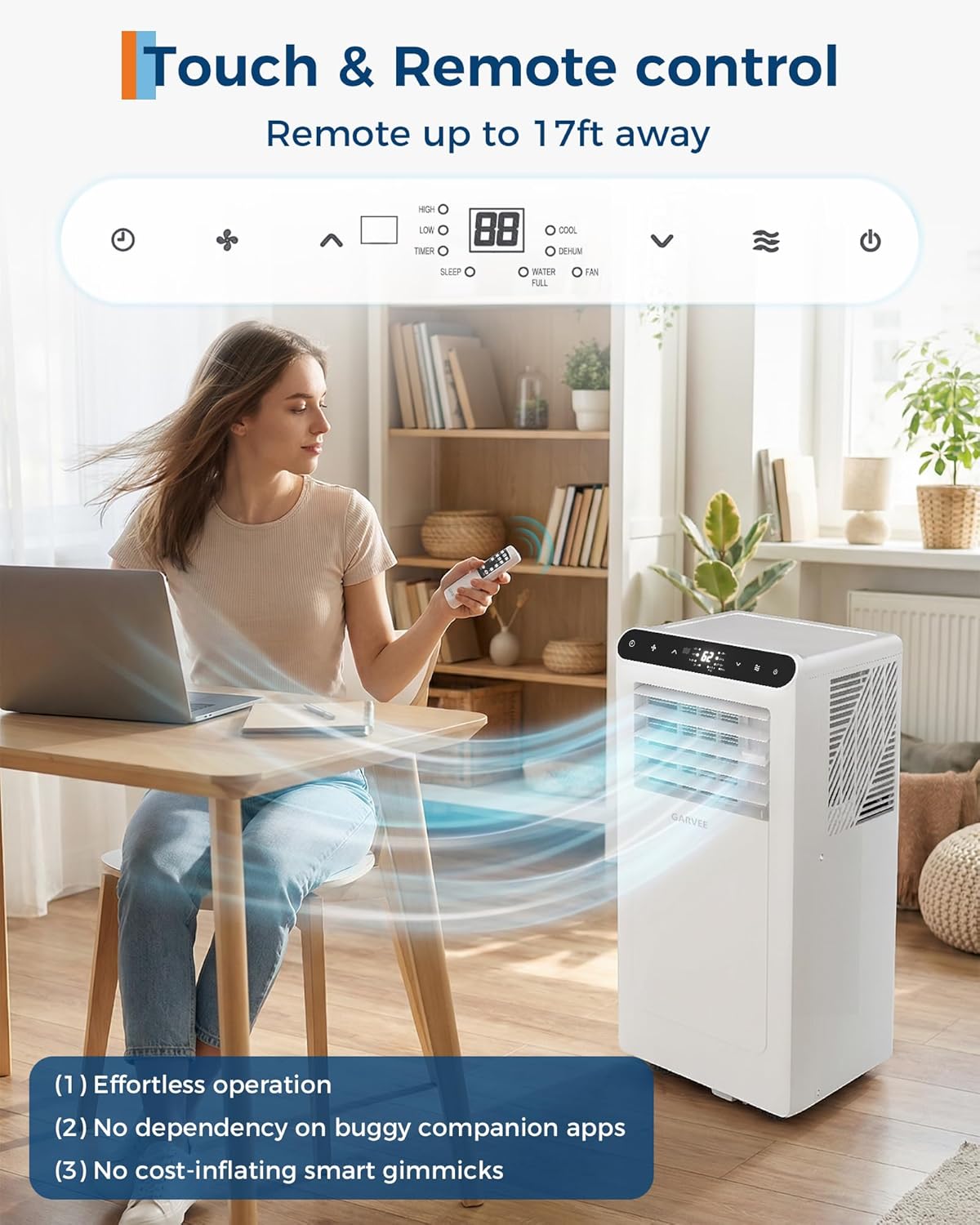
Image: A user operating the Garvee Portable AC unit with the remote control, highlighting the touch and remote control functionality.
4.2 Operating Modes
- Cooling Mode: Provides powerful cooling for rooms up to 350 sq. ft. Set your desired temperature between 62°F and 86°F.
- Dehumidifier Mode: Removes up to 50 pints of moisture per day, helping to reduce humidity and improve comfort.
- Fan Mode: Circulates air without cooling, offering two fan speeds (low and high) for gentle airflow or stronger circulation.
- Sleep Mode: Turns off display lights and operates at a quieter, energy-saving setting for undisturbed rest.

Image: Visual representation of the four operating modes and key features like 2 fan speeds, 24H timer, 48dB low noise, and CEER 6.2 energy saving.
4.3 Timer Function
The 24-hour programmable timer allows you to set the unit to turn on or off automatically after a specified duration (1 to 24 hours). This feature helps conserve energy and ensures comfort when needed.

Image: The 24-hour timer function, demonstrating auto shut-off for convenience and energy saving.
4.4 Adjustable Fan Blades
The unit features adjustable fan blades to direct airflow as desired, preventing direct drafts and ensuring consistent comfort.
5. Maintenance
Regular maintenance ensures optimal performance and longevity of your air conditioner.
5.1 Cleaning the Air Filter
The air filter is removable and washable. It is recommended to clean the filter every two weeks, or more frequently depending on usage and air quality, to maintain efficient operation and clean air output.
- Unplug the unit from the power outlet.
- Locate and remove the air filter from the back of the unit.
- Wash the filter with warm, soapy water. Rinse thoroughly.
- Allow the filter to air dry completely before reinstalling.

Image: Illustration of the removable and washable air filter, demonstrating its function in filtering incoming air.
5.2 Water Drainage
This unit features auto-evaporation for excess water in cooling mode and low humidity conditions, reducing the need for frequent drainage. However, in dehumidifier mode or high humidity environments, manual drainage may be required.
- Continuous Drainage: For continuous operation in dehumidifier mode, connect the included drainage pipe to the continuous drain port and direct it to a suitable drain or container.
- Manual Drainage: When the internal water tank is full, the unit will indicate a 'WATER FULL' error. Unplug the unit and carefully move it to a drain location. Remove the drain plug and allow the water to empty. Replace the plug securely before restarting the unit.

Image: Internal components of the AC unit, highlighting the auto-evaporation system and indicating when drainage is free or needed based on mode and humidity.
6. Troubleshooting
Refer to this section for solutions to common issues you might encounter.
| Problem | Possible Cause | Solution |
|---|---|---|
| Unit does not turn on | No power, tripped circuit breaker, power cord not fully plugged in. | Check power outlet, reset circuit breaker, ensure power cord is securely plugged in. |
| Unit is running but not cooling | Air filter clogged, exhaust hose blocked or disconnected, room too large, doors/windows open. | Clean air filter, check exhaust hose for blockages/proper connection, close doors/windows, ensure room size is within specifications. |
| Unit is noisy | Unit not on a level surface, fan speed too high, normal operating sounds. | Place unit on a level surface, reduce fan speed, some noise from compressor/fan is normal. |
| 'WATER FULL' indicator is on | Internal water tank is full. | Drain the water from the unit as described in the Maintenance section. |
7. Specifications
| Feature | Specification |
|---|---|
| Brand | Garvee |
| Model Number | aUJ-I2ORguV-1VjP356-t |
| Cooling Power | 8000 BTUs |
| Coverage Area | Up to 350 sq. ft. |
| Dehumidification Capacity | 50 Pints/day |
| Noise Level | 48-53 Decibels |
| Voltage | 115V |
| Seasonal Energy Efficiency Ratio (CEER) | 6.2 |
| Annual Energy Consumption | 585 kWh (approx.) |
| Product Dimensions (D x W x H) | 14" x 28" x 12" |
| Item Weight | 49.71 Pounds |
| Refrigerant | R32 |

Image: Garvee Portable AC unit with a summary of its key specifications, including cooling capacity, dehumidifying capacity, power, refrigerant type, and noise level.
8. Warranty and Support
8.1 Warranty Information
This Garvee product is covered by a manufacturer's warranty against defects in materials and workmanship. Please refer to the warranty card included with your purchase for specific terms, conditions, and duration. Keep your proof of purchase for warranty claims.
8.2 Customer Support
For technical assistance, troubleshooting not covered in this manual, or warranty inquiries, please contact Garvee customer support. Contact information can typically be found on the Garvee official website or on the product packaging.
When contacting support, please have your model number (aUJ-I2ORguV-1VjP356-t) and purchase date available.
9. Product Video
Video: An overview of the Garvee Portable AC Unit, demonstrating its features and ease of use in a home environment.