
1. Introduction
This manual provides instructions for the proper use and maintenance of your Skullcandy Smokin’ Buds 360 Wireless Noise Isolating Earbuds. Please read this manual thoroughly before using the product to ensure optimal performance and longevity.
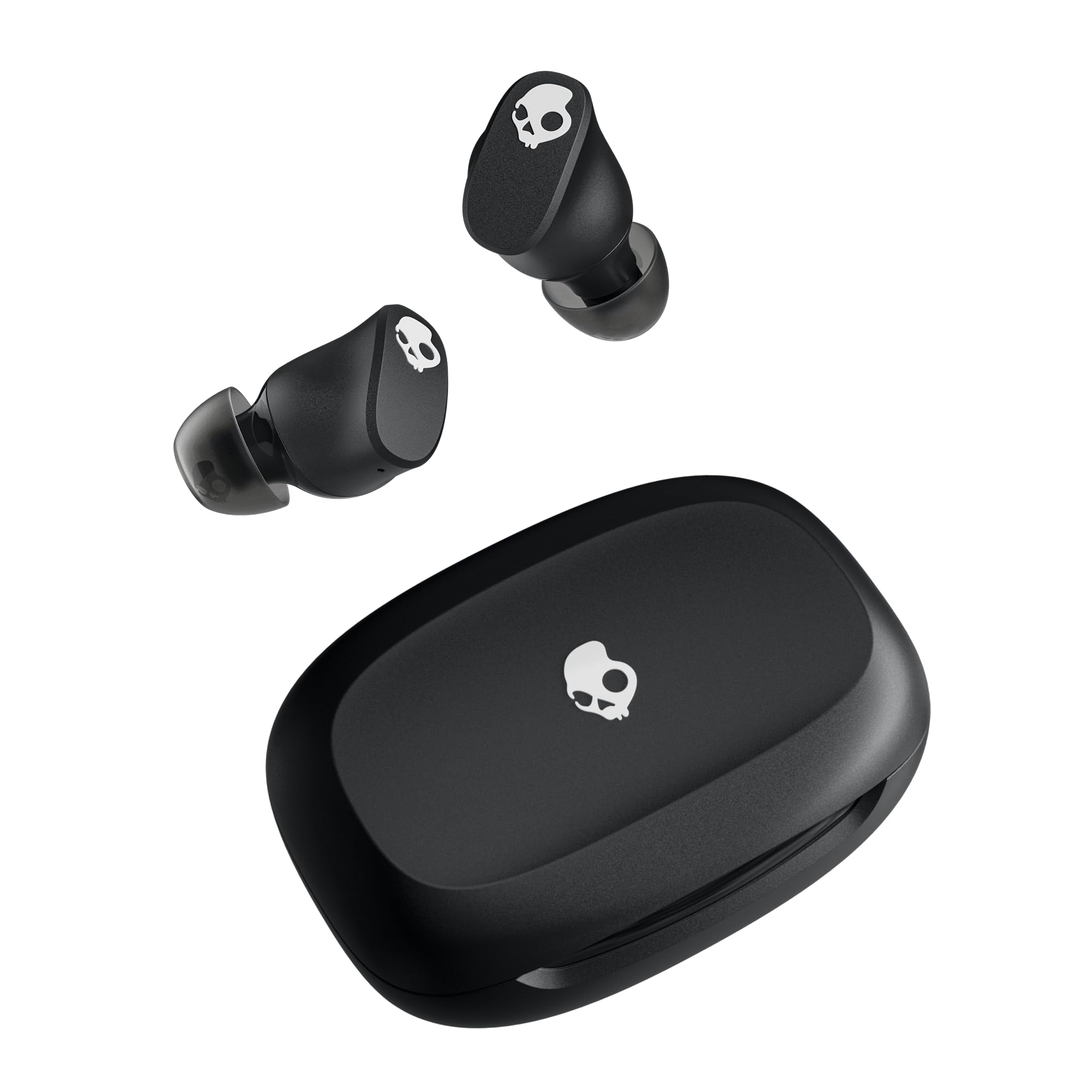
Image: Skullcandy Smokin’ Buds 360 Wireless Earbuds in True Black, shown with their charging case.
2. What's in the Box
- Smokin’ Buds 360 True Wireless Earbuds
- Charging Case
- Ear Gels (sizes: S, M, L)
- User Manual (this document)

Image: The Skullcandy Smokin’ Buds 360 package contents, including the earbuds, charging case, various ear gel sizes, and the user guide.
3. Setup
3.1. Charging Your Earbuds
Before first use, fully charge your Smokin’ Buds 360. Place the earbuds into the charging case. Connect the charging case to a power source using a USB Type-C cable. The indicator light on the case will show charging status.
- Battery Life: Up to 20 hours total (7 hours in earbuds, 13 hours from case).
- Rapid Charge: A 10-minute charge provides approximately 1.75 hours of listening time.

Image: Visual representation of the 20-hour battery life and rapid charge capability of the earbuds.
3.2. Initial Pairing
- Remove both earbuds from the charging case. They will automatically enter pairing mode.
- Open the Bluetooth settings on your device (smartphone, tablet, laptop).
- Select "Smokin’ Buds 360" from the list of available devices.
- Once connected, you will hear an audio prompt confirming successful pairing.
3.3. Choosing the Right Ear Gels
The Smokin’ Buds 360 come with three different sizes of ear gels (S, M, L) to ensure a comfortable and secure fit. A proper fit is crucial for optimal sound quality and noise isolation.
- Try each size to determine which provides the best seal in your ear canal.
- The correct fit should feel snug and comfortable, blocking out most ambient noise.

Image: Diagram showing the pea-shaped design of the earbuds for an ergonomic in-ear fit.
4. Operating Instructions
4.1. Basic Controls (Touch)
The Smokin’ Buds 360 feature intuitive touch controls on each earbud.
- Play/Pause: Single tap on either earbud.
- Next Track: Double tap on the right earbud.
- Previous Track: Double tap on the left earbud.
- Volume Up: Tap and hold the right earbud.
- Volume Down: Tap and hold the left earbud.
- Answer/End Call: Single tap on either earbud.
- Reject Call: Tap and hold either earbud.
- Activate Voice Assistant: Triple tap on either earbud.
4.2. Multipoint Pairing
The earbuds support multipoint pairing, allowing connection to two devices simultaneously.
- Pair the earbuds with your first device as described in Section 3.2.
- Disconnect the earbuds from the first device (or turn off Bluetooth on the first device).
- Pair the earbuds with your second device.
- Reconnect the earbuds to the first device via its Bluetooth settings.
- The earbuds will now be connected to both devices, allowing seamless switching between audio sources.

Image: Demonstration of multipoint pairing, highlighting the ability to connect to multiple devices.
4.3. Preset EQ Modes
The Smokin’ Buds 360 offer preset equalizer (EQ) modes to optimize audio for different content types.
- Music Mode: Balanced audio for general listening.
- Movie Mode: Enhanced dialogue and sound effects for films.
- Podcast Mode: Optimized for clear vocals.
Refer to the Skullcandy App for customization and switching between modes.

Image: A user enjoying audio with the earbuds, highlighting the availability of preset EQ modes.
4.4. Skullcandy App Integration
For advanced features and customization, download the Skullcandy App from your device's app store. The app allows you to:
- Switch between EQ modes.
- Customize touch controls.
- Receive firmware updates.
Video: Official Skullcandy Smokin' Buds 360 User Guide video, demonstrating various features and operations.
5. Maintenance
5.1. Cleaning
Regular cleaning helps maintain sound quality and hygiene.
- Gently wipe the earbuds and charging case with a soft, dry, lint-free cloth.
- Remove ear gels and clean them with mild soap and water, then dry thoroughly before reattaching.
- Do not use abrasive cleaners or solvents.
5.2. Water and Sweat Resistance
The Smokin’ Buds 360 are rated IPX4 for sweat and water resistance.
- This rating means they are resistant to splashing water from any direction.
- They are suitable for workouts and light rain.
- Do not submerge the earbuds in water or expose them to pressurized water.
- Ensure earbuds are dry before placing them back in the charging case to prevent damage.

Image: A user demonstrating the sweat and water-resistant feature of the earbuds during activity.
5.3. Storage
When not in use, store the earbuds in their charging case to protect them and keep them charged.

Image: The compact charging case being stored in a pocket, emphasizing its portability.
6. Troubleshooting
If you encounter issues with your Smokin’ Buds 360, try the following steps:
- No Power: Ensure the charging case and earbuds are fully charged.
- Pairing Issues:
- Turn off Bluetooth on your device and turn it back on.
- Forget "Smokin’ Buds 360" in your device's Bluetooth settings and attempt to re-pair.
- Place both earbuds back in the case, close the lid, wait a few seconds, then remove them to reset.
- One Earbud Not Working: Place both earbuds back in the case, close the lid, and then remove them. This often re-syncs them.
- Poor Sound Quality:
- Ensure ear gels provide a proper seal.
- Clean any debris from the earbud speakers.
- Move closer to your connected device to avoid interference.
Video: An overview video of the Smokin' Buds 360 Wireless Earbuds, which may assist with general understanding and troubleshooting.
7. Specifications
| Feature | Specification |
|---|---|
| Model Name | Smokin' Buds 360 |
| Model Number | S2SPW-T740 |
| Connectivity | Bluetooth 5.3 |
| Ear Placement | In Ear |
| Noise Control | Sound Isolation |
| Battery Life (Earbuds) | Up to 7 hours |
| Total Battery Life (with Case) | Up to 20 hours |
| Rapid Charge | 10 min charge = 1.75 hours playtime |
| Water Resistance | IPX4 (Sweat and Water Resistant) |
| Control Type | Touch Control |
| Impedance | 16 ohm |
| Frequency Response | 50 KHz |
| Sensitivity | 100 dB |
| Weight | 45 g |
| Hardware Interface | USB Type C |
8. Warranty and Support
8.1. Manufacturer's Warranty
The Skullcandy Smokin’ Buds 360 are covered by a 1-Year Manufacturer's Warranty. This warranty covers defects in materials and workmanship under normal use. It does not cover damage caused by misuse, accidents, unauthorized modifications, or normal wear and tear.
For detailed warranty terms and conditions, please refer to the official Skullcandy website or contact their customer support.
8.2. Customer Support
If you require further assistance or have questions not covered in this manual, please visit the official Skullcandy support website or contact their customer service team.
- Online Support: www.skullcandy.com/support
- Brand Store: Skullcandy Amazon Store