
1. Introduction
The FreAire VisionAir HAP606 Air Purifier is designed to improve indoor air quality by filtering airborne particles and odors. It features a 3-stage filtration system, real-time PM2.5 and AQI display, and operates quietly with a dedicated sleep mode. This manual provides instructions for safe and effective use of your air purifier.
Video: Overview of the FreAire VisionAir HAP606 Air Purifier. This video demonstrates the general appearance and features of the air purifier.
Video: FreAire VisionAir HAP606 Air Purifier Smoke Test. This video illustrates the air purifier's effectiveness in removing airborne particles by demonstrating a smoke test.
2. Safety Information
Please read all safety instructions before using this appliance to prevent injury or damage. Keep this manual for future reference.
- Always place the air purifier on a firm, level surface.
- Keep the unit at least 1 foot (30 cm) away from walls and other appliances to ensure proper airflow.
- Do not block air inlets or outlets.
- Do not use the appliance near water or in wet environments.
- Unplug the air purifier before cleaning or performing any maintenance.
- Do not operate the unit with a damaged cord or plug.
- This appliance is not intended for use by persons (including children) with reduced physical, sensory or mental capabilities, or lack of experience and knowledge, unless they have been given supervision or instruction concerning use of the appliance by a person responsible for their safety.
- Use only genuine FreAire replacement filters.
3. Package Contents
Verify that all items are included in your package:
- FreAire VisionAir HAP606 Air Purifier
- Power Adapter
- 3-Stage HEPA Filter (pre-installed)
- User Manual
4. Product Overview
Familiarize yourself with the components and controls of your FreAire VisionAir HAP606 Air Purifier.

Image: Front view of the FreAire VisionAir HAP606 Air Purifier, showing the PM2.5 display, control panel, and air intake grille. Key features like PM2.5 Monitoring, Timer Setting, Child Lock, 20dB Low Noise, Filter Replacement Reminder, Auto Mode, and Light Display Indicator are indicated.
Control Panel Functions:
- Power Button: Turns the unit on or off.
- Fan Speed Button: Cycles through fan speeds (Low, Medium, High, Turbo).
- Auto Mode Button: Activates automatic fan speed adjustment based on air quality.
- Sleep Mode Button: Activates quiet operation with dimmed display.
- Timer Button: Sets the operating time (e.g., 2, 4, 8 hours).
- Child Lock Button: Locks the control panel to prevent accidental changes.
- Light Button: Controls the display light.
- Filter Reset Button: Resets the filter life indicator after filter replacement.
5. Setup
5.1 Unpacking and Filter Installation
Before first use, ensure the filter is properly installed and any packaging is removed.
- Carefully remove the air purifier from its packaging.
- Turn the unit upside down and twist the base cover counter-clockwise to unlock it.
- Remove the base cover and take out the 3-stage HEPA filter.
- Remove any plastic packaging from the filter.
- Insert the unwrapped filter back into the unit.
- Replace the base cover and twist clockwise to lock it securely.
5.2 Placement
For optimal performance, place the air purifier in a central location within the desired room. Ensure there is at least 1 foot (30 cm) of clear space around all sides for unrestricted airflow.

Image: The FreAire VisionAir HAP606 Air Purifier positioned in a living room, demonstrating suitable placement for effective air circulation.
6. Operation
Plug the power adapter into a wall outlet and connect it to the air purifier. The unit will enter standby mode.
6.1 Power On/Off
- Press the Power button to turn the air purifier on or off.
6.2 Fan Speed Adjustment
Press the Fan Speed button repeatedly to cycle through four fan speeds: Low, Medium, High, and Turbo.

Image: A visual representation of the four fan speed settings: Sleep Mode, Gentle Breeze, Standard Flow, and Turbo Boost, available on the FreAire VisionAir HAP606 Air Purifier.
6.3 Auto Mode
Press the Auto Mode button to activate. In Auto Mode, the air purifier automatically adjusts its fan speed based on the real-time air quality (PM2.5/AQI) detected by its sensor.

Image: The FreAire VisionAir HAP606 Air Purifier operating in Auto Mode, illustrating its ability to automatically adjust to changing air quality conditions from day to night.
6.4 Sleep Mode
Press the Sleep Mode button. The unit will operate at its lowest fan speed (20dB) and the display lights will dim or turn off for a quiet sleeping environment.
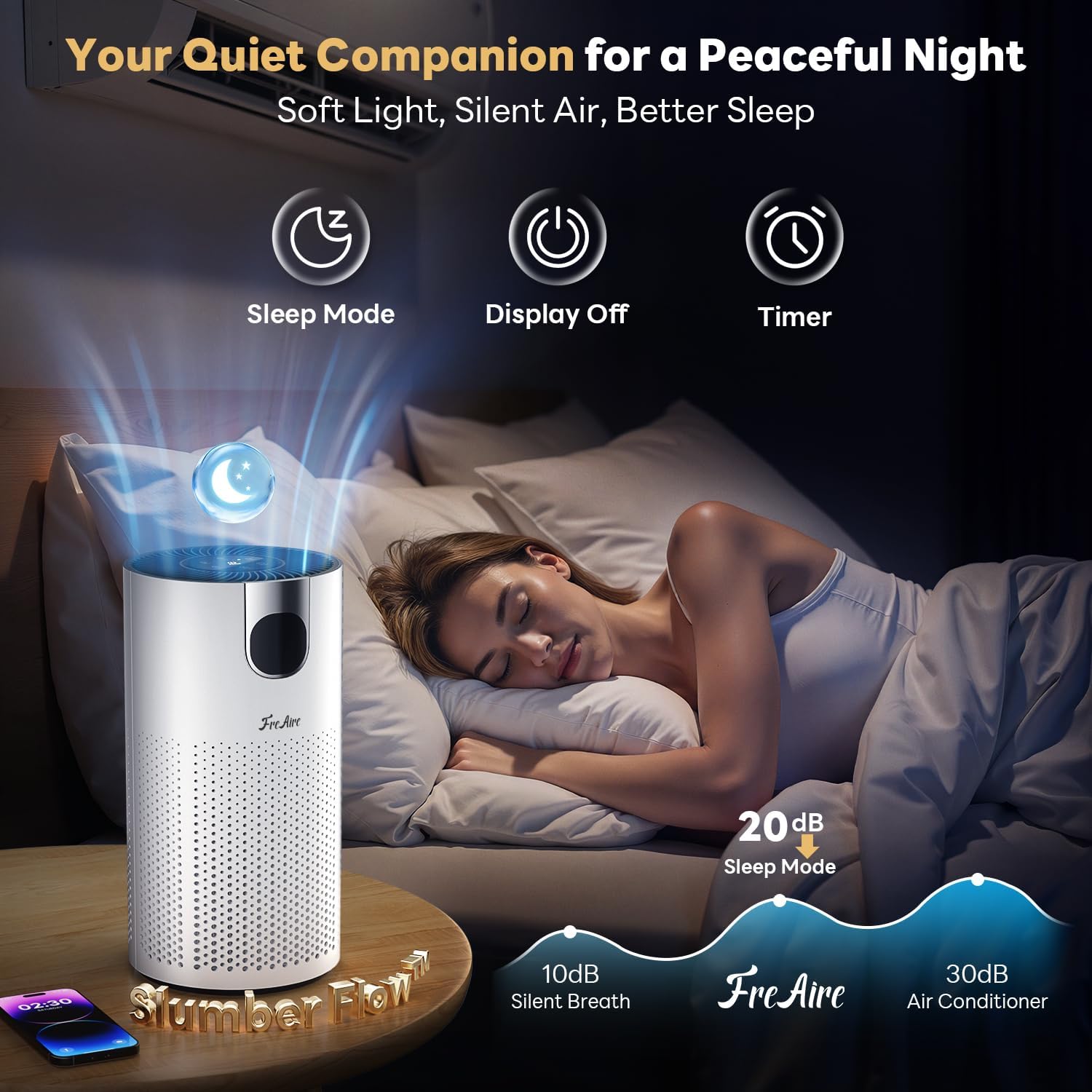
Image: The FreAire VisionAir HAP606 Air Purifier in a bedroom, illustrating its quiet operation in Sleep Mode (20dB) for a peaceful night's rest.
6.5 Child Lock
Press and hold the Child Lock button for 3 seconds to activate or deactivate. When activated, the control panel buttons will be unresponsive to prevent accidental changes by children or pets.

Image: A child interacting near the FreAire VisionAir HAP606 Air Purifier, with an overlay highlighting the Child Lock feature to ensure settings remain safe.
6.6 Timer Function
Press the Timer button repeatedly to set the desired operating time (e.g., 2, 4, 8 hours). The unit will automatically turn off after the set time.
6.7 AQI & PM2.5 Display
The digital display shows the real-time PM2.5 concentration in µg/m³. The color-coded light indicator provides a quick visual reference for air quality:
- Green: Good air quality
- Yellow: Moderate air quality
- Red: Poor air quality
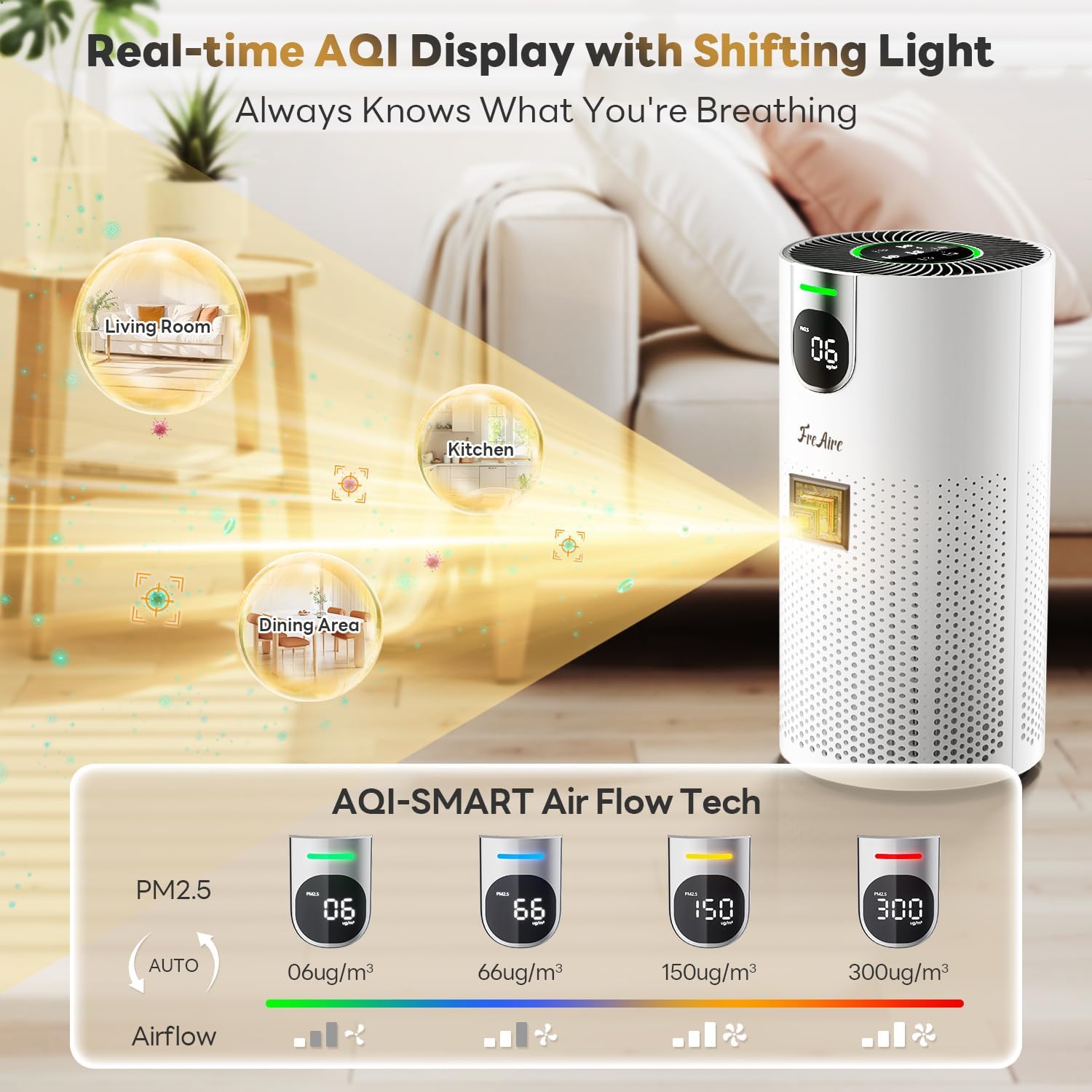
Image: The FreAire VisionAir HAP606 Air Purifier's display showing real-time PM2.5 levels and the corresponding color-coded Air Quality Index (AQI) indicator, demonstrating how it monitors air quality.
7. Maintenance
Regular maintenance ensures optimal performance and extends the life of your air purifier.
7.1 Filter Replacement
The filter life indicator light will illuminate when it's time to replace the filter (approximately every 6-8 months, depending on usage and air quality).
- Unplug the air purifier from the power outlet.
- Turn the unit upside down and twist the base cover counter-clockwise to unlock it.
- Remove the old filter and dispose of it properly.
- Insert a new, genuine FreAire 3-stage HEPA filter (Model: HAP606F) into the unit. Ensure it is seated correctly.
- Replace the base cover and twist clockwise to lock it securely.
- Plug in the air purifier. Press and hold the Filter Reset button for 3 seconds until the indicator light turns off, resetting the filter life counter.

Image: A three-step visual guide demonstrating how to replace the filter: 1) Remove the used filter by twisting the cover counter-clockwise, 2) Insert the new filter, and 3) Reset the filter reminder by holding the reset button.
7.2 Cleaning the Unit
- Wipe the exterior of the air purifier with a soft, dry cloth.
- Do not use abrasive cleaners or solvents.
- Gently vacuum the air intake grilles to remove dust buildup.
8. Troubleshooting
Refer to this section for common issues and their solutions.
| Problem | Possible Cause | Solution |
|---|---|---|
| Unit does not turn on | Not plugged in; Power outage; Damaged power cord; Filter not installed correctly | Check power connection; Verify power supply; Contact support if cord is damaged; Ensure filter is unwrapped and base cover is locked. |
| Poor air purification performance | Clogged filter; Incorrect fan speed; Blocked air inlets/outlets; Room size too large | Replace filter; Increase fan speed; Clear obstructions; Ensure unit is suitable for room size. |
| Unusual noise | Filter not seated correctly; Foreign object inside; Unit on uneven surface | Reinstall filter; Unplug and check for obstructions; Place on a stable, flat surface. |
| Filter replacement indicator remains on after changing filter | Filter life counter not reset | Press and hold the Filter Reset button for 3 seconds. |
9. Specifications
| Feature | Detail |
|---|---|
| Model Number | HAP606 |
| Product Dimensions | 7.2 x 7.2 x 13.9 inches |
| Item Weight | 3.79 Pounds |
| Power Source | Corded Electric |
| Control Method | Touch |
| Filter Type | 3-Stage HEPA Filter |
| Coverage Area | Up to 1800 Square Feet |
| Noise Level (Sleep Mode) | 20 Decibels |
| Particle Retention Size | 0.3 µm |
| Wattage | 20 watts |
| Contaminant Filtration Capability | Dust, Pet Dander, Pet Hair, Pollen, Volatile Organic Compounds (VOCs) |
| Special Features | 20dB Sleep Mode, 360° Air Intake, 360° Air Outlet, Real-time AQI & PM2.5 Display, Child Lock, Timer |
| Certifications | ETL, FCC, EPA, CARB |
10. Warranty and Support
FreAire is committed to providing quality products and customer satisfaction.
- 30-Day Money-Back Guarantee: If you are not satisfied with your purchase, you may return it within 30 days for a full refund.
- 2-Year Warranty: The FreAire VisionAir HAP606 Air Purifier is covered by a 2-year warranty from the date of purchase, covering defects in materials and workmanship.
- Lifetime Technical Support: FreAire provides lifetime technical support for your product. For assistance, please contact customer service via Amazon. Responses are typically provided within 2 business days.
For further inquiries or support, please refer to your purchase platform or contact FreAire customer service directly.
