
1. Introduction
Thank you for choosing the Garvee Adjustable Drafting Table. This manual provides essential information for the safe assembly, operation, and maintenance of your new drafting table. Please read these instructions carefully before use and retain them for future reference.
Product Features:
- Adjustable tabletop angle (0-60°) for various tasks like writing, reading, and drawing.
- Integrated auxiliary table for additional workspace.
- Three slide-out storage drawers for organizing supplies.
- Lower shelf for books, paper rolls, and other items.
- Sturdy X-shaped alloy steel legs for stability.
2. Setup and Assembly
Carefully unpack all components and verify that all parts are present according to the included parts list. Assembly requires following the detailed instructions provided in the packaging. Ensure all connections are secure before use.
Component Identification:
Before beginning assembly, identify all parts. Refer to the diagram below for an overview of the table's dimensions and main components.
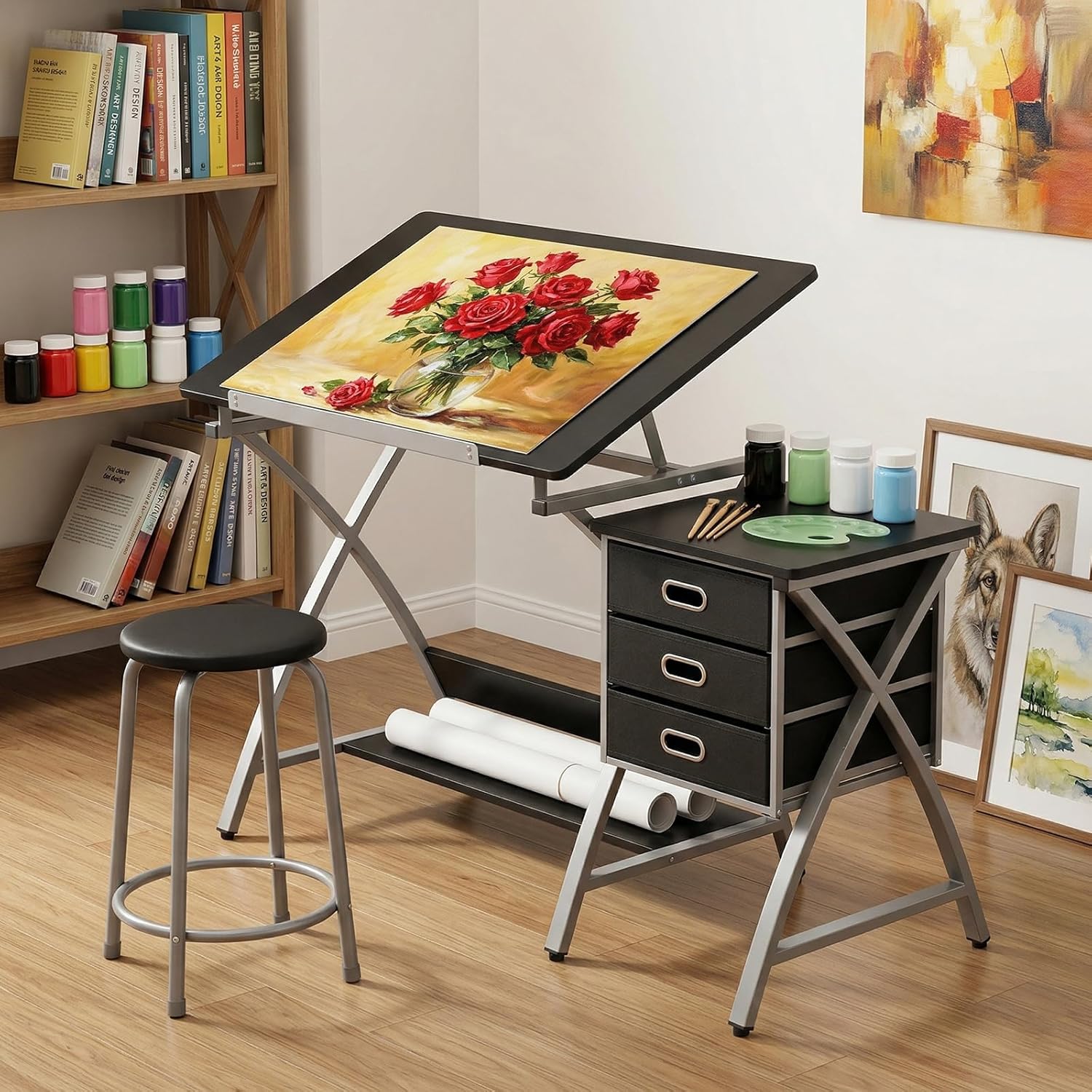
Figure 2.1: Product dimensions and key components. This image illustrates the overall size of the drafting table, auxiliary table, and stool, providing measurements for planning your workspace.
Assembly Steps:
- Lay out all components on a clean, flat surface.
- Attach the X-shaped legs to the main tabletop frame using the provided hardware.
- Secure the auxiliary table and storage drawer unit to the main frame.
- Install the lower shelf between the main legs.
- Insert the fabric drawers into their compartments.
- Ensure all screws and bolts are tightened securely. Do not overtighten.
3. Operating Instructions
Adjusting the Tabletop Angle:
The main tabletop can be adjusted from 0 to 60 degrees to suit various tasks. To adjust the angle:
- Grasp the front edge of the tabletop firmly.
- Lift the tabletop upwards to disengage the locking mechanism.
- Adjust the tabletop to your desired angle.
- Lower the tabletop slightly until it locks securely into place at the chosen angle.
- To return the tabletop to a flat position, lift it to its highest point and then slowly lower it completely until it rests flat.

Figure 3.1: Tabletop angle adjustment. This image demonstrates the range of motion for the adjustable tabletop, from flat to a 60-degree incline.
Recommended Angles for Tasks:
- 0°-20°: Ideal for writing and general desk work.
- 20°-40°: Suitable for reading or using a laptop.
- 40°-60°: Optimal for drawing, drafting, and painting.
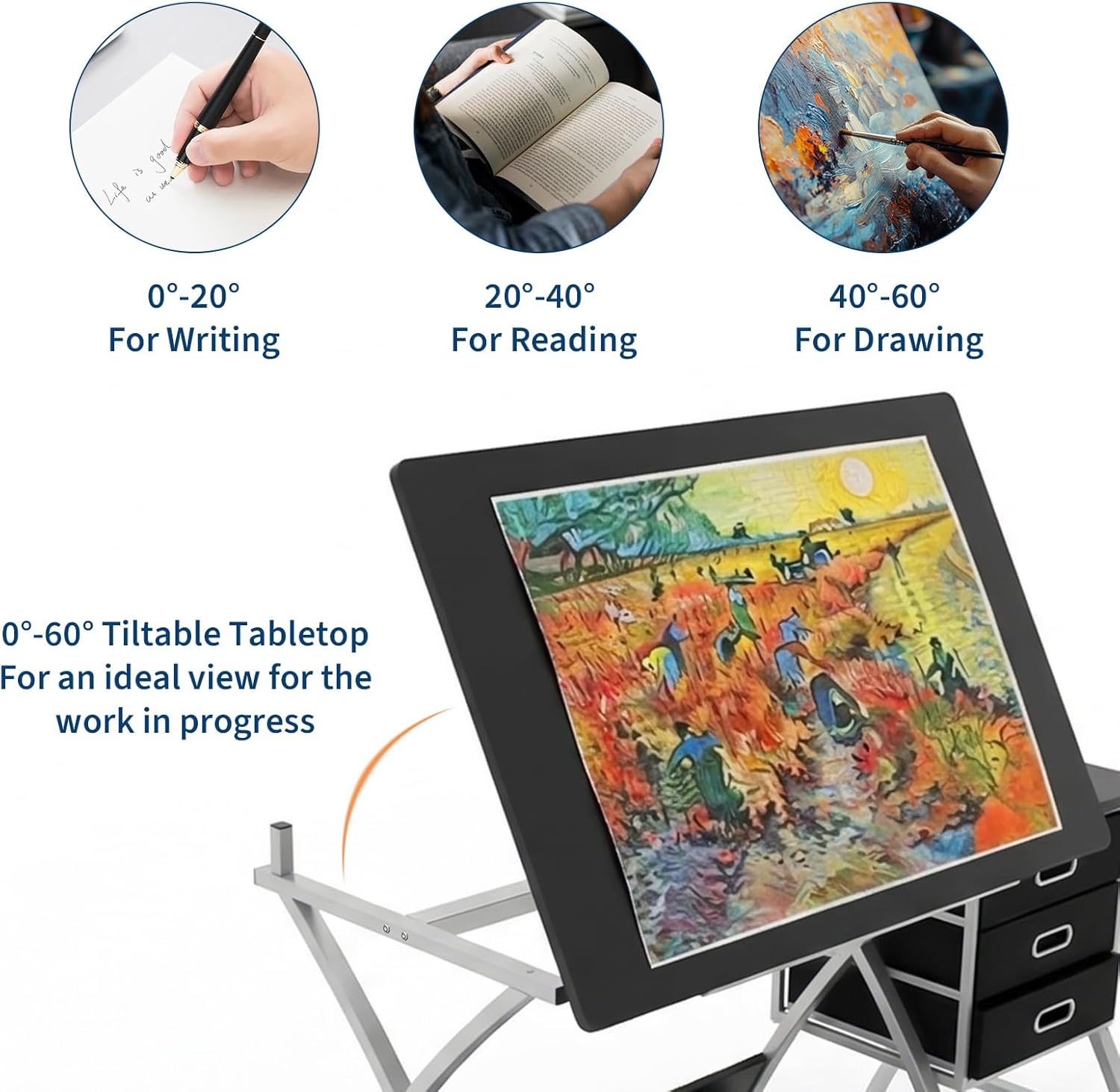
Figure 3.2: Task-specific tabletop angles. This image provides visual examples of how different tabletop inclinations can be used for various activities.
Using Storage Features:
- Auxiliary Table: Use the fixed auxiliary table on the right for placing laptops, drinks, or frequently accessed tools.
- Storage Drawers: Utilize the three slide-out fabric drawers for storing stationery, art supplies, and other small items.
- Lower Shelf: The shelf beneath the main tabletop is designed for larger items such as books, paper rolls, or paint bottles.

Figure 3.3: Storage and design details. This image highlights the practical storage solutions and structural elements of the drafting table, including the drawers, shelf, and leg design.
4. Maintenance
Regular maintenance will ensure the longevity and optimal performance of your drafting table.
- Cleaning: Wipe surfaces with a soft, damp cloth. Avoid abrasive cleaners or harsh chemicals, as these can damage the finish.
- Hardware Check: Periodically inspect all screws, bolts, and connections to ensure they remain tight. Retighten if necessary, but do not overtighten.
- Moving the Table: When moving the table, lift it rather than dragging it to prevent damage to the legs or floor.
- Drawer Care: Keep the fabric drawers clean and avoid overloading them to maintain their shape and functionality.
5. Troubleshooting
If you encounter any issues with your Garvee Adjustable Drafting Table, refer to the following common problems and solutions:
- Table feels wobbly or unstable:
Solution: Ensure all assembly screws and bolts are fully tightened. Check that the table is placed on a flat, even surface. - Tabletop difficult to adjust or does not lock:
Solution: Verify that the locking mechanism is free of obstructions. Ensure you are lifting the tabletop sufficiently to disengage the lock before attempting to adjust the angle. If the mechanism is stiff, a small amount of silicone lubricant may be applied to moving parts (avoid contact with tabletop surface). - Drawers do not slide smoothly:
Solution: Check if the drawers are overloaded or if any items are obstructing their movement. Ensure the drawer unit is properly seated and secured to the main frame.
6. Specifications
| Brand | Garvee |
| Model Number | 9FY-PGzEx8oDosjgHD-c79R-F |
| Product Dimensions (D x W x H) | 49.61" x 23.62" x 29.92" (126cm x 60cm x 76cm) |
| Color | Black (tabletop), Silver (base) |
| Top Material Type | Engineered Wood |
| Base Material | Alloy Steel |
| Item Weight | 50.7 pounds (23 kg) |
| Number of Drawers | 3 |
| Number of Shelves | 1 |
| Adjustable Tabletop Angle | 0-60 degrees |
7. Warranty and Support
For warranty information, please refer to the documentation included with your purchase or contact Garvee customer support directly. If you require assistance with assembly, operation, or troubleshooting beyond the scope of this manual, please reach out to the manufacturer or your retailer.
For further inquiries, please visit the Garvee store on Amazon or contact their customer service.