
1. Important Safety Instructions
Before operating the Renestar Treadmill Model 3310S, please read all instructions carefully. Keep this manual for future reference. Failure to follow these instructions may result in injury or damage to the product.
- Always attach the safety key clip to your clothing before starting the treadmill. In case of an emergency, the safety key will stop the machine.
- Ensure the treadmill is placed on a flat, stable surface with adequate clearance around it (at least 2 meters behind and 0.6 meters on each side).
- Keep children and pets away from the treadmill during operation.
- Consult a physician before starting any new exercise program.
- Wear appropriate athletic footwear and clothing.
- Do not operate the treadmill if it has a damaged cord or plug, or if it is not working properly.
- Unplug the treadmill from the power outlet when not in use, before cleaning, and before performing any maintenance.
2. Product Overview
The Renestar Treadmill Model 3310S is designed for home use, offering a range of features to enhance your workout experience. It includes an auto-adjustable incline, a powerful brushless motor, and integrated heart rate monitoring.
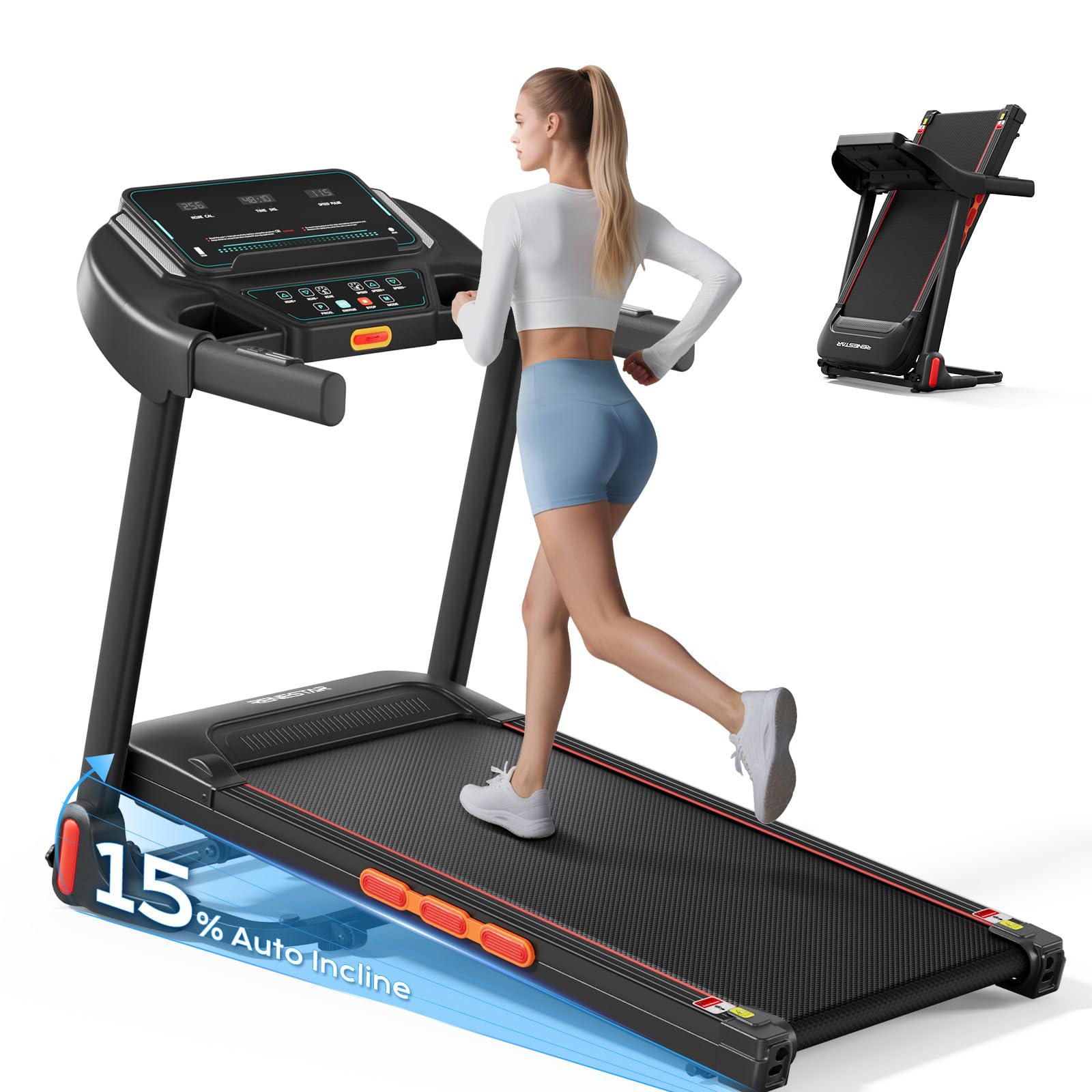
Image: The Renestar Treadmill Model 3310S, showcasing its compact design and console.
Included Components
The package for your Renestar Treadmill Model 3310S includes the following items:
- User Manual (this document)
- Power Cord
- Lubricant
- Safety Key
- Tool Kit (for minor assembly/adjustments)

Image: A visual representation of the items included in the Renestar Treadmill Model 3310S package.
3. Setup and Assembly
The Renestar Treadmill Model 3310S arrives 90% pre-assembled, requiring minimal setup before first use.
Unfolding the Treadmill
- Carefully remove the treadmill from its packaging.
- Place the treadmill on a flat, stable surface.
- Locate the hydraulic folding system mechanism. Gently push the running deck downwards until it locks into the flat position. Ensure it is fully extended and stable before use.

Image: Illustration of the hydraulic auto-folding system, demonstrating how to unfold the treadmill.
Placement and Storage
For optimal performance and safety, position the treadmill in an area with sufficient space. When not in use, the treadmill can be folded and moved for compact storage.
- Operating Space: Allow at least 2 meters (6.5 feet) of clear space behind the treadmill and 0.6 meters (2 feet) on each side.
- Folding: To fold, lift the running deck until it clicks into the upright, locked position.
- Moving: The integrated transport wheels allow for easy relocation. Tilt the folded treadmill and roll it to your desired storage location.

Image: A user demonstrating the ease of moving the folded treadmill for space-saving storage.
4. Operating Instructions
Familiarize yourself with the control panel and features before beginning your workout.
Control Panel and Display
The LED display provides essential workout data, while the integrated handrails offer convenient controls.

Image: The control panel displaying heart rate, safety key, program options, start/stop, speed adjustment, and auto incline controls.
- LED Display: Shows metrics such as Calories Burned, Distance, Heart Rate, Incline, and Speed.
- Safety Key: Insert the safety key into its designated slot on the console. The treadmill will not operate without it. Attach the clip to your clothing.
- Start/Stop: Press the START button to begin your workout. Press STOP to pause or end your session.
- Speed Adjustment: Use the Speed +/- buttons on the console or integrated handrails to adjust the running speed from 0.5 MPH to 8.5 MPH.
- Incline Adjustment: Use the Incline +/- buttons on the console or integrated handrails to adjust the incline from 0% to 15%.
- Heart Rate Monitoring: Grip the heart rate sensors on the handrails to display your pulse on the LED screen.
Workout Features
The Renestar Treadmill Model 3310S offers features designed to enhance your exercise routine.
- Auto-Adjustable Incline (0%-15%): The automatic incline feature allows you to simulate uphill terrain, increasing calorie burn and engaging different muscle groups. Adjust the incline gradually during your workout for varied intensity.

Image: The treadmill demonstrating its auto-incline capability, with visual cues for calorie expenditure at 0%, 8%, and 15% incline.
- 3.0HP Brushless Motor: The powerful yet quiet 3.0HP brushless motor provides a smooth and stable running experience, suitable for walking, jogging, and running.

Image: An exploded view of the 3.0HP brushless motor, emphasizing its power, low noise operation (less than 45dB), and extended lifespan (3500 hours).
- Bluetooth Audio: Connect your device via Bluetooth to stream audio through the built-in speakers.
- Advanced Shock Absorption System: The 6-point cushioning system and triple-deck design minimize impact on your joints during workouts.

Image: A cutaway view detailing the treadmill's shock absorption system, including belt cushioning, six shock absorbers, and a reinforced frame for stability.
- Running Area: The treadmill features an extra-wide running area for comfort and safety.

Image: The running belt with dimensions indicated as 41.34 inches in length and 15.35 inches in width.
5. Maintenance
Regular maintenance ensures the longevity and optimal performance of your treadmill.
Cleaning
- Always unplug the treadmill before cleaning.
- Wipe down the console and other surfaces with a soft, damp cloth after each use to remove sweat and dust.
- Do not use abrasive cleaners or solvents, as these can damage the finish.
Lubrication
The running belt requires periodic lubrication to reduce friction and extend its lifespan. Refer to the included lubricant and specific instructions for application frequency, typically every few months depending on usage.
Belt Tension and Alignment
Periodically check the running belt for proper tension and alignment. If the belt feels loose or drifts to one side, consult the detailed instructions in the full user manual for adjustment procedures using the provided tool kit.
6. Troubleshooting
If you encounter issues with your Renestar Treadmill Model 3310S, refer to the following common solutions.
- Treadmill does not start: Ensure the power cord is securely plugged into a working outlet and the safety key is correctly inserted into the console.
- Belt slips or hesitates: Check the running belt tension and lubricate if necessary. Refer to the maintenance section for guidance.
- Unusual noises: Stop the treadmill immediately. Inspect for any loose parts or obstructions. If the noise persists, discontinue use and contact customer support.
- Display not working: Check all connections to the console. If the issue persists, contact customer support.
For problems not listed here or if solutions do not resolve the issue, please contact Renestar customer support.
7. Specifications
Detailed technical specifications for the Renestar Treadmill Model 3310S.
| Feature | Specification |
|---|---|
| Brand | Renestar |
| Model Number | 3310S |
| Product Dimensions (D x W x H) | 54.3" x 24.4" x 41" |
| Item Weight | 75 Pounds |
| Material | Alloy Steel |
| Motor Horsepower | 3.0 HP (Brushless) |
| Speed Range | 0.5 - 8.5 MPH |
| Incline Range | 0% - 15% (Auto Incline) |
| Maximum Weight Recommendation | 300 Pounds |
| Display Type | LED |
| Connectivity | Bluetooth (for audio) |
| Metrics Measured | Calories Burned, Distance, Heart Rate, Incline, Speed |
| Special Features | Auto Incline, Foldable, Heart Rate Monitor, Shock Absorption System |
| Assembly Required | No (90% pre-assembled) |
8. Warranty and Support
Warranty Information
The Renestar Treadmill Model 3310S comes with a 1-Year Manufacturer's Warranty. This warranty covers defects in materials and workmanship under normal use. Please retain your proof of purchase for warranty claims.
The warranty does not cover damage caused by misuse, accident, unauthorized modification, or failure to follow the instructions in this manual.
Customer Support
For any questions, technical assistance, or warranty claims, please contact Renestar customer support. Refer to the contact information provided with your purchase or visit the official Renestar website for support details.