
Introduction
This manual provides detailed instructions for operating and maintaining your Edillas Kids Digital Watch (Model 8203B). Please read it carefully to ensure proper use and to fully utilize all features.
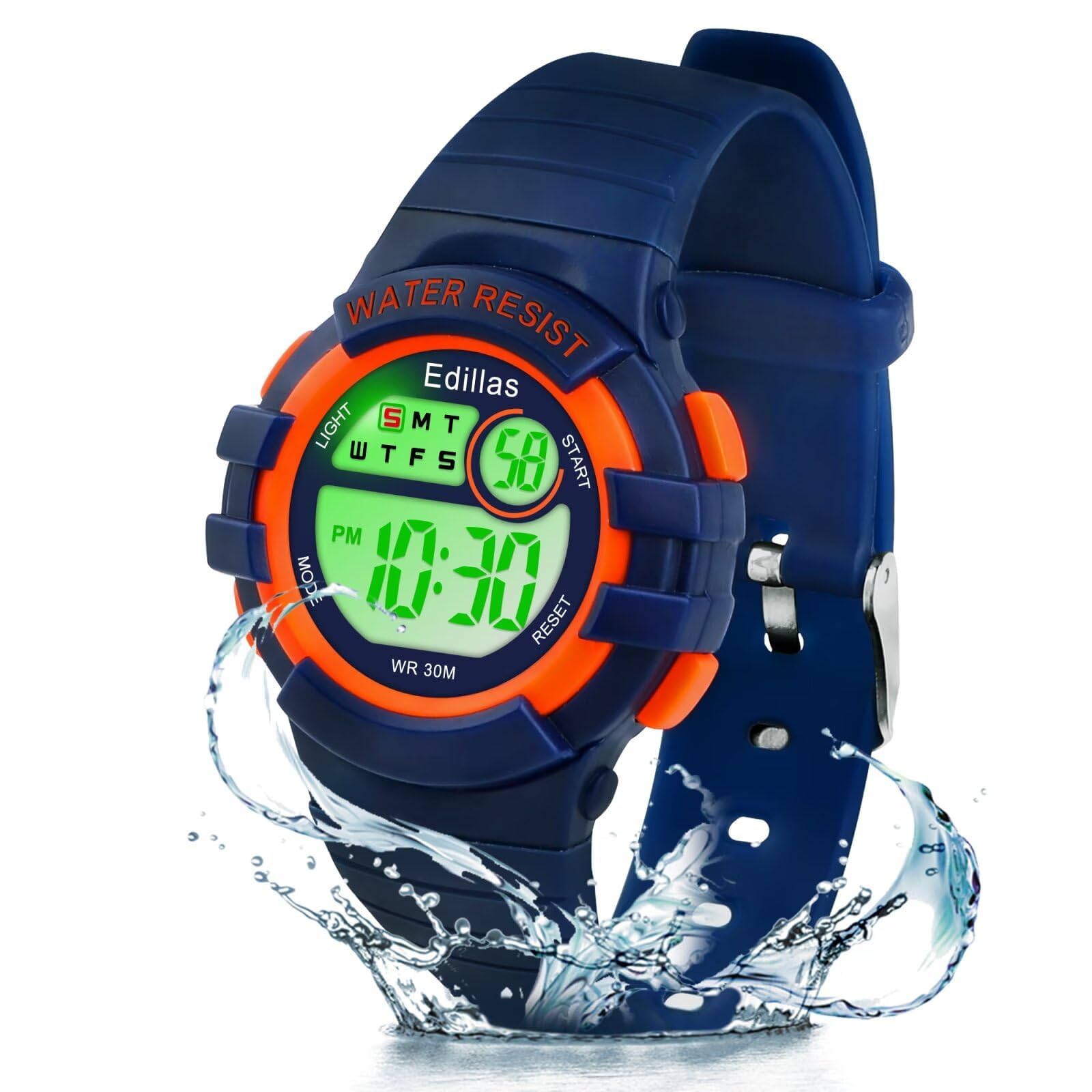
Image: The Edillas Kids Digital Watch in blue, showcasing its digital display and robust design.
Key Features
- Multifunctional Display: Includes alarm clock, stopwatch, calendar, and colorful lights.
- 7-Color Backlight: Choose from blue, green, red, light blue, yellow, purple, and white, with options for monochrome or colorful flashing.
- 30M Water Resistance: Suitable for daily activities like hand washing, rain, splashes, and cold water baths. Avoid pressing buttons underwater.
- Durable Construction: Features a soft TPU strap, fine metal steel case, stainless steel case back, and high-transparency resin glass.
- 12H/24H Time Format: Switch between 12-hour and 24-hour display modes.

Image: The watch display showing different LED backlight colors, highlighting the luminous display feature.
Button Functions
Your Edillas Kids Digital Watch has four buttons, each with specific functions:
- LIGHT Button (Top Left): Activates the backlight and cycles through 7 different colors.
- MODE Button (Bottom Left): Switches between time display, stopwatch, and alarm modes.
- START Button (Top Right): Used to start/stop the stopwatch and adjust settings in setting modes.
- RESET Button (Bottom Right): Used to reset the stopwatch and select items in setting modes.

Image: A clear diagram indicating the location and name of each button on the watch.
Setup and Basic Operation
Setting Time and Date
- From the Time Display Mode, press the MODE button three times. The seconds will begin to flash.
- Press the RESET button to cycle through the settings: seconds, hour, minute, month, date, day of the week.
- Use the START button to adjust the flashing value for each setting.
- Once all settings are correct, press the MODE button to return to Time Display Mode.
Switching 12H/24H Format
- Begin in Time Display Mode.
- Press the MODE button three times.
- Press the RESET button two times until the hour is flashing.
- Press the START button to toggle between 'A' or 'P' (12-hour format) and 'H' (24-hour format).
- Press the MODE button to confirm and exit.

Video: Demonstrates how to switch between 12-hour and 24-hour time formats on the watch.
Activating the Backlight
Press the LIGHT button (top left) to illuminate the display. Each press will cycle through the 7 available colors or activate the colorful flashing mode.

Video: Shows the watch's 7-color light feature in action.
Operating Functions
Using the Stopwatch
- From Time Display Mode, press the MODE button once to enter Stopwatch Mode. The display will show "0:00:00".
- Press the START button to begin timing.
- Press the START button again to pause timing.
- To resume, press the START button.
- To reset the stopwatch to zero, press the RESET button while the stopwatch is paused.
- Press the MODE button to return to Time Display Mode.

Video: A demonstration of how to use the stopwatch function on the watch.
Setting the Alarm
- From Time Display Mode, press the MODE button twice to enter Alarm Setting Mode. The hour will flash.
- Press the START button to adjust the hour.
- Press the RESET button to switch to minute setting. The minutes will flash.
- Press the START button to adjust the minutes.
- Press the MODE button to confirm and exit Alarm Setting Mode.

Image: The watch displaying the alarm function, indicating its readiness for use.
Calendar Display
The watch automatically displays the current date and day of the week in Time Display Mode. Ensure the time and date are set correctly for accurate calendar information.

Image: The watch displaying the current date and day of the week.
Care and Maintenance
- Water Resistance: The watch is 30M/3 ATM water resistant. It can withstand splashes, rain, hand washing, and cold water baths. Do not press any buttons while the watch is submerged in water. Avoid hot water or steam.
- Cleaning: If the watch becomes dirty, it can be rinsed directly with cold water. Use a soft cloth to dry it.
- Battery: The watch uses a Japan imported battery for long life. If you experience issues with the battery or movement, contact customer support.
- Storage: Store the watch in a cool, dry place when not in use.

Image: The watch being tested for water resistance, showing it can be submerged.
Troubleshooting
Hourly Chime On/Off
- From Time Display Mode, press the RESET button and MODE button simultaneously.
- If the weekend letters (SMTWTFS) appear without black circles, the hourly chime is OFF.
- If the weekend letters appear with black circles, the hourly chime is ON.
- Repeat the simultaneous press of RESET and MODE to toggle the hourly chime on or off.

Video: Instructions on how to turn the hourly chime on or off.
Specifications
| Feature | Detail |
|---|---|
| Model Number | 8203B |
| Brand | Edillas |
| Display Type | Digital |
| Movement Type | Japanese Automatic |
| Water Resistance Depth | 30 Meters (3 ATM) |
| Case Material | Acrylic |
| Band Material | Thermoplastic Polyurethane (TPU) |
| Power Source | Battery Powered (1 C battery included) |
| Product Dimensions | 8.27 x 0.55 x 0.39 inches |
| Item Weight | 1.41 ounces (0.04 Kilograms) |
| Age Range | Kid (Ages 4-15 recommended) |

Image: Visual representation of the watch's dimensions and material components.
Warranty and Support
Your Edillas Kids Digital Watch comes with a 1-year manufacturer's limited warranty. For any issues or inquiries, please contact customer support.
- After-Sales Service: 2-year after-sales support.
- Returns: 30-day no-reason return policy.
- Customer Service: 12-hour online customer service.
- Contact Email: yadelaiaftersale@163.com

Image: Information regarding customer support and warranty details.