
VEVOR M1DP-XT-10
VEVOR 1 HP 710W Wood Router User Manual
Model: M1DP-XT-10
Efficient Cutting Performance for Woodworking, Trimming, and DIY Projects
1. Introduction
Thank you for choosing the VEVOR 1 HP 710W Wood Router. This tool is designed for precision woodworking tasks, offering versatility and control for various applications. Featuring a powerful motor, variable speed settings, and three interchangeable bases, it is suitable for both professional and DIY projects. Please read this manual thoroughly before operation to ensure safe and efficient use.

Image 1.1: VEVOR Wood Router with powerful motor and variable speed control.
2. Safety Information
Always follow basic safety precautions when using electrical tools to reduce the risk of fire, electric shock, and personal injury.
- Wear appropriate personal protective equipment (PPE) including safety glasses, hearing protection, and a dust mask.
- Ensure the workpiece is securely clamped before routing.
- Keep hands and fingers away from the router bit during operation.
- Disconnect the power supply before changing bits, making adjustments, or performing maintenance.
- Do not operate the router in damp or wet conditions.
- Keep the work area clean and well-lit.
- Use the correct router bit for the application and ensure it is securely installed.
- Avoid forcing the tool; let the router bit do the work.
3. Product Overview and Components
The VEVOR Wood Router comes with a robust 1 HP / 710W motor, offering a no-load speed range of 10,000 to 32,000 RPM with 6 variable speed settings. It features a 1/4 inch collet for standard router bits and a soft start function for controlled operation. The package includes three versatile bases: Fixed, Plunge, and Tilt, along with a parallel guide and dust collection cover.

Image 3.1: Main view of the VEVOR Wood Router.
Key Components:
- Motor Unit: Contains the 710W motor and speed control dial.
- Collet: 1/4 inch for securing router bits.
- Fixed Base: For general trimming and grooving with precise depth adjustment.
- Plunge Base: For deep slot cutting and controlled plunge operations.
- Tilt Base: For bevel cutting and angled trimming.
- Parallel Guide: For guiding the router along straight edges.
- Dust Collection Cover: Connects to a vacuum for debris management.
4. Setup
4.1 Attaching Bases
The router comes with three interchangeable bases to suit different applications. To attach a base:
- Ensure the router is unplugged.
- Align the motor unit with the desired base.
- Secure the motor unit into the base using the locking mechanism until it is firmly in place.

Image 4.1: Overview of the three base options: Fixed, Tilt, and Plunge.
4.2 Installing Router Bits
The router uses a 1/4 inch collet for securing bits.
- Disconnect the router from the power source.
- Insert the router bit shank into the collet, ensuring it is inserted at least two-thirds of the way to provide secure clamping.
- Use the provided wrenches to tighten the collet nut firmly. Do not overtighten.

Image 4.2: Steps for installing a router bit.
4.3 Adjusting Cutting Depth
The cutting depth can be adjusted based on the base used:
- Fixed Base: Adjusts from 0 to 0.79 inches (20 mm). Loosen the locking lever, set the desired depth using the scale, and then tighten the lever.
- Plunge Base: Adjusts from 0 to 1.39 inches (35 mm). Release the plunge lock, lower the router to the desired depth, and secure the plunge lock.

Image 4.3: Fixed base depth adjustment.

Image 4.4: Plunge base depth adjustment.
4.4 Dust Collection
For a cleaner work environment, attach the included dust collection cover to the router and connect it to a suitable vacuum system.

Image 4.5: Router with dust collection setup.
5. Operating Instructions
5.1 Power On/Off and Soft Start
Plug the router into a suitable power outlet. The router features a soft start function, which gradually increases speed to reduce startup impact. Use the power switch to turn the tool on or off.
5.2 Variable Speed Control
The router has 6 variable speed settings, ranging from 10,000 to 32,000 RPM. Adjust the speed dial according to the material and router bit being used. Lower speeds are generally suitable for larger bits and harder materials, while higher speeds are for smaller bits and softer materials.

Image 5.1: Speed control dial on the router.
5.3 Using Different Bases and Guides
Select the appropriate base for your task:
- Fixed Base: Ideal for edge trimming, small grooving, and general routing where a consistent depth is required.
- Plunge Base: Best for creating deep slots, mortises, or when starting a cut in the middle of a workpiece. Allows for controlled entry and exit of the bit.
- Tilt Base: Used for bevel cutting and creating angled edges or profiles.

Image 5.2: Router handling multiple cutting applications.
The Parallel Guide is used to maintain a consistent distance from the edge of the workpiece, ensuring straight and accurate cuts. Attach it to the base and adjust the distance as needed.

Image 5.3: Router in use with a parallel guide.
6. Maintenance
Regular maintenance ensures the longevity and optimal performance of your VEVOR Wood Router.
- Cleaning: After each use, unplug the router and use a brush or compressed air to remove sawdust and debris from the motor vents, collet, and base. Do not use solvents.
- Bit Inspection: Regularly inspect router bits for sharpness and damage. Dull or damaged bits can cause poor cuts and put strain on the motor. Replace as necessary.
- Cord Inspection: Check the power cord for any signs of damage, cuts, or fraying. Replace immediately if damaged.
- Storage: Store the router in a clean, dry place, out of reach of children.
7. Troubleshooting
If you encounter issues with your router, refer to the following common troubleshooting tips:
| Problem | Possible Cause | Solution |
|---|---|---|
| Router does not start | No power supply; Faulty switch; Damaged cord | Check power connection; Test outlet; Inspect power cord; Contact service if switch is faulty. |
| Poor cut quality / Burning wood | Dull bit; Incorrect speed setting; Feeding too fast | Replace or sharpen bit; Adjust speed; Reduce feed rate. |
| Excessive vibration | Loose bit; Bent bit; Damaged bearings | Ensure bit is securely tightened; Replace bent bit; Contact service for bearing issues. |
| Motor overheating | Blocked vents; Overloading; Prolonged use | Clear vents; Reduce load; Allow tool to cool down. |
If the problem persists after attempting these solutions, please contact VEVOR customer support.
8. Specifications
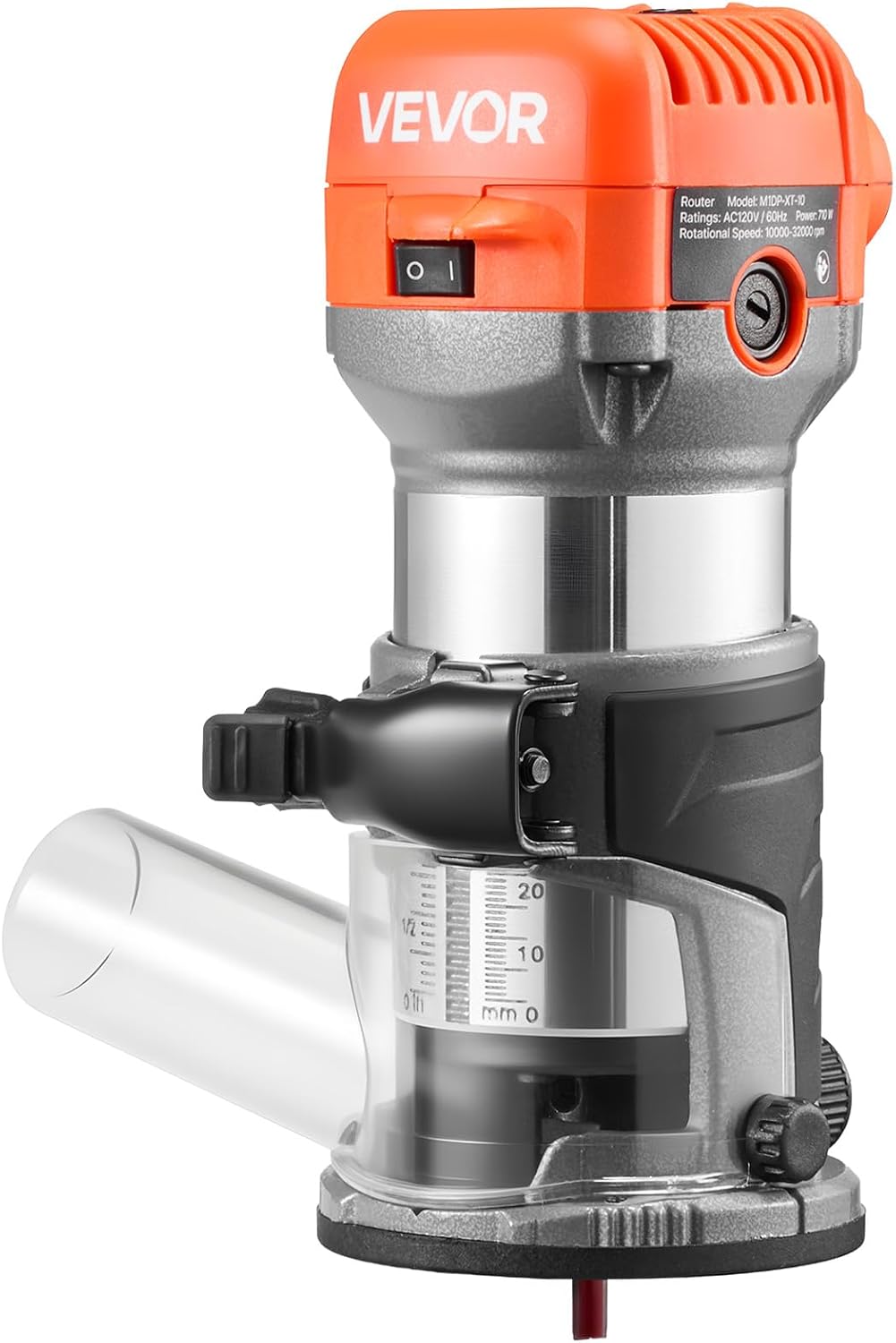
Image 8.1: Product dimensions and key specifications.
| Feature | Detail |
|---|---|
| Item Model Number | M1DP-XT-10 |
| Rated Power | 1 HP / 710W |
| Voltage/Frequency | AC120V/60Hz |
| Speed Settings | 6 Variable Speeds |
| No-Load Speed | 10,000-32,000 RPM |
| Collet Size | 1/4 in / 6.35 mm |
| Main Materials | PA6-GF30 + Aluminum |
| Base Type | Fixed Base, Plunge Base, Tilt Base |
| Depth Adjustment (Trim Base) | 0.79 in / 20 mm |
| Depth Adjustment (Plunge Base) | 1.39 in / 35 mm |
| Dust Port Size | 1.46 in / 37 mm (OD), 1.26 in / 32 mm (ID) |
| Router Bit | 1/4 in / 6.35 mm Shank, 1/4 in / 6.35 mm + 3/8 in / 9.53 mm Cutting Diameter |
| Net Weight | 9.04 lbs / 4.1 kg |
| Product Dimensions | 3.15"W x 7.87"H (80mm W x 200mm H) |
| Base Diameter | 4.72 inches (120 mm) |
| Control Cord Length | 78.74 inches (2000 mm) |
| Color | Orange |
| Included Components | 1 x Accessory Kit, 1 x Dust Cover, 1 x Parallel Guide, 1 x Wood Router |
9. Warranty
VEVOR products are designed and manufactured to high-quality standards. For specific warranty terms and conditions, please refer to the warranty card included with your product or visit the official VEVOR website. Keep your purchase receipt as proof of purchase for any warranty claims.
10. Support
For technical assistance, spare parts, or any questions regarding your VEVOR Wood Router, please contact VEVOR customer support through their official website or the contact information provided in your product packaging.
Official VEVOR Website: www.vevor.com
Related documentsM1DP-XT-10


Ask a question about this manual
Ask about setup, troubleshooting, compatibility, parts, safety, or missing instructions. Manuals+ will review the question and use this page’s manual context to help answer it.