
innioasis PR1
Innioasis PR1 AI Voice Recorder User Manual
Your guide to setting up, operating, and maintaining your Innioasis PR1 AI Voice Recorder.
Introduction
The Innioasis PR1 is an advanced AI Voice Recorder designed for high-accuracy transcription, smart summarization, and real-time translation. This device offers offline AI processing, ensuring privacy and eliminating subscription fees for core features. It is equipped with a 3.99-inch touchscreen, 64GB storage, and a professional beamforming microphone array for clear audio capture.

Image: The Innioasis PR1 AI Voice Recorder, showcasing its sleek design and user interface.
1. Setup
1.1 What's Included
Your Innioasis PR1 package includes:
- AI Voice Recorder (PR1)
- AUX Cable
- USB-C Cable
- Quick Start Guide

Image: The contents of the Innioasis PR1 package, showing the device, AUX cable, and USB-C cable.
1.2 Initial Charging
Before first use, fully charge your PR1 device. Connect the provided USB-C cable to the device's USB-C port and the other end to a compatible USB power adapter (not included) or a computer's USB port. The charging indicator will show the charging status.
1.3 Powering On/Off
- To Power On: Press and hold the Power button until the screen illuminates.
- To Power Off: Press and hold the Power button, then select "Power Off" from the options on the screen.
1.4 Connecting to Wi-Fi
For online features such as real-time translation and cloud backup, connect your device to a Wi-Fi network:
- From the home screen, swipe down from the top to access the Quick Settings panel.
- Tap the Wi-Fi icon to enable it.
- Tap and hold the Wi-Fi icon to go to Wi-Fi settings.
- Select your desired network and enter the password if prompted.
2. Operating Instructions
2.1 Voice Recording
The PR1 offers various recording modes to suit different environments:
- Smart Record: Optimizes settings for general use.
- ANC Max: Activates maximum active noise cancellation for noisy environments.
- Hi-Fi Recording: Captures high-fidelity audio for professional quality.
- Voice Activated Recorder: Automatically starts recording when sound is detected.
- Scheduled Recording: Set specific times for recording to begin and end.
To start a recording, open the recording application and select your preferred mode, then tap the record button.

Image: The PR1 display showing options for various recording modes and audio input settings.
2.2 Transcription
The PR1 provides on-device, offline transcription for over 70 languages with high accuracy, eliminating the need for subscriptions.
- Basic Mode: For extended battery life during transcription.
- High Accuracy Mode: For critical meetings requiring maximum transcription precision.
After recording, access your audio file and select the transcription option. You can toggle between modes as needed.

Image: The PR1 device showing its real-time transcription feature, highlighting offline processing and language support.
2.3 AI-Powered Smart Summarize & Meeting Assistant
Leverage the built-in "AI-Do" engine to process your transcripts:
- Structured Summaries: Automatically generates concise summaries of your recordings.
- Mind Maps: Creates visual representations of key points.
- Translation: Translates summarized content.
- Q&A: Ask questions about your meeting notes directly on the device using integrated AI.
Access these features from the AI-Do application after a recording has been transcribed.

Image: The PR1 displaying its AI-Do capabilities for advanced text processing, including summarization and mind mapping.
2.4 Real-Time Translation
The PR1 supports multi-mode translation for over 150 languages online and 40+ languages offline.
- Travel Conversation Mode: Facilitates real-time spoken translation during conversations.
- Keyboard Input Translation: Translate text typed into the device.
- Document Translation: Translate text from documents.
Navigate to the Translation application to select your desired mode and languages.

Image: The PR1 demonstrating its real-time translation feature during a conversation.
2.5 File Management and Transfer
Manage your recordings and documents directly on the device or transfer them easily:
- On-Device Management: Use the file manager to organize, rename, and delete files.
- Email Transfer: Send transcripts and audio files via Gmail.
- Smartphone Transfer: Transfer files directly to your smartphone.
- Cloud Storage: Auto-backup to Google Drive or OneDrive via Dual-Band WiFi.
- USB-C Transfer: Connect to a computer using the USB-C cable for direct file transfer.
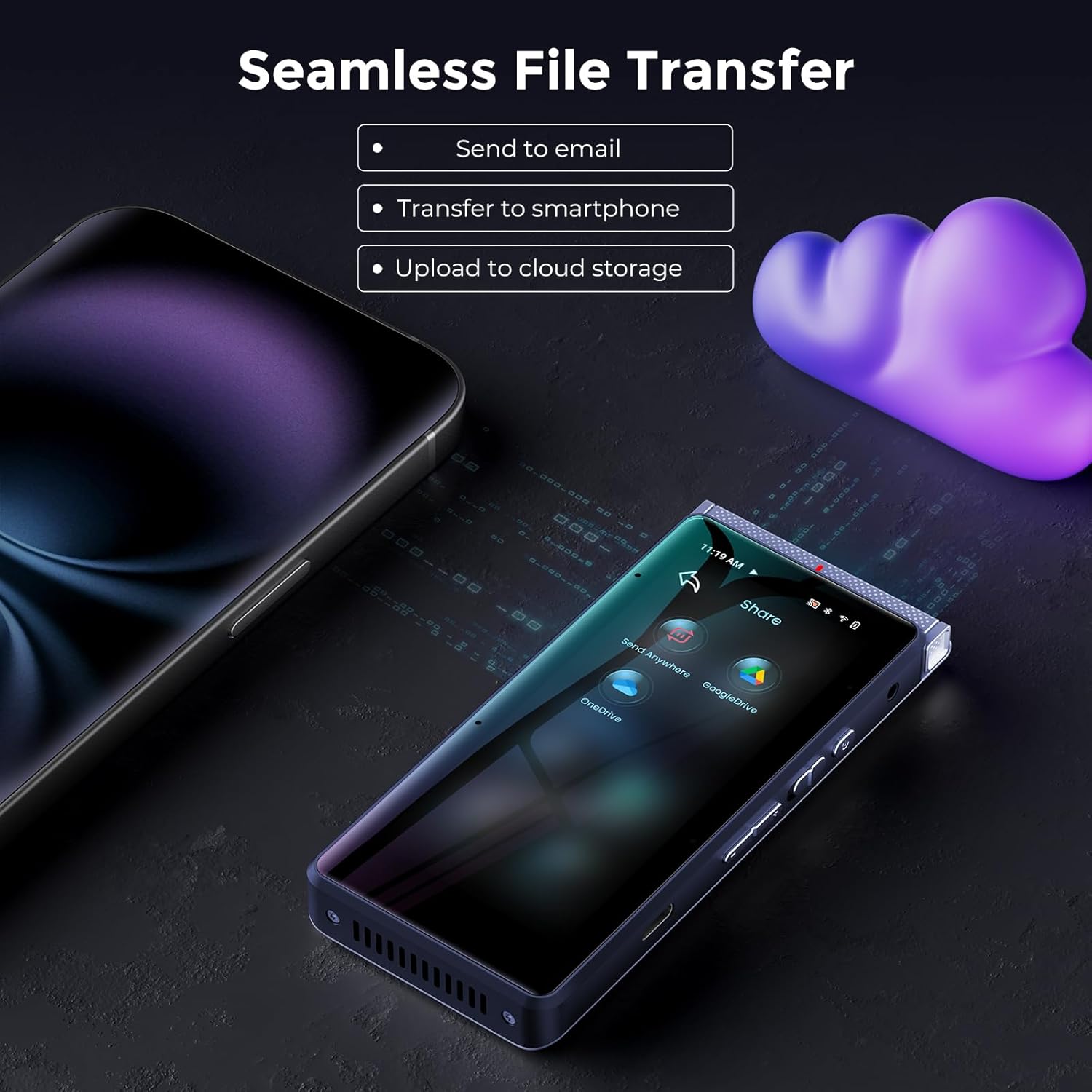
Image: The PR1 displaying options for seamless file transfer to various platforms.
2.6 Audio Playback
The professional recording and playback app offers advanced features:
- Surgical T-mark Navigation: Easily jump to specific points in the recording.
- Adaptive Speed Control: Adjust playback speed from 0.75x to 3x.
- Text-synced Audio Pinpointing: Follow along with the transcript as the audio plays.
- Custom Loop Modes: Repeat sections (A-B), shuffle, or single play.

Image: The PR1's audio playback interface, highlighting advanced navigation and control features.
3. Maintenance
3.1 Cleaning the Device
To maintain the device's appearance and functionality:
- Use a soft, lint-free cloth to wipe the screen and body.
- Avoid using harsh chemicals, abrasive cleaners, or aerosol sprays.
- Keep the microphone grilles clear of dust and debris.
3.2 Battery Care
The PR1 is equipped with a 2800mAh battery. To prolong battery life:
- Avoid extreme temperatures.
- Do not fully discharge the battery frequently.
- If storing the device for an extended period, charge it to about 50% before storage.
3.3 Software Updates
Periodically check for software updates to ensure optimal performance and access to new features. Connect to Wi-Fi and navigate to System Settings to check for updates.
4. Troubleshooting
4.1 Device Not Powering On
- Ensure the device is sufficiently charged. Connect it to a power source for at least 30 minutes.
- Try performing a soft reset by pressing and holding the Power button for 10-15 seconds.
4.2 Poor Recording Quality
- Check if the microphone grilles are obstructed.
- Ensure you are using the appropriate recording mode (e.g., ANC Max for noisy environments).
- Keep the device within optimal range of the sound source.
4.3 Transcription Inaccuracy
- Ensure clear audio input. Background noise can affect accuracy.
- Verify that the correct transcription language is selected.
- Consider using "High Accuracy Mode" for critical recordings.
4.4 Wi-Fi Connectivity Issues
- Ensure Wi-Fi is enabled on the device.
- Check if the Wi-Fi network is active and within range.
- Restart the device and your Wi-Fi router.
- Verify the Wi-Fi password is entered correctly.
4.5 File Transfer Problems
- For USB-C transfer, ensure the cable is securely connected and the device is recognized by your computer.
- For cloud backup, verify your Wi-Fi connection and cloud service login details.
5. Specifications
| Feature | Detail |
|---|---|
| Model Number | PR1 |
| Screen Size | 3.99 inches |
| Memory Storage Capacity | 64 GB |
| RAM | 4 GB |
| Microphone Array | Beamforming 4 array mics + 1 high-SNR mic |
| Digital Recording Time | Up to 17 hours (continuous AI recording, screen off) |
| Hi-Fi Audio Recording | Up to 58 hours |
| Battery Life (Average) | 30 days (standby) |
| Battery Capacity | 2800mAh |
| Transcription Languages | 70+ (offline) |
| Translation Languages | 150+ (online), 40+ (offline) |
| Connectivity | Dual-Band WiFi, Bluetooth 5, USB Type C, 3.5mm Audio Jack |
| Product Dimensions | 0.47"D x 2.17"W x 4.72"H |
6. Warranty and Support
6.1 Warranty Information
The Innioasis PR1 AI Voice Recorder comes with a 1-Year Manufacturer Warranty. Please retain your proof of purchase for warranty claims. The warranty covers defects in materials and workmanship under normal use.
6.2 Customer Support
For technical assistance, troubleshooting, or warranty inquiries, please contact Innioasis customer support. Refer to the contact information provided in your Quick Start Guide or visit the official Innioasis website.
You can also visit the Innioasis Store on Amazon for additional product information and support resources.
7. Product Videos
Innioasis PR1 AI Voice Recorder Overview
Video: An official overview of the Innioasis PR1 AI Voice Recorder, demonstrating its key features and functionalities, including recording, transcription, and smart summarization. This video is provided by the seller, STTARK-US.
Related documentsPR1

Ask a question about this manual
Ask about setup, troubleshooting, compatibility, parts, safety, or missing instructions. Manuals+ will review the question and use this page’s manual context to help answer it.