
1. Introduction
Thank you for choosing the Fajuod TW-RA01 Waterless Essential Oil Diffuser. This device utilizes advanced cold air diffusion technology to disperse essential oils into a fine, dry mist, providing consistent aroma without the need for water or heat. Designed for spaces up to 1000 sq.ft., it features smart app control, remote control, and adjustable mist levels for a customizable aromatherapy experience.
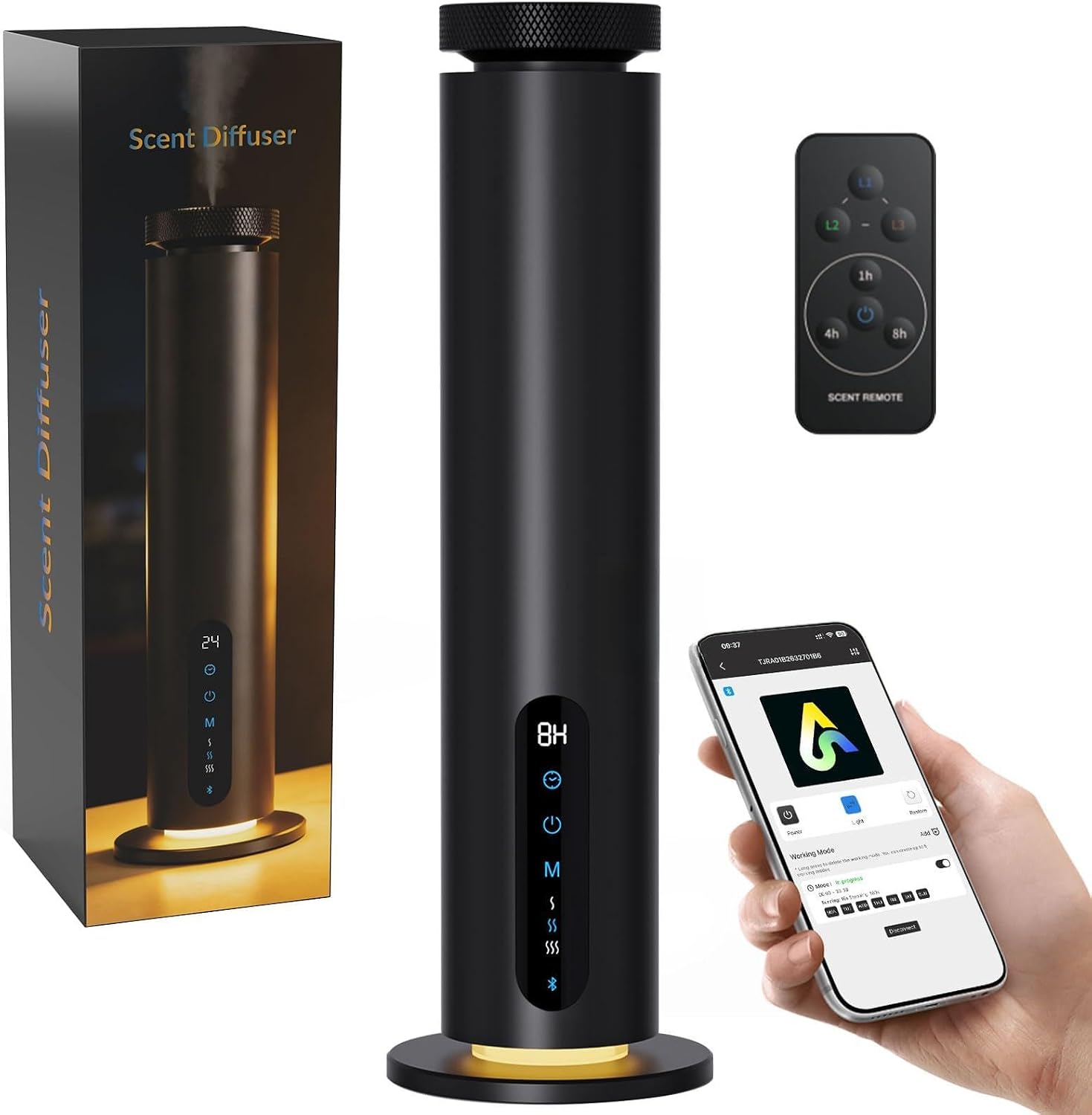
Image: The Fajuod TW-RA01 Waterless Essential Oil Diffuser, a sleek black cylindrical device with a control panel and ambient light at the base.
2. Safety Instructions
- Read all instructions before using the diffuser.
- Keep the diffuser out of reach of children and pets.
- Use only 100% pure essential oils. Do not use synthetic oils or fragrances that may damage the atomizer.
- Do not immerse the diffuser in water or any other liquid.
- Ensure the power adapter is compatible with your local voltage.
- Unplug the diffuser from the power outlet before cleaning or when not in use for extended periods.
- Do not block the mist outlet during operation.
- Place the diffuser on a stable, flat surface away from direct sunlight, heat sources, or strong air currents.
3. Package Contents
Please check the box for the following items:
- Scent Diffuser x1
- Power Adapter x1
- Remote Controller x1
- Essential Oil Bottle (empty) x1
- Atomizer Core Assembly x2 (1 pre-installed, 1 spare)
- Sealing Ring x1
- Atomizing Core Removal Tool x1
- User Manual x1
- After-sales Card x1

Image: A visual representation of all items included in the Fajuod TW-RA01 diffuser package, laid out next to the main diffuser unit.
4. Product Overview
The Fajuod TW-RA01 diffuser features a sleek cylindrical design with a user-friendly interface. Key components include:
- Mist Outlet: Top opening where the essential oil mist is dispersed.
- Atomizing Head: Removable top section containing the atomizer core and oil bottle connection.
- Control Panel: Vertical touch-sensitive display on the front with LED indicators for power, timer, mist level, and lighting.
- Ambient Light Ring: Located at the base, providing customizable illumination.
- Power Port: Located at the rear base for connecting the power adapter.

Image: The Fajuod TW-RA01 diffuser highlighting its elegant design, smart touch display, and three ambient light color options (Warm, White, Blue).
5. Setup
- Unpack: Carefully remove all components from the packaging.
- Prepare Oil Bottle:
- Twist the atomizing head 30° counter-clockwise to unlock it from the main unit.
- Lift the atomizing head to remove it along with the attached empty oil bottle.
- Unscrew the empty oil bottle from the atomizing head.
- Fill the oil bottle with your preferred 100% pure essential oil (do not overfill).
- Screw the filled oil bottle securely back onto the atomizing head.
- Install Oil Bottle Assembly: Insert the atomizing head with the filled oil bottle back into the diffuser unit. Align the markings and twist clockwise until it locks into place.
- Connect Power: Plug the power adapter into the diffuser's power port and then into a wall outlet.
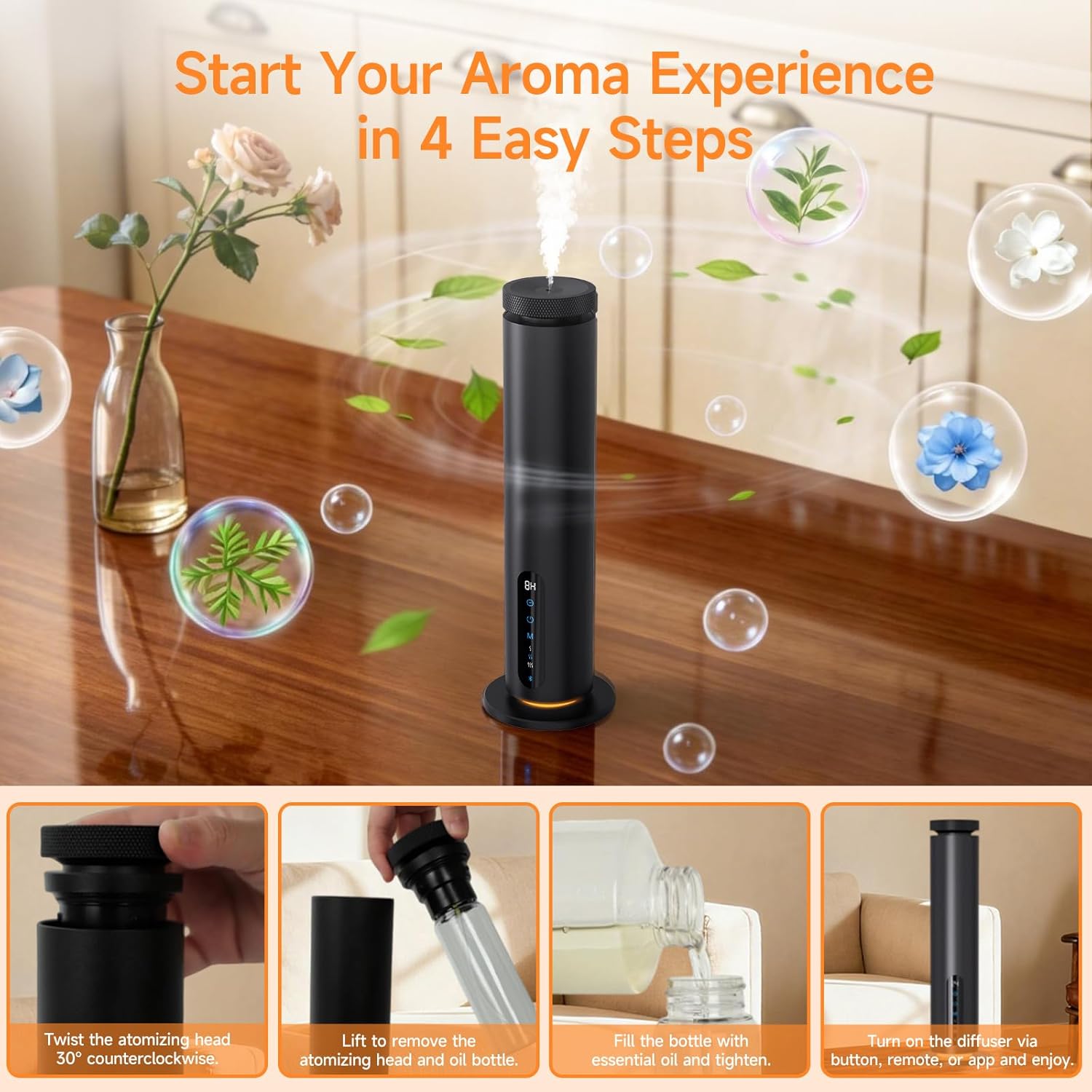
Image: A step-by-step guide showing how to twist the atomizing head, remove the oil bottle, fill it with essential oil, and power on the diffuser.
6. Operating Instructions
6.1. Power On/Off
- Power On: Press and hold the Power button on the control panel for 2 seconds. The diffuser will start operating in the last used mode.
- Power Off: Press and hold the Power button for 2 seconds again.
6.2. Using the Touch Control Panel
The touch panel allows quick access to essential functions:
- Power Button: 2-second press for on/off.
- Timer Control: Tap to cycle through working times (e.g., 1H, 4H, 8H, 24H continuous).
- Scent Level Button (M): One tap to switch between intensity levels (L1, L2, L3).
- Lighting Switching (S): Gently tap to cycle through ambient light colors (White, Blue, Warm) or turn off the light.

Image: A visual guide to the diffuser's touch control panel, detailing the functions of the LED display, timer, power, lighting, and scent level buttons.
6.3. Using the Remote Control
The included remote control provides convenient operation from a distance:
- Power Button: Turns the diffuser on or off.
- Level Buttons (L1, L2, L3): Adjusts the mist intensity. L1 is also used for factory reset (press and hold).
- Timer Buttons (1h, 4h, 8h): Sets the operating duration.

Image: The remote control for the Fajuod TW-RA01 diffuser, showing buttons for power, scent levels (L1, L2, L3), and timers (1h, 4h, 8h).
6.4. Using the Smart App Control
For advanced customization and scheduling, use the dedicated mobile app:
- Download the App: Scan the QR code provided in the manual or on the diffuser, or visit http://qr.hotlnk.cn/79902045031 to download the "Art Diffuser" app.
- Pairing:
- Ensure Bluetooth is enabled on your smartphone.
- Open the "Art Diffuser" app.
- The app will automatically search for nearby devices. Select your diffuser from the list to connect.
- App Functions: Once connected, you can:
- Easily switch operating modes.
- Create up to 5 custom working modes.
- Set flexible time periods for operation.
- Adjust scent working frequency (run time and stop time intervals).
- Control ambient lighting.

Image: A smartphone displaying the app interface for controlling the diffuser, alongside the physical remote and the diffuser itself, illustrating the multiple control options.

Image: A step-by-step visual guide on how to download, connect, and use the smart app to control the diffuser's settings and schedules.
7. Maintenance
7.1. Cleaning the Diffuser
Regular cleaning ensures optimal performance and extends the lifespan of your diffuser:
- Unplug the diffuser from the power outlet.
- Remove the atomizing head and oil bottle.
- Empty any remaining essential oil from the bottle.
- Clean the oil bottle and atomizing head with a small amount of rubbing alcohol. Swirl gently and discard the alcohol.
- Wipe the exterior of the diffuser with a soft, damp cloth. Do not use abrasive cleaners or immerse the unit in water.
- Allow all parts to air dry completely before reassembling.
7.2. Replacing the Atomizer Core
If you notice a decrease in mist output or a change in scent diffusion, the atomizer core may need replacement. A spare core is included.
- Unplug the diffuser and remove the atomizing head with the oil bottle.
- Unscrew the oil bottle from the atomizing head.
- Use the provided atomizing core removal tool to carefully unscrew and remove the old atomizer core and tube from the atomizing head.
- Insert the new atomizer core and tube, screwing it in gently until secure.
- Reassemble the oil bottle and atomizing head onto the diffuser.

Image: A three-step visual guide demonstrating how to remove the atomizing head, replace the atomizer core and tube, and reassemble the diffuser for fresh fragrance.
8. Troubleshooting
| Problem | Possible Cause | Solution |
|---|---|---|
| No mist or weak mist |
|
|
| Diffuser not turning on |
|
|
| Remote control not working |
|
|
| App cannot connect to diffuser |
|
|
9. Specifications
| Feature | Detail |
|---|---|
| Model Name | TW-RA01 |
| Brand | Fajuod |
| Color | Black |
| Material | Aluminum |
| Power Source | Corded Electric |
| Capacity | 120 ml |
| Coverage Area | Up to 1000 sq.ft. |
| Special Features | 360 Degree Mist Nozzle, App Control, Aromatherapy, Multiple Light Setting, Touch Screen |
| Noise Level | Quiet operation (approx. 30dB) |
| GTIN/UPC | 717235210905 |
10. Warranty and Support
Fajuod is committed to providing high-quality products. This product comes with a standard manufacturer's warranty. For specific warranty details, please refer to the after-sales card included in your package or contact Fajuod customer support. If you encounter any issues or have questions regarding your diffuser, please reach out to our customer service team for assistance.