
1. Introduction
Thank you for choosing the HONEYWHALE G3 Pro Electric Scooter. This manual provides essential information for the safe operation, maintenance, and troubleshooting of your scooter. Please read it thoroughly before your first ride and keep it for future reference.
2. Safety Information
Always prioritize safety when operating your electric scooter. Failure to follow safety instructions can result in serious injury or property damage.
- Always wear a helmet and appropriate protective gear.
- Observe all local traffic laws and regulations.
- Do not ride in adverse weather conditions (heavy rain, snow, ice).
- Avoid riding on slippery surfaces, steep inclines, or uneven terrain at high speeds.
- Ensure the scooter is fully charged and all components are secure before each ride.
- Do not perform stunts or jumps.
- Maximum load capacity is 150 kg. Do not exceed this limit.
3. Product Overview
The HONEYWHALE G3 Pro is a high-performance electric scooter designed for urban commuting and outdoor activities. It features a powerful motor, long-range battery, and advanced safety features.
Key Features:
- Powerful Motor: 1640W maximum power for speeds up to 60 KM/H.
- Extended Range: Up to 56 KM on a single charge with its 48V/18Ah battery.
- Advanced Suspension: Front and rear spring shock absorbers for a smooth ride.
- All-Terrain Tires: 12-inch vacuum off-road tires.
- Smart Display: Multifunction screen showing battery level, speed, and mileage.
- NFC Unlock: Convenient magnetic card unlock function.
- Comprehensive Lighting: Headlight, taillight, turn signals, and ambient side lights.
- Foldable Design: Easy to fold for storage and transport.

Image: The HONEYWHALE G3 Pro Electric Scooter, showcasing its robust design and features.
4. Setup and Assembly
Your HONEYWHALE G3 Pro scooter comes partially assembled. Follow these steps to complete the setup:
- Unfolding the Scooter:
Carefully unfold the scooter by releasing the folding mechanism. Ensure all locking mechanisms are securely engaged before use. Refer to the included user manual for specific folding/unfolding instructions.
- Handlebar Installation:
Attach the handlebars if they are not already installed. Ensure they are tightened securely using the provided tools from the toolkit. Adjust the handlebar height to a comfortable position (125-135cm).
- Initial Charge:
Before the first ride, fully charge the scooter's battery. Connect the charger to the charging port and then to a power outlet. The charging time is approximately 6 hours. Do not operate the scooter while charging.
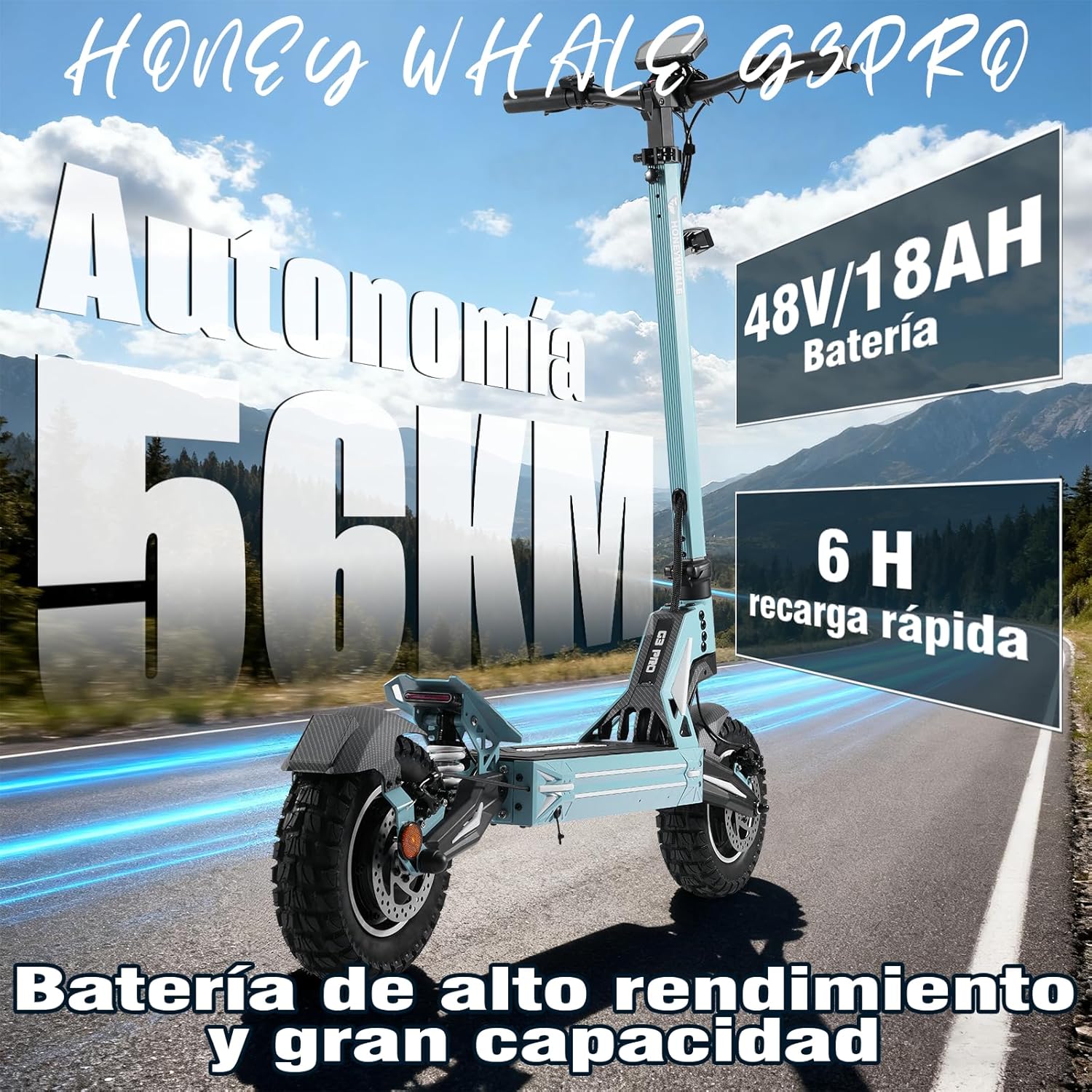
Image: The scooter's battery compartment and charging port. Ensure the port cover is sealed when not charging.
- Tire Pressure Check:
Verify that the 12-inch vacuum off-road tires are inflated to the recommended pressure. Correct tire pressure is crucial for safety and optimal performance.
- Brake Check:
Test the front and rear disc brakes to ensure they are functioning correctly and provide adequate stopping power.
5. Operating Instructions
5.1 Power On/Off and NFC Unlock
- To power on the scooter, use the NFC magnetic card by swiping it near the designated area, or insert the key into the ignition and turn it.
- Press the power button on the display to fully activate the system.
- To power off, reverse the process or hold the power button.
5.2 Riding Modes and Speed Control
The G3 Pro offers three speed modes to suit different riding conditions:
- Mode 1: Up to 25 KM/H
- Mode 2: Up to 40 KM/H
- Mode 3: Up to 60 KM/H
Switch between modes by pressing the mode control button on the handlebar. Use the thumb-sensitive throttle to accelerate.

Image: Illustration of the three speed modes (25, 40, 60 KM/H) and the 1640W motor power delivery.
5.3 Display and Controls
The intelligent display provides real-time information:
- Battery Level
- Current Speed
- Total Mileage
- Speed Mode Indicator
The scooter also features an integrated USB charging port for mobile devices.

Image: Close-up of the smart display showing battery level, speed, mileage, and the NFC unlock area.
5.4 Lighting System
The G3 Pro is equipped with a comprehensive lighting system for enhanced visibility and safety:
- Headlight: Illuminates the path ahead.
- Taillight: Increases visibility from the rear.
- Turn Signals: Indicate your turning intentions.
- Ambient Side Lights: Improve side visibility, especially at night.
The warning brightness of the lights automatically increases when braking.

Image: The scooter's omnidirectional lighting system, highlighting the headlight, turn signals, ambient lights, and taillights.
5.5 Braking System
The scooter features front and rear mechanical disc brakes for reliable and quick stopping power. Always apply brakes smoothly and gradually to avoid skidding.
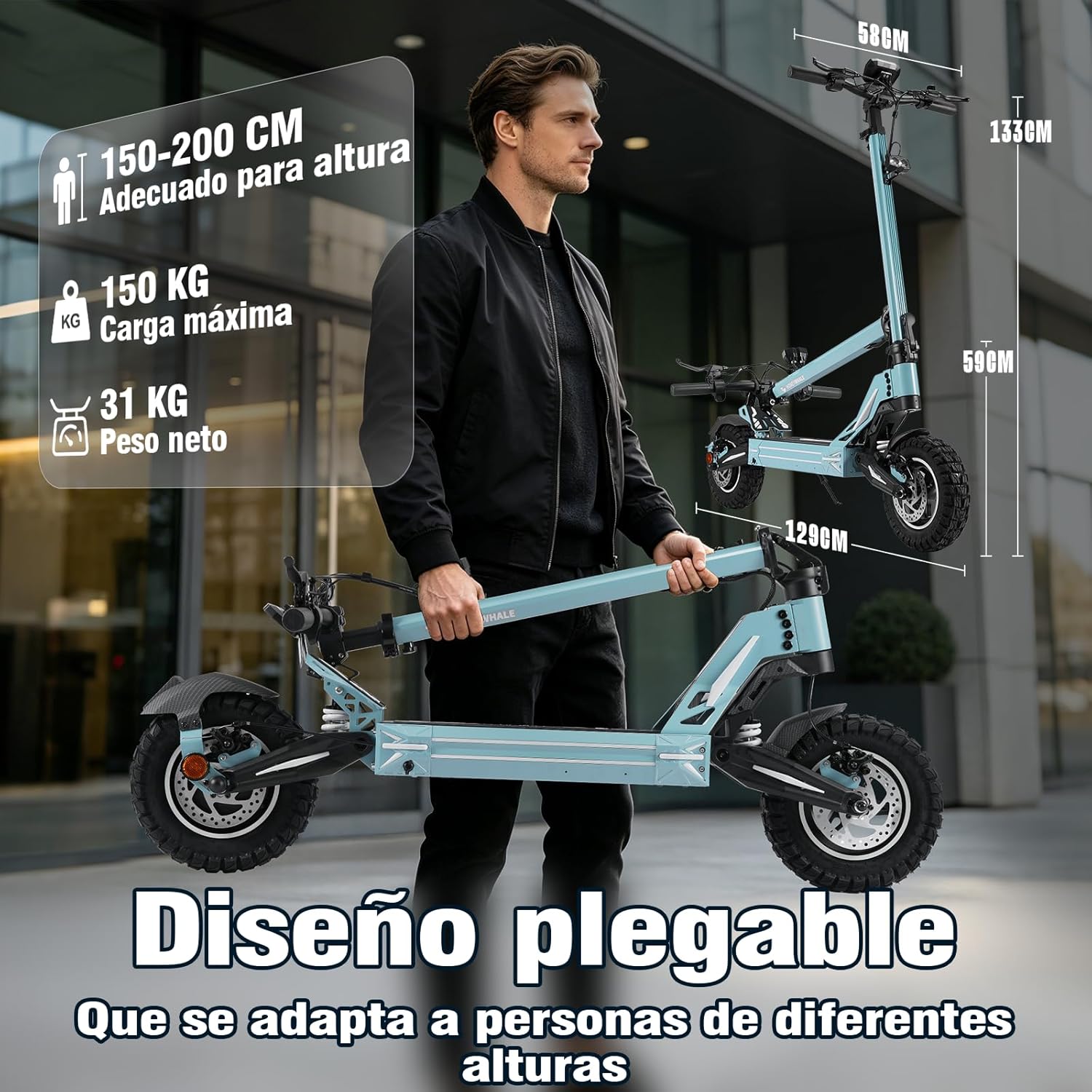
Image: Close-up of the scooter's disc brakes and suspension system, emphasizing safety and ride comfort.
6. Maintenance
Regular maintenance ensures the longevity and safe operation of your scooter.
- Tires: Check tire pressure weekly and inflate as needed. Inspect tires for wear and tear.
- Brakes: Regularly check brake levers and cables for proper tension and function. Ensure brake pads are not excessively worn.
- Battery: Charge the battery regularly, even when not in use, to maintain its health. Avoid completely draining the battery.
- Cleaning: Clean the scooter with a damp cloth. Do not use high-pressure water jets or corrosive cleaners. Ensure the charging port cover is closed during cleaning.
- Fasteners: Periodically check all screws and bolts for tightness.
- Suspension: Inspect the front and rear suspension for any signs of damage or excessive wear.
7. Troubleshooting
Here are some common issues and their potential solutions:
| Problem | Possible Cause | Solution |
|---|---|---|
| Scooter does not turn on | Low battery, NFC card not detected, power button not pressed correctly. | Charge the battery, ensure NFC card is correctly swiped, press power button firmly. |
| Reduced range or speed | Low tire pressure, heavy load, riding uphill frequently, cold weather, battery degradation. | Check tire pressure, reduce load, ride in appropriate speed mode, ensure battery is fully charged. |
| Brakes feel weak | Worn brake pads, loose brake cables, air in hydraulic system (if applicable). | Inspect and replace brake pads, adjust brake cable tension, consult a professional for hydraulic issues. |
| Unusual noises during operation | Loose components, debris in wheels/brakes, motor issue. | Inspect all parts for looseness, clean wheels/brakes, if noise persists, contact support. |
If you encounter issues not listed here or if the suggested solutions do not resolve the problem, please contact HONEYWHALE customer support.
8. Specifications
| Feature | Specification |
|---|---|
| Model | G3 PRO |
| Motor Power (Rated/Max) | 800W / 1640W |
| Battery Capacity | 48V / 18AH |
| Charging Time | 6 hours |
| Max Speed | 60 KM/H |
| Max Range | 56 KM |
| Tire Size | 12 inches |
| Tire Type | Vacuum Off-Road |
| Waterproof Rating | IPx4 |
| Max Load Capacity | 150 kg |
| Body Material | Aluminum Alloy |
| Braking System | Front and Rear Disc Brakes |
| Suspension | Front and Rear Spring Shock Absorbers (Dual Suspension) |
| Product Dimensions (Unfolded) | 129 cm (L) x 58 cm (W) x 133 cm (H) |
| Folded Dimensions | 129 cm (L) x 58 cm (W) x 59 cm (H) |
| Net Weight | 31 kg |
| Handlebar Type | Adjustable |
| Recommended Uses | Urban commuting, outdoor activities |
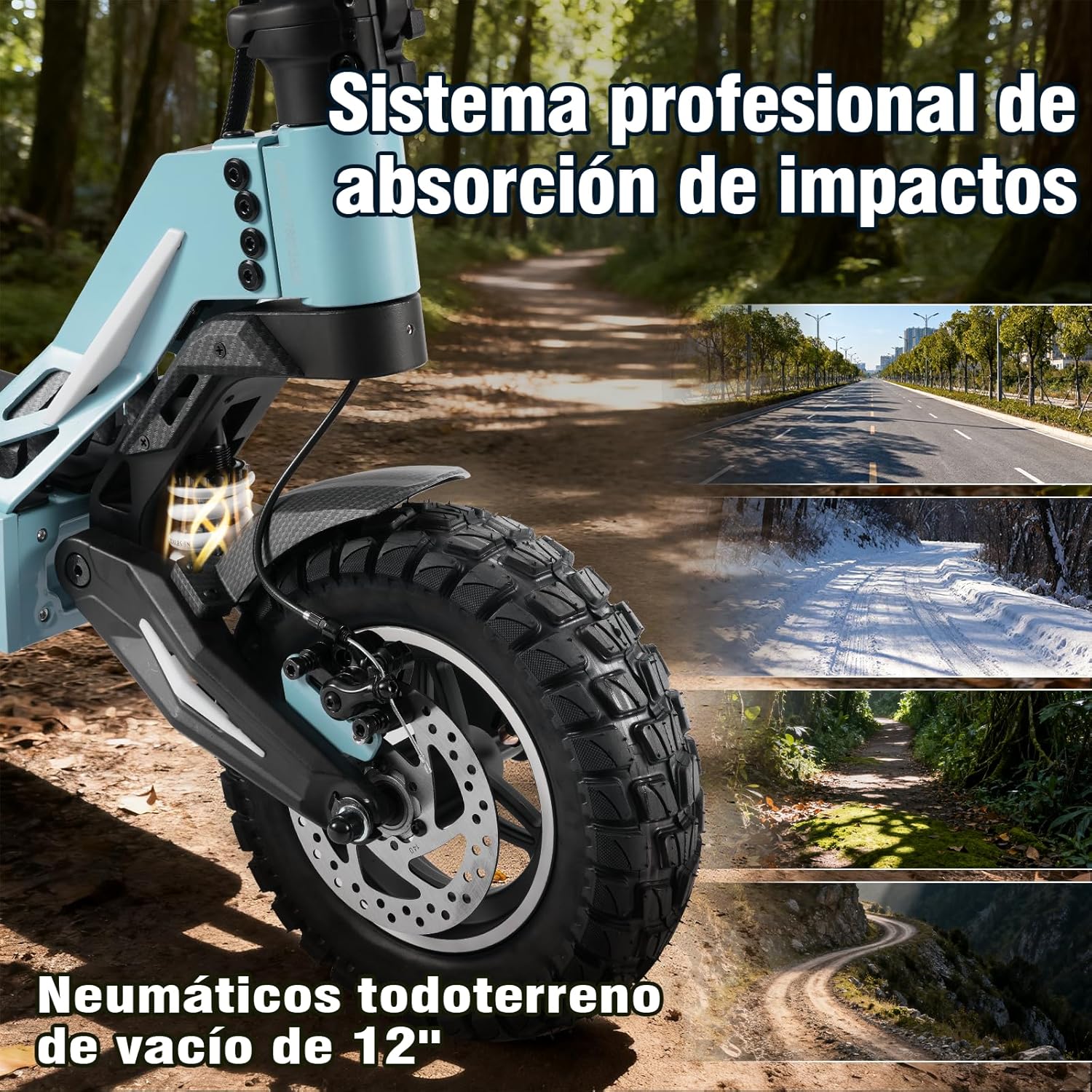
Image: Detailed view of the professional shock absorption system and 12-inch off-road vacuum tires.
Image: The scooter's foldable design, illustrating its compact size when folded and key dimensions.
9. Official Product Video
Watch this video for a visual guide on the HONEYWHALE H3 Electric Scooter's features and operation. While the video title mentions H3, many features are similar to the G3 Pro model.
Video: HONEYWHALE H3 Electric Scooter for Adults - Features include folding, controls, lighting, and braking systems. (Note: Features shown are generally applicable to HONEYWHALE electric scooters, including the G3 Pro).
10. Warranty and Support
The HONEYWHALE G3 Pro Electric Scooter comes with a limited warranty. Please refer to the warranty card included in your package for specific terms and conditions. For technical support, spare parts, or any inquiries, please contact HONEYWHALE customer service through their official website or the retailer where you purchased the product.
Included Items:
- 1 x HONEYWHALE G3 PRO Electric Scooter
- 1 x Charger
- 1 x Toolkit
- 1 x User Manual

