
Introduction
This manual provides essential information for the safe and efficient operation, installation, and maintenance of your Uthfy 12000BTU Mini Split AC/Heating System. Please read this manual thoroughly before installation and use, and retain it for future reference. Proper installation and adherence to these instructions will ensure optimal performance and longevity of your unit.
Safety Information
Always observe the following safety precautions to reduce the risk of electric shock, fire, or injury.
- Professional Installation: Installation, maintenance, and repair of this unit must be performed by qualified service personnel. Improper installation can lead to electric shock, fire, or water leakage.
- Power Supply: Ensure the power supply matches the specifications of the unit. Do not use extension cords or multi-outlet adapters.
- Grounding: The unit must be properly grounded to prevent electric shock.
- Clearances: Maintain adequate clearances around both indoor and outdoor units for proper airflow and service access.
- Refrigerant: This unit contains refrigerant. Do not attempt to service the refrigerant system yourself.
- Cleaning: Disconnect power before cleaning or performing any maintenance.
Package Contents
Verify that all components are present before beginning installation.
- Indoor Unit
- Outdoor Unit
- Remote Control
- Installation Kit (typically includes copper tubing, communication cable, drain hose, wall sleeve)
- User Manual (this document)
Setup and Installation
Installation of a mini split AC/heating system requires specialized tools and knowledge. It is strongly recommended that installation be performed by a certified HVAC technician.
1. Choosing Installation Location
Indoor Unit: Select a location on a wall that can support the unit's weight, away from direct sunlight or heat sources, and where airflow is not obstructed. Ensure there is sufficient space for maintenance.
Outdoor Unit: Choose a location that is well-ventilated, on a solid, level surface, and away from areas where noise might be an issue. Maintain specified clearances from walls and other obstructions.
2. Mounting the Units
Mount the indoor unit using the provided mounting plate. Secure the outdoor unit on a stable base, ensuring it is level.
3. Connecting Refrigerant Lines and Electrical Wiring
Connect the refrigerant lines between the indoor and outdoor units. Ensure all connections are tight and leak-free. Connect the electrical wiring according to the wiring diagram provided in the installation guide (typically included with the unit, not this user manual). All electrical work must comply with local codes and regulations.
4. Vacuuming and Leak Testing
Evacuate the refrigerant lines using a vacuum pump to remove air and moisture. Perform a leak test on all refrigerant connections.
5. Power Connection
Connect the unit to a dedicated power circuit as specified in the electrical requirements. Ensure the power supply is off during connection and only turn it on after all connections are secure.
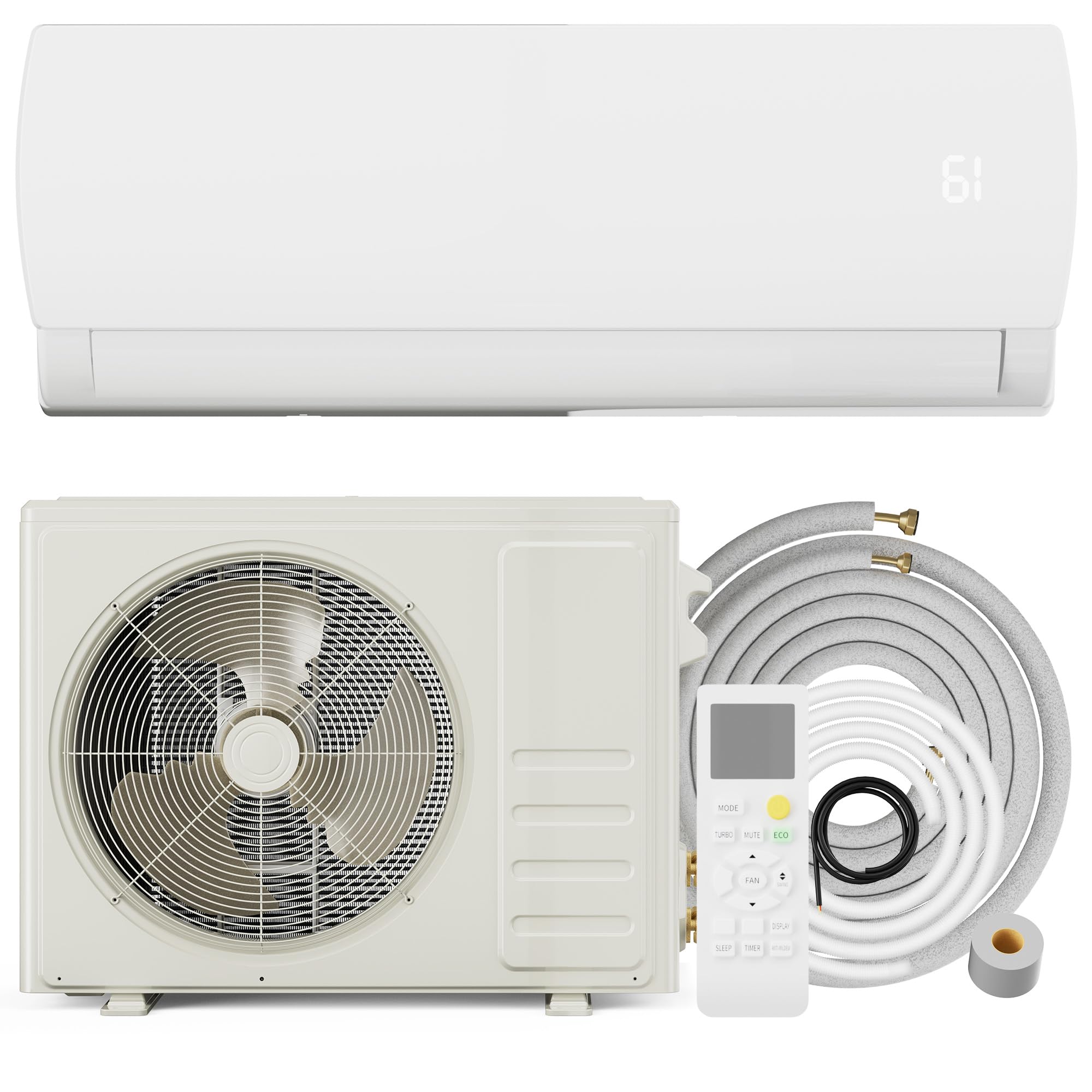
Figure 1: Uthfy 12000BTU Mini Split AC/Heating System. This image illustrates the general appearance of the indoor and outdoor units.
Operating Instructions
Your Uthfy Mini Split AC/Heating System is controlled via the included remote control.
Remote Control Overview
The remote control allows you to select operating modes, adjust temperature, set fan speed, and access other functions. Refer to the remote control's specific diagram for button layout.
Operating Modes
The unit offers 7 versatile working modes:
- Cool Mode: For cooling the room. Set your desired temperature.
- Heat Mode: For heating the room. Set your desired temperature.
- Dry Mode (Dehumidification): Reduces humidity in the room.
- Fan Mode: Circulates air without heating or cooling.
- Auto Mode: The unit automatically selects cooling or heating based on the ambient temperature and your set temperature.
- Sleep Mode: Adjusts temperature gradually for comfortable sleep and energy saving.
- Turbo/Fast Cooling Mode: Activates maximum cooling power for rapid temperature reduction.
Fan Speed Settings
You can select from 4 fan speeds: Low, Medium, High, and Auto. In Auto mode, the unit adjusts the fan speed automatically based on the operating conditions.
Temperature Adjustment
Use the temperature up/down buttons on the remote control to set your desired temperature. The typical operating range is between 62°F (17°C) and 86°F (30°C).
Maintenance
Regular maintenance ensures efficient operation and extends the lifespan of your unit. Always disconnect power before performing any maintenance.
1. Air Filter Cleaning
The indoor unit's air filters should be cleaned every two weeks, or more frequently depending on usage and air quality. Remove the front panel, slide out the filters, and wash them with lukewarm water and mild detergent. Rinse thoroughly, allow to air dry completely, and then reinstall.
2. Indoor Unit Cleaning
Wipe the indoor unit's exterior with a soft, damp cloth. Do not use harsh chemicals or abrasive cleaners.
3. Outdoor Unit Cleaning
Periodically check the outdoor unit for debris, leaves, or dirt that may obstruct airflow. Carefully clean the coils with a soft brush or water hose. Ensure the area around the outdoor unit remains clear.
4. Seasonal Checks
Before the cooling or heating season, inspect the refrigerant lines for any visible damage and ensure all electrical connections are secure. Consider having a professional technician perform an annual check-up.
Troubleshooting
Before contacting customer support, review the following common issues and their solutions.
| Problem | Possible Cause | Solution |
|---|---|---|
| Unit does not turn on | No power supply, circuit breaker tripped, remote control batteries dead | Check power connection, reset circuit breaker, replace remote control batteries |
| Insufficient cooling/heating | Dirty air filters, blocked outdoor unit, incorrect mode/temperature setting, open windows/doors | Clean air filters, clear obstructions from outdoor unit, verify settings, close windows/doors |
| Unusual noise | Loose parts, foreign objects, unit not level | Inspect for loose parts or objects, ensure unit is level. If noise persists, contact service. |
| Water leakage from indoor unit | Clogged drain hose, improper installation | Check and clear drain hose. If issue persists, professional inspection is required. |
If the problem persists after attempting these solutions, please contact qualified service personnel.
Specifications
| Feature | Specification |
|---|---|
| Brand | Uthfy |
| Model Number | HY12GWH230 |
| Capacity | 1 Ton (12000 BTU) |
| Cooling Power | 12000 British Thermal Units |
| Voltage | 115 Volts |
| Wattage | 1700 watts |
| Noise Level | 25 Decibels |
| Product Dimensions (D x W x H) | 32.28"D x 11.93"W x 8.23"H |
| Item Weight | 73.86 Pounds |
| Special Feature | Fast Cooling |
| Included Components | Remote |
| Installation Type | Split System |
Warranty Information
This Uthfy Mini Split AC/Heating System comes with a 1 Year Manufacturer Warranty. This warranty covers defects in materials and workmanship under normal use and service.
To claim warranty service, please retain your proof of purchase. Contact Uthfy customer support for assistance and detailed warranty terms and conditions.
Customer Support
For technical assistance, troubleshooting beyond this manual, or warranty inquiries, please contact Uthfy customer support. Refer to the contact information provided with your product packaging or visit the official Uthfy website.
When contacting support, please have your model number (HY12GWH230) and proof of purchase readily available.

