
Introduction
Thank you for purchasing the Nakamichi OP-TW009 Lite Open-Ear Bluetooth Earphones. This manual provides essential information for the safe and efficient use of your device. Please read it thoroughly before use and keep it for future reference.
These earphones feature an open-ear design for comfort and situational awareness, Bluetooth 6.0 connectivity, multipoint support, and multiple sound modes for various activities.
Important Safety Information
- Do not expose the earphones or charging case to extreme temperatures, humidity, or liquids.
- Avoid dropping or subjecting the device to strong impacts.
- Do not attempt to disassemble or repair the device yourself. Contact qualified service personnel.
- Keep out of reach of children and pets.
- Use only the provided charging cable or a certified equivalent.
- Prolonged exposure to loud sounds may cause hearing damage. Adjust volume to a safe level.
Package Contents
- Nakamichi OP-TW009 Lite Open-Ear Bluetooth Earphones (Left and Right)
- Charging Case
- USB Charging Cable
- User Manual
Setup
Initial Pairing
- Before first use, ensure to remove any protective film from the earphone charging contacts.
- Place both earphones into the charging case and close the lid.
- Open the charging case lid. The earphones will automatically power on and enter pairing mode. The indicator lights on the earphones will flash.
- On your device (smartphone, tablet, etc.), enable Bluetooth and search for available devices.
- Select "Nakamichi OP-TW009 Lite" from the list of found devices to connect.
- Once connected, the earphone indicator lights will stop flashing.
Wearing Instructions
The Nakamichi OP-TW009 Lite earphones are designed for a comfortable and secure open-ear fit. Follow these steps for optimal placement:

Image Description: A visual guide demonstrating the correct way to wear the earphones. It illustrates three steps: 1) Hold the earphone without touching the touch sensor. 2) Rotate the earphone to align the ear hook with your ear and ensure the speaker part is positioned correctly towards the ear canal. 3) Adjust for an optimal and comfortable fit as shown in the diagram.
- Hold the earphone carefully, avoiding contact with the touch sensor.
- Rotate the earphone to align the ear hook with your ear, ensuring the speaker component is positioned correctly towards your ear canal.
- Adjust the earphone for a comfortable and stable fit. The 0.9mm shape-memory titanium wire adapts to various ear shapes.

Image Description: A close-up view of the Nakamichi OP-TW009 Lite earphone securely and comfortably placed on a human ear, demonstrating its open-ear design and ear hook stability.
Operating Instructions
Touch Controls
The earphones feature touch controls for various functions. The following table outlines the touch operations:
| Function | Action |
|---|---|
| Music Playback | |
| Play/Pause | Tap L/R earbud 2 times |
| Previous Track | Tap L earbud 1 time |
| Next Track | Tap R earbud 1 time |
| Calls | |
| Answer Call | Tap L/R earbud 2 times |
| End Call | Tap L/R earbud 2 times |
| Reject Call | Tap L/R earbud for 2 seconds |
| Volume & Voice Assistant | |
| Volume Up | Tap R earbud for 3 seconds |
| Volume Down | Tap L earbud for 3 seconds |
| Voice Assistant | Tap L earbud 3 times |
| Sound Modes | |
| Switch Mode (Game, Spatial Audio, Music) | Tap R earbud 3 times |

Image Description: A clear diagram illustrating the various touch control functions for music playback, call management, volume adjustment, and switching between sound modes on the Nakamichi OP-TW009 Lite earphones.
Multipoint Connection
The earphones support simultaneous connection to two Bluetooth devices. This allows you to seamlessly switch between devices, such as a smartphone and a laptop, or a tablet and a smartphone.
- Pair the earphones with the first device.
- Disconnect the earphones from the first device's Bluetooth settings (do not unpair).
- Pair the earphones with the second device.
- Reconnect the earphones to the first device from its Bluetooth settings. The earphones should now be connected to both devices.
If a call comes in on one device while you are listening to music on the other, the earphones will automatically switch to the call. After the call ends, music playback will resume on the original device.
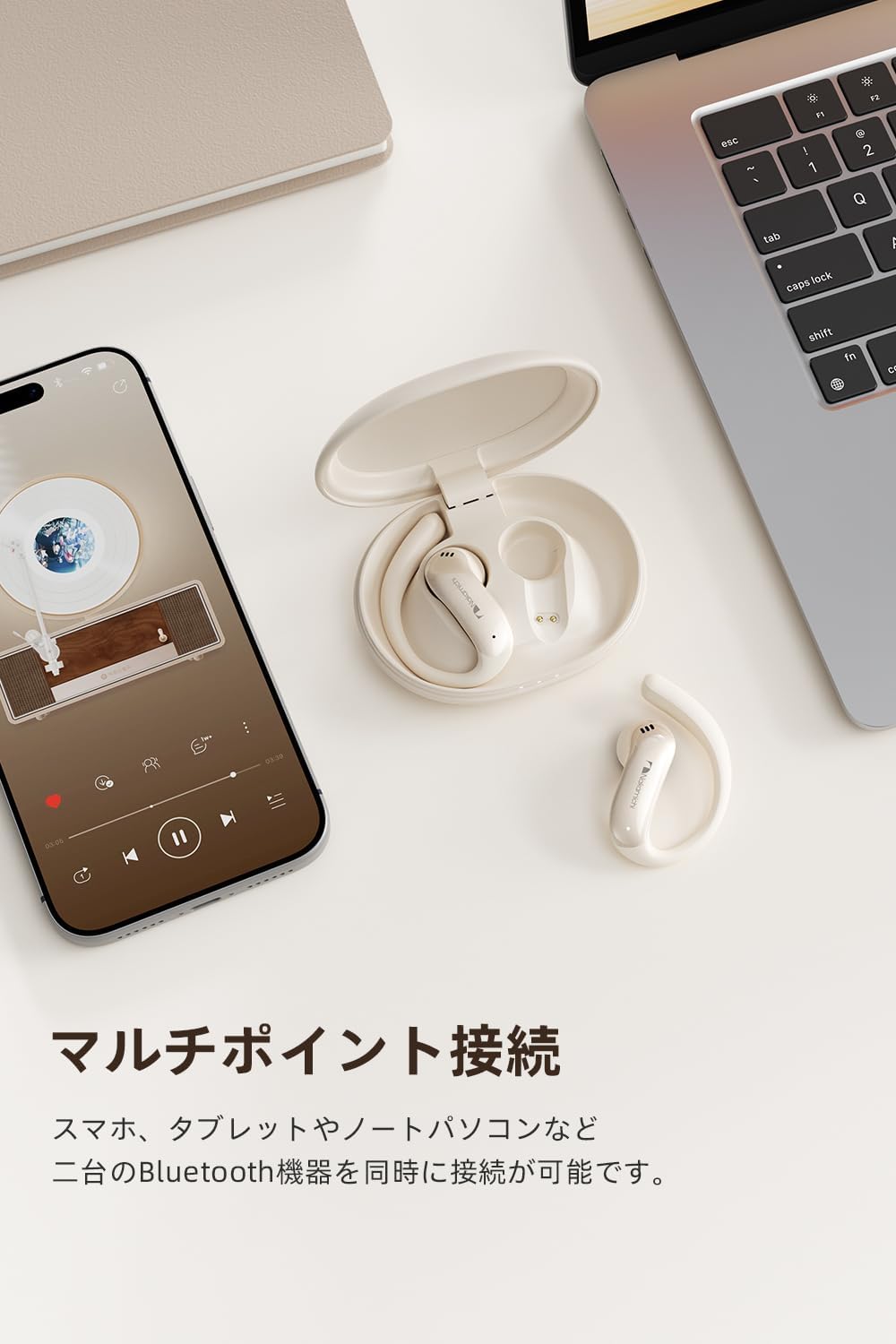
Image Description: The Nakamichi OP-TW009 Lite earphones and their charging case are shown alongside a smartphone displaying an incoming call and a tablet playing music, illustrating the multipoint connection feature.
Sound Modes
The earphones offer three distinct sound modes to enhance your audio experience:
- Game Mode: Reduces audio-visual lag, providing a real-time immersive experience for gaming, especially for FPS and action games.
- Spatial Audio Mode: Creates a 360-degree three-dimensional sound field, making you feel as if you are in the center of the action for movies and music.
- Music Mode: Reproduces clear, well-balanced sound with minimal distortion across low, mid, and high frequencies, ideal for general music listening.
To switch between modes, tap the right earbud (R) 3 times consecutively.

Image Description: A smartphone screen shows a video game, with the Nakamichi OP-TW009 Lite earphones and their charging case positioned next to it, representing the Game Mode feature.
Hands-free Calling
Both earphones are equipped with high-performance microphones to capture your voice clearly, ensuring smooth communication during calls. This feature is suitable for voice chats during gaming, calls during commutes, and online meetings.
Listen While Aware (Open-Ear Design)
The open-ear design allows you to enjoy your audio while remaining aware of your surroundings. This is beneficial for activities like working, doing household chores, or walking, where maintaining situational awareness is important.

Image Description: A man and a woman are shown jogging outdoors, both wearing Nakamichi OP-TW009 Lite earphones. This image highlights the benefit of the open-ear design, allowing users to hear ambient sounds while enjoying their audio.
Sound Leakage Prevention
Despite the open-ear design, the earphones utilize a directional sound technology that focuses audio towards your ears, effectively minimizing sound leakage to those around you. This allows for a more private listening experience in various environments such as offices, cafes, or during commutes.

Image Description: A detailed illustration showing a Nakamichi OP-TW009 Lite earphone worn on an ear, with visual representations of sound waves being precisely directed into the ear canal, demonstrating the sound leakage prevention feature.
Charging
Battery Life and Charging
The earphones provide approximately 4 hours of continuous playback on a single charge. When combined with the charging case, the total continuous playback time extends up to 24 hours.
- Earphones: Approximately 4 hours playback.
- With Charging Case: Up to 24 hours total playback.
- Charging Time: Approximately 2 hours for a full charge of the case and earphones.
To charge the earphones, place them into the charging case. To charge the charging case, connect it to a power source using the provided USB charging cable.

Image Description: The Nakamichi OP-TW009 Lite earphones and their charging case are displayed with a prominent '24' graphic, emphasizing the extended battery life when used with the charging case. Below, a breakdown shows 4 hours for earphones, 24 hours with the case, and 2 hours charging time.
LED Indicator
The charging case features an LED indicator with three levels of lights. These lights allow you to quickly check the battery level of the charging case and the charging status of the earphones at a glance, helping to prevent unexpected battery depletion.
Maintenance
- Clean the earphones and charging case regularly with a soft, dry cloth.
- Do not use abrasive cleaners, alcohol, or chemical solvents.
- Ensure the charging contacts on both the earphones and the case are clean and dry before charging.
- Store the earphones in their charging case when not in use to protect them and keep them charged.
Troubleshooting
Common Issues and Solutions
- Earphones not pairing/connecting:
- Ensure the protective film has been removed from the earphone charging contacts.
- Make sure both earphones are placed in the charging case, the lid is closed, and then opened again to activate pairing mode.
- Check if Bluetooth is enabled on your device and the earphones are within range.
- Try forgetting the device from your phone's Bluetooth settings and re-pairing.
- No sound or low volume:
- Check the volume level on both your device and the earphones.
- Ensure the earphones are properly connected to your device.
- Recharge the earphones and charging case.
- Intermittent connection:
- Ensure there are no obstructions between the earphones and your device.
- Move closer to your device.
- Avoid environments with strong electromagnetic interference.
- Charging issues:
- Ensure the charging cable is securely connected to both the case and the power source.
- Check if the charging contacts on the earphones and inside the case are clean.
- Try a different charging cable or power adapter.
Specifications
- Brand: Nakamichi
- Model: OP-TW009 Lite
- Color: Beige
- Ear Placement: Open-Ear
- Headphone Form Factor: Open-Ear Type
- Impedance: 16 Ohms
- Connectivity Technology: Wireless
- Wireless Type: Bluetooth
- Bluetooth Version: 6.0
- Controls: Touch Control
- Noise Control: None
- Sensitivity: 111 dB
- Audio Driver Type: Dynamic Driver
- Compatible Devices: Gaming Consoles, Tablets, Desktop PCs, Laptops, Mobile Phones
- Additional Features: Microphone, Multipoint Pairing, Open-Ear Design, Lightweight (6.9g per earbud), Sound Leakage Prevention
- Product Weight: 56.8 grams (total)
- Country of Origin: China
Warranty
This product comes with a 1-year manufacturer's warranty from the date of purchase. Please retain your proof of purchase for warranty claims. The warranty covers defects in materials and workmanship under normal use. It does not cover damage caused by misuse, accidents, unauthorized modifications, or normal wear and tear.
Customer Support
If you encounter any issues or have questions regarding your Nakamichi OP-TW009 Lite earphones that are not addressed in this manual, please contact Nakamichi customer support. Refer to the product packaging or the official Nakamichi website for contact information.