
1. Introduction
The OMIZN T3 4G LTE Walkie Talkie is a professional two-way radio designed for reliable communication over 4G LTE networks, offering unlimited range. It features AES-256 encryption for secure conversations and advanced noise-cancelling technology for clear audio in various environments. This manual provides essential information for setting up, operating, maintaining, and troubleshooting your device.
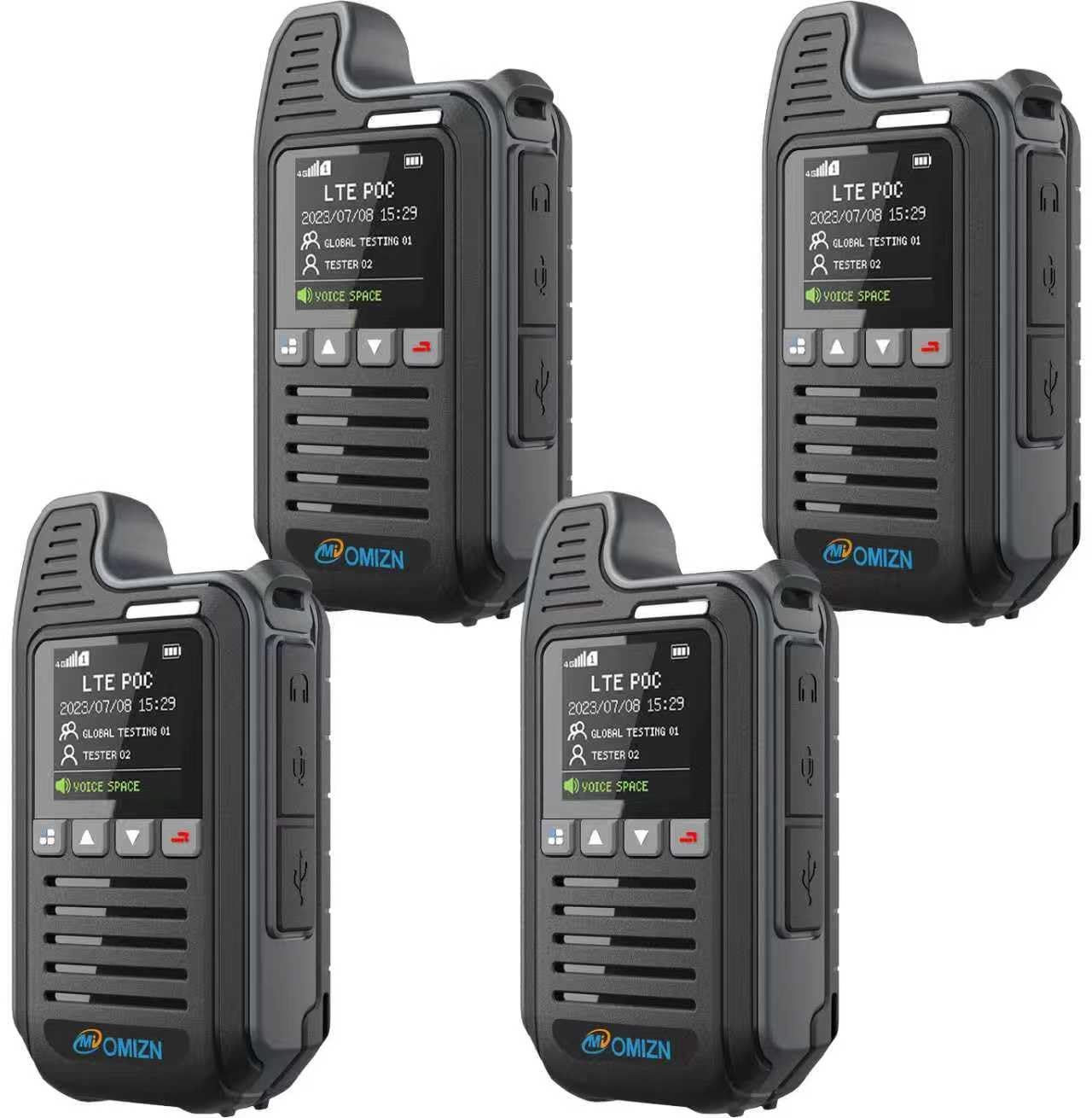
Figure 1: OMIZN T3 4G LTE Walkie Talkie
2. Package Contents
Please verify that all items are present in your package:
- OMIZN T3 Walkie Talkie Unit(s)
- Rechargeable Battery
- Belt Clip
- USB Type-C Charging Cable
- Power Adapter
- User Manual (this document)

Figure 2: Included components with the OMIZN T3 Walkie Talkie
3. Device Layout
Familiarize yourself with the main parts and controls of your OMIZN T3 Walkie Talkie:
- PTT Button: Push-To-Talk button for transmitting voice.
- Side Button 1: Programmable function button.
- Side Button 2: Programmable function button.
- Trumpet (Speaker): Audio output.
- Menu/OK Button: Navigates menus and confirms selections.
- Indicator Lights: Display device status (e.g., charging, signal).
- Headphone/Microphone Jack: For external audio accessories.
- Screen: High-definition display for status and information.
- Close Back Button: Used for navigation or specific functions.
- Charging Port (Type-C): For connecting the charging cable.
- Up Key: Navigates up in menus or increases volume.
- Down Key: Navigates down in menus or decreases volume.
4. Setup
4.1 Battery Installation and Charging
- Ensure the device is powered off.
- Locate the battery compartment on the back of the walkie talkie.
- Insert the rechargeable battery, ensuring the contacts align correctly.
- Close the battery compartment cover securely.
- Connect the USB Type-C charging cable to the charging port on the device and the other end to the power adapter.
- Plug the power adapter into a wall outlet. The indicator light will show charging status.
- Allow the device to fully charge before first use.

Figure 3: Connecting the Type-C charging cable to the device
4.2 SIM Card Information
The OMIZN T3 comes with a pre-installed SIM card, enabling immediate use in 172 countries and regions without additional contracts or monthly fees. The device supports dual SIM cards for flexible network switching.

Figure 4: Dual SIM card slots for network flexibility
4.3 Powering On/Off
- To power on: Press and hold the Power button (usually located on the side or top) until the screen illuminates.
- To power off: Press and hold the Power button until a power-off prompt appears on the screen, then confirm.
5. Operating Instructions
5.1 Basic Communication (PTT)
The OMIZN T3 operates on 4G LTE networks, providing communication without traditional range limitations.

Figure 5: The OMIZN T3 supports global communication over 4G LTE networks.
- Ensure the device is powered on and has a stable 4G LTE signal (indicated on the display).
- Select the desired contact or group using the Up/Down keys and Menu/OK button.
- Press and hold the PTT (Push-To-Talk) button on the side of the device to transmit your voice. Speak clearly into the microphone.
- Release the PTT button to listen for a response.
5.2 Group Communication
The device supports one-on-one calls, group calls, and full-group dispatch calls, allowing flexible team communication.

Figure 6: The OMIZN T3 allows flexible grouping for team communication.
5.3 Noise Reduction
The OMIZN T3 features ANC (Active Noise Cancelling) technology to reduce background noise, ensuring clear voice communication even in loud environments like construction sites or factories.

Figure 7: Noise reduction technology for clear audio.
5.4 Display Information
The HD screen provides essential information at a glance, including signal strength, battery level, current group status, and call details. The user-friendly interface requires no complex training.

Figure 8: The clear HD display shows vital information.
5.5 AES256 Digital Encryption
The OMIZN T3 incorporates professional AES256 end-to-end encryption to protect your private calls and prevent unauthorized eavesdropping, ensuring secure communication for sensitive scenarios.
6. Maintenance
6.1 Battery Care
- Charge the battery fully before first use.
- Avoid overcharging or completely draining the battery to prolong its lifespan.
- Use only the provided charging cable and adapter.
- The Type-C charging port supports various power sources like car chargers and power banks.
6.2 General Care
- Keep the device clean and free from dust and debris. Use a soft, dry cloth for cleaning.
- The device is built with durable, drop-resistant construction and is water-resistant (IP64 rated), but avoid submerging it in water.
- Operate the device within the specified temperature range of -20℃ to 55℃.
- Store the device in a cool, dry place when not in use.
7. Troubleshooting
7.1 No Signal
- Ensure you are in an area with 4G LTE network coverage.
- Check the signal indicator on the device display.
- If signal issues persist due to the SIM card, contact OMIZN customer support for a replacement.
7.2 Audio Issues
- Adjust the volume using the Up/Down keys.
- Ensure the microphone and speaker are not obstructed.
- Verify that the noise reduction feature is functioning as expected in noisy environments.
7.3 Device Not Powering On
- Ensure the battery is correctly installed and fully charged.
- Attempt to charge the device for at least 30 minutes before trying to power it on again.
8. Specifications
| Feature | Detail |
|---|---|
| Brand | OMIZN |
| Model Number | T3 |
| Color | Black |
| Number of Channels | 200 |
| Frequency Range | 4G LTE |
| Talking Range Maximum | 10000 Miles (Network Dependent) |
| Voltage | 3.7 Volts (DC) |
| Water Resistance Level | Water Resistant (IP64) |
| Product Dimensions | 2.3"D x 1.3"W x 3.9"H |
| Item Weight | 10.56 ounces |
| Temperature Range | -20℃ to 55℃ |
| Special Features | Digital Display, Keypad Lock, Lightweight, Long Range, Noise Reduction |
9. Warranty and Support
9.1 Warranty Information
OMIZN provides a 30-day hassle-free return and exchange service for this product. Additionally, lifetime technical support is available.
9.2 Customer Support
If you encounter any problems with using, setting up, or operating your OMIZN T3 Walkie Talkie, please contact the seller, OMIZN, directly. They are committed to providing professional assistance to ensure a smooth user experience. All messages will receive a reply.
Seller: OMIZN