
1. Setup and Initial Configuration
Before operating your Mammotion LUBA 3 AWD 5000, ensure all components are present and follow the initial setup procedures carefully. Proper installation is crucial for optimal performance and safety.
1.1 What's in the Box
Verify that your package contains the following items:
- 1x LUBA 3 AWD 5000 Robot Lawn Mower
- 1x Extra Set of Blades
- 1x Charging Station
- Other Accessories (e.g., power adapter, screws, tools)
- 1x Product Guide (this manual)

Figure 1: Contents of the Mammotion LUBA 3 AWD 5000 package.
1.2 Unboxing and Initial Placement
Carefully remove the mower and all accessories from the packaging. Place the charging station in an area with good GPS signal and access to power, ensuring it is on a level surface.
Video 1: Unboxing the Mammotion LUBA 3 AWD Robot Lawn Mower. This video demonstrates the proper way to unbox your new mower and identify all included components.
1.3 App Installation and Mapping
Download the official Mammotion app to your smartphone. Follow the in-app instructions to connect your LUBA 3 AWD 5000. The app will guide you through mapping your lawn, defining mowing zones, and setting up 'no-go' areas for obstacles or sensitive zones. Accurate mapping ensures efficient and safe operation.

Figure 2: Intelligent path planning and multi-zone management capabilities of the LUBA 3 AWD 5000.

Figure 3: The Mammotion app allows for convenient control and management of your robot mower.
2. Operating Instructions
The Mammotion LUBA 3 AWD 5000 is designed for autonomous and efficient lawn maintenance. Understand its core technologies and features for optimal use.
2.1 Tri-Fusion Navigation Technology
The mower utilizes a combination of 360° LiDAR, NetRTK, and Dual-Camera AI Vision for precise navigation. This system allows for accurate positioning, rapid object recognition, and seamless operation across various terrains.

Figure 4: The Tri-Fusion Navigation system ensures precise and intelligent movement.

Figure 5: The 360° LiDAR provides extensive coverage and mapping capabilities.
2.2 All-Wheel Drive and Obstacle Avoidance
Equipped with All-Wheel Drive, the LUBA 3 AWD 5000 can handle slopes up to 80% (38.6°). Its advanced AI processor enables recognition and avoidance of over 300 types of obstacles, ensuring uninterrupted mowing and safety for pets and children.

Figure 6: The All-Wheel Drive system allows the mower to navigate challenging inclines.

Figure 7: Advanced AI enables the mower to detect and avoid obstacles.
2.3 Cutting Performance and Efficiency
The mower features two high-torque 165W motors with 6-blade discs, automatically adjusting speed and power based on grass density. It can cover up to 500m²/h and offers adjustable cutting heights from 1.0" to 2.7".
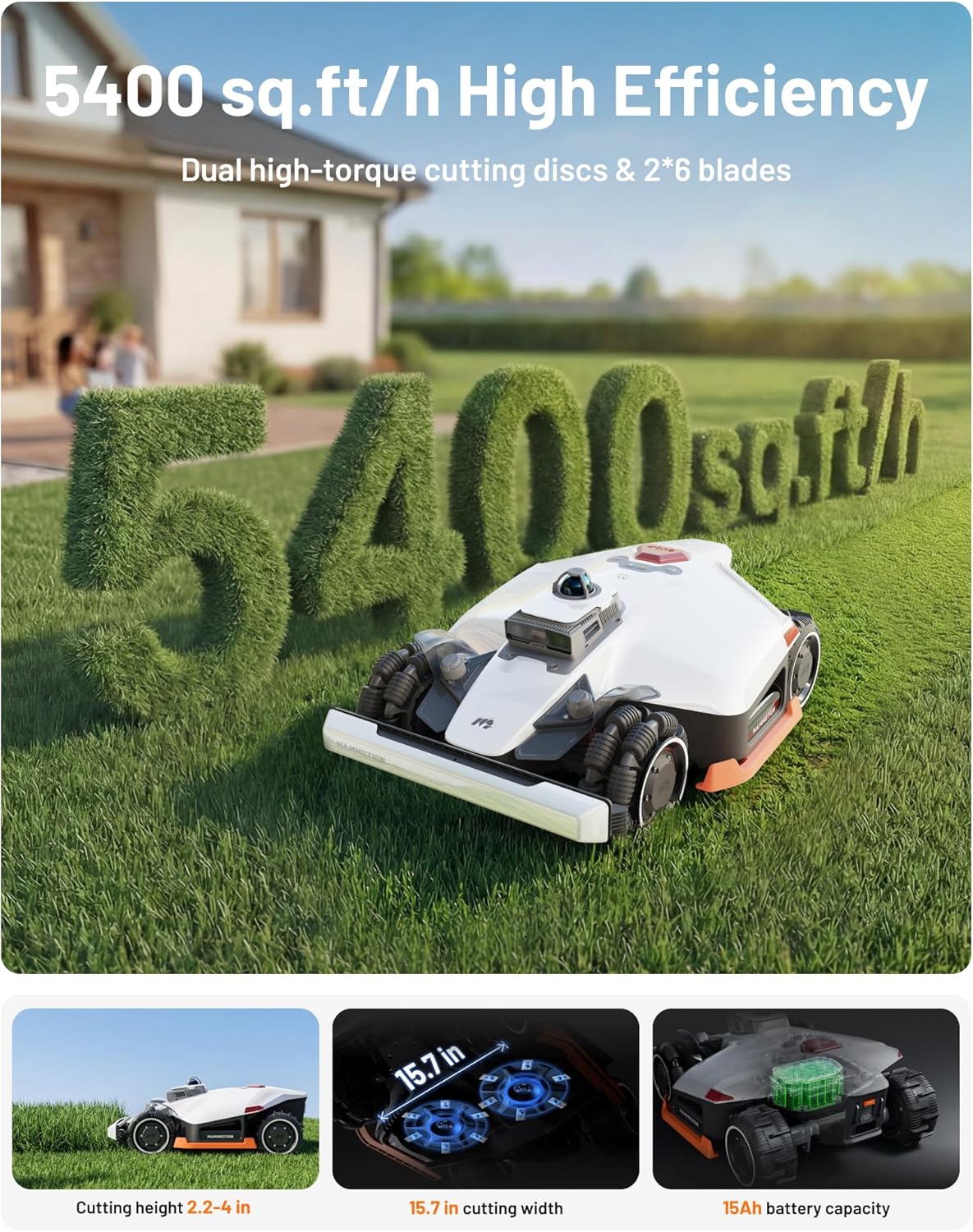
Figure 8: High-efficiency cutting system for a pristine lawn finish.

Figure 9: Adjustable cutting height for various grass types and preferences.
Video 2: Overview of the Mammotion LUBA 3 AWD LiDAR Robot Lawn Mower. This video highlights the key features and operational benefits of the mower.
3. Maintenance
Regular maintenance ensures the longevity and optimal performance of your LUBA 3 AWD 5000. Always power off the mower and wear protective gloves before performing any maintenance.
3.1 General Cleaning
Keep the mower's exterior, sensors, and charging contacts clean. Use a dry cloth for the LiDAR dome and a damp cloth for infrared lenses and charging contacts.
Video 3: Mammotion LUBA 3 Maintenance Guide. This video provides a comprehensive guide to routine cleaning and maintenance tasks.
3.2 Blade Guard and Cutting Disc Maintenance
Periodically inspect the blade guard and cutting discs for wear or damage. Replace blades as needed. Ensure the blade guard bracket screws are secure.
Video 4: Mammotion LUBA 3 Blade Guard Bracket Maintenance. Learn how to inspect and maintain the blade guard bracket.
Video 5: Mammotion LUBA 3 Cutting Disc Assembly Replacement. This video guides you through replacing the cutting disc assembly.
Video 6: Mammotion LUBA 3 Blade Guard Bracket Replacement. A step-by-step guide to replacing the blade guard bracket.
3.3 Rear Hub Assembly and Front Bumper
If necessary, the rear hub assembly can be replaced. Ensure proper alignment during installation. The front bumper can also be installed or replaced as needed.
Video 7: Mammotion LUBA 3 How to Replace the Rear Hub Assembly. Detailed instructions for replacing the rear hub assembly.
Video 8: Mammotion LUBA 3 How to Install the Front Bumper. This video demonstrates the installation process for the front bumper.
3.4 Winter Maintenance
Prepare your LUBA 3 AWD 5000 for off-season storage by following specific winter maintenance procedures to protect components and ensure readiness for the next mowing season.
Video 9: Mammotion LUBA 3 Winter Maintenance. Essential steps for preparing your mower for winter storage.
4. Troubleshooting
If you encounter issues with your Mammotion LUBA 3 AWD 5000, refer to the following common troubleshooting tips. For more complex problems, consult the Mammotion app or contact customer support.
4.1 Common Issues and Solutions
- Mower not starting: Ensure the battery is charged and the safety key is inserted correctly. Check the app for error messages.
- Mower getting stuck: Verify that 'no-go' zones are properly defined around obstacles, roots, or uneven terrain. The adaptive suspension handles up to 50mm thresholds, but larger obstacles may require manual intervention or map adjustments.
- Mapping inaccuracies: Ensure the charging station has a clear view of the sky for optimal NetRTK signal. Redraw problematic map sections in the app if necessary.
- App connectivity issues: Check your Wi-Fi or cellular connection. Ensure the mower's firmware and app are updated to the latest versions. Restarting the mower and the app can resolve temporary glitches.
- Poor cutting performance: Inspect blades for sharpness and replace if dull. Clean the cutting deck to remove accumulated grass clippings.
For detailed diagnostics and specific error codes, refer to the Mammotion mobile application's help section.
5. Specifications
Key technical specifications for the Mammotion LUBA 3 AWD 5000 Robot Lawn Mower:
| Feature | Specification |
|---|---|
| Brand | Mammotion |
| Model Number | LUBA 3 5000 |
| Power Source | Battery Powered |
| Material | Plastic |
| Color | White |
| Cutting Width | 400 Millimeters (15.7 inches) |
| Operation Mode | Automatic |
| Product Dimensions (D x W x H) | 27.2" x 21" x 11" |
| Maximum Adjustable Cutting Height | 10.16 Centimeters (4 inches) |
| Battery Average Life | 215 minutes |
| Slope Capability | Up to 80% (38.6°) |
| Navigation Technology | 360° LiDAR + NetRTK + Dual-Camera AI Vision |
| Obstacle Recognition | 300+ types |
| Mowing Zones | Up to 50 |
6. Warranty Information
The Mammotion LUBA 3 AWD 5000 Robot Lawn Mower comes with a 3-year warranty. This warranty covers manufacturing defects and ensures reliable operation under normal use conditions. Please retain your proof of purchase for warranty claims.
7. Customer Support
For any questions, technical assistance, or support needs, please contact Mammotion customer service through the following channels:
- Email: Refer to the official Mammotion website or your product guide for the specific email address.
- Live Chat: Available on the Mammotion official website for real-time assistance.
- Phone: Consult the official Mammotion website or your product guide for the customer service phone number.
Our support team is available to assist you with any product-related inquiries.


