
1. Product Overview
The BvenuBigLite 72-inch ceiling fan is designed for large indoor and outdoor spaces, offering powerful airflow with quiet operation. This model features an 8-blade design, a reversible DC motor, and multiple control options including a remote, a mobile application, and a wall control. It is suitable for living rooms, covered patios, barns, and other large areas.
Key Features:
- 72-Inch Blade Span: Provides wide coverage for large rooms.
- Quiet DC Motor: Ensures powerful yet silent air circulation.
- 6-Speed Settings: Adjustable airflow for personalized comfort.
- Reversible Function: Allows for year-round use, optimizing air distribution in both summer and winter.
- Multiple Control Options: Operate via included remote control, mobile app, or wall control.
- Memory Function: Retains preferred settings after power off.
- Timer Function: Customizable timer settings for convenience.
- Durable Construction: Suitable for both indoor and covered outdoor environments.
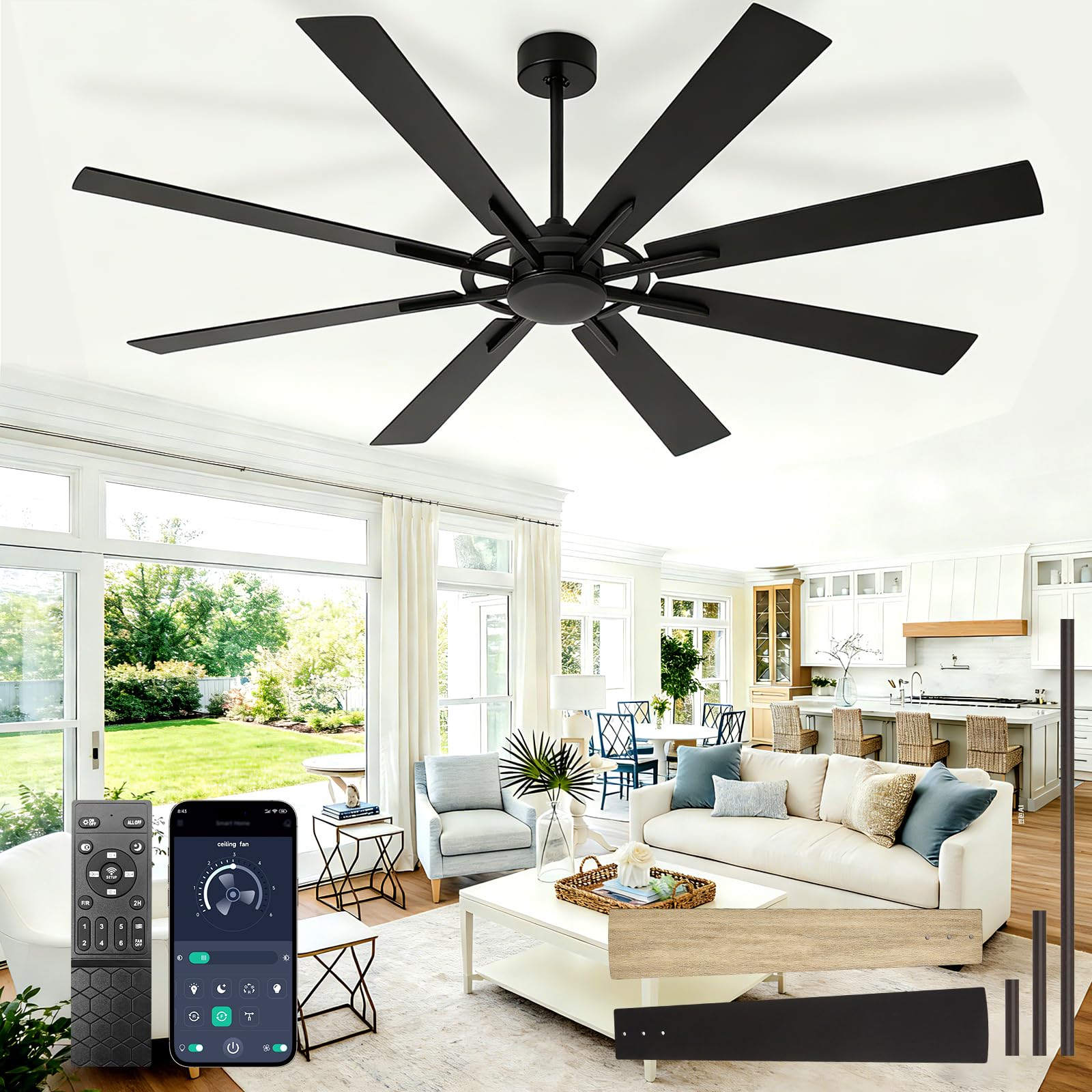
Image 1: The BvenuBigLite 72-inch ceiling fan, showcasing its modern design with 8 black wood grain blades.
2. Important Safety Instructions
Read all instructions carefully before installing and operating the fan. Save these instructions for future reference.
- Electrical Safety: Always disconnect power at the main circuit breaker before installation or servicing. Ensure all wiring is in accordance with national and local electrical codes.
- Mounting: The fan must be mounted to a structurally sound ceiling joist or outlet box capable of supporting a minimum of 35 lbs (15.9 kg). Use only an outlet box marked "Acceptable for Fan Support."
- Blade Clearance: Ensure there is at least 7 feet (2.1 meters) clearance from the floor to the bottom edge of the fan blades. Maintain a minimum of 30 inches (76 cm) clearance from the wall to the blade tips.
- Blade Installation: Do not bend the blade holders during installation or cleaning. Ensure all blades are securely fastened.
- Motor Operation: Do not operate the fan without the blades installed.
- Cleaning: Use a soft, damp cloth for cleaning. Do not use abrasive cleaners or solvents.
- Professional Installation: If you are unsure about wiring or installation, consult a qualified electrician.
3. Package Contents
Carefully unpack your fan and check the contents. You should have the following items:
- Fan Motor Assembly
- Fan Blades (8x)
- Downrod (various lengths may be included)
- Mounting Bracket
- Canopy
- Remote Control with Wall Mount
- Receiver for Remote Control
- Hardware Pack (screws, washers, wire nuts)
- Instruction Manual
Video 1: A detailed installation tutorial for the BvenuBigLite 72-inch ceiling fan, covering mounting, wiring, and blade attachment steps. This video also provides an overview of the package contents.
4. Installation Guide
4.1 Pre-Installation
- Turn off power at the circuit breaker.
- Ensure the mounting location can support the fan's weight.
- Gather all necessary tools (screwdriver, wire strippers, ladder, etc.).
4.2 Mounting the Bracket
Secure the mounting bracket to the ceiling outlet box using the provided screws. Ensure it is firmly attached and level.
Image 2: Product details illustrating the fan's dimensions, downrod length, and dual mount options (downrod and max 12-degree angled mount).
4.3 Assembling the Fan
- Attach the downrod to the motor assembly, securing it with the pin and screws.
- Carefully lift the fan assembly and hang it on the mounting bracket.
- Connect the electrical wires (live, neutral, ground) from the fan to the house wiring using wire nuts. Ensure connections are secure.
- Install the remote control receiver into the canopy.
- Attach the fan blades to the motor housing. Ensure all screws are tightened.

Image 3: Close-up of the double-sided fan blades, showing the dark wood black and light oak wood finish options.
5. Operating Instructions
Once installed, restore power to the fan. The fan can be operated using the included remote control, a wall control, or a mobile application.
5.1 Remote Control Operation
The remote control allows you to adjust fan speed, set a timer, and reverse blade direction.
- Power Button: Turns the fan on or off.
- Fan Speed Buttons: Select from 6 different fan speeds.
- Reverse Button: Changes the direction of blade rotation (for summer/winter modes).
- Timer Buttons: Set the fan to turn off automatically after a specified time (e.g., 1H, 2H, 4H).
- Memory Function: The fan will recall the last used speed and direction settings when turned back on.

Image 4: Illustration of the remote control and mobile application interface for operating the fan.
5.2 APP Control
Download the designated mobile application (refer to the remote control manual for app details) to control your fan from your smartphone. The app offers similar functionalities to the remote control, including speed adjustment, timer settings, and reverse mode.
5.3 Reversible Function (Summer/Winter Modes)
- Summer Mode (Downdraft): Blades rotate counter-clockwise, pushing cool air down.
- Winter Mode (Updraft): Blades rotate clockwise, drawing cool air up and circulating warm air trapped near the ceiling.

Image 5: Visual representation of the fan's reversible function, demonstrating downdraft for summer and updraft for winter.
Video 2: This video highlights the fan's features, including its powerful airflow and quiet operation, demonstrating the comfort it provides.
6. Maintenance
Regular maintenance ensures optimal performance and extends the life of your fan.
- Cleaning: Periodically clean the fan blades and motor housing with a soft, lint-free cloth. Do not use water directly on the fan or harsh chemicals.
- Tightening Screws: Check all screws on the blade attachments and mounting hardware annually. Tighten any loose screws to prevent wobbling and noise.
- Motor Lubrication: The DC motor is permanently lubricated and does not require additional oiling.
7. Troubleshooting Guide
| Problem | Possible Cause | Solution |
|---|---|---|
| Fan does not start | No power to the fan; Loose wire connections; Remote control battery low. | Check circuit breaker and wall switch; Ensure all wire connections are secure; Replace remote control batteries. |
| Fan wobbles | Loose blade screws; Unbalanced blades; Loose mounting bracket. | Tighten all blade screws; Use the balancing kit (if included) to balance blades; Ensure mounting bracket is securely fastened to the ceiling. |
| Noisy operation | Loose screws; Motor housing rubbing; Incorrect installation. | Check and tighten all screws; Ensure no parts are rubbing; Re-check installation steps. |
| Remote control not working | Low battery; Incorrect pairing; Obstruction between remote and receiver. | Replace batteries; Re-pair remote with receiver (refer to remote manual); Ensure clear line of sight. |

Image 6: A graphic demonstrating the ultra-quiet operation of the BvenuBigLite fan, rated at 30dB, ensuring a peaceful environment.
8. Product Specifications
| Feature | Detail |
|---|---|
| Brand | BvenuBigLite |
| Model Number | WS-FPZ190-18B-LWG |
| Color | Black 03 (Wood Grain) |
| Size | 72 Inch |
| Product Dimensions | 72"D x 72"W x 34"H |
| Electric Fan Design | Ceiling Fan |
| Power Source | DC |
| Style | Modern |
| Special Features | Quiet Operation, Reversible, Memory Function, Timer |
| Controller Type | App Control, Remote Control, Wall Control |
| Number of Speeds | 6 |
| Noise Level | 30 dB |
| Number of Blades | 8 |
| Indoor/Outdoor Usage | Indoor, Outdoor (Covered) |
| Motor Type | Brushless DC |
| Material | Metal |
| Included Components | Remote Control |
9. Warranty and Support
For warranty information and customer support, please refer to the documentation included with your purchase or visit the official BvenuBigLite website. Keep your proof of purchase for any warranty claims.
For further assistance, you may contact BvenuBigLite customer service through the contact information provided on their website or within the product packaging.