
LongPlus CDK1-W1X5
Contents
LongPlus 3K 5MP Window Security Camera (Model CDK1-W1X5) User Manual
Comprehensive instructions for setup, operation, and maintenance.
Introduction
Thank you for choosing the LongPlus 3K 5MP Window Security Camera. This camera is designed for indoor window monitoring, offering 3K 5MP clarity, full-color night vision, and smart detection features. This manual provides detailed instructions to help you set up and operate your camera effectively.

Image: Overview of the LongPlus 3K 5MP Window Camera highlighting its features.
What's in the Box
Verify that all components are present in your package:
- Window Security Camera x 1
- Charging Cable
- Adhesive Tape
- Instruction Manual (this document)
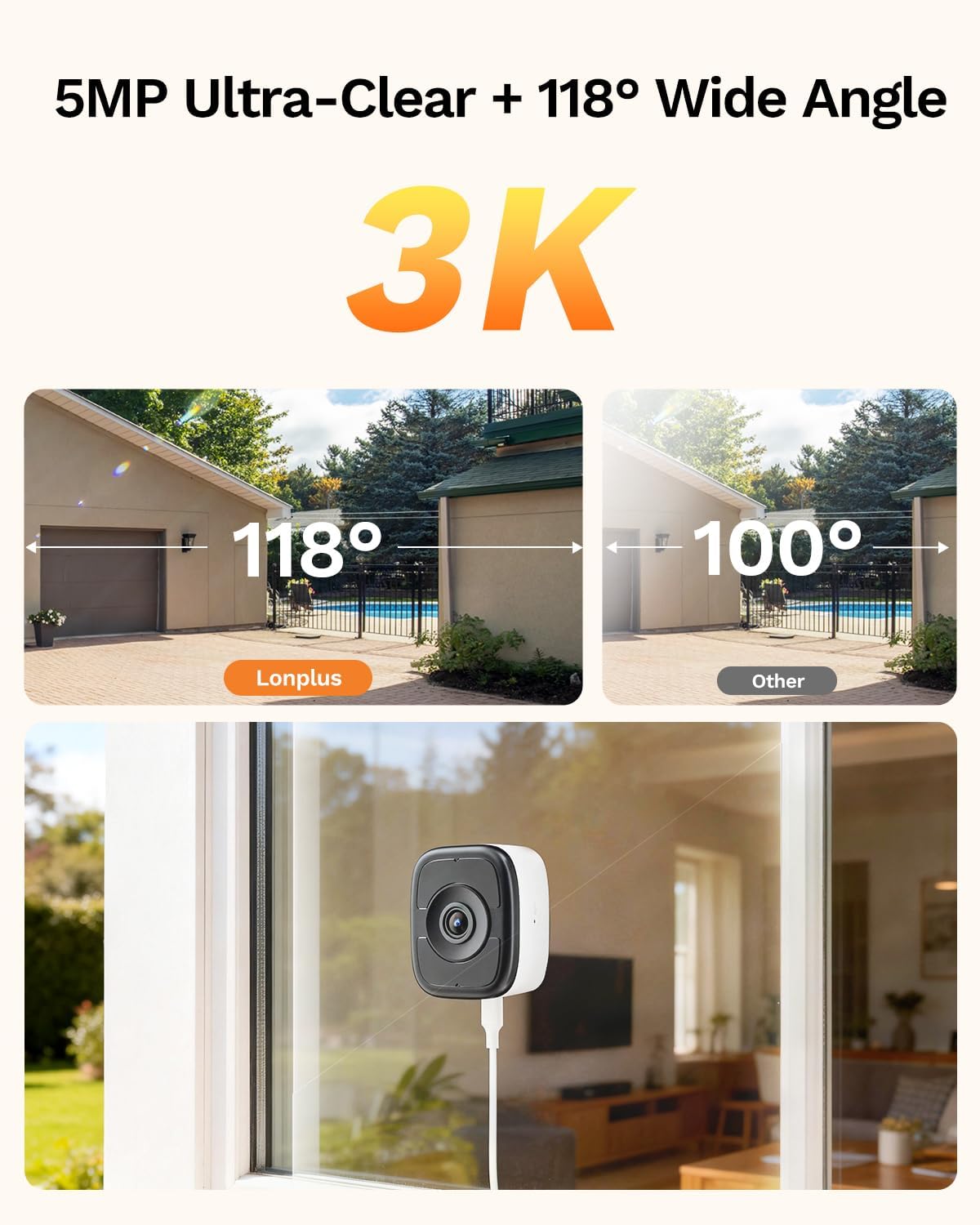
Image: The LongPlus Window Security Camera and its included accessories.
Setup
1. Physical Installation
The LongPlus Window Security Camera features a magnetic mount for easy, no-drill installation. It is designed for indoor placement to monitor outdoor areas through a window.
- Clean the Window: Ensure the window surface where the camera will be mounted is clean and dry.
- Apply Magnetic Sticker: Peel off the protective film from the magnetic sticker and firmly attach it to the desired location on the window.
- Attach Camera: Securely attach the camera to the magnetic sticker. The camera should adhere firmly.
- Power the Camera: Connect the charging cable to the camera and a power source. The camera will announce "Please use the mobile app to configure the Wi-Fi network" when powered on. If not, press and hold the reset button for 3 seconds.

Image: Step-by-step guide for the 60-second tool-free installation process.
Video: Demonstrates the quick installation process of the LongPlus window security camera.
2. App Download and Connection
To utilize the camera's features, download the SV360 app and connect your camera to your Wi-Fi network.
- Download SV360 App: Search for "SV360" in the Apple App Store or Google Play Store and download the application.
- Register/Log In: Open the app and register for an account using your phone number or email. Log in after registration.
- Enable Wi-Fi and Bluetooth: Ensure Wi-Fi and Bluetooth are enabled on your smartphone.
- Add Device: In the SV360 app, tap the "+" button to add a new device. The app will discover nearby devices.
- Connect to Wi-Fi: Select your camera from the discovered devices and enter your 2.4GHz or 5GHz Wi-Fi network name and password. The camera supports dual-band Wi-Fi 6.

Image: Guide for connecting the camera using the SV360 app.
Video: Instructions on how to connect the LongPlus window camera to Wi-Fi.
Video: A comprehensive connection guide for the window camera.
Operating the Camera
1. Viewing and Recording
- Live View: Access the live feed from your camera through the SV360 app.
- 3K 5MP Clarity: The camera provides sharp 3K 5MP resolution for clear viewing of visitors, vehicles, and deliveries.
- 118° Wide-Angle Lens: Offers a broad field of view to cover more of your outdoor area.
- 8x Digital Zoom: Use the digital zoom feature in the app to focus on specific details like faces or license plates.

Image: Illustrates the 3K 5MP resolution and 8x digital zoom capability.

Image: Demonstrates the anti-glare and anti-reflection technology for clear through-glass viewing.
2. Night Vision
The camera is equipped with AI Full-Color Night Vision for clear monitoring in low-light conditions.
- Full-Color Night Vision: F1.0 large aperture and AI-enhanced imaging provide vivid, full-color video at night.
- Reduced Glare: Designed to minimize glare for clearer night images compared to traditional cameras.

Image: Comparison showing the effectiveness of AI full-color night vision.
3. Smart Detection and Alerts
Receive instant notifications for detected activity.
- Human & Vehicle Detection: Advanced AI distinguishes between people and vehicles, reducing false alarms from other movements.
- Instant Alerts: Get real-time notifications on your smartphone when activity is detected.
- Two-Way Audio: Communicate through the camera using the built-in two-way audio feature.

Image: Illustration of smart AI detection and instant app alerts.
4. Storage Options
The camera supports continuous recording with flexible storage solutions.
- MicroSD Card Storage: Supports up to 512GB MicroSD cards (not included) for local storage.
- Cloud Storage: A 7-day free cloud storage trial is included. Cloud storage is optional and protected with TLS encryption.

Image: Details on 24/7 continuous recording and available storage options.
5. Connectivity
The camera uses advanced Wi-Fi technology for reliable connection.
- Dual-Band Wi-Fi 6: Supports both 2.4GHz and 5GHz Wi-Fi bands for improved signal coverage and lower latency.

Image: Explanation of dual-band Wi-Fi 6 benefits for the camera.
Maintenance
- Cleaning: Gently wipe the camera lens and body with a soft, dry cloth. Avoid using harsh chemicals or abrasive materials.
- Software Updates: Regularly check the SV360 app for firmware updates to ensure optimal performance and security. Follow in-app instructions for updates.
- Window Cleanliness: For best image quality, keep the window glass clean where the camera is mounted.
Troubleshooting
| Problem | Possible Cause | Solution |
|---|---|---|
| Camera does not power on. | Power cable not connected or faulty power source. | Ensure the charging cable is securely connected to the camera and a working power outlet. Try a different power adapter or outlet. |
| Cannot connect to Wi-Fi. | Incorrect Wi-Fi password, camera too far from router, or incorrect Wi-Fi band selected. |
|
| Poor image quality or glare. | Dirty window, strong reflections, or improper camera placement. |
|
| Frequent false alerts. | Sensitivity settings too high, or environmental factors triggering detection. | Adjust the motion detection sensitivity settings in the SV360 app. Ensure AI detection for humans/vehicles is enabled to filter out irrelevant movements. |
Specifications
| Feature | Detail |
|---|---|
| Model Name | CDK1-W1X5 |
| Recommended Uses | Indoor Security |
| Connectivity Technology | Wired (for power), Wireless (Wi-Fi) |
| Special Features | 24/7 Recording, 3K 5MP Full Color Night Vision, No-Drill Installation, Person & Vehicle Detection, SD/Cloud Storage |
| Indoor/Outdoor Usage | Indoor |
| Compatible Devices | Smartphone (via SV360 App) |
| Mount Type | Window Mount (Magnetic) |
| Color | White 01 |
| Enclosure Material | Acrylonitrile Butadiene Styrene (ABS) |
| Alert Type | Audio and Motion |
| Effective Still Resolution | 5 MP |
| Video Capture Resolution | 3K |
| Frame Rate | Maximum 15fps |
| Night Vision | Full Color Night Vision (33 feet range) |
| Flash Memory Type | Micro SD |
| Max Flash Memory Supported | 512 GB |
| Power Source | Corded Electric (5 volts) |
| Wireless Technology | Bluetooth, Wi-Fi (Dual-Band 2.4GHz & 5GHz) |
| Viewing Angle | 118 degrees |
| Item Dimensions | 4.2 x 1.4 x 3.7 inches |
Warranty and Support
For warranty information and technical support, please refer to the official LongPlus website or contact their customer service directly. Keep your purchase receipt for warranty claims.
Online Support: Visit the LongPlus Store on Amazon for product information and support resources.
Ask a question about this manual
Ask about setup, troubleshooting, compatibility, parts, safety, or missing instructions. Manuals+ will review the question and use this page’s manual context to help answer it.