
1. Introduction
Thank you for choosing the Hiswelle 8L/2.1 Gal Cool Mist Humidifier. This device is designed to improve air quality and comfort in your home or office by maintaining optimal humidity levels. It features a large capacity, smart controls, and aromatherapy capabilities. Please read this manual thoroughly before use to ensure proper operation and maintenance.
2. Safety Instructions
- Always unplug the humidifier before cleaning, refilling, or moving it.
- Do not immerse the base unit in water or other liquids.
- Place the humidifier on a firm, flat, water-resistant surface at least 12 inches (30 cm) away from walls and appliances.
- Do not let liquids touch or enter the air outlet.
- Ensure the water level does not exceed the MAX line (8L).
- Do not add essential oils directly into the water tank or base chamber. Use the dedicated aroma tray.
- Keep out of reach of children and pets.
- Use only clean, cool tap water or distilled water. Do not use hot water.
- If the humidifier is leaking, discontinue use and contact customer support.
3. Package Contents
- Humidifier Unit (1)
- Remote Control (1)
- User Manual (1)
- Cleaning Brush (1)
4. Product Overview
4.1 Components

4.2 Control Panel & Display
The humidifier features an intuitive touch screen control panel and a digital LED display. A remote control is also included for convenient operation.

| Button/Indicator | Function |
|---|---|
| ON/OFF / SLEEP | Press to turn the unit on or off. Press and hold for 3-5 seconds to enter/exit Sleep Mode (display turns off, ultra-quiet operation). |
| MIST VOLUME | Adjusts between 4 mist output levels. |
| CUSTOMIZE HUMIDITY | Sets target humidity from 40%-90% RH (5% increments). The humidifier will automatically adjust to maintain this level. |
| TIMER | Sets an auto-off timer from 1 to 16 hours (1-hour increments). |
| UV LAMP / COLOR LIGHT | Toggles UV sterilization and cycles through 7 ambient color lights. |
| WIFI | Press and hold for 3 seconds to enter Wi-Fi pairing mode. Complete setup via the Tuya app. |
| Water Shortage Indication | Indicates when the water tank is empty. |
5. Setup
5.1 Initial Setup
- Unpack all components and remove any protective packaging, including foam around the filter.
- Place the humidifier base on a stable, flat surface.
- Mount the water tank onto the base and twist to lock it securely.
- Fill the water tank from the top opening. Ensure water does not exceed the 8L MAX line. Do not add water directly into the base chamber or mist outlet.
- Place the mist outlet cover on top.

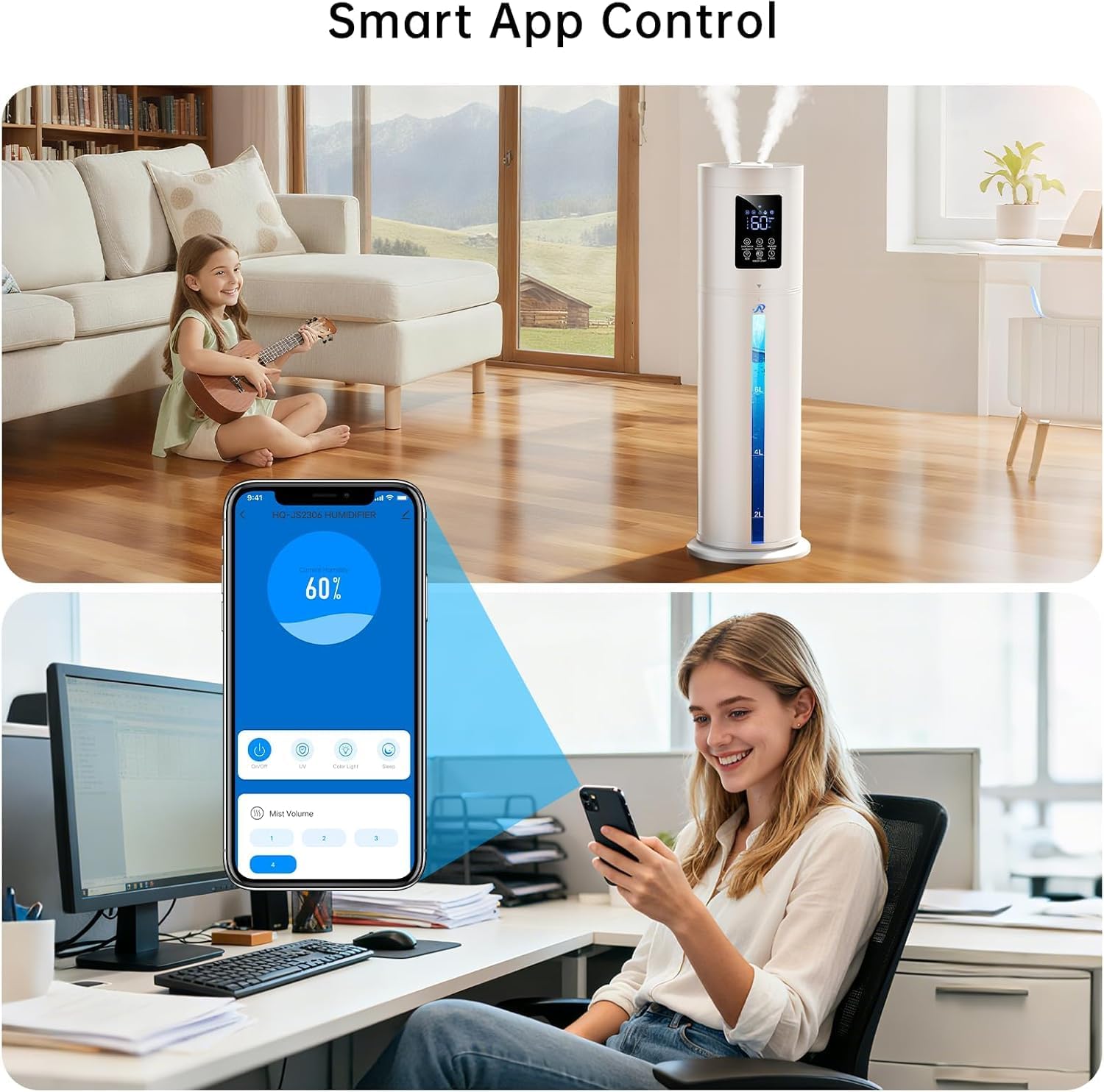
5.2 Wi-Fi Connection (Smart App Control)
To connect your humidifier to the Tuya Smart app:
- Download the 'Tuya' app from the Google Play Store or Apple App Store.
- Launch the app, sign in, or create an account.
- Enable Wi-Fi and Bluetooth on your mobile device and ensure your humidifier is powered on.
- On the humidifier, press and hold the WIFI button for 3 seconds until the Wi-Fi icon flashes, indicating pairing mode.
- In the app, tap 'Add Device' and select 'HQ-JS2306 HUMIDIFIER'.
- Enter your Wi-Fi network password and follow the in-app instructions to complete the connection.

Video: A user demonstrates the smart humidity control features of the humidifier, including setting preferred humidity levels and using the app.
6. Operating Instructions
6.1 Power ON/OFF & Sleep Mode
- Plug the humidifier into a power outlet.
- Press the ON/OFF button to turn the unit on. Mist output will begin within 20-30 seconds.
- To enter Sleep Mode, press and hold the ON/OFF / SLEEP button for 3-5 seconds until the display turns off. The unit will operate quietly. Press the button again to exit Sleep Mode.
6.2 Adjusting Mist Volume
- Press the MIST VOLUME button to cycle through 4 mist output levels (1-4).
- The current mist level will be displayed on the screen.

6.3 Setting Custom Humidity
- Press the CUSTOMIZE HUMIDITY button to increase the target humidity by 5% RH per touch.
- The target humidity range is 40%-90% RH. The humidifier will automatically turn on/off to maintain your set humidity level.

6.4 Using the Timer
- Press the TIMER button to set the auto-off timer between 1 and 16 hours.
- The device will automatically turn off once the preset time is reached.
6.5 UV Lamp & Color Light
- Tap the UV LAMP / COLOR LIGHT button to activate the UV sterilization function and cycle through 7 ambient color lights.
- The UV lamp helps to sanitize the water.
6.6 Essential Oil Diffuser
- Locate the aroma tray on the side of the humidifier.
- Push to open the aroma tray.
- Add 5-10 drops of your preferred essential oil onto the aroma pad inside the tray.
- Close the aroma tray. The mist will diffuse the scent into the air.

7. Cleaning & Maintenance
Regular cleaning is essential for optimal performance and hygiene. It is recommended to clean the humidifier once a week.
7.1 Weekly Cleaning
- Unplug the humidifier before cleaning or refilling.
- Remove the water inlet tank and water intake cover. Rinse them with clean water.
- Wipe the water inlet tank with a soft cloth.
- Pour out any remaining water from the water tank and the base chamber.
- Rinse all components with clean water.
- Use a soft cloth and the provided cleaning brush to remove scale from the base chamber. Prevent water from contacting the air outlet to avoid internal damage.
- Wipe the interior of the water tank with a soft cloth, then rinse with water.
7.2 Filter Maintenance
The humidifier includes a filter. Ensure it is free from debris and scale. Clean it gently with the provided brush or a soft cloth. Replace if heavily soiled or damaged.
Video: A user demonstrates the unboxing, setup, and initial use of the humidifier, highlighting its large capacity and mist output.
8. Troubleshooting
| Problem | Possible Cause | Solution |
|---|---|---|
| No mist output | Low water level; Unit not powered on; Mist outlet blocked. | Refill water tank; Ensure unit is plugged in and turned on; Check and clear mist outlet. |
| Humidifier leaking | Water added to incorrect part; Unit not on a flat surface; Tank not properly seated. | Ensure water is only added to the tank; Place on a flat surface; Re-seat the water tank securely. |
| Unpleasant odor from mist | Stagnant water; Dirty water tank/base. | Empty and clean the water tank and base regularly; Use fresh water. |
| White dust around humidifier | Hard water used. | Use distilled or demineralized water to reduce mineral buildup. |
| Wi-Fi connection failure | Incorrect Wi-Fi password; 5GHz network; Humidifier not in pairing mode. | Verify password; Ensure 2.4GHz Wi-Fi network is used; Re-enter pairing mode (hold WIFI button for 3s). |
9. Specifications
| Feature | Detail |
|---|---|
| Brand | Hiswelle |
| Model Name | HQ-JS2301 |
| Capacity | 8 Liters (2.1 Gallons) |
| Floor Area Coverage | Up to 500 Square Feet |
| Operation Mode | Ultrasonic Cool Mist |
| Wattage | 30 watts |
| Control Method | Remote, Touch, Wi-Fi App |
| Noise Level | 35 dB (Sleep Mode) |
| Special Features | 7-Color Night Light, 1-16H Timer, Aroma Diffuser, Removable Clear Tank, 4 Mist Modes, 360° Rotating Nozzle, Top Fill, Custom Humidity (40%-90% RH), Humidistat, Auto Shut Off, Low Water Indicator, Digital Display, UV Lamp. |
| Item Dimensions (D x W x H) | 17"D x 13"W x 7"H |
| Material | Acrylonitrile Butadiene Styrene |
| UPC | 630456426408 |
10. Warranty
The Hiswelle HQ-JS2301 Humidifier comes with a 1 Year Manufacturer Warranty. Please retain your proof of purchase for warranty claims.
11. Customer Support
For any questions, concerns, or technical assistance, please contact Hiswelle Customer Service:
- Email: hiswelle_service@outlook.com
- Operating Hours: Monday - Friday, 9:00 AM - 5:00 PM PST/PDT