
Introduction
The MASHI Wireless Indoor Outdoor Thermometer (Model W552) is designed to provide accurate, real-time temperature and humidity readings for both indoor and outdoor environments. Featuring a 4.3-inch LCD display, a 3-channel remote sensor system, and an atomic clock with WWVB synchronization, this weather station offers comprehensive environmental monitoring and a 12-24 hour weather forecast. Its USB-C rechargeable battery ensures long-lasting operation and convenience.
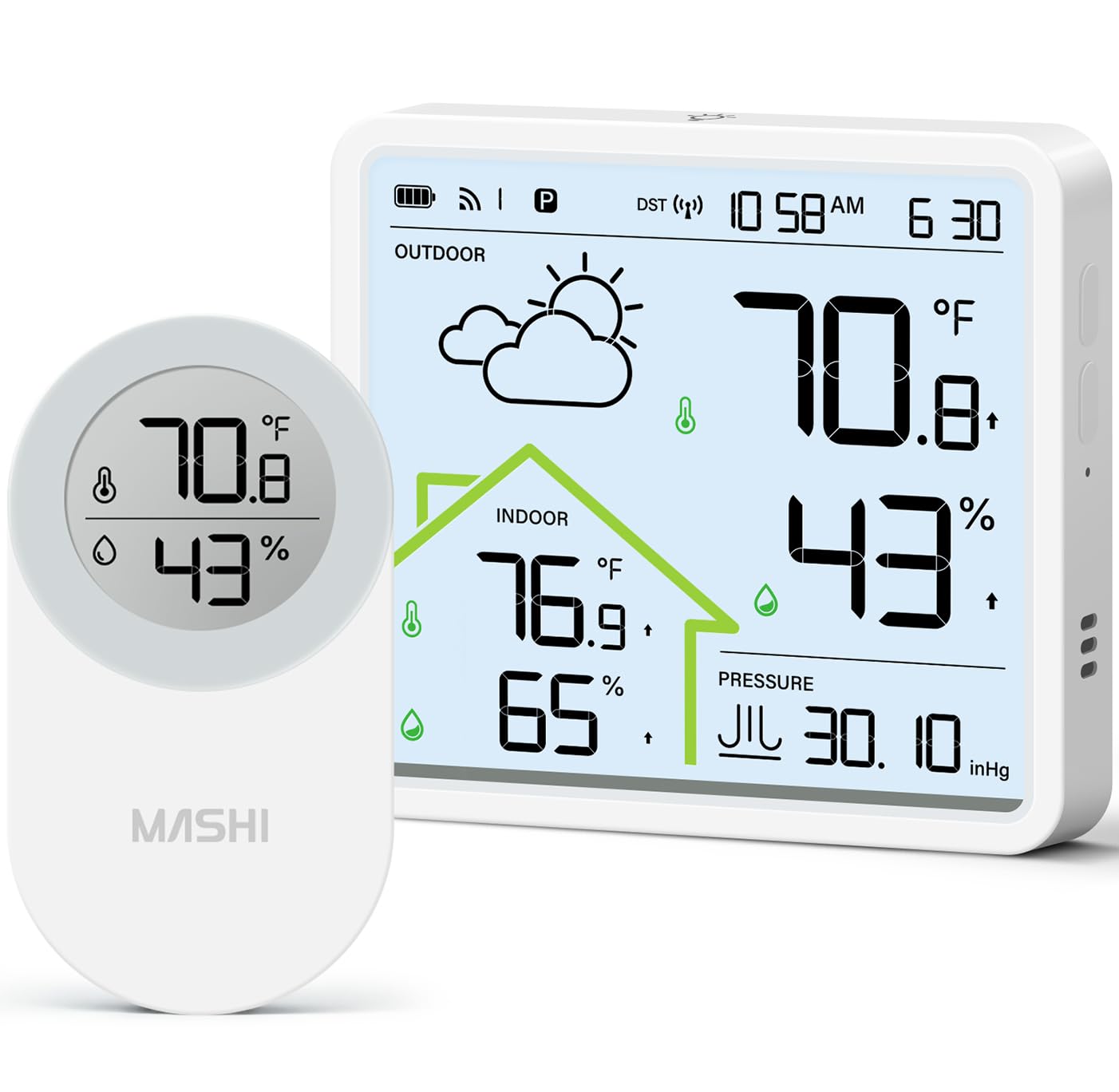
Image: The MASHI Wireless Indoor Outdoor Thermometer main display unit and its remote sensor.
What's in the Box
Please check the package contents to ensure all items are present:
- Main Display Unit (Product)
- Outdoor Sensor (1 included, supports up to 3)
- USB-C Charging Cable (1)
- Nano Paste (2 pieces for mounting)
- Support Stand
- Instruction Manual

Image: Detailed view of the package contents, including the main unit, sensor, charging cable, nano paste, and support stand.
Product Features
USB-C Rechargeable Battery
The main display unit is equipped with a built-in 1200mAh lithium battery, rechargeable via a modern USB-C port. This eliminates the need for disposable batteries, offering weeks of continuous operation on a single charge. The battery level icon on the screen indicates the remaining power.

Image: The main unit connected to a power adapter via its USB-C charging cable, illustrating its rechargeable feature.
Indoor & Outdoor Temperature and Humidity Monitoring
This system provides accurate temperature readings from -40°F to 158°F (-40°C to 70°C) and humidity from 10% to 99%. The outdoor sensor transmits data wirelessly to the main unit, allowing you to monitor environmental conditions in various locations.

Image: The main display unit showing indoor and outdoor temperature and humidity, with an illustration of the outdoor sensor transmitting data.
330FT Range & 3 Channels
The wireless system supports up to three remote sensors (one included) with a transmission range of up to 330 feet (100 meters) in open areas. This allows for simultaneous monitoring of multiple locations such as a baby room, garden, greenhouse, or garage.

Image: The main unit displaying data from three remote sensors placed in different environments (CH1, CH2, CH3).
Accurate Weather Forecast
The weather station provides a personalized 12-24 hour weather forecast based on barometric pressure changes. After a 7-10 day calibration period, six dynamic icons (Sunny, Partly Cloudy, Overcast, Rain, Thunderstorm, Snow) intuitively display upcoming weather conditions.

Image: The weather station display showing different weather forecast icons, such as sunny, partly cloudy, rain, and snow.
Atomic Clock with WWVB
The built-in WWVB Atomic Clock automatically synchronizes with the NIST radio signal daily between 1:00 AM and 5:00 AM, ensuring precise timekeeping. It supports four US Time Zones (EST, CST, MST, PST) and automatically adjusts for Daylight Saving Time (DST). Manual time setting is also available.

Image: The weather station displaying the atomic clock feature, with a map indicating the four supported US time zones.
4.3" LCD Backlit Display
The high-contrast 4.3-inch LCD screen offers clear readability from various angles. Tapping the top button activates the backlight for 5 seconds, which then automatically turns off to conserve energy and minimize disturbance during sleep.

Image: Comparison of the weather station display in normal state and with the backlight activated for improved visibility.
Setup Instructions
Follow these steps to set up your MASHI Wireless Indoor Outdoor Thermometer:
- Power the Main Unit: Connect the main display unit to a power source using the provided USB-C charging cable and a 5V DC power adapter (not included). The display will turn on.
- Prepare the Outdoor Sensor: Open the battery compartment of the outdoor sensor. Insert 2 x AAA batteries (not included), ensuring correct polarity. Set the channel switch (CH1, CH2, or CH3) to your desired channel, typically CH1 for the first sensor.
- Pairing: The main unit will automatically search for the sensor. If it doesn't connect, press the 'TX' button inside the sensor's battery compartment or the 'CHANNEL' button on the main unit to initiate pairing. Once paired, the outdoor temperature and humidity will appear on the main display.
- Sensor Placement: Mount the outdoor sensor vertically in a shaded area, at least 3 feet (1 meter) away from electronic devices. Avoid direct sunlight and rain exposure to ensure accurate readings and prolong sensor life.

Image: Visual guide illustrating the 4-step setup process for the weather station and sensor.

Image: Diagrams showing how to correctly mount the sensor vertically, away from electronics, and avoiding direct sunlight and rain.
Operating Instructions
Main Display Unit Controls:
- Backlight: Tap the top button of the main unit to activate the backlight for 5 seconds.
- Temperature Unit: Press the '°C/°F' button (usually located on the back or side) to switch between Celsius and Fahrenheit.
- Time Zone/Manual Time Set: The atomic clock automatically sets the time. To manually adjust or select a time zone, refer to the detailed instructions in the included manual. The unit supports EST, CST, MST, PST.
- 12/24H Format: Press the dedicated '12/24H' button to switch between 12-hour and 24-hour time display formats.
- Channel Selection: Press the 'CHANNEL' button to cycle through the connected outdoor sensors (CH1, CH2, CH3).

Image: The main unit demonstrating its versatility with both wall mount and desktop stand placement options.
Maintenance
- Charging: Recharge the main unit using the USB-C cable when the battery indicator shows low power. A full charge provides weeks of operation.
- Sensor Batteries: Replace the 2 x AAA batteries in the outdoor sensor when its battery indicator is low.
- Cleaning: Wipe both the main unit and sensor with a soft, dry cloth. Avoid using abrasive cleaners or solvents.
- Environmental Protection: Ensure the outdoor sensor remains protected from direct harsh weather conditions (e.g., heavy rain, extreme direct sunlight) to maintain accuracy and longevity.
Troubleshooting
| Problem | Solution |
|---|---|
| Outdoor reading is blank or inaccurate. | Ensure the outdoor sensor has fresh batteries and is set to the correct channel. Press the 'TX' button on the sensor or 'CHANNEL' button on the main unit to re-sync. Move the sensor closer to the main unit to check for range issues. |
| Atomic clock not syncing. | Ensure the main unit is placed away from electronic interference. Allow 7-10 days for initial calibration. If issues persist, manually set the time and date. Note: WWVB signal reception can be affected by location and atmospheric conditions. |
| Weather forecast seems incorrect. | The weather forecast requires a 7-10 day calibration period based on local barometric pressure. Accuracy improves over time. It predicts local weather, not regional forecasts. |
| Display is dim or backlight not working. | Ensure the main unit is sufficiently charged. The backlight activates for 5 seconds with a tap; it is not continuously on. |
Specifications
| Feature | Detail |
|---|---|
| Brand | MASHI |
| Model | W552 |
| Display Type | 4.3" LCD Backlit |
| Indoor Temperature Range | -40°F to 158°F (-40°C to 70°C) |
| Outdoor Temperature Range | -40°F to 158°F (-40°C to 70°C) |
| Humidity Range | 10% to 99% RH |
| Temperature Accuracy | ±1°C (±0.5°C for reading accuracy) |
| Wireless Range | 330ft (100m) in open areas |
| Channels Supported | 3 (1 sensor included) |
| Main Unit Power Source | USB-C Rechargeable (1200mAh Lithium Battery) |
| Sensor Power Source | 2 x AAA Batteries (not included) |
| Atomic Clock | WWVB Sync, 4 US Time Zones, DST Auto-Adjust |
| Product Dimensions (Main Unit) | 0.79"D x 3.78"W x 3.43"H |
| Item Weight | 0.3 kg |

Image: Diagram showing the dimensions of the main display unit and the outdoor sensor.
Official Product Videos
MASHI Indoor Outdoor Thermometer Wireless Weather Station Overview
Video: An overview of the MASHI Indoor Outdoor Thermometer Wireless Weather Station, highlighting its features and functionality.
MASHI Indoor Outdoor Thermometer Features
Video: A demonstration of the MASHI Indoor Outdoor Thermometer, showcasing its various features and how they operate.
Warranty and Support
For warranty information or technical support, please refer to the contact details provided in the packaging or visit the official MASHI website. Keep your purchase receipt for warranty claims.