
1. Introduction and Overview
The iGPSPORT HR50 is a high-performance heart rate monitor designed for various sports activities, including cycling, running, yoga, and general fitness. It features advanced technology for accurate heart rate tracking and offers broad compatibility with different devices and applications.
- Accurate Measurements: Equipped with the latest high-performance AFE chip, compatible with ECG measurement, for a new generation heart rate algorithm with up to 98.3% accuracy.
- Lightweight and Slim Design: The HR50 measures 64 × 34 × 10.1 mm and weighs 48g, making it narrower, thinner, and lighter than previous generations. This design ensures comfort and stability during long cycling trips or indoor training sessions.
- Extended Battery Life: Operates for up to 1 year on a single CR2032 battery, reducing operating costs.
- Soft and Adjustable Strap: Features an elastic strap adjustable from 65 to 95 cm, accommodating chest circumferences from 65 cm to 120 cm for flexible and comfortable use.
- IPX7 Water Resistance: Designed to be sweat and water resistant, allowing you to train freely in various weather conditions.

The iGPSPORT HR50 sensor and chest strap, highlighting its lightweight and thin design.

Detail of the high-performance AFE chip for accurate heart rate measurement.

The adjustable elastic strap of the HR50 heart rate monitor.

The HR50's IPX7 water resistance, suitable for various training conditions.

The HR50 uses a CR2032 battery, offering up to one year of use.

The HR50 is suitable for a wide range of activities including cycling, running, and water sports.
2. Setup Instructions
Follow these steps to properly set up and wear your iGPSPORT HR50 Heart Rate Monitor:
- Moisten Electrodes: Moisten the two electrode areas on the back of the heart rate sensor with water before wearing the strap. This ensures good conductivity for accurate readings.
- Attach Sensor to Strap: Snap the HR50 sensor onto the chest strap, ensuring the iGPSPORT logo is facing upwards.
- Position the Strap: Adjust the strap to fit snugly around your chest, positioning the sensor just below the center of your chest. The strap should be comfortable but secure enough not to move during activity.
- Connect to Application: Once worn, the HR50 will activate. Connect it to your iGPSPORT application, cycling computer, or sports watch to view real-time heart rate data.

Visual guide demonstrating the steps to wear the HR50 heart rate monitor correctly.
3. Operating Instructions
The iGPSPORT HR50 automatically activates when worn and begins transmitting heart rate data. It supports both Bluetooth and ANT+ connectivity for wide compatibility.
3.1 Device Compatibility
The HR50 can connect to various devices:
- Mobile applications (e.g., iGPSPORT app, Strava, Zwift)
- GPS cycling computers
- Sports watches
- Fitness equipment with Bluetooth/ANT+ support
The HR50 offers broad compatibility with mobile apps, cycling computers, and smartwatches.
3.2 Real-time Data Monitoring
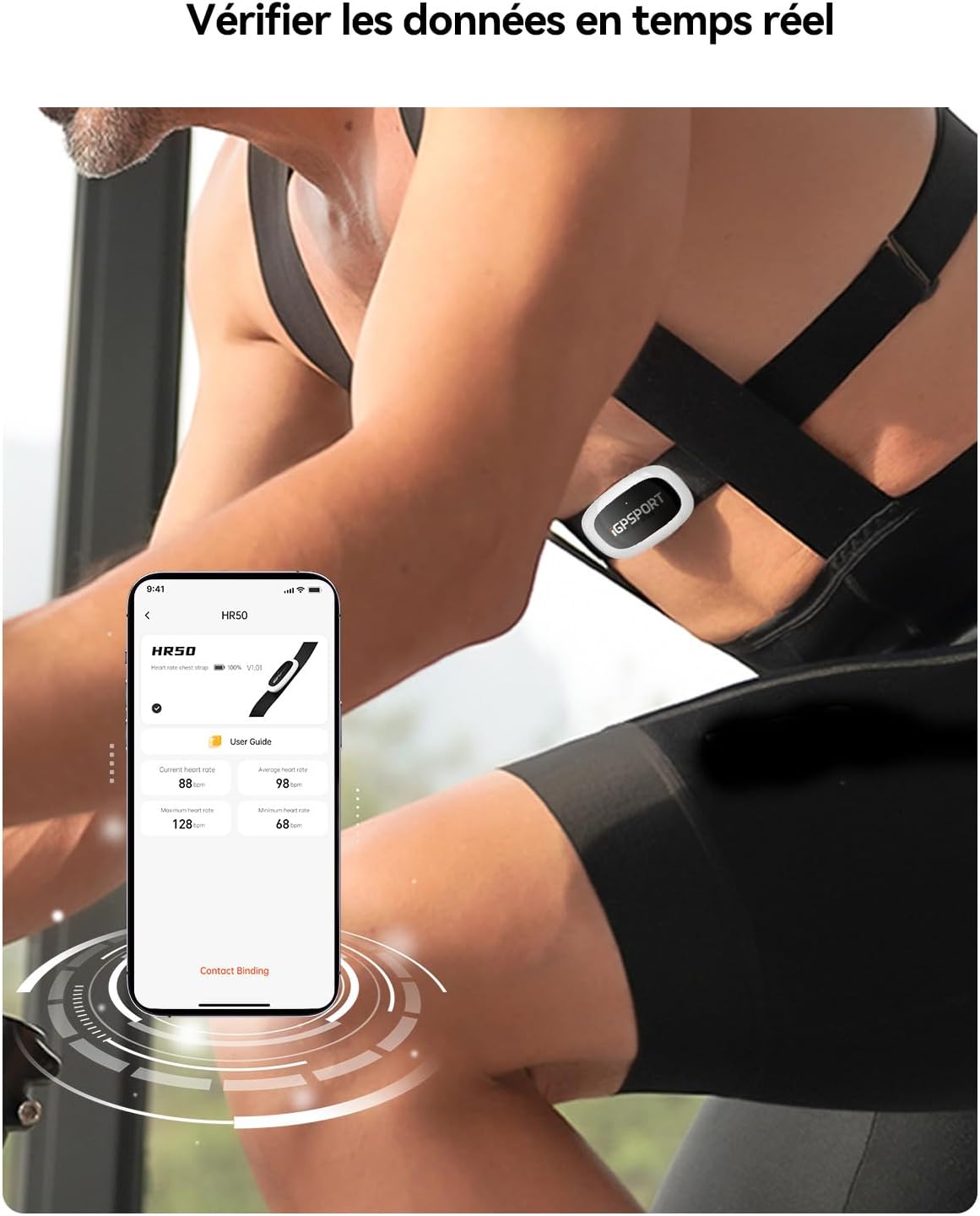
Once connected, you can monitor your heart rate in real-time through your chosen device or application. The iGPSPORT app provides a detailed interface for tracking your performance.

Monitor your heart rate data in real-time using the iGPSPORT application.
3.3 LED Indicator Status
The HR50 features an LED indicator to show its operational status:
| Operating Status Scenario | Indicator Status |
|---|---|
| Device started, heart rate not detected | Flashing red light |
| Heart rate detected | Flashing green light |
Note: The indicator light flashes 6 times, then turns off automatically while the device continues to function.
3.4 Understanding Heart Rate Zones
Training within specific heart rate zones can optimize your workout effectiveness:

Guide to heart rate zones for effective training.
4. Maintenance
Proper maintenance ensures the longevity and accuracy of your iGPSPORT HR50.
4.1 Cleaning the Chest Strap
After each use, detach the sensor from the strap. Rinse the chest strap under running water and hang it to dry. Do not machine wash or tumble dry the strap, as this can damage the electrodes.
4.2 Battery Replacement
The HR50 uses a CR2032 coin cell battery, which typically lasts up to one year. When the battery is low, the device's performance may be affected, or it may stop transmitting data. To replace the battery:
- Locate the battery cover on the back of the sensor.
- Use a coin to twist the battery cover counter-clockwise until it opens.
- Remove the old CR2032 battery.
- Insert a new CR2032 battery with the positive (+) side facing up.
- Replace the battery cover and twist it clockwise to secure.
4.3 Water Resistance
The HR50 is IPX7 rated, meaning it is resistant to sweat and splashes. It can withstand immersion in water up to 1 meter for 30 minutes. However, it is not recommended for swimming or prolonged underwater use.
5. Troubleshooting
If you encounter issues with your iGPSPORT HR50, refer to the following common problems and solutions:
- No Heart Rate Data:
- Ensure the electrode areas on the strap are moistened.
- Check that the sensor is correctly snapped onto the strap and positioned on your chest.
- Verify the battery is not depleted. Replace if necessary.
- Confirm that Bluetooth/ANT+ is enabled on your receiving device and that the HR50 is paired.
- Intermittent Connection or Inaccurate Readings:
- Ensure the strap is snug and not moving during activity.
- Check for any sources of electromagnetic interference nearby.
- Clean the strap and sensor thoroughly to remove any residue that might affect conductivity.
- Try re-pairing the device with your application or cycling computer.
- Device Not Turning On:
- The HR50 activates automatically when worn. If it doesn't, ensure the battery is correctly installed and has sufficient charge.
- If the red LED does not flash upon wearing, replace the battery.
6. Specifications
| Feature | Detail |
|---|---|
| Brand | iGPSPORT |
| Model Number | HR50 |
| Material | Plastic |
| Color | HR50 (Black/White) |
| Compatible Devices | Mobile applications, GPS cycling computers, Sports watches |
| Product Dimensions (L x W x H) | 64 x 34 x 10.1 mm |
| Item Weight | 48 Grams |
| Battery Life | 1 year (approx. 365 hours of use) |
| Sensor Type | Optical (AFE chip for ECG-compatible measurement) |
| Battery Type | CR2032 Lithium-ion |
| Strap Size | Adjustable from 65–95 cm, max chest circumference 120 cm |
| Water Resistance | IPX7 |
| Country of Origin | China |
| Included Components | 1 × HR50 heart rate monitor, 1 × chest strap, 1 × quick start guide, 1 × CR2032 battery (pre-installed) |
7. Warranty Information
The iGPSPORT HR50 Heart Rate Monitor comes with a 2-year warranty from the date of purchase. This warranty covers manufacturing defects and material faults under normal use. Please retain your proof of purchase for warranty claims.
8. Support
For further assistance, technical support, or customer service inquiries regarding your iGPSPORT HR50, please visit the official iGPSPORT website or contact their customer support team.
Official iGPSPORT Store: iGPSPORT Official Store on Amazon
Please refer to the quick start guide included in the box for additional information.


