
1. Introduction
Thank you for choosing the BvenuBigLite 72-inch 8-blade outdoor ceiling fan. This manual provides essential information for the safe installation, operation, and maintenance of your new ceiling fan. Please read these instructions thoroughly before beginning installation and retain them for future reference.
This modern ceiling fan is designed for both indoor and covered outdoor use, featuring a quiet DC motor, 6-speed settings, a reversible function for year-round comfort, and an integrated dimmable LED light with remote and app control capabilities.

Image: The BvenuBigLite 72-inch ceiling fan is suitable for large indoor spaces like living rooms and covered outdoor areas such as patios, gazebos, and porches.
2. Safety Information
- Electrical Safety: Always disconnect power at the circuit breaker or fuse box before installation, cleaning, or servicing. Ensure all electrical connections comply with local codes and ordinances.
- Mounting: The mounting structure must be capable of supporting the weight of the fan (at least 35 lbs). Use only outlet boxes marked "Acceptable for Fan Support of 35 lbs (15.9 kg) or less."
- Blade Clearance: Ensure there is at least 7 feet (2.1 meters) of clearance from the floor to the fan blades and at least 30 inches (76 cm) from the blades to any walls or obstructions.
- Outdoor Use: This fan is rated for damp locations (covered patios, porches) but is not suitable for direct exposure to rain or water.
- Wiring: Consult a qualified electrician if you are unfamiliar with electrical wiring.
- Operation: Do not insert objects into the path of the fan blades while the fan is operating.
3. Package Contents
Verify that all components listed below are included in your package. If any parts are missing or damaged, please contact customer support.
- Fan Motor Assembly
- Fan Blades (8 pieces)
- Downrods (4-inch, 8-inch, 24-inch)
- Mounting Bracket
- Canopy and Canopy Cover
- Remote Control with Wall Mount Holder
- Receiver
- LED Light Kit
- Hardware Pack (screws, washers, wire nuts)
- Instruction Manual

Image: Overview of the fan's components, including different downrod lengths and dual-finish blades.
4. Specifications
| Feature | Specification |
|---|---|
| Brand | BvenuBigLite |
| Model Number | WS-FPZ190-18C-BR-AP |
| Size | 72 Inch Diameter |
| Product Dimensions | 72"D x 72"W x 34"H (with 24" downrod) |
| Number of Blades | 8 |
| Motor Type | DC Motor |
| Number of Speeds | 6 |
| Noise Level | Less than 30 dB |
| Control Method | Remote Control, App Control |
| Light Features | Dimmable (10-100%), Color Temperature Adjustable (3000K-6000K), Memory Function |
| Indoor/Outdoor Usage | Indoor, Covered Outdoor (Damp Rated) |
| Mounting Type | Ceiling Mount (Downrod, Angled up to 15°) |
| Blade Finish | Dual-sided: Dark Wood Brown / Walnut |
5. Setup and Installation
Proper installation is crucial for the safe and efficient operation of your ceiling fan. Please follow these steps carefully. If you are unsure about any part of the installation, consult a qualified electrician.
Pre-Installation Checklist:
- Turn off power at the circuit breaker.
- Ensure you have all necessary tools (screwdriver, wire strippers, ladder, etc.).
- Confirm the ceiling outlet box is securely mounted and rated for fan support.
Installation Steps:
- Mounting Bracket Installation: Secure the mounting bracket to the ceiling outlet box using the provided screws and washers.
- Downrod Assembly: Select the appropriate downrod (4", 8", or 24") for your ceiling height. Feed the fan wires through the downrod and attach the downrod to the fan motor assembly.
- Hanging the Fan: Carefully lift the fan assembly and hang it from the mounting bracket using the hanger ball.
- Wiring Connections: Connect the fan's electrical wires to the household wiring according to the wiring diagram in the detailed manual. Ensure the receiver is properly connected between the fan and the power supply.
- Blade Attachment: Attach the 8 fan blades to the fan motor housing. Choose either the dark wood brown or walnut side of the blades to face downwards.
- Light Kit Installation: Connect the LED light kit wires and secure the light kit to the bottom of the fan motor assembly.
- Canopy Installation: Slide the canopy up to the ceiling and secure it to the mounting bracket, covering all wiring.

Image: Visual guide for the fan assembly process.
Installation Video:
Video: A detailed tutorial demonstrating the installation process for the BvenuBigLite 72-inch ceiling fan.
6. Operating Instructions
Your BvenuBigLite ceiling fan can be controlled using the included remote control or a dedicated smartphone application.
Remote Control Functions:
- Fan ON/OFF: Turns the fan on or off.
- Fan Speed (1-6): Adjusts the fan speed from gentle breeze (1) to strong airflow (6).
- Light ON/OFF: Turns the light on or off.
- Brightness Adjustment: Dims or brightens the light (10%-100%).
- Color Temperature: Cycles through warm white (3000K), natural white (4500K), and cool white (6000K).
- Forward/Reverse Switch: Changes the direction of blade rotation for summer or winter mode.
- Timer (2H): Sets the fan to turn off automatically after 2 hours.
APP Control:
Download the control app by scanning the QR code provided in the manual or visiting http://www.jasonghost.com/fanlamppro/. The app offers all remote control functions and additional smart features.

Image: Remote control and smartphone app interface for fan operation.
Reversible Function (Summer/Winter Mode):
The fan features a reversible DC motor to optimize air circulation year-round:
- Summer Mode (Downward Airflow): Blades rotate counter-clockwise, pushing cool air down to create a refreshing breeze.
- Winter Mode (Upward Airflow): Blades rotate clockwise, drawing cool air up and pushing warm air down from the ceiling, helping to distribute heat more evenly.
Image: Visual representation of summer (cooling) and winter (air circulation) modes.
Dimmable Light & Memory Function:
The integrated LED light offers adjustable brightness from 10% to 100% and color temperature from 3000K (warm) to 6000K (cool). The smart memory function retains your last light and fan settings when the fan is turned off and on again.

Image: Details on stepless dimming, color temperature adjustment, and light memory function.
Quiet Operation:
The DC motor ensures ultra-quiet operation, with noise levels below 30dB, making it ideal for bedrooms, nurseries, or any space where minimal noise is desired.
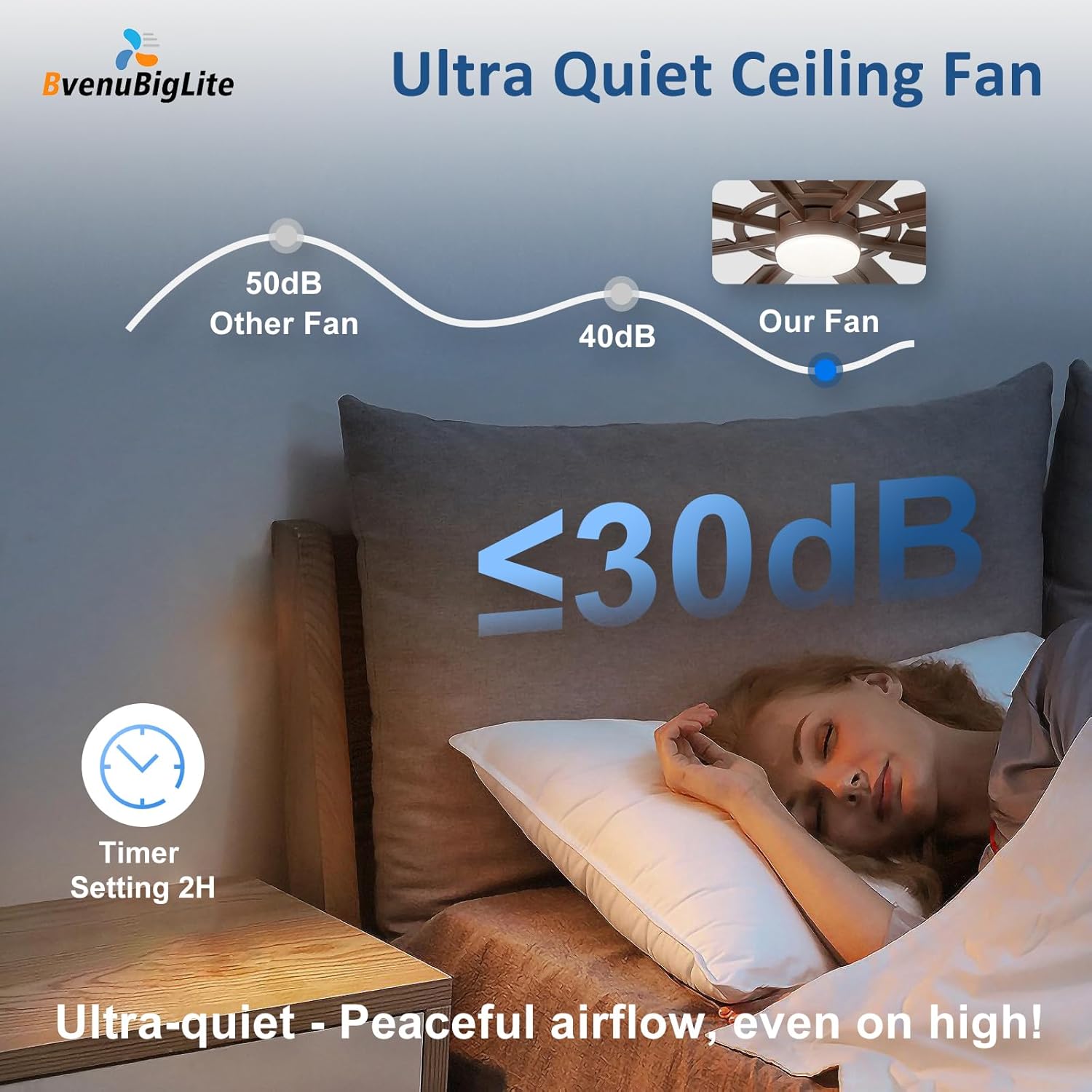
Image: Representation of the fan's ultra-quiet operation, ideal for peaceful environments.
7. Maintenance
Regular maintenance helps prolong the life and performance of your ceiling fan.
- Cleaning: Dust the fan blades and motor housing periodically with a soft, damp cloth. Do not use abrasive cleaners or solvents, as these can damage the finish. Ensure the fan is turned off and power is disconnected before cleaning.
- Blade Inspection: Check the blade screws for tightness annually. Loose blades can cause wobbling and noise.
- No Lubrication Needed: The DC motor is permanently lubricated and does not require additional oiling.
- Light Cover: Clean the light cover with a soft, lint-free cloth.
8. Troubleshooting
If you encounter any issues with your fan, refer to the following common problems and solutions:
| Problem | Possible Cause | Solution |
|---|---|---|
| Fan does not start | No power to the fan; Loose wire connections; Remote control battery low/dead; Incorrect remote pairing. | Check circuit breaker/fuse; Ensure all wire connections are secure; Replace remote battery; Re-pair remote with receiver (refer to detailed manual). |
| Light does not work | Loose wire connection in light kit; LED driver failure; Remote control issue. | Check light kit wiring; Contact customer support for LED driver replacement; Check remote battery/pairing. |
| Fan wobbles | Loose blade screws; Unbalanced blades; Loose mounting bracket. | Tighten all blade screws; Use balancing kit (not included) if needed; Ensure mounting bracket is securely fastened to the ceiling box. |
| Noisy operation | Loose screws; Fan not level; Blades rubbing against canopy. | Check and tighten all screws; Ensure fan is installed level; Adjust canopy to ensure clearance. |
| Remote not responding | Low/dead battery; Obstruction between remote and receiver; Remote not paired. | Replace remote battery; Ensure clear line of sight; Re-pair remote with receiver. |
If these solutions do not resolve the issue, please contact BvenuBigLite customer support for further assistance.
9. Warranty and Support
BvenuBigLite stands behind the quality of its products.
- Whole Fan Warranty: We offer a 5-year warranty on the entire ceiling fan.
- Motor Warranty: The fan motor is covered by a 10-year warranty.
These warranties cover defects in materials and workmanship under normal use. Please retain your proof of purchase for warranty claims.
Customer Support: We provide 24-hour customer support. If you have any questions during installation or use, or if your LED light board or remote control are damaged or lost, please do not hesitate to contact us. We are happy to assist you.

Image: Summary of warranty coverage and support information.