
1. Introduction
The EZVIZ CP8 is a 3K 5MP wireless video doorbell designed to enhance your home security. Featuring a removable 9600mAh battery, WiFi 6 connectivity, color night vision, and smart human detection, it provides clear visuals and reliable monitoring of your doorstep. This manual provides essential information for setting up, operating, and maintaining your CP8 video doorbell.

The EZVIZ CP8 video doorbell, a sleek silver unit, shown alongside its indoor chime. This image highlights the product's primary components.
2. What's in the Box
Verify that all components are present in your package:
- Doorbell × 1
- Mounting Plate (pre-installed) × 1
- Angled Mounting Plate × 1
- Drill Template × 1
- Chime × 1
- Type-C Cable × 1
- Screw Kit × 1
- Pin (release pin) × 1
- Regulatory Information × 4
- Quick Start Guide × 1
- Video/Audio Warning Sticker × 1
3. Key Features
- Ultra-Clear 3K 5MP Resolution: Identify visitors and deliveries with impressive 3K resolution, providing sharper details than standard 2K doorbells.
- Ultra-Powerful 9600mAh Battery: Equipped with a high-capacity removable battery for extended usage between charges.
- Smart Human and Motion Detection: Integrated AI distinguishes between people and other moving objects, sending targeted notifications to reduce false alerts.
- 162° Wide Angle View: A broad field of view covers your entrance, visitors, and packages on the ground, minimizing blind spots.
- Color Night Vision & True WDR: Provides clear and balanced images even in total darkness or challenging backlighting conditions, ensuring essential details are visible day and night.
- Fast WiFi 6 Connection: Compatible with modern 2.4 GHz WiFi 6 technology for stable connection and efficient data transmission, ideal for smooth 24/7 video surveillance.
- Two-Way Audio & Smart Home Integration: Communicate live with visitors via the EZVIZ app and enjoy voice control compatibility with Alexa and Google Assistant.
- Flexible Storage & Easy Installation: Save recordings locally on a MicroSD card (up to 512GB, not included) or use secure EZVIZ CloudPlay storage. The 100% wireless design and included chime allow for quick, hassle-free installation.

An illustration demonstrating the EZVIZ CP8 doorbell's 3K resolution and wide 162-degree field of view, capturing a broad area in front of a house.

The EZVIZ CP8 doorbell mounted on a wall, with a glowing green indicator showing its 9600mAh removable battery being charged. This design allows for easy recharging.
4. Setup
Follow these steps to set up your EZVIZ CP8 video doorbell:
- Charge the Doorbell: Before installation, fully charge the doorbell battery using the provided Type-C cable. The removable battery design allows for convenient charging.
- Download the EZVIZ App: Search for "EZVIZ" in the App Store or Google Play and download the application.
- Create an Account and Add Device: Open the EZVIZ app, create an account, and follow the on-screen instructions to add your CP8 doorbell by scanning the QR code on the device.
- Mount the Doorbell: Choose a suitable location near your door. Use the drill template and screw kit to securely mount the doorbell. An angled mounting plate is included for optimal viewing angles.
- Pair the Chime: Plug the chime into a power outlet inside your home. Follow the app instructions to pair the chime with your doorbell. This ensures you hear alerts throughout your house.

A visual guide showing three simple steps for installing the EZVIZ CP8 doorbell: connecting to the app, mounting the device, and recharging the battery.
5. Operating Instructions
The EZVIZ CP8 doorbell is operated primarily through the EZVIZ mobile application.
5.1 Live View and Playback
- Open the EZVIZ app and select your CP8 doorbell to view the live feed.
- Access recorded events from the playback timeline.
5.2 Two-Way Audio
- When a visitor presses the doorbell or motion is detected, you will receive a notification on your smartphone.
- Tap the notification to answer and engage in two-way conversation.
- An optional voice changer feature is available in the app for privacy.

A person interacting with a delivery driver via the EZVIZ CP8 doorbell's two-way audio feature, visible on a smartphone screen. Speech bubbles show a conversation: 'Hello, I have a package for you.' and 'Thank you, please leave it at the door.'
5.3 Motion Detection and Alerts
- The doorbell uses AI to detect human shapes, reducing irrelevant alerts.
- Customize detection zones and sensitivity settings within the EZVIZ app to suit your environment.
- Receive instant notifications on your smartphone when motion is detected.

A nighttime scene showing the EZVIZ CP8 doorbell detecting a person near packages, with an on-screen notification indicating 'Human Detected'. This illustrates the AI-powered human detection feature.
5.4 Night Vision
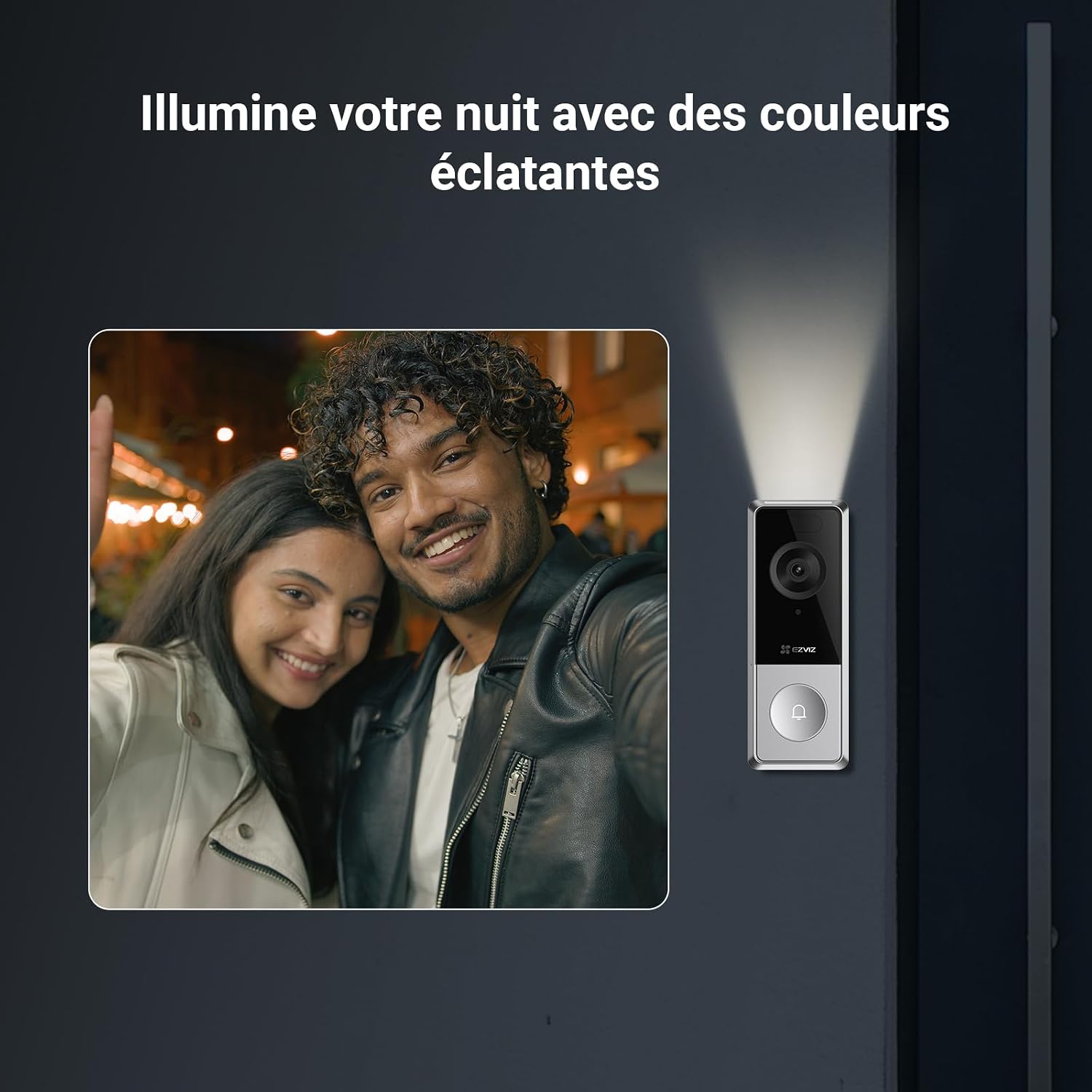
- The CP8 features color night vision, providing clear and detailed images even in low-light conditions up to 7 meters.
- True WDR technology ensures balanced exposure in challenging lighting.

A comparison image showing the EZVIZ CP8 doorbell's color night vision capability, providing clear, vibrant images even in low-light conditions, next to a black and white night vision view.
6. Maintenance
6.1 Battery Charging
- The CP8 doorbell is powered by a removable 9600mAh battery.
- When the battery level is low, you will receive a notification via the EZVIZ app.
- Remove the doorbell unit from its mounting plate and charge the battery using the provided Type-C cable.
6.2 Cleaning
- Periodically clean the doorbell lens and body with a soft, damp cloth to ensure optimal image quality and device performance.
- Avoid using harsh chemicals or abrasive materials that could damage the device.
The EZVIZ CP8 doorbell mounted on an exterior wall during rainfall, demonstrating its waterproof and weather-resistant design (IP65 rating).
7. Troubleshooting
- No Connection/Offline: Ensure your home WiFi network (2.4GHz band) is stable and the doorbell is within range. Restart your router and the doorbell if necessary. Verify WiFi 6 compatibility.
- Frequent False Alerts: Adjust the motion detection sensitivity and detection zones in the EZVIZ app. Ensure AI human detection is enabled.
- Short Battery Life: Check your detection settings; very frequent motion detection or live view access can drain the battery faster. Ensure the battery is fully charged.
- Chime Not Ringing: Ensure the chime is plugged into a working power outlet and is properly paired with the doorbell via the EZVIZ app.
- Poor Image Quality: Clean the doorbell lens. Ensure there are no obstructions. Check network stability for optimal streaming.
8. Specifications
| Feature | Detail |
|---|---|
| Brand | EZVIZ |
| Model Name | CP8 |
| Connectivity Technology | Wireless (Wi-Fi 6 2.4Ghz) |
| Special Features | Removable 9600mAh Battery, Color Night Vision, 162° Wide Angle, Human Detection, Two-Way Audio |
| Recommended Uses | Outdoor Security |
| Indoor/Outdoor Use | Suitable for outdoor installation, managed via indoor chime/app. |
| Compatible Devices | Smartphone |
| Power Source | Battery Powered (1 A - included) |
| Battery Power | 20 Watt-hours |
| Controller Type | Amazon Alexa, Google Assistant |
| Water Resistance Level | Waterproof (IP65) |
| Alert Type | Motion Only |
| Effective Capture Resolution | 5 Megapixels |
| Screen Capture Resolution | 3K |
| Frame Rate | 15fps |
| Video Capture Format | MJPEG |
| Night Vision Range | 7 Meters |
| Night Vision Type | Color Night |
| Item Dimensions (L x W x H) | 15 x 5.6 x 3.6 centimeters |
| Item Weight | 50 Grams |

An image illustrating the EZVIZ CP8 doorbell's flexible storage options, including support for a microSD card up to 512GB and a 30-day free trial for EZVIZ CloudPlay storage.
9. Warranty and Support
9.1 Warranty Information
For detailed warranty information, please refer to the warranty card included in your product packaging or visit the official EZVIZ website. Warranty terms and conditions may vary by region.
9.2 Customer Support
If you encounter any issues or have questions regarding your EZVIZ CP8 video doorbell, please contact EZVIZ customer support through the EZVIZ app or by visiting the official EZVIZ support website. You can find contact details and FAQs there.


