
1. Important Safety Instructions
Read all instructions carefully before using the appliance to reduce the risk of fire, electric shock, injury to persons, or damage to the oven. Keep this manual for future reference.
General Safety
- Ensure the oven is properly installed and grounded by a qualified technician.
- Do not repair or replace any part of the oven unless specifically recommended in this manual. All other servicing should be referred to a qualified technician.
- Keep the area around the oven clear and free from combustible materials, gasoline, and other flammable vapors and liquids.
- Never use the oven for warming or heating the room.
- Do not leave children unattended near the oven. The oven features an Intimate Smart Child Lock to prevent accidental operation.
- The oven door features Double-Layered Glass for effective heat insulation and anti-scalding protection. However, surfaces can still become hot during operation. Exercise caution.
- An Open Door Automatic Power Off function is integrated for safety.


Electrical Safety
- Do not operate any appliance with a damaged cord or plug, or if the appliance malfunctions or has been damaged in any manner.
- Ensure the electrical supply matches the oven's requirements (240V, 3000W).
2. Setup and Installation
Proper installation is crucial for the safe and efficient operation of your Garvee wall oven. It is recommended that installation be performed by a qualified installer.
Unpacking
- Carefully remove all packaging materials from the oven and its accessories.
- Inspect the oven for any shipping damage. Report any damage immediately to the retailer.
- Retain packaging materials until you are satisfied with the product.
What's in the Box
- 1 x Garvee Single Wall Oven
- Instruction Manual
Installation Dimensions
The oven is designed to integrate seamlessly into standard kitchen cabinetry. Ensure your cabinet opening meets the following dimensions:
- Overall Dimensions (D x W x H): 23.62" x 23.62" x 23.62"
- Cutout Dimensions: Refer to the detailed installation guide for precise cutout requirements.


Electrical Connection
The oven requires a dedicated electrical circuit. Consult a qualified electrician for proper wiring.
- Voltage: 240V
- Wattage: 3000W
3. Operating Instructions
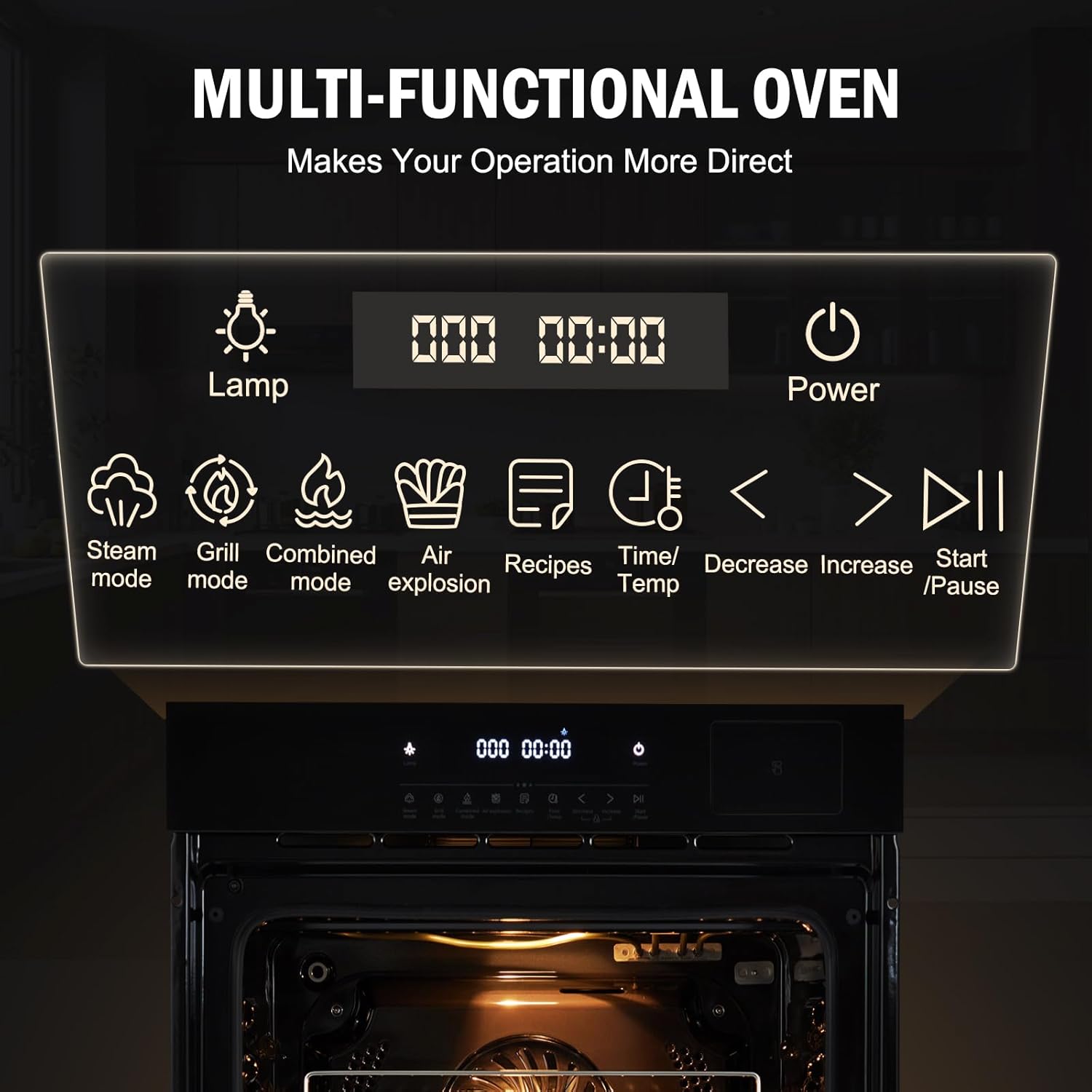
Your Garvee 24" Single Wall Oven features a user-friendly touch control panel and 8 versatile cooking functions to enhance your culinary experience.
Control Panel Overview
The touch control panel allows for easy selection of cooking modes, temperature, time, and other settings.

Cooking Functions
The oven offers 8 distinct cooking modes:
- Steam Mode: Ideal for delicate cooking, retaining moisture and nutrients. (Temperature range: 60-110°C)
- Grill Mode: For browning and crisping dishes. (Temperature range: 100-250°C)
- Combined Mode (Steam & Grill): Combines steam and grill for versatile cooking. (Temperature range: 100-250°C)
- Air Explosion (Convection): Utilizes the built-in convection fan for even heat distribution and faster cooking.
- Recipes: Pre-programmed settings for common dishes.
- Bake: Standard baking function.
- Roast: For roasting meats and vegetables.
- Warm: Keeps food warm after cooking.

Basic Operation
- Power On: Press the Power button on the touch panel.
- Select Function: Choose your desired cooking mode (e.g., Steam mode, Grill mode) by touching the corresponding icon.
- Set Temperature/Time: Use the Time/Temp button and the Decrease / Increase arrows to adjust settings.
- Start Cooking: Press the Start/Pause button to begin.
- Oven Light: Press the Lamp button to turn the interior light on or off.
Cooking Guide
The following table provides general guidelines for various food items. Adjust settings based on your specific recipe and desired results.

4. Care and Maintenance
Regular cleaning and maintenance will ensure the longevity and optimal performance of your Garvee oven.
Cleaning the Oven Cavity
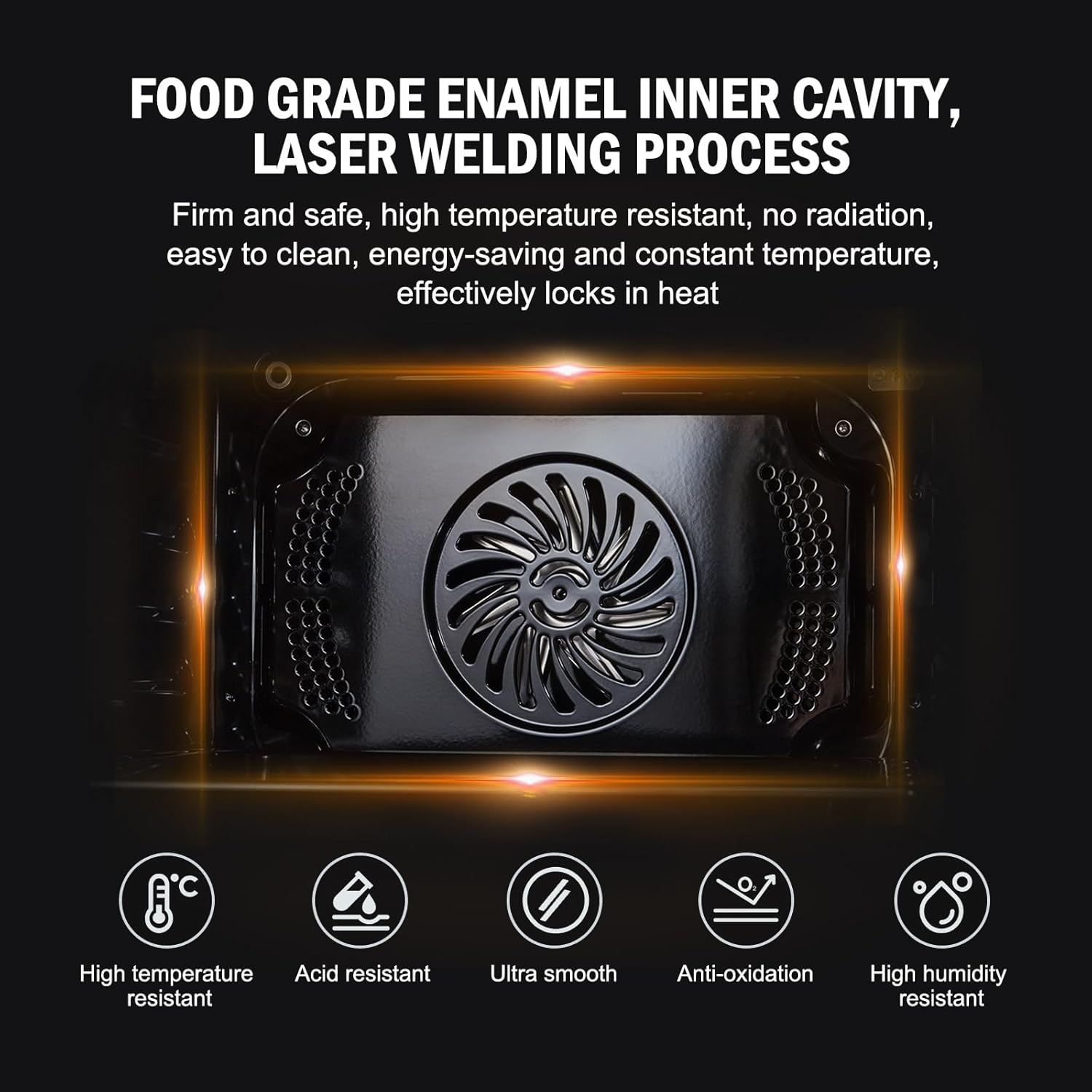
The oven features a premium enamel cavity and baking tray, designed for corrosion protection and durability, making cleaning easier.
- Steam Cleaning: The oven includes a steam cleaning function. Refer to the operating instructions for how to activate this mode.
- For general cleaning, wipe the interior with a damp cloth and mild detergent after each use, once the oven has cooled down.
- Avoid abrasive cleaners or scouring pads that can damage the enamel finish.

Cleaning the Exterior
- Wipe the exterior surfaces with a soft cloth and mild soapy water.
- For stainless steel surfaces, use a stainless steel cleaner and polish in the direction of the grain.
Removable Door
The oven door can be removed for easier maintenance and cleaning. Refer to the detailed instructions in the full user manual for the correct procedure to remove and reattach the door.
5. Troubleshooting Guide
Before contacting customer service, please refer to the following common issues and solutions.
| Problem | Possible Cause | Solution |
|---|---|---|
| Oven does not turn on | No power supply; Circuit breaker tripped; Door not closed properly. | Check power connection; Reset circuit breaker; Ensure door is fully closed. |
| Oven not heating properly | Incorrect temperature setting; Faulty heating element. | Verify temperature setting; Contact customer service if issue persists. |
| Display not working | Power interruption; Control panel issue. | Cycle power to the oven; Contact customer service. |
| Child Lock activated | Child lock feature is engaged. | Refer to the operating instructions to deactivate the child lock. |
| Water shortage auto-chip alert | Water tank for steam functions is empty. | Refill the water tank. |
6. Product Specifications
Detailed technical specifications for the Garvee 24" Single Wall Oven.
| Feature | Specification |
|---|---|
| Brand | Garvee |
| Model Number | 3GE-KOKY8LIXN7LZM-Q-7YGXLB4Y5 |
| ASIN | B0GVHF3BB2 |
| GTIN (UPC) | 824126453362 |
| Capacity | 2.5 Cubic Feet (70 L) |
| Item Dimensions (D x W x H) | 23.62"D x 23.62"W x 23.62"H |
| Item Weight | 92.86 Pounds |
| Color | Black |
| Material Type | Stainless Steel |
| Fuel Type | Electric |
| Heating Method | Convection |
| Wattage | 3000.0 W |
| Voltage | 240.0 V |
| Control Method | Touch Control |
| Cooking Functions | 8 (Steam, Grill, Combined, Air Frying Mode, Recipes, Bake, Roast, Warm) |
| Additional Features | Air Frying Mode, Self-Cleaning, Temperature Probe, Hidden Bake Element, Delay Start, Child Safety Lock, Kitchen Timer, Warming mode |
| Water Tank Volume | 1.3 L |
| Upper and Inner Heat Pipe Power | 2000 W |
| Upper and External Heat Pipe Power | 950 W |
| Heat Pipe Power | 1000 W |
| Back Heat Pipe Power | 1800 W |
| Steam Generator Power | 1200 W |
| Furnace Lamp Power | 25 W |
| Rear Circulating Fan Power | 14 W |
| Top Cross Fan Power | 10 W |

7. Warranty Information
Your Garvee 24" Single Wall Oven is covered by a 2 Year Warranty from the date of purchase.
This warranty covers defects in materials and workmanship under normal use. It does not cover damage resulting from misuse, accident, alteration, neglect, unauthorized repair, or improper installation.
Please retain your proof of purchase for warranty claims.
8. Customer Support
If you have any questions, require assistance, or need to make a warranty claim, please do not hesitate to contact our customer service team.
- Customer Service: For prompt assistance, please refer to the contact information provided on your purchase receipt or the official Garvee website.
- We guarantee a response within 24 hours for all inquiries.