
Introduction
Welcome to the WOSPORTS 85mm Spotting Scope user manual. This guide provides essential information for setting up, operating, and maintaining your spotting scope to ensure optimal performance and longevity. Designed for outdoor enthusiasts, this scope offers powerful magnification and clear optics for various activities such as hunting, bird watching, target shooting, and wildlife observation.
What's in the Box
Please check the package contents to ensure all items are present:
- 1 x Spotting Scope with Carry Bag
- 1 x Smartphone Adapter
- 1 x Tripod with Guide Handle
- 1 x User Manual
- 1 x Cleaning Cloth
Product Overview
Familiarize yourself with the main components of your WOSPORTS 85mm Spotting Scope and its accessories.
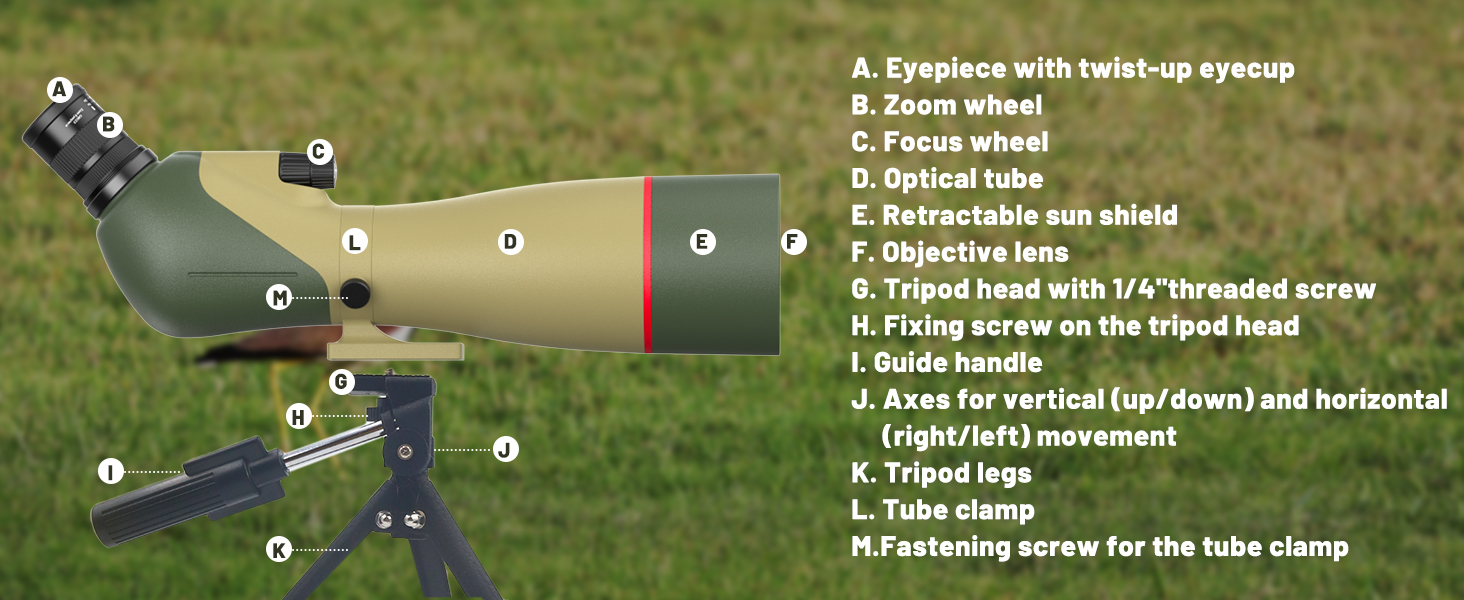
Image: Labeled components of the WOSPORTS Spotting Scope and Tripod.
- Eyepiece with twist-up eyecup
- Zoom wheel
- Focus wheel
- Optical tube
- Retractable sun shield
- Objective lens
- Tripod head with 1/4" threaded screw
- Fixing screw on the tripod head
- Guide handle
- Axes for vertical (up/down) and horizontal (right/left) movement
- Tripod legs
- Tube clamp
- Fastening screw for the tube clamp
Setup
- Unpacking: Carefully remove all components from the carrying bag.
- Tripod Setup:
- Extend the tripod legs for stability on a flat surface.
- Attach the spotting scope to the tripod head (G) using the 1/4" threaded screw. Ensure it is securely fastened by tightening the fastening screw (M) for the tube clamp (L).
- Adjust the guide handle (I) and fixing screw (H) to set the desired vertical and horizontal movement for observation.

Image: The spotting scope mounted on its adjustable tripod, illustrating various observation angles.
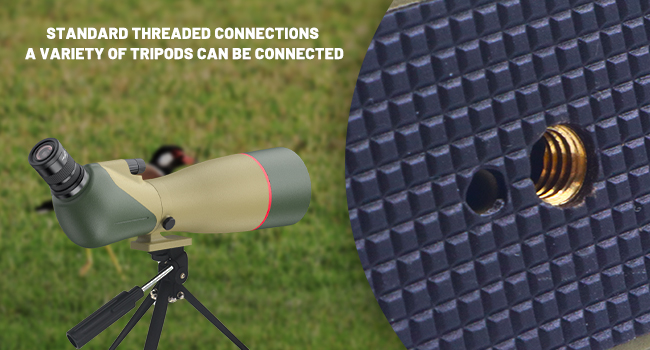
Image: Detail of the standard threaded connection for tripod compatibility.
- Lens Caps: Remove the protective caps from the objective lens (F) and eyepiece (A).
Operating Instructions
- Adjusting Magnification: Rotate the zoom wheel (B) on the eyepiece to adjust the magnification from 25x to 75x. Start with lower magnification (25x) for a wider field of view, then increase as needed to observe finer details.
- Focusing: Use the focus wheel (C) to achieve a sharp image. Turn it slowly until the image appears clear and well-defined.
- Eyecup Adjustment: The twist-up eyecup (A) can be adjusted for comfortable viewing. Twist it up for use without eyeglasses and twist it down for use with eyeglasses to ensure a full field of view.
- Retractable Sun Shield: Extend the retractable sun shield (E) by pulling it forward to minimize glare in bright conditions and provide additional protection for the objective lens.

Image: The eyepiece with markings for 25x, 50x, and 75x magnification.
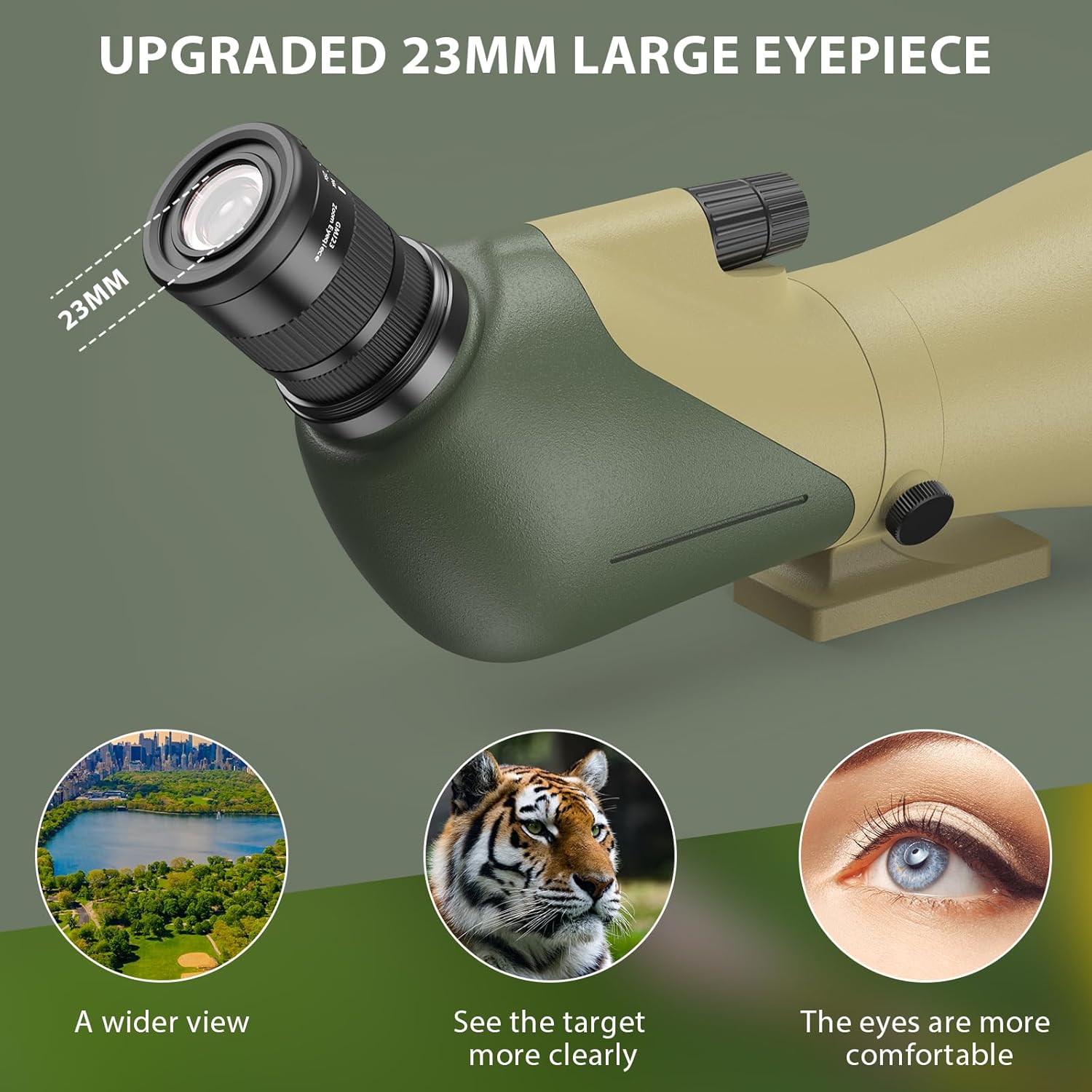
Image: The 23mm large eyepiece, designed for comfortable and clear viewing.
Smartphone Adapter Usage
Capture photos and videos through your spotting scope using the included smartphone adapter.
- Attach Adapter to Eyepiece: Securely attach the smartphone adapter to the spotting scope's eyepiece (A). Ensure it is firmly in place.
- Mount Smartphone: Place your smartphone into the adapter's clamps. Adjust the clamps to securely hold your phone.
- Align Camera: Carefully adjust your smartphone's position within the adapter until its camera lens is perfectly aligned with the adapter's opening and the spotting scope's eyepiece, providing a clear, circular view on your phone screen.
- Capture: Use your phone's camera app to take photos or record videos of your observations.

Image: A smartphone attached to the spotting scope using the adapter, ready for capturing images.
Maintenance
Proper care and maintenance will extend the life and performance of your spotting scope.
- Cleaning Lenses: Use the provided cleaning cloth or a soft, lint-free cloth specifically designed for optics. Gently wipe the lens surfaces (objective lens F and eyepiece A) to remove dust and smudges. Avoid using abrasive materials, excessive force, or harsh chemicals, as these can damage the lens coatings.
- Body Cleaning: Wipe the body of the spotting scope with a soft, damp cloth. Do not use harsh chemical cleaners.
- Waterproof and Fog-proof: The scope is nitrogen-sealed for waterproof and fog-proof performance, making it suitable for use in various weather conditions. However, avoid submerging the scope in water.
- Storage: Always replace the protective lens caps when the scope is not in use. Store the spotting scope in its carrying bag in a cool, dry place, away from direct sunlight and extreme temperatures.

Image: The spotting scope enduring water splashes, highlighting its waterproof and fog-proof design.
Troubleshooting
If you encounter any issues, refer to the following common problems and solutions:
- Blurry Image:
- Ensure the focus wheel (C) is properly adjusted for your viewing distance.
- Check if the eyecup (A) is set correctly for your vision (twisted up for no glasses, down for glasses).
- Verify that the objective lens (F) and eyepiece (A) are clean and free of smudges or dust.
- Dark Image:
- Ensure the retractable sun shield (E) is not obstructing the objective lens.
- Check ambient lighting conditions. Very low light will naturally result in a darker image.
- Confirm all lens caps are fully removed.
- Difficulty Attaching Phone Adapter:
- Ensure the adapter is correctly aligned and tightened onto the eyepiece.
- Adjust the phone clamps to securely hold your specific smartphone model.
- Scope Unstable on Tripod:
- Ensure the tripod legs (K) are fully extended and stable on a flat, firm surface.
- Verify the scope is securely fastened to the tripod head (G) using the fastening screw (M).
Specifications
| Brand | WOSPORTS |
| Model Name | 25-75x85A (vw03) |
| Objective Lens Diameter | 85mm |
| Magnification | 25-75x |
| Eyepiece Lens Description | Prism (23mm Large Eyepiece) |
| Prism Type | BAK4 Porro Prism |
| Field Of View | 102-52.5 ft / 1000 yards |
| Coating | Fully Multi-Coated |
| Focus Type | Manual Focus |
| Waterproof & Fog-proof | Yes (Nitrogen-sealed) |
| Product Dimensions (D x W x H) | 16.73" x 4.33" x 6.1" |
| Item Weight | 4.7 Pounds |
Official Product Video
Video: An official overview of the WOSPORTS 25-75x 85mm Spotting Scope, demonstrating its features and usage.
Warranty and Support
Your WOSPORTS 85mm Spotting Scope is backed by a Lifetime Warranty, ensuring peace of mind for your investment.
For any product-related questions, technical assistance, or warranty claims, please contact WOSPORTS customer service. Refer to the contact information provided with your purchase or visit the official WOSPORTS website for support.

Image: WOSPORTS commitment to lifetime support and customer satisfaction.