
1. Introduction
This manual provides essential information for the proper installation, operation, and maintenance of your SounDigital XP 5000.1 Monoblock Amplifier. Please read this manual thoroughly before attempting to install or operate the amplifier to ensure optimal performance and safety. This amplifier is designed to deliver high-power audio output for car audio systems.
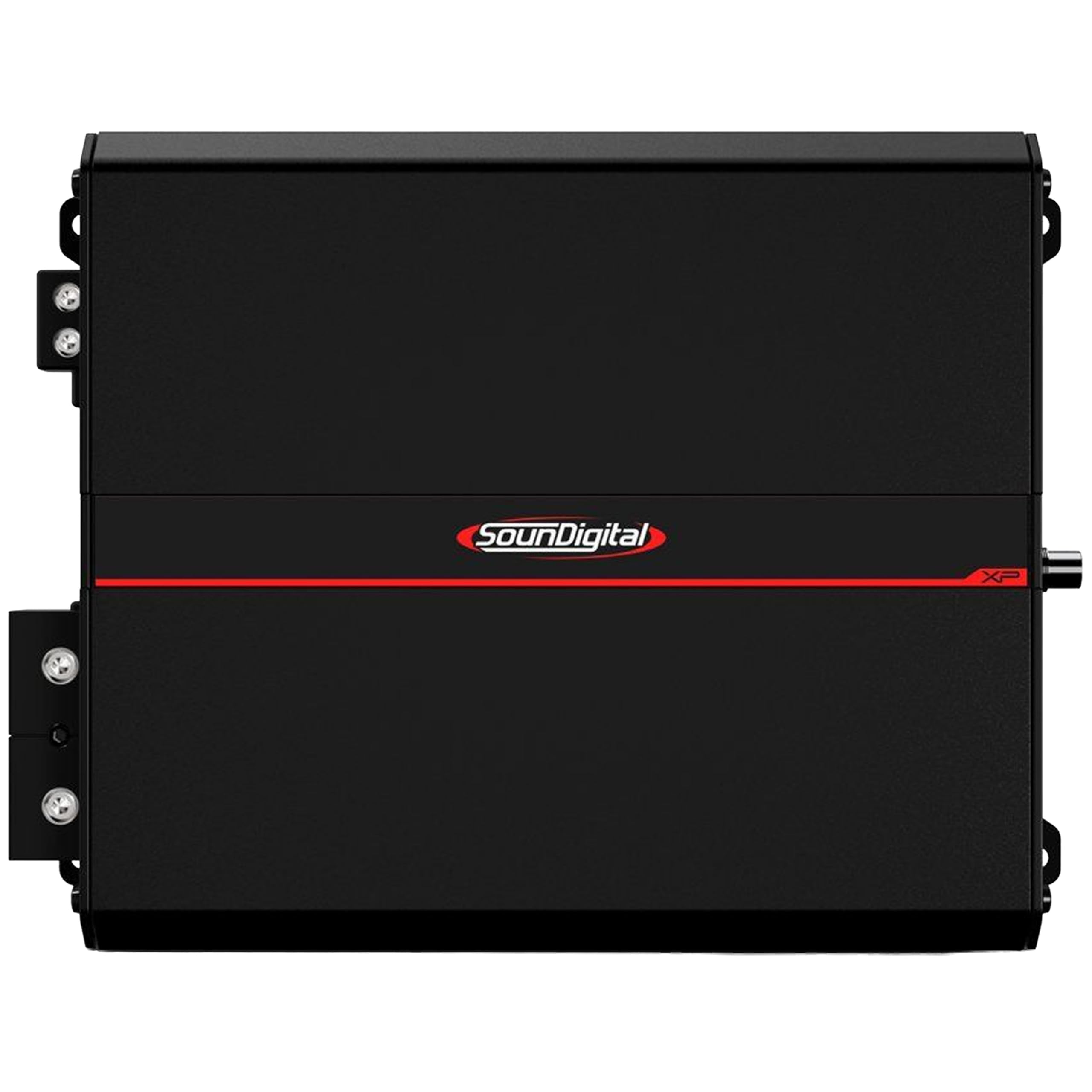
Image 1.1: Front view of the SounDigital XP 5000.1 Monoblock Amplifier, showcasing its sleek design.
2. Safety Information
- Electrical Safety: Always disconnect the vehicle's battery before making any electrical connections. Ensure all wiring is properly insulated to prevent short circuits.
- Ventilation: Install the amplifier in a location with adequate airflow to prevent overheating. Do not block ventilation openings.
- Professional Installation: If you are unsure about any installation steps, seek assistance from a qualified professional installer.
- Power Requirements: Ensure your vehicle's electrical system can support the amplifier's power demands. Use appropriate gauge power and ground wires.
- Hearing Protection: Prolonged exposure to high volume levels can cause permanent hearing damage. Use caution when adjusting volume.
3. What's in the Box
Upon unpacking your SounDigital XP 5000.1 Monoblock Amplifier, please verify that all components are present:
- SounDigital XP 5000.1 Monoblock Channel Amplifier (Quantity: 1)
- User Manual (this document)
4. Setup and Installation
Proper installation is crucial for the performance and longevity of your amplifier. Follow these general guidelines:
- Mounting Location: Choose a dry, well-ventilated area, away from direct sunlight and heat sources. Ensure the mounting surface is sturdy.
- Power Wiring: Connect the main power cable (positive) directly to the vehicle's battery, using an appropriate fuse holder within 18 inches of the battery.
- Ground Wiring: Connect the ground cable to a clean, unpainted metal surface on the vehicle chassis. The ground point should be as short as possible.
- Remote Turn-On: Connect the remote turn-on wire from your head unit to the amplifier's REM terminal. This turns the amplifier on and off with your stereo.
- Audio Input: Connect RCA cables from your head unit's pre-out to the amplifier's input terminals.
- Speaker Output: Connect your subwoofer(s) to the amplifier's speaker output terminals, observing correct polarity. Ensure the speaker impedance matches the amplifier's specifications.
- Gain Adjustment: Start with the gain control at its minimum setting. Gradually increase it until you achieve the desired volume without distortion.
- Crossover Settings: Adjust the low-pass filter (LPF) and subsonic filter (HPF) according to your subwoofer and system requirements to optimize sound quality and protect your speakers.

Image 4.1: Rear view of the SounDigital XP 5000.1 Monoblock Amplifier, showing the various connection terminals for power, ground, remote, and audio inputs/outputs.
5. Operating Instructions
Once properly installed, operating your SounDigital XP 5000.1 amplifier is straightforward:
- Power On/Off: The amplifier will automatically turn on when your head unit is powered on (via the remote turn-on wire) and turn off when the head unit is off.
- Volume Control: Adjust the main volume through your head unit. The amplifier's gain control should be set once during installation and generally not used for daily volume adjustments.
- Audio Adjustments: Fine-tune bass levels and other audio characteristics using your head unit's controls or external processors, if applicable.
6. Maintenance
To ensure the longevity and optimal performance of your amplifier, follow these maintenance tips:
- Cleaning: Use a soft, dry cloth to wipe down the amplifier's exterior. Do not use harsh chemicals or abrasive cleaners.
- Ventilation: Periodically check that the amplifier's ventilation fins are free from dust and debris. Use compressed air to clear any blockages.
- Connection Checks: Occasionally inspect all power, ground, remote, and speaker connections to ensure they are secure and free from corrosion. Loose connections can lead to poor performance or damage.
- Environmental Conditions: Avoid exposing the amplifier to extreme temperatures, moisture, or direct sunlight for extended periods.
7. Troubleshooting
If you encounter issues with your amplifier, refer to the following common problems and solutions:
| Problem | Possible Cause | Solution |
|---|---|---|
| No Power / Amplifier does not turn on | Blown fuse, loose power/ground/remote wire, faulty remote signal | Check amplifier and main power fuses. Verify all power, ground, and remote connections are secure and receiving proper voltage. |
| No Sound Output | Loose RCA cables, incorrect gain setting, speaker wiring issues, amplifier in protection mode | Ensure RCA cables are securely connected. Check gain setting. Verify speaker wires are correctly connected and not shorted. If in protection, check for overheating or impedance issues. |
| Distorted Sound | Gain set too high, improper crossover settings, poor quality audio source, damaged speakers | Reduce gain setting. Adjust LPF/HPF settings. Test with a different audio source. Inspect speakers for damage. |
| Amplifier Overheating | Insufficient ventilation, impedance too low, prolonged high volume use | Ensure adequate airflow around the amplifier. Verify speaker impedance meets specifications. Reduce volume or allow amplifier to cool down. |
If these steps do not resolve the issue, please contact customer support.
8. Specifications
Key technical specifications for the SounDigital XP 5000.1 Monoblock Amplifier:
- Manufacturer: SounDigital
- Brand: SounDigital
- Model Number: Xp 5000.1-cr
- Number of Items: 1
- Included Components: SounDigital XP 5000.1 Monoblock Channel Amplifier
- UPC: 810217641053
- ASIN: B0GVGKXTF7
- GTIN: 810217641053
9. Warranty and Support
The SounDigital XP 5000.1 Monoblock Amplifier comes with a 90 days limited warranty. This warranty covers manufacturing defects under normal use. Please retain your proof of purchase for warranty claims.
For technical support, warranty service, or further inquiries, please contact the manufacturer or your authorized dealer. Do not attempt to repair the amplifier yourself, as this may void the warranty and cause further damage.