
1. Introduction
Thank you for purchasing the EENOUR CL20 Portable Refrigerator. This appliance is designed to provide efficient and reliable cooling or freezing for various applications, including home, outdoor, camping, and vehicle use. With its advanced compressor technology, wide temperature range, and portable design, the CL20 ensures your food and beverages remain fresh and cool wherever you go. Please read this manual thoroughly before use to ensure safe operation and optimal performance.
2. Safety Information
To prevent injury to yourself and others, or damage to the appliance, please observe the following safety precautions:
- Ensure the power supply voltage matches the specifications of the refrigerator.
- Do not operate the appliance if the power cord is damaged or if the unit shows signs of malfunction. Contact customer support immediately.
- Keep the ventilation openings clear of obstructions to ensure proper airflow and prevent overheating.
- Do not immerse the refrigerator in water or expose it to heavy rain.
- Avoid placing flammable or explosive substances inside the refrigerator.
- Always disconnect the power before cleaning or performing any maintenance.
- Do not allow children to play with or operate the appliance unsupervised.
- Handle the unit with care, especially when moving it, to avoid damage to internal components.
3. Product Overview
Familiarize yourself with the components of your EENOUR CL20 Portable Refrigerator.
3.1 Main Unit and Features
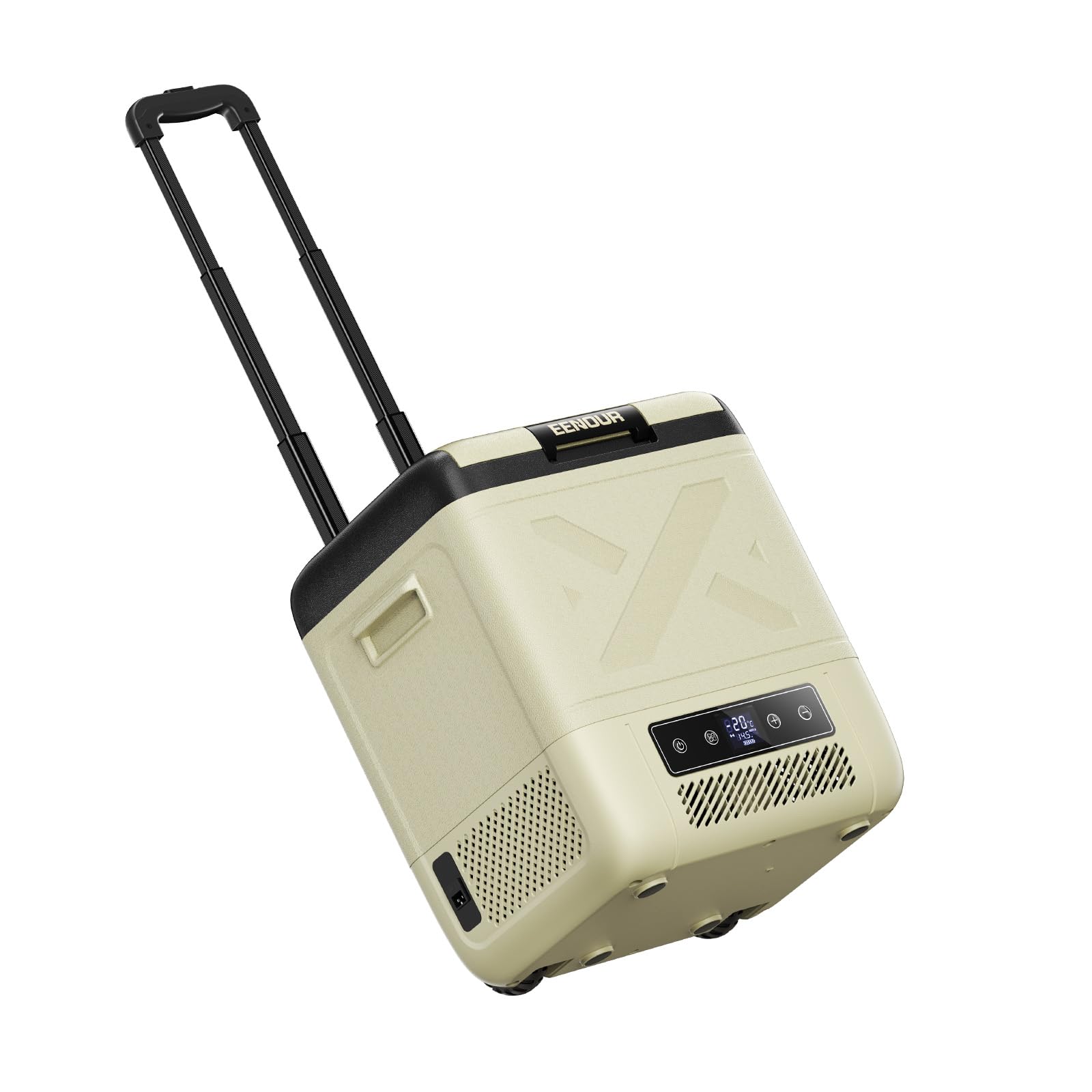
Figure 3.1: EENOUR CL20 Portable Refrigerator. This image shows the overall design of the CL20 unit, highlighting its compact and robust exterior.

Figure 3.2: CL20 with telescopic handle extended. The retractable handle and integrated casters allow for easy transportation.

Figure 3.3: Interior view of the CL20, demonstrating its spacious 20L capacity and flat design for efficient storage of various items.

Figure 3.4: Close-up of the control panel, featuring a clear display and intuitive buttons for temperature adjustment and mode selection.
3.2 Power Options
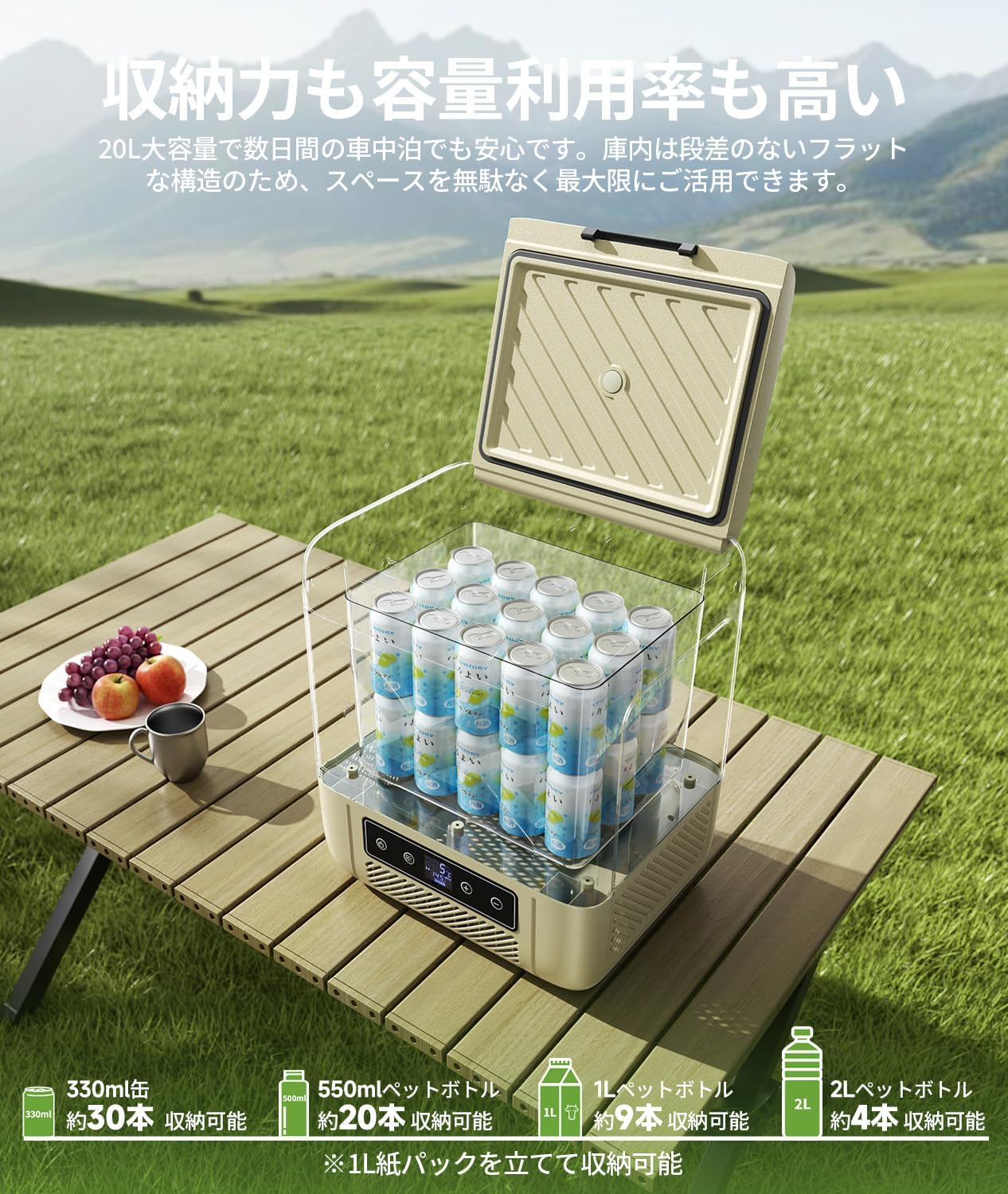
Figure 3.5: Diagram illustrating the 4-way power compatibility of the CL20: AC (100V-240V), DC (12V/24V), optional DB01 battery, and portable power sources.
4. Setup
4.1 Initial Preparation
- Unpack the refrigerator and remove all packaging materials.
- Clean the interior and exterior with a damp cloth before first use.
- Place the refrigerator on a flat, stable surface, ensuring adequate ventilation around the unit (at least 10 cm clearance on all sides).
4.2 Power Connection
The CL20 supports multiple power sources:
- AC Power (Home Use): Connect the AC adapter to the refrigerator's AC input port, then plug the AC power cord into a standard 100V-240V wall outlet.
- DC Power (Vehicle Use): Connect the DC power cord to the refrigerator's DC input port, then plug the other end into your vehicle's 12V or 24V cigarette lighter socket.
- Optional Battery Power: If using the optional DB01 battery, insert it into the designated battery slot on the unit. The refrigerator will automatically switch to battery power when external power is disconnected.
For optimal cooling performance, it is recommended to pre-cool the refrigerator using AC power before loading items, especially for extended outdoor use.
5. Operating Instructions
5.1 Powering On/Off
- Press the power button on the control panel to turn the refrigerator on or off.
- The display will illuminate, showing the current internal temperature.
5.2 Temperature Setting
- Use the '+' and '-' buttons on the control panel to adjust the desired temperature. The temperature can be set in 1°C increments.
- The CL20 offers a wide temperature range from -20°C to 20°C.
5.3 Cooling Modes (MAX/ECO)
The refrigerator features two cooling modes:
- MAX Mode: Provides rapid cooling with higher power consumption (approx. 45W). Use this mode for quick temperature drops or in very hot environments.
- ECO Mode: Offers energy-efficient operation with lower power consumption (approx. 35W). Ideal for maintaining temperature over longer periods, especially when using battery power.
- Switch between modes using the dedicated button on the control panel.

Figure 5.1: Power consumption comparison between ECO and MAX modes. ECO mode reduces power consumption by approximately 22% compared to MAX mode.
5.4 Interior LED Light

Figure 5.2: The interior LED light automatically illuminates when the lid is opened, providing visibility in low-light conditions.
5.5 Automatic Power Switching

Figure 5.3: When the vehicle engine is turned off, the refrigerator automatically switches from DC power to the optional internal battery, ensuring continuous cooling without manual intervention.
6. Maintenance
6.1 Cleaning
- Always disconnect the power before cleaning.
- Clean the interior and exterior surfaces with a soft cloth dampened with mild detergent and water.
- Do not use abrasive cleaners, solvents, or sharp objects, as these can damage the surfaces.
- Ensure the unit is completely dry before reconnecting power.
- Regularly check and clean the ventilation openings to prevent dust buildup.
6.2 Storage
- When not in use for an extended period, ensure the refrigerator is clean and dry.
- Store the unit in a dry, well-ventilated area, away from direct sunlight and extreme temperatures.
- It is recommended to leave the lid slightly ajar to prevent odors and mold growth.
7. Troubleshooting
If you encounter issues with your EENOUR CL20, refer to the following common problems and solutions:
7.1 Common Issues
- Refrigerator not cooling: Check power connection, ensure power outlet is functional, verify temperature setting, ensure ventilation is not blocked.
- Display not working: Check power connection. If using battery, ensure it is charged.
- Unusual noise: Ensure the unit is on a stable surface. Check for any obstructions in the fan or compressor area.
- Error codes: Refer to the specific error code displayed on the control panel and consult the full instruction manual (available for download) for detailed solutions.
7.2 Battery Protection Feature
The CL20 includes a battery protection function to prevent your vehicle's battery from draining completely. When the battery voltage drops below a set level, the refrigerator will automatically stop operation and display an error code.

Figure 7.1: Battery protection voltage levels. The table shows the operating and stop voltages for DC 12V and DC 24V at different protection levels (H: High, M: Medium, L: Low).
If the issue persists after troubleshooting, please contact EENOUR customer support.
8. Specifications
| Feature | Specification |
|---|---|
| Model | CL20-JP |
| Brand | EENOUR |
| Capacity | 20 Liters |
| Dimensions (D x W x H) | 36.4 cm x 44.8 cm x 56.8 cm |
| Product Weight | 10.5 kg |
| Temperature Range | -20°C to 20°C |
| Cooling Method | Compressor Type |
| Power Input | AC 100V-240V, DC 12V/24V |
| Power Consumption (MAX Mode) | Approx. 45W |
| Power Consumption (ECO Mode) | Approx. 35W |
| Defrost System Type | Manual |
| Door Material Type | Plastic |
| Color | Beige |
| Country of Origin | China |
| Included Components | Refrigerator unit, AC power cord, AC adapter, DC power cord, instruction manual |
9. Warranty and Support
The EENOUR CL20 Portable Refrigerator comes with a standard 12-month warranty from the date of purchase. This warranty can be extended by an additional 12 months upon product registration on the official EENOUR website. The warranty covers malfunctions that occur during normal use as described in this instruction manual.
For initial defects, warranty claims, or any other inquiries, please contact EENOUR customer support with your order number. You can also download the full instruction manual from the 'Product Guide and Documents' section on the product page where you made your purchase.
For further assistance, please visit the official EENOUR store: EENOUR Official Store


