
1. Introduction
Thank you for choosing the KIPTUMTEK S47 Wireless Earbuds. These earbuds are designed to provide a high-quality audio experience with advanced features such as Bluetooth 5.4 connectivity, Environmental Noise Cancellation (ENC), and IPX7 waterproofing. This manual will guide you through the setup, operation, and maintenance of your new earbuds.
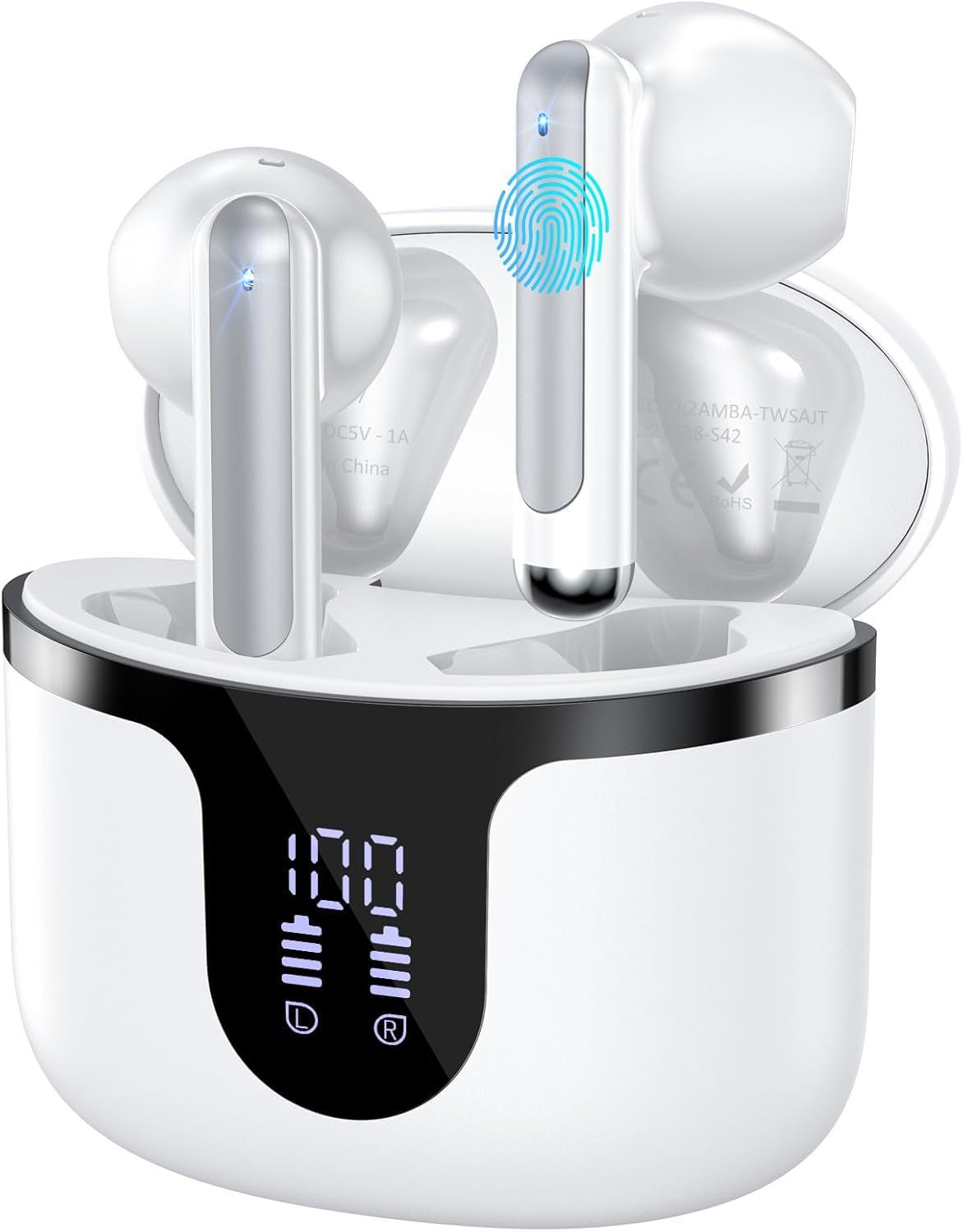
Image 1: KIPTUMTEK S47 Wireless Earbuds and Charging Case.
2. Package Contents
- KIPTUMTEK S47 Wireless Earbuds (Left and Right)
- Charging Case
- USB-C Charging Cable
- User Manual
3. Product Overview
The KIPTUMTEK S47 earbuds feature a compact design for comfortable wear and a charging case with an LED digital display to show battery levels. Each earbud is equipped with touch controls for easy management of audio and calls.

Image 2: The charging case features an LED digital display indicating battery levels for both earbuds and the case itself.

Image 3: The earbuds are designed to be lightweight, weighing only 3.7 grams each, for extended comfortable wear.
4. Setup
4.1 Initial Charging
Before first use, fully charge the earbuds and the charging case. Connect the provided USB-C cable to the charging port on the case and a power source. The LED digital display on the case will show the charging status and battery percentage. A full charge for the earbuds takes approximately 1.5 hours.
4.2 Pairing with a Device
- Ensure the earbuds are charged.
- Open the charging case. The earbuds will automatically enter pairing mode.
- On your device (smartphone, tablet, etc.), enable Bluetooth.
- Search for "S47" in the list of available Bluetooth devices and select it to connect.
- Once connected, you will hear an audible confirmation, and the LED indicator on the case will reflect the connection status.
The earbuds support dual-channel configuration, allowing them to be used as a stereo pair or individually, connecting to separate devices.

Image 4: Illustration of the one-step pairing process for the S47 earbuds with a mobile device.
5. Operating Instructions
The KIPTUMTEK S47 earbuds feature intuitive touch controls on each earbud. The following table outlines the common functions:
| Action | Function |
|---|---|
| Single Tap (Left/Right Earbud) | Play/Pause Music, Answer/End Call |
| Double Tap (Right Earbud) | Next Song |
| Double Tap (Left Earbud) | Previous Song |
| Triple Tap (Right Earbud) | Volume Up |
| Triple Tap (Left Earbud) | Volume Down |
| Long Press (Left/Right Earbud) | Reject Call, Activate Voice Assistant |

Image 5: Diagram illustrating the touch control functions on the earbuds.
5.1 Environmental Noise Cancellation (ENC)
The earbuds utilize ENC technology with 4 microphones to passively reduce background noise by up to 80%, ensuring clear voice transmission during calls and online meetings.

Image 6: The ENC feature helps to isolate your voice from ambient noise for clearer communication.
6. Charging
The earbuds provide 8-10 hours of playback on a single charge. The charging case holds an additional 5 charges, extending total playtime up to 50 hours. The LED display on the case indicates the battery level of both earbuds and the case itself.

Image 7: The charging case displays individual earbud battery levels and the case's charge percentage.
7. Maintenance and Care
- Water Resistance: The earbuds are IPX7 waterproof, making them suitable for sports and workouts. Avoid submerging them in water for extended periods.
- Cleaning: Regularly clean the earbuds and charging contacts with a soft, dry cloth. Do not use abrasive materials or harsh chemicals.
- Storage: Store the earbuds in their charging case when not in use to protect them and keep them charged.
- Temperature: Avoid exposing the earbuds to extreme temperatures (hot or cold).
8. Troubleshooting
8.1 Earbuds Not Pairing
- Ensure both earbuds are charged.
- Place both earbuds back into the charging case, close the lid, then open it again to re-initiate pairing mode.
- Turn off and on your device's Bluetooth, then try searching for "S47" again.
- If issues persist, try resetting the earbuds (refer to manufacturer's website for specific reset instructions if not in manual).
8.2 No Sound or Low Volume
- Check the volume level on both your device and the earbuds.
- Ensure the earbuds are properly connected to your device.
- Clean any debris from the earbud speakers.
8.3 Charging Issues
- Verify the charging cable is securely connected to both the case and the power source.
- Try a different USB-C cable or power adapter.
- Ensure the charging contacts on the earbuds and inside the case are clean and free of obstruction.
9. Specifications
| Feature | Detail |
|---|---|
| Model Number | S47 |
| Brand | KIPTUMTEK |
| Bluetooth Version | 5.4 |
| Bluetooth Range | 15 Meters |
| Ear Placement | In Ear |
| Form Factor | In Ear |
| Noise Control | Active Noise Cancellation (ENC) |
| Battery Average Life (Earbuds) | 8-10 Hours |
| Total Playtime (with Case) | Up to 50 Hours |
| Water Resistance Level | IPX7 Waterproof |
| Audio Driver Type | Dynamic Driver (13mm) |
| Compatible Devices | Smartphones, Tablets, Bluetooth-enabled Devices (iOS/Android) |
| Additional Features | Touch Control, Dual Connect |
| Parcel Dimensions | 9 x 9 x 3.4 cm |
| Item Weight | 80 g |
10. Official Product Video
Video 1: An overview of the KIPTUMTEK Wireless Earbuds, highlighting key features and design.
11. Warranty and Support
The KIPTUMTEK S47 Wireless Earbuds come with a 1 Year Manufacturer Warranty. For warranty claims, technical support, or any inquiries, please contact KIPTUMTEK customer service. Refer to the contact information provided on the product packaging or the official KIPTUMTEK website.
Manufacturer Contact Information: KIPTUMTEK
