
OPPO F33 Pro 5G
OPPO F33 Pro 5G Smartphone User Manual
Model: F33 Pro 5G | Brand: OPPO
Introduction
This manual provides detailed instructions for the OPPO F33 Pro 5G Smartphone. It covers essential information regarding device setup, operation, maintenance, and troubleshooting to ensure optimal performance and user experience. Please read this manual thoroughly before using your device.

Image: Front and back view of the OPPO F33 Pro 5G Smartphone.
1. Device Setup
1.1. Box Contents
Before starting, ensure all items are present in the box:
- OPPO F33 Pro 5G Smartphone
- Phone Case
- Power Adapter (80W SUPERVOOC)
- SIM Tray Ejector
- Screen Protector (pre-applied or in box)
- Quick Start Guide
- USB Type-C Cable
1.2. Inserting SIM Cards
The OPPO F33 Pro 5G supports Dual SIM functionality.
- Locate the SIM card tray on the side of the device.
- Insert the SIM tray ejector tool into the small hole next to the tray and press gently until the tray pops out.
- Place your Nano-SIM cards into the designated slots on the tray. Ensure the gold contacts face downwards.
- Carefully reinsert the tray into the phone.

Image: Side view of the smartphone, indicating the location of the SIM card tray.
1.3. Initial Charging
It is recommended to fully charge your device before first use. Use the provided 80W SUPERVOOC Power Adapter and USB Type-C cable for optimal fast charging.
- Connect the USB cable to the power adapter.
- Plug the adapter into a power outlet.
- Connect the USB Type-C end of the cable to your phone's charging port.
- The charging indicator will appear on the screen.
2. Operating Instructions
2.1. Power On/Off
- To Power On: Press and hold the Power button until the OPPO logo appears.
- To Power Off: Press and hold the Power button, then select "Power Off" from the options on the screen.
- To Restart: Press and hold the Power button, then select "Restart" from the options.
2.2. Basic Navigation
The OPPO F33 Pro 5G runs on Android 15 with ColorOS 16, offering an intuitive user interface.
- Home Screen: Swipe left or right to access different home screens.
- App Drawer: Swipe up from the bottom of the screen to access all installed applications.
- Notifications & Quick Settings: Swipe down from the top of the screen to view notifications and quick settings toggles.
- Recent Apps: Swipe up from the bottom of the screen and hold to view recently used applications.

Image: Illustration of the Dual-Engine Smoothness System powered by ColorOS 16, highlighting smooth performance.
3. Camera Features
The OPPO F33 Pro 5G is equipped with advanced camera systems for high-quality photography.
3.1. Rear Camera
- Main Camera: 50MP with AF f/1.8 aperture.
- Depth Camera: 2MP with f/2.4 aperture.
- Flash: LED Flash for low-light conditions.
3.2. Front (Selfie) Camera
Experience flagship-level imaging with the 50MP Ultrawide Selfie Camera.
- Resolution: 50MP for exceptional clarity.
- Field of View (FOV): 100° widest FOV in its segment, ideal for group selfies.
- Aperture: f/2.0.
- Focal Length: 18mm.
- Auto Wide Switch: Android's first feature that automatically switches to wide-angle when multiple faces are detected in the frame.
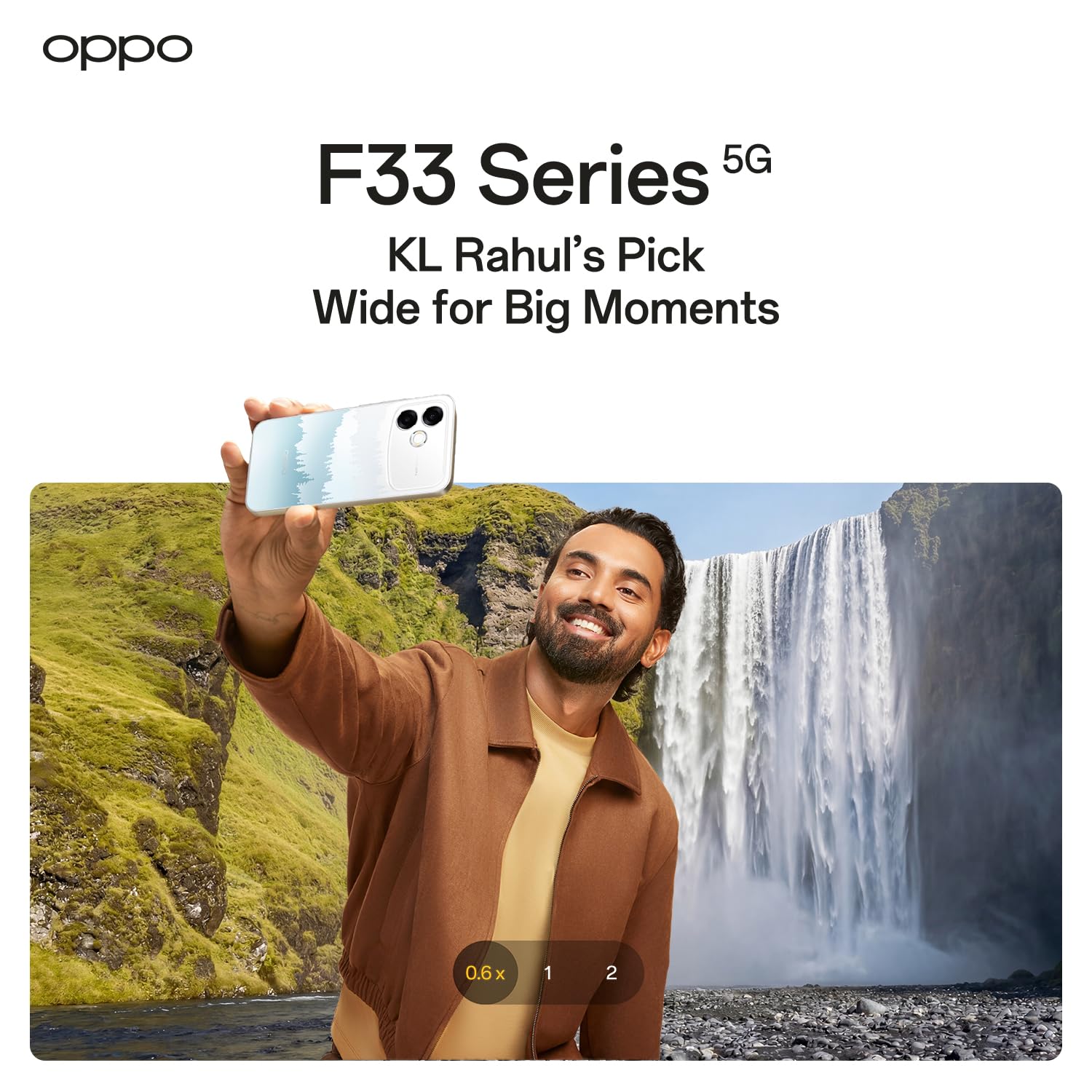
Image: Diagram detailing the specifications of the OPPO F33 Pro 5G's ultra-wide selfie camera.

Image: Demonstration of the automatic wide-angle switch feature for group selfies.
3.3. AI Selfie Expert Features
- Smart Anti-Distortion: Corrects distortion in wide-angle selfies for natural-looking results.
- Multi-Skin Tone Optimisation: Enhances skin tones for diverse groups in selfies.
- AI Portrait Glow: Adds a natural glow to portraits.
- AI Eraser 2.0: Intelligently removes unwanted objects or people from your photos.
- AI Pop Out: Creates dynamic effects by isolating subjects from the background.

Image: Visual representation of AI Selfie Expert features like Smart Anti-Distortion and Multi-Skin Tone Optimisation.
4. Performance and Durability
The OPPO F33 Pro 5G is engineered for robust performance and resilience.
4.1. Robust Build Quality
- IP69K Rating: Provides all-round water and dust resistance, including IP6X dust protection and IPX6, IPX8, IPX9 water resistance.
- MIL-STD-810H Durability: Certified to withstand military-grade shock resistance tests, designed for extreme conditions and everyday rough usage.
- 360° Armour Body: Features a solid metal body with anti-drop guard, airbag protection, and extra tough screen glass for enhanced damage resistance.

Image: Demonstration of the phone's IP69K water and dust resistance in a rainy environment.

Image: Visual highlighting the 360° Armour Body and MIL-STD-810H durability.
4.2. Smooth Performance
- Processor: 6X86MX CPU with a speed of 3.4 GHz.
- RAM: 8 GB for efficient multitasking.
- Cooling System: SGS high-temp smoothness certified Large 4289mm² VC Cooling System, designed to maintain performance even in temperatures up to 40°C.
- Network Connectivity: Strong signal reception everywhere, improved through real-world field tests (Bluetooth, Wi-Fi, 5G cellular technology).

Image: Diagram illustrating the cooling system designed for high temperatures.

Image: Visual showing strong signal reception in challenging environments like elevators, hills, and narrow lanes.
5. Battery and Charging
The OPPO F33 Pro 5G features a large battery and rapid charging capabilities.
- Battery Capacity: 7000 mAh for extended usage.
- Fast Charging: 80W SUPERVOOC Flash Charging minimizes downtime. A 5-minute charge can provide approximately 1 hour of WhatsApp video calls or 1.6 hours of Instagram browsing.
- Reverse Charging: Use an OTG cable to turn your phone into a power bank and charge other devices, ideal for emergencies.
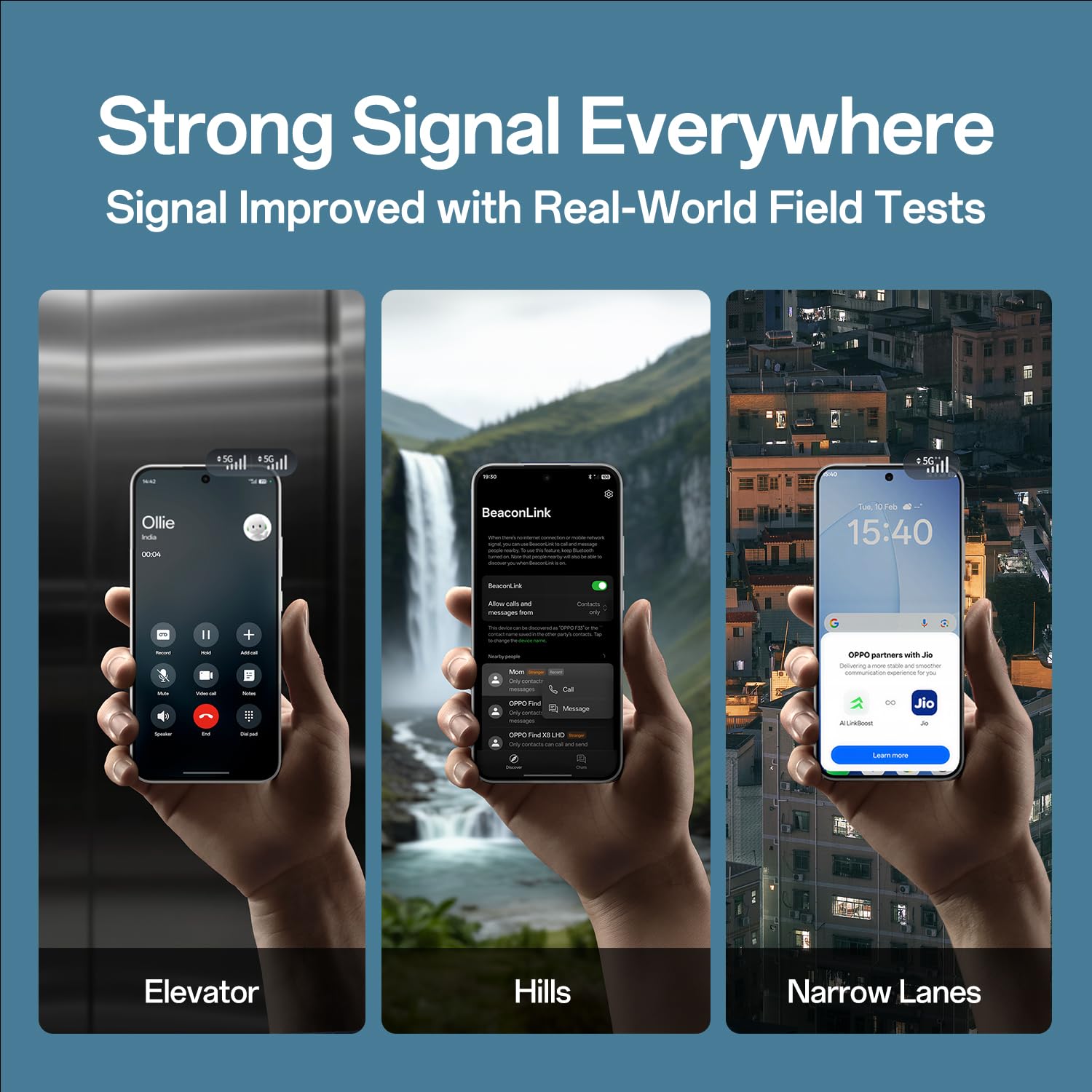
Image: Details on the 7000 mAh battery and 80W Flash Charge, including charging speed benefits.
6. AI Features
Enhance your productivity and creativity with integrated Artificial Intelligence features.
- AI Writer: Assists in drafting content and clarifying ideas, making your writing process more efficient.
- AI Ultra-clear Document: Helps organize your digital tools and speeds up tasks by enhancing document clarity and management.

Image: Visual demonstrating the AI Writer and AI Ultra-clear Document features for smarter work.
7. Maintenance
Proper maintenance ensures the longevity and optimal performance of your OPPO F33 Pro 5G.
- Cleaning: Use a soft, lint-free cloth to clean the screen and body. Avoid abrasive materials or harsh chemicals.
- Software Updates: Regularly check for and install system updates to benefit from the latest features, security patches, and performance improvements. Go to Settings > About device > Up to date to check for updates.
- Storage Management: Periodically clear unnecessary files and apps to free up storage space and maintain device speed.
- Battery Care: Avoid extreme temperatures. Do not leave the phone fully charged or fully discharged for extended periods.
8. Troubleshooting
If you encounter issues with your device, try the following solutions:
| Problem | Solution |
|---|---|
| Device not turning on | Ensure the battery is charged. Connect to the charger for at least 10 minutes, then try powering on. |
| Apps crashing or freezing | Close background apps. Clear app cache (Settings > Apps > [App Name] > Storage > Clear cache). Restart the device. |
| Slow performance | Free up storage space. Close unused apps. Check for system updates. |
| Battery draining quickly | Reduce screen brightness. Disable unused features (Wi-Fi, Bluetooth, GPS). Identify and restrict power-hungry apps in settings. |
| Network connectivity issues | Toggle Airplane Mode on and off. Restart the device. Check SIM card insertion. Reset network settings (Settings > System settings > Backup and reset > Reset phone > Reset network settings). |
If problems persist, contact OPPO customer support or visit an authorized service center.
9. Specifications
| Feature | Detail |
|---|---|
| Brand | OPPO |
| Model Name | F33 Pro 5G |
| Operating System | Android 15 (with ColorOS 16) |
| RAM Memory | 8 GB |
| Memory Storage Capacity | 128 GB |
| CPU Model | 6X86MX |
| CPU Speed | 3.4 GHz |
| Colour | Misty Forest |
| SIM Card Slot Count | Dual SIM |
| Connector Type | USB Type C |
| Form Factor | Slate |
| Product Features | Dual SIM, Expandable Memory, Fast Charging Support, Rugged Body, Stereo Speakers |
| Camera Flash Type | LED |
| Battery Power | 7000 mAh |
| Item Weight | 204 Grams |
| Item Dimensions | 16.3 x 7.8 x 0.8 Centimeters |
| Display Type | AMOLED |
| Wireless Provider | Unlocked for All Carriers |
| Cellular Technology | 5G |
| Network Connectivity | Bluetooth, Wi-Fi |
| Model Year | 2026 |
| Country of Origin | India |
10. Warranty and Support
10.1. Warranty Information
Your OPPO F33 Pro 5G Smartphone comes with a limited warranty:
- Handset: 12 Months
- Power Adapter & Cable: 6 Months
Please retain your proof of purchase for warranty claims.
10.2. Customer Support
OPPO provides comprehensive support services:
- Authorized Service Centers: Over 580 authorized service centers are available for repairs and assistance.
- Hotline Support: For immediate assistance, call 18001032777 (available 9:00 - 22:00 Mon-Sun, including holidays).
- WhatsApp Support: Contact us via WhatsApp at +91-9871 502777.

Image: Information on OPPO's trustworthy services, including hotline, WhatsApp support, and service center details.
Related documentsF33 Pro 5G

Ask a question about this manual
Ask about setup, troubleshooting, compatibility, parts, safety, or missing instructions. Manuals+ will review the question and use this page’s manual context to help answer it.