
Product Overview
The OMIZN X6 is a versatile dual-mode walkie talkie designed for reliable communication across various environments. It combines 4G LTE global coverage with high-power 10W UHF analog communication, featuring a built-in cross-mode repeater to ensure seamless connectivity.
Key Features:
- Dual Mode Operation: Seamlessly switch between 4G LTE cellular networks and 10W UHF analog communication.
- Unlimited Range: Achieve cross-city, state, and country communication under global cellular network coverage.
- Pre-Installed SIM Card: Ready for immediate use in 172 countries.
- One-Key Frequency Match: Quickly synchronize with existing walkie talkies without PC programming.
- Advanced Audio: Smart AI noise cancellation for clear calls.
- Enhanced Security: Supports AES256 encryption, CTCSS/DCS, digital mute, scrambling, and companding.
- Long Battery Life: Equipped with a large capacity battery and adjustable power-saving modes.
- Durable Design: Dust, water, and impact-resistant.
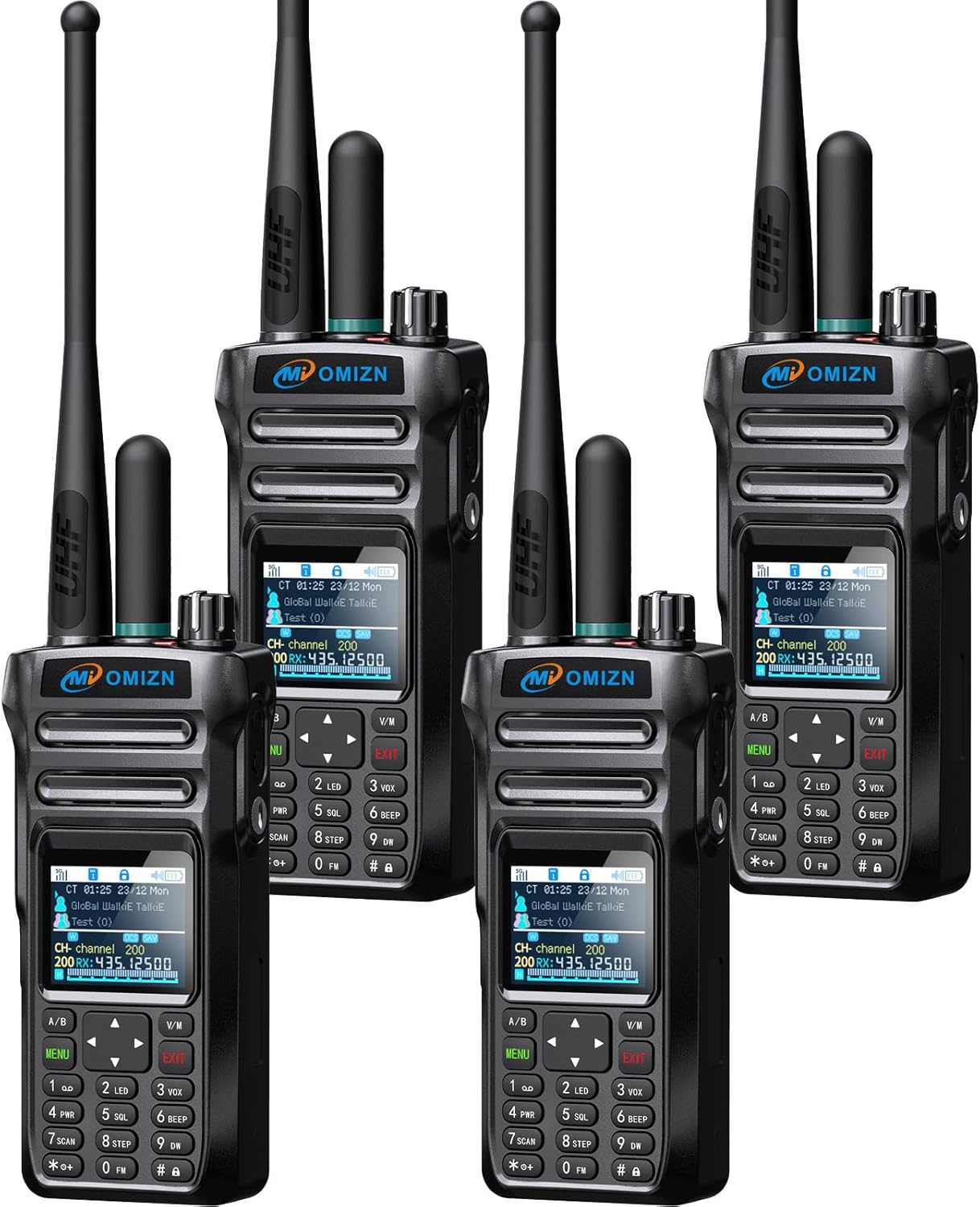
Image: The OMIZN X6 Dual Mode Walkie Talkie, showcasing its robust design and dual antennas.
What's in the Box
Your OMIZN X6 package includes the following components:
- OMIZN X6 Walkie Talkie Unit
- UHF Antenna
- Cellular Antenna
- Rechargeable Battery
- Belt Clip
- Type-C Charger
- Charging Cable
- Lanyard
- User Manual (this document)

Image: All components included with the OMIZN X6 walkie talkie: the radio unit, antennas, battery, belt clip, charger, cable, and lanyard.
Setup Guide
1. Attaching the Antennas
- Carefully screw the UHF Antenna onto the corresponding port on the top of the walkie talkie.
- Screw the Cellular Antenna onto the other port on the top of the walkie talkie. Ensure both are securely fastened.
2. Installing the Battery
- Align the battery with the battery compartment on the back of the walkie talkie.
- Gently push the battery into place until it clicks, indicating it is securely locked.
3. Charging the Device
- Connect the Type-C charging cable to the charging port on the side or bottom of the walkie talkie.
- Plug the other end of the cable into the provided charger, and then into a standard power outlet.
- The charging indicator on the device will illuminate. Allow the device to charge fully before first use.
4. Initial Power On
- Rotate the Power Switch/Volume knob clockwise until you hear a click and the screen illuminates.
- The device will boot up and display the main interface.

Image: A detailed diagram of the OMIZN X6 walkie talkie, labeling its various buttons and ports, including the UHF Antenna, Cellular Antenna, Power Switch/Volume, Headset/Mic Jack, Network PTT Key, UHF Analog PTT Key, Menu/OK, Channel/Frequency Mode Switching Key, Back/Return, Function Key, and FM Radio(RX) Key.
Operating Instructions
Basic Controls
- Power Switch/Volume: Rotate clockwise to power on and increase volume; counter-clockwise to decrease volume and power off.
- Network PTT Key: Press and hold to transmit in 4G LTE mode.
- UHF Analog PTT Key: Press and hold to transmit in UHF Analog mode.
- Menu/OK Button: Access the menu or confirm selections.
- Navigation Keys: Use up/down/left/right arrows to navigate through menus and options.
- Channel/Frequency Mode Switching Key (A/B): Toggle between different channels or frequency display modes.
- Back/Return (V/M): Exit current menu or return to the previous screen.
- Function Keys (SK1, SK2): These keys can be customized for various functions. Refer to the device settings for programming options.
- Keypad Lock: Long press the '#' key to lock/unlock the keypad.
Dual Mode Communication
The OMIZN X6 supports two primary communication modes:
- 4G LTE Mode (Network Mode): Utilizes cellular networks for communication, offering unlimited range. Press the Network PTT Key to transmit.
- UHF Analog Mode (Off-Grid Mode): Uses UHF frequencies for local communication, independent of cellular networks. Press the UHF Analog PTT Key to transmit.
The device features independent PTT buttons for each mode, allowing for seamless switching based on your communication needs and environment.

Image: The OMIZN X6 walkie talkie illustrating the two modes: 4G LTE Mode (Push to talk over cellular) and Off-Grid Mode (Push to communicate via frequency band and channel).
One-Key Frequency Match
To quickly synchronize your OMIZN X6 with other existing walkie talkies:
- Ensure the other walkie talkie is powered on and transmitting on its desired frequency.
- On the OMIZN X6, long press the designated One-Key Frequency Match button (refer to the device diagram or settings for specific button assignment).
- The device will scan and automatically match the frequency, eliminating the need for manual PC programming.
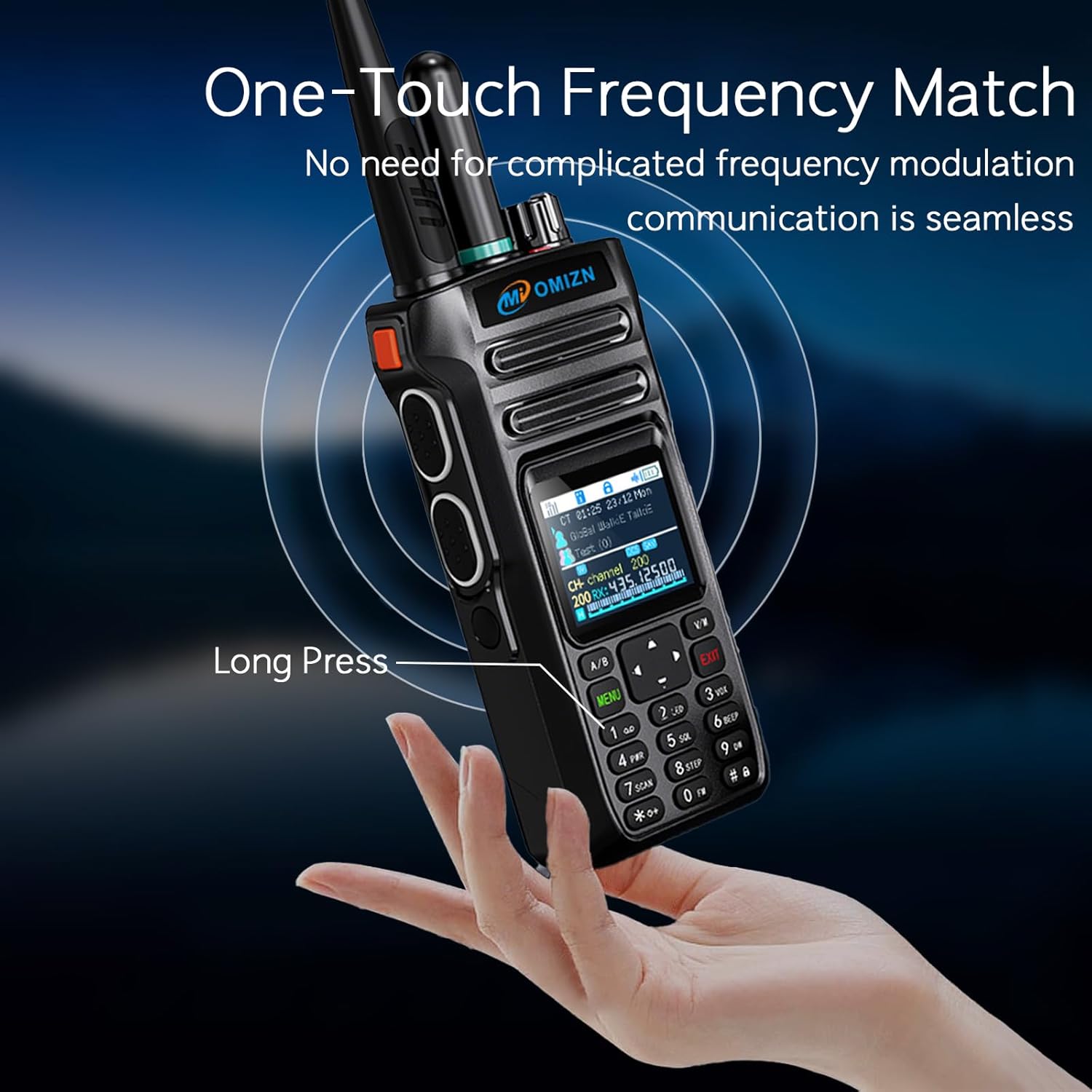
Image: A hand demonstrating the 'Long Press' action on the OMIZN X6 for the One-Touch Frequency Match feature, simplifying communication setup.
Built-in Repeater Function
The OMIZN X6 features a built-in cross-mode repeater that amplifies signals and bridges communication gaps. It supports transferring signals from public network to analog and from analog to public network, significantly increasing communication range, especially in off-grid mode.

Image: An illustration showing the OMIZN X6 acting as a repeater, extending communication range between multiple users in a mountainous outdoor environment.
Noise Cancellation and Encryption
The device incorporates AI noise reduction technology and a large vibration unit to filter out ambient noise, ensuring clear audio even in noisy environments. For secure communication, it supports AES256 encryption, CTCSS/DCS, digital mute, scrambling, and companding to prevent crosstalk and maintain call privacy.

Image: A visual representation of the AI noise cancellation feature, showing how original signal sound is processed to remove distortion and produce clear audio.
Maintenance
Battery Care
- Always use the provided charger and cable for optimal battery health.
- Avoid overcharging or completely draining the battery.
- If storing the device for an extended period, charge the battery to approximately 50% and remove it from the device.
- The removable battery design allows for easy replacement and continuous operation during extended field missions.
Cleaning
- Wipe the device with a soft, damp cloth. Do not use harsh chemicals or abrasive cleaners.
- Ensure all ports are dry before charging or connecting accessories.
Storage
- Store the walkie talkie in a cool, dry place, away from direct sunlight and extreme temperatures.
- Operating temperature range: -20°C to +50°C.
- Storage temperature range: -40°C to +70°C.
Water Resistance
The OMIZN X6 has an IP64 water resistance rating, meaning it is protected from dust ingress and splashing water from any direction. It is not designed for submersion.
Troubleshooting
- No Power: Ensure the battery is correctly installed and fully charged. Rotate the Power Switch/Volume knob clockwise to turn on.
- No Signal (4G LTE Mode): Check cellular network coverage in your area. If signal reception issues occur due to the SIM card, contact customer service for a replacement service.
- Limited Range (UHF Analog Mode): Ensure antennas are securely attached. Obstructions like buildings or terrain can affect range. Consider using the built-in repeater function if available or moving to a higher vantage point.
- Poor Audio Quality: Check volume settings. Ensure the microphone and speaker are not obstructed. The AI noise reduction feature should help in noisy environments.
- Cannot Communicate with Other Radios: Verify that both radios are on the same frequency/channel and in the same mode (analog). Use the One-Key Frequency Match function if applicable.
- Keypad Unresponsive: Check if the keypad lock is activated (long press '#' to toggle).
If you encounter issues not covered here, please refer to the Warranty and Support section for assistance.
Specifications
| Feature | Specification |
|---|---|
| Brand | OMIZN |
| Model Number | X6 |
| Number of Channels | 200 |
| Frequency Range | 4G LTE, UHF (350-520MHz Full Band) |
| Talking Range Maximum | 10000 miles (LTE mode) |
| Power Output | 10W Analog |
| Voltage | 7.4 volts DC |
| Water Resistance Level | IP64 (Water Resistant) |
| Product Dimensions (D x W x H) | 1.54" x 2.24" x 5.24" |
| Item Weight | 6.08 ounces |
| Operating Temperature | -20°C ~ +50°C |
| Storage Temperature | -40°C ~ +70°C |
| Connectivity Protocol | LTE |
| Special Features | Digital Display, Keypad Lock, Long Range, Noise Reduction, Shockproof |
| Battery Capacity | 8000mAh |
| Charging Interface | Type-C |
Official Product Video
Video: An official product video from OMIZN showcasing the X6 Dual Mode Global Walkie Talkie, highlighting its 4G POC/UHF radio capabilities and features.
Warranty and Support
OMIZN is committed to the quality of its products and provides comprehensive customer support for the X6 Dual Mode Walkie Talkie.
- Return and Refund Policy: The product is backed by a 30-day hassle-free return and refund policy.
- Technical Support: Lifetime professional technical support is available for all OMIZN X6 users.
- Contacting Support: For any issues with using, setting up, or operating the product, please contact the OMIZN customer service team via Amazon messaging. Our dedicated team is ready to assist you promptly.