
Introduction
This manual provides detailed instructions for the setup, operation, maintenance, and troubleshooting of your Soudorv Y10 Smart Watch. Please read this manual thoroughly before using the device to ensure proper functionality and to maximize your user experience.
Setup Guide
Follow these steps to set up your Soudorv Y10 Smart Watch and connect it to your smartphone.
- Charge the Smart Watch: Before initial use, fully charge the watch using the provided magnetic charging cable. Connect the cable to a USB power adapter (not included) and attach the magnetic end to the charging points on the back of the watch.
- Download the App: Scan the QR code in the watch's quick start guide or search for "FitCloudPro" in your smartphone's app store (compatible with iOS 9.0+ and Android 4.0+). Download and install the application.
- Enable Bluetooth: On your smartphone, go to settings and ensure Bluetooth is turned on.
- Pair the Device: Open the "FitCloudPro" app. Follow the in-app instructions to add a new device. Select "Y10" from the list of available devices. Confirm the pairing request on both your phone and the watch.
- Enable Bluetooth Call Function: After successful pairing, navigate to the Bluetooth settings within the "FitCloudPro" app or your phone's Bluetooth settings to enable the call function for the watch. This allows you to make and receive calls directly from your watch.
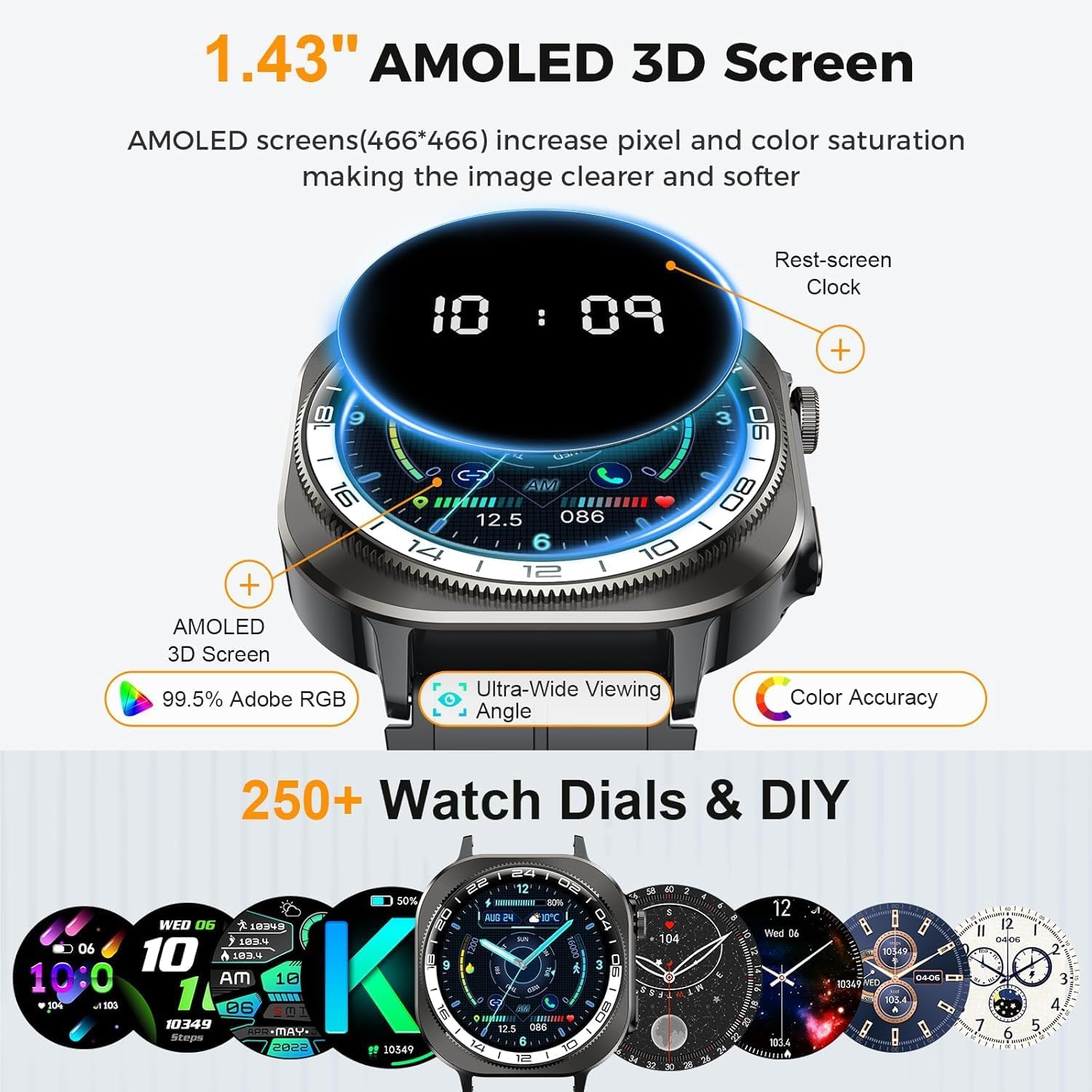
Image: The Soudorv Y10 Smart Watch display, illustrating the clear AMOLED screen and various data points.
Operating Instructions
Display and Watch Faces
The Soudorv Y10 features a 1.43-inch AMOLED color screen with 3D curved tempered glass. You can adjust the screen brightness manually for optimal visibility in various lighting conditions, including direct sunlight. The "FitCloudPro" app offers over 250 online watch faces, and you can also upload your own photos to personalize the watch background.
Image: The Soudorv Y10 Smart Watch showcasing its vibrant AMOLED display and options for customized watch faces.
Bluetooth Calling and Notifications
With its built-in microphone and HD speaker, the smartwatch allows you to make, receive, and reject calls directly from your wrist. You can synchronize contacts and review call history through the device. The watch also supports message notifications from various applications such as Facebook, WhatsApp, Instagram, and Twitter. Ensure the "FitCloudPro" app is configured to receive these notifications.

Image: The Soudorv Y10 Smart Watch showing its Bluetooth call functionality and how message notifications appear on the screen.
Sports Modes and Activity Tracking
The Soudorv Y10 supports over 130 exercise modes, including running, cycling, hiking, skipping rope, dancing, yoga, and skiing. It records real-time data such as steps, distance, and calories, assisting you in tracking your fitness progress and optimizing your workouts.

Image: The Soudorv Y10 Smart Watch interface showing different sports modes and comprehensive activity tracking metrics.
Health Monitoring
Equipped with a high-precision VC30F photoelectric sensor, the watch monitors your heart rate and sleep patterns (deep sleep, light sleep, wake-up time) to provide insights into your physical health. It also includes a menstrual cycle tracking function for women.

Image: The Soudorv Y10 Smart Watch showing its health monitoring capabilities, including heart rate, blood oxygen, and sleep analysis.
Additional Functions
The Soudorv Y10 includes a powerful LED flashlight and a compass, useful for outdoor activities. Other practical functions include a timer, stopwatch, alarm clock, sedentary reminder, weather forecast, brightness adjustment, and a calculator.
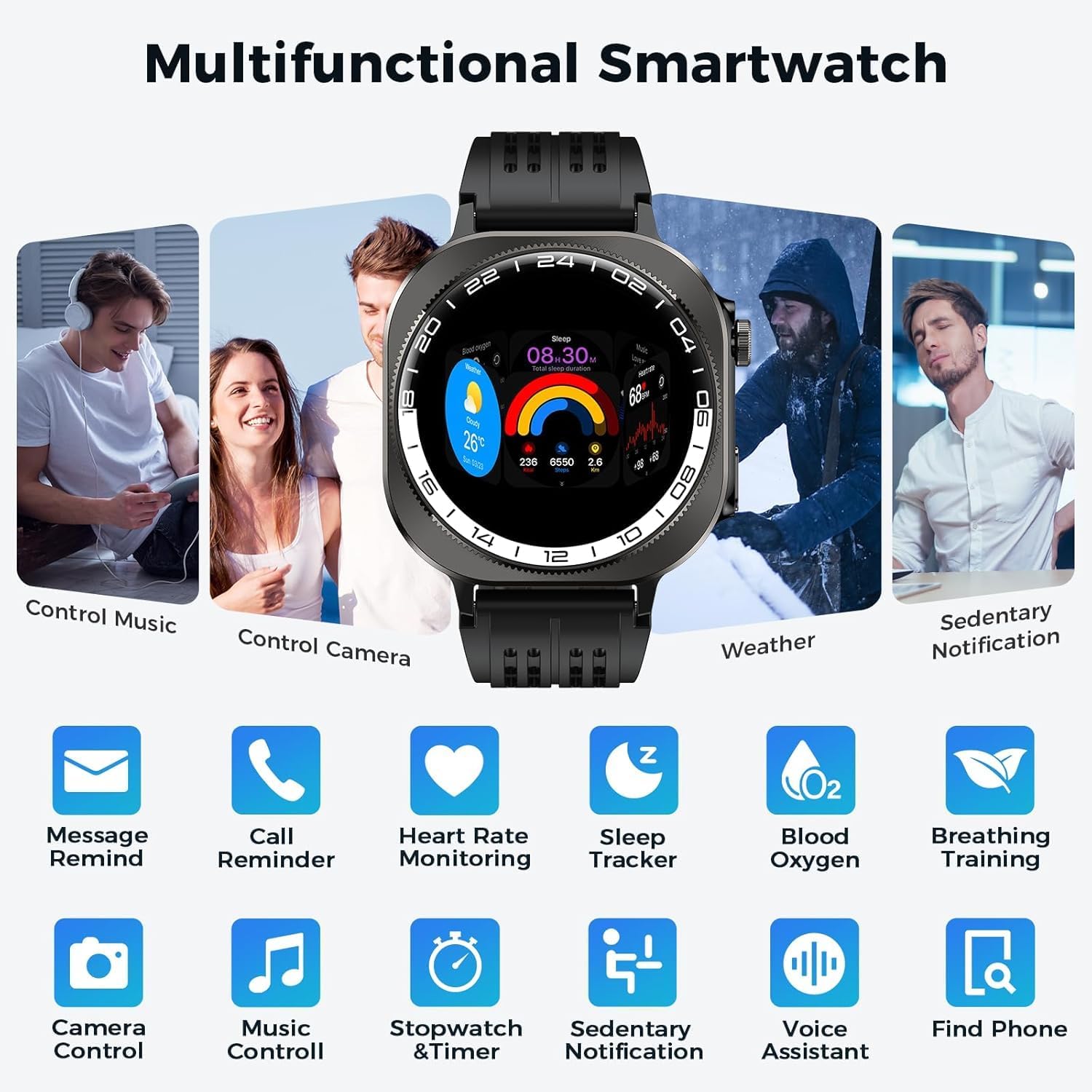
Image: The Soudorv Y10 Smart Watch interface illustrating its diverse range of functions, from music control to voice assistance.
Maintenance
- Cleaning: Regularly clean the watch screen and strap with a soft, dry cloth. For the silicone strap, a damp cloth with mild soap can be used, followed by thorough drying. Avoid harsh chemicals or abrasive materials.
- Water Resistance: The watch is IP68 waterproof, suitable for daily activities like hand washing and use in rain. However, it is not recommended for hot showers, saunas, or diving, as steam and high water pressure can compromise the seals.
- Charging: Use only the provided magnetic charging cable. Ensure the charging contacts on the watch and cable are clean and dry before charging to prevent corrosion.
- Storage: When not in use for extended periods, store the watch in a cool, dry place.
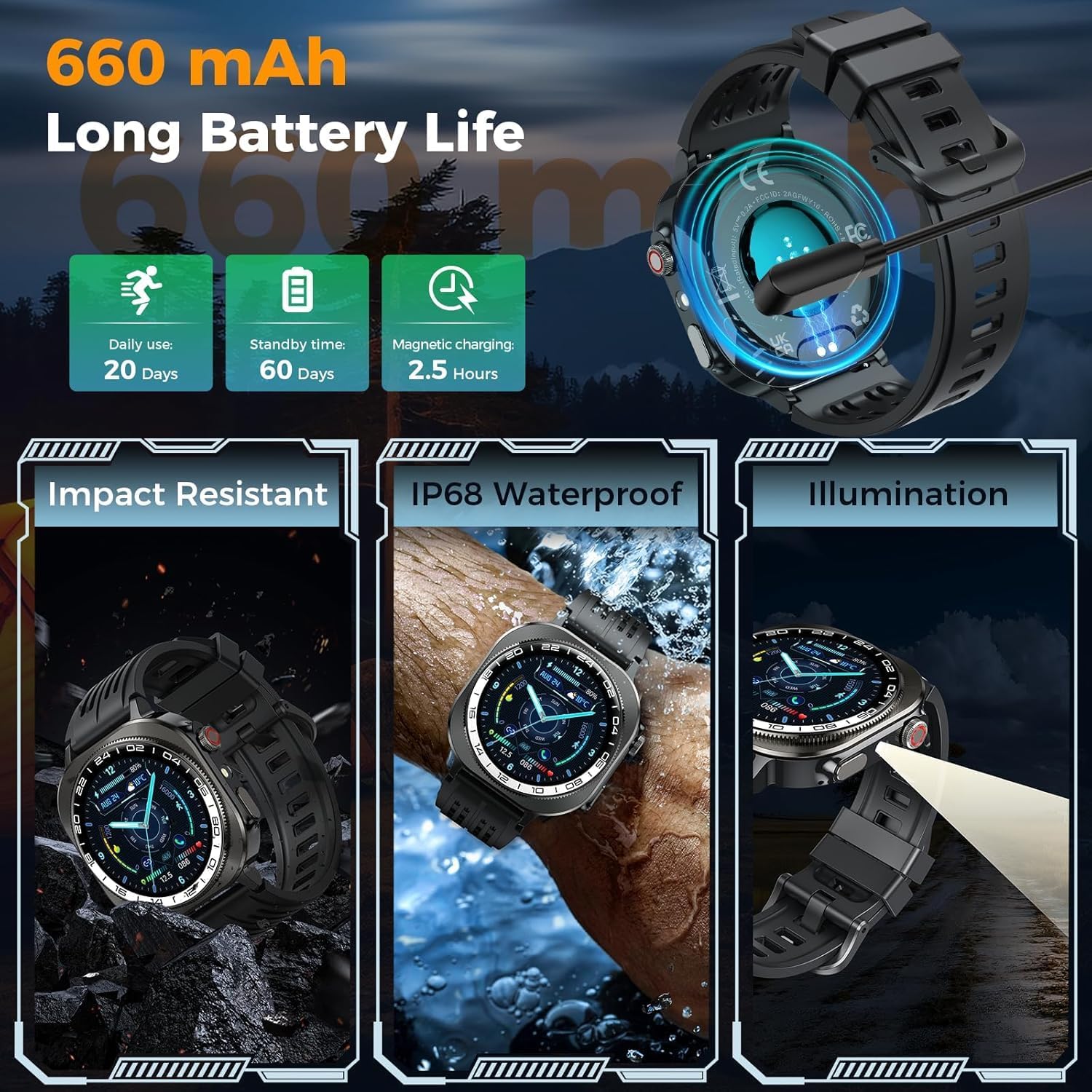
Image: The Soudorv Y10 Smart Watch demonstrating its IP68 waterproof capability and robust design.
Troubleshooting
| Problem | Solution |
|---|---|
| Watch does not turn on or charge. |
|
| Cannot pair with smartphone. |
|
| Notifications are not received. |
|
| Inaccurate health data readings. |
|
Specifications
| Feature | Detail |
|---|---|
| Model Number | Y10 |
| Operating System Compatibility | Android 4.0+ / iOS 9.0+ |
| Screen Type | 1.43-inch AMOLED 3D Screen |
| Connectivity | Bluetooth 5.4 |
| Battery Capacity | 660mAh |
| Charging Time | Approximately 2.5 hours |
| Daily Use Battery Life | Up to 20 days |
| Standby Time | Up to 60 days |
| Water Resistance Rating | IP68 (Water Resistant up to 1 meter) |
| Health Monitoring | Heart Rate, Sleep Tracking, Blood Oxygen, Menstrual Cycle Prediction |
| Sports Modes | 130+ modes (running, cycling, hiking, etc.) |
| Special Features | LED Flashlight, Compass, Bluetooth Call, Message Reminder, Voice Assistant, Music Control, Camera Control, Weather, Alarm, Timer, Stopwatch, Calculator, Sedentary Reminder |
| Dimensions (D x W x H) | 0.51"D x 0.51"W x 0.51"H (Note: This dimension is from product data, actual watch dimensions are approximately 57mm x 48mm.) |
| Band Material | Liquid Silicone |
Warranty and Support
Soudorv provides a 1-Year Unconditional Return & Warranty for the Y10 Smart Watch, covering manufacturing defects and ensuring product satisfaction. For any inquiries, technical assistance, or warranty claims, please contact Soudorv customer support. Our team is available for 24/7 Quick Response to assist you.
Please refer to the official Soudorv website or your purchase documentation for specific contact details and the most up-to-date warranty information.

Image: Information regarding Soudorv's 1-year warranty and 24/7 customer support availability.