
Boytond S30i
Boytond S30i Ultra Open Ear Earbuds User Manual
Model: S30i
1. Introduction
Thank you for choosing the Boytond S30i Ultra Open Ear Earbuds. These earbuds are designed to provide a comfortable, secure, and high-quality audio experience while keeping you aware of your surroundings. Featuring an open-ear design, lightweight construction, and advanced Bluetooth 5.3 connectivity, the S30i earbuds are suitable for various activities, from daily commutes to intense workouts.
2. What's in the Box
Please check the package contents to ensure all items are present:
- Boytond True Wireless Earbuds (x2)
- Boytond Charging Case (x1)
- Fast Charging USB-C Cable (x1)
- Quick Start User Guide (x1)

Image: Contents of the Boytond S30i package, including earbuds, charging case, and USB-C cable.
3. Product Overview
The Boytond S30i earbuds feature an ergonomic clip-on design that ensures a secure and comfortable fit without entering the ear canal. This open-ear design allows you to remain aware of your surroundings while enjoying your audio.
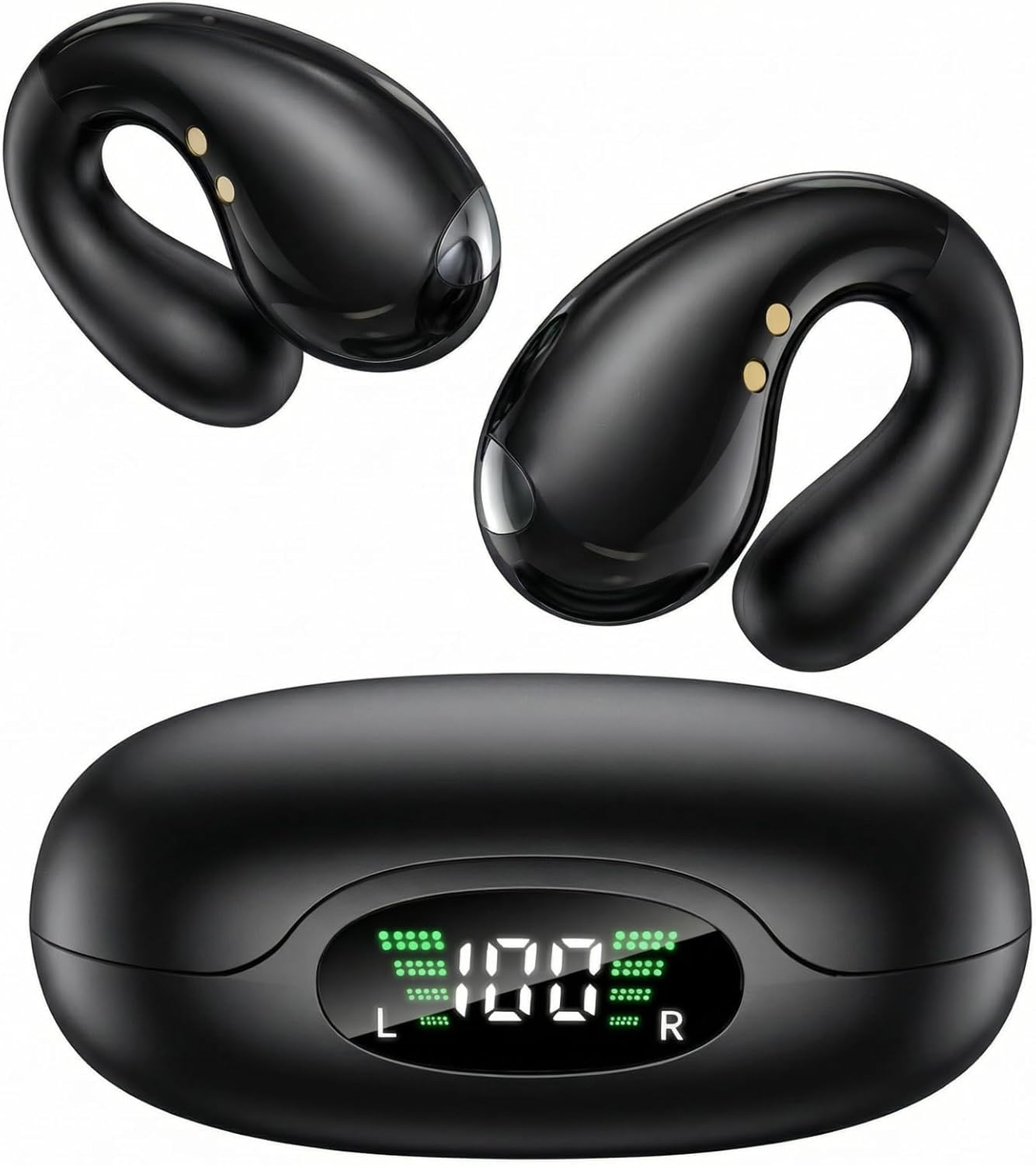
Image: A pair of Boytond S30i Ultra Open Ear Earbuds in Onyx Black.
3.1. Design and Comfort
Each earbud weighs approximately 5 grams, making them exceptionally lightweight for extended wear. The flexible U-shaped hook adjusts to fit various ear shapes, providing a stable and pressure-free experience.

Image: Illustration of the Boytond S30i's flexible clip-on design for a perfect fit.

Image: Boytond S30i earbuds resting on a feather, symbolizing their ultra-lightweight design.
3.2. Audio Technology
Equipped with 16.3mm drivers, these earbuds deliver vibrant, high-fidelity stereo sound. The bone conduction technology ensures clear audio transmission while maintaining environmental awareness.

Image: Exploded view diagram showing the internal audio components of the Boytond S30i earbud, including the 16.3mm driver.
4. Setup
4.1. Charging the Earbuds and Case
Before first use, fully charge the earbuds and charging case. Connect the provided USB-C cable to the charging case and a power source. The LED display on the case will indicate the charging status.
- Earbud Playtime: Up to 10 hours on a single charge.
- Total Playtime with Charging Case: Up to 50 hours.
- Quick Charge: 5 minutes of charging provides approximately 1 hour of playback.

Image: The Boytond S30i charging case connected to a USB-C cable, displaying battery levels for both earbuds and the case.
4.2. Pairing with Your Device
The earbuds utilize advanced Bluetooth 5.3 for fast and stable connections.
- Open the charging case. The earbuds will automatically enter pairing mode.
- On your device (smartphone, tablet, laptop), go to Bluetooth settings.
- Select "Boytond S30i" from the list of available devices.
- Once connected, you will hear an audio prompt, and the earbuds are ready for use.

Image: Boytond S30i earbuds in their charging case, with a smartphone and laptop in the background showing successful Bluetooth connection.
5. Operating Instructions
5.1. Touch Controls
The Boytond S30i earbuds feature intuitive touch controls for easy management of calls and music playback.
- Answer Call: Tap x1 (either earbud)
- Hang Up Call: Tap x1 (either earbud)
- Play/Pause Music: Tap x1 (either earbud)
- Next Song: Tap x2 (either earbud)
- Previous Song: Tap x3 (either earbud)

Image: Visual guide to the touch controls on the Boytond S30i earbuds for managing calls and music.
5.2. Call Quality
The earbuds are designed to provide clear call quality, even in noisy environments, thanks to enhanced microphone technology.

Image: A woman using Boytond S30i earbuds to make a phone call in a busy urban setting, illustrating clear call functionality.
5.3. Usage Scenarios
The secure and open-ear design makes these earbuds ideal for various activities:
- Workouts: The stable fit ensures they stay in place during running, cycling, or gym activities.
- Commuting: Stay aware of traffic and announcements while enjoying your audio.
- Meetings: Comfortable for long calls without isolating you from your immediate environment.

Image: A woman performing a plank exercise while wearing Boytond S30i earbuds, demonstrating their secure fit during physical activity.

Image: A man cycling on a road with Boytond S30i earbuds, highlighting their suitability for outdoor sports and maintaining environmental awareness.
5.4. Product Demonstration Video
Watch this video for a visual guide on the Boytond S30i earbuds' features, fit, and sound experience.
Video: A user demonstrating the lightweight design, adjustable U-shaped hook, open-ear design, secure fit for activities, and 3D surround sound of the Boytond S30i earbuds.
6. Maintenance
To ensure the longevity and optimal performance of your Boytond S30i earbuds, follow these maintenance guidelines:
- Cleaning: Gently wipe the earbuds and charging case with a soft, dry, lint-free cloth. Avoid using abrasive materials or harsh chemicals.
- Storage: When not in use, store the earbuds in their charging case to protect them from dust and damage. Keep them in a cool, dry place away from extreme temperatures.
- Water Resistance: The earbuds are waterproof. However, avoid prolonged submersion in water and ensure they are dry before placing them back in the charging case to prevent damage to the charging contacts.
7. Troubleshooting
If you encounter any issues with your Boytond S30i earbuds, please refer to the following common solutions:
- Earbuds not pairing:
- Ensure the earbuds are charged.
- Turn off and on your device's Bluetooth.
- Forget the device in your Bluetooth settings and try pairing again.
- Place earbuds back in the case, close, then reopen to reset pairing mode.
- No sound or low volume:
- Check the volume levels on both your device and the earbuds.
- Ensure the earbuds are properly connected to your device.
- Clean any debris from the earbud speakers.
- Charging issues:
- Verify the USB-C cable is securely connected to both the case and the power source.
- Ensure the charging contacts on the earbuds and inside the case are clean and dry.
- Try a different charging cable or power adapter.
- Earbuds falling out:
- Adjust the flexible U-shaped hook to ensure a snug fit around your ear.
- Ensure the earbuds are correctly oriented for your left and right ears.
If these steps do not resolve the issue, please contact customer support.
8. Specifications
| Brand | Boytond |
| Model Number | S30i |
| Color | Onyx Black |
| Ear Placement | Open Ear |
| Form Factor | On Ear |
| Control Method | Touch |
| Connectivity Technology | Wireless (Bluetooth) |
| Bluetooth Version | 5.3 |
| Water Resistance Level | Waterproof |
| Audio Driver Type | Bone Conduction Driver |
| Battery Average Life (Earbuds) | 8-10 Hours |
| Battery Charge Time | 1 Hour (for earbuds) |
| Additional Features | Lightweight |
9. Warranty and Support
9.1. Warranty Information
Boytond offers a 365-day no-reason return and warranty service for these headphones. Please retain your proof of purchase for warranty claims.
9.2. Customer Support
For further assistance, technical support, or warranty inquiries, please contact the seller, YOU-JT, through your Amazon order details page or visit the Boytond store on Amazon.
Seller: YOU-JT
Amazon Store: Boytond Store
Ask a question about this manual
Ask about setup, troubleshooting, compatibility, parts, safety, or missing instructions. Manuals+ will review the question and use this page’s manual context to help answer it.