
1. Product Overview
The AirOrig 10000 BTU Portable Air Conditioner is a versatile 3-in-1 unit designed for cooling, dehumidification, and fan operation. It is suitable for medium-sized rooms up to 450 sq. ft. This unit features an auto-evaporation system, a quiet sleep mode, and convenient remote control operation.
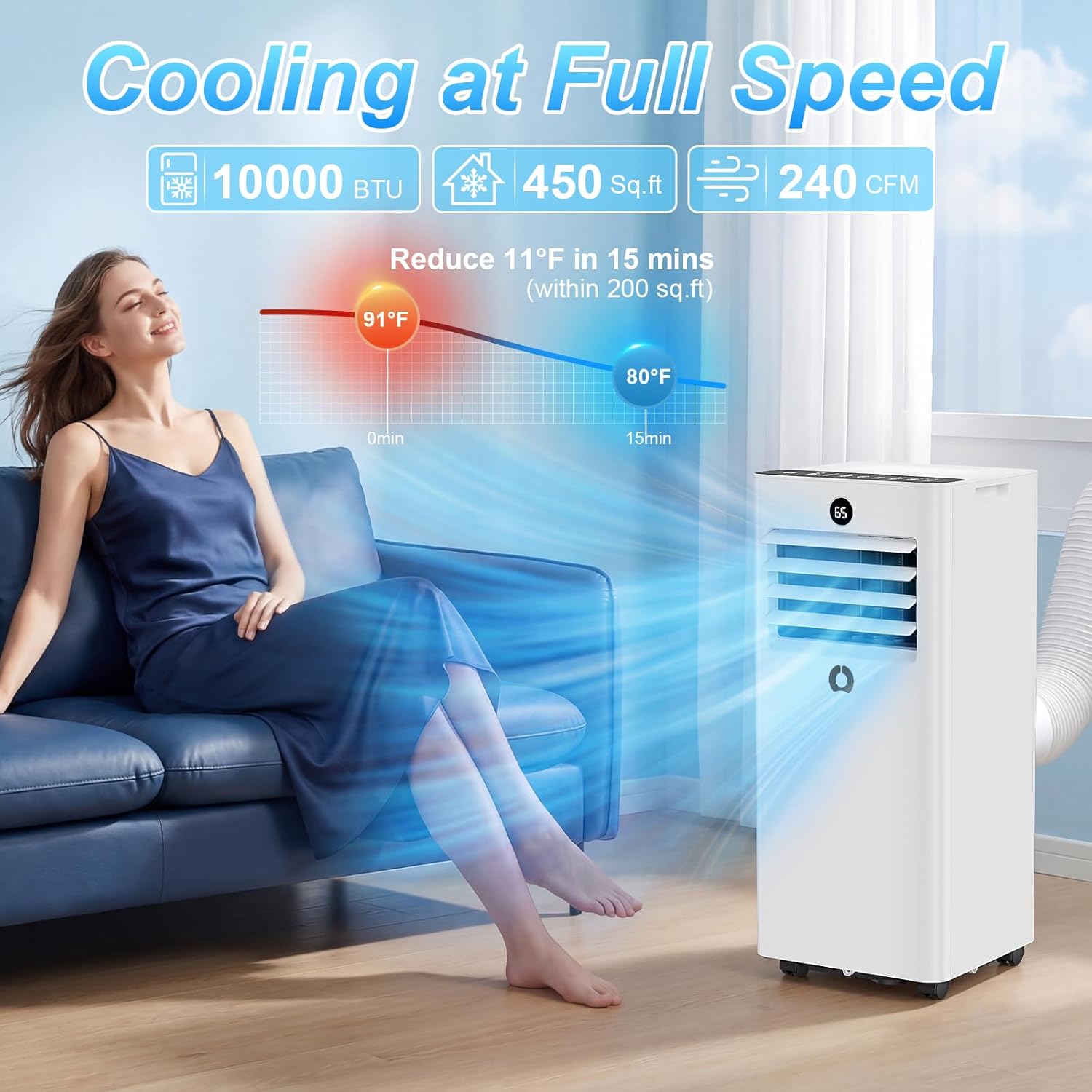
Image 1.1: The AirOrig portable air conditioner effectively cools a room, reducing temperature by 11°F in 15 minutes within 200 sq. ft.
Key Features:
- 3-in-1 Functionality: Cooling, Dehumidification, and Fan modes.
- Powerful Cooling: 10000 BTU capacity for areas up to 450 sq. ft.
- Auto-Evaporation System: Eliminates the need for manual drainage in most conditions (humidity up to 85%).
- Quiet Operation: Sleep Mode reduces noise to 45dB for undisturbed rest.
- Remote Control: Full-function remote for convenient operation from up to 23 ft.
- 24-Hour Timer: Programmable timer for energy saving and automated comfort.
- Adjustable Louvers: For directing airflow.
2. Safety Information
Please read all safety instructions carefully before operating the appliance. Failure to follow these instructions may result in electric shock, fire, or personal injury.
- Always connect the unit to a properly grounded electrical outlet.
- Do not operate the unit with a damaged power cord or plug.
- Do not block the air intake or exhaust vents.
- Keep children and pets away from the unit during operation.
- Do not insert objects into the air vents.
- Unplug the unit before cleaning or performing any maintenance.
- Ensure the unit is placed on a flat, stable surface.
- Do not use the unit near flammable gases or combustible materials.
3. Setup and Installation
3.1 Package Contents
Verify that all items are present in the package:

Image 3.1: Illustrated components of the AirOrig portable air conditioner, including the AC unit, window boards, hose coupler, hose connector, exhaust hose, remote control, and drainage pipe.
- AC Unit
- Window Boards (x2)
- Hose Coupler to Machine
- Hose Connector
- Exhaust Hose
- Remote Control
- Drainage Pipe
3.2 Window Kit Installation
The window kit is designed to fit most standard sliding (gliding) and single/double-hung windows. The adjustable window boards accommodate window openings from 26 to 50 inches.

Image 3.2: Examples of window installation for sliding and single/double-hung windows, showing the adjustable window kit.
- Insert the screws into the holes in the window plates.
- Install the washer and screw, but do not tighten completely yet.
- Place an additional inner plate into the outer plate and secure the screws.
- Adjust the length of the window plates to fit your window opening and close the window to secure them.
- Connect the exhaust hose to the AC unit's adapters.
- Align the connector with the opening on the inside of the window bracket and push it in until it locks into place.

Image 3.3: Visual guide for the six steps of installing the window kit and exhaust hose.
3.3 Important Notes Before Use
- Before initial use, ensure the rubber plugs on the rear, middle, and bottom drainage holes (two in total) are properly inserted.
- Do not connect an external drain hose for normal cooling operation. The unit is designed with an auto-evaporation system that consumes and evaporates condensation water, expelling it outdoors through the heat exhaust pipe.
4. Operating Instructions
The AirOrig portable AC can be controlled via the intuitive control panel on the unit or the included remote control.

Image 4.1: The unit's control panel and remote control, showing various function buttons.
4.1 Control Panel and Remote Functions
| Button/Indicator | Function |
|---|---|
| Power (⏻) | Turns the unit ON or OFF. |
| Mode (☰) | Cycles through Cooling, Dehumidification, and Fan modes. |
| Up (▲) / Down (▼) | Adjusts temperature settings (61℉ to 90℉) or timer settings. |
| Speed (⚡) | Selects fan speed (Low, High). |
| Timer (⏱) | Sets the 24-hour auto ON/OFF timer. |
| Sleep (🌛) | Activates quiet operation mode. |
| Lock (🔒) | Locks the control panel to prevent accidental changes. |
| LED Display | Shows current temperature, timer settings, and mode indicators. |
4.2 Operating Modes
- Cooling Mode: Provides powerful cooling. Set your desired temperature using the Up/Down buttons.
- Dehumidification Mode: Removes excess moisture from the air. The unit will operate in fan mode at a fixed speed.
- Fan Mode: Circulates air without cooling. Select desired fan speed.
- Sleep Mode: Reduces fan speed and noise level for quiet operation, ideal for nighttime use. The display will auto-off.
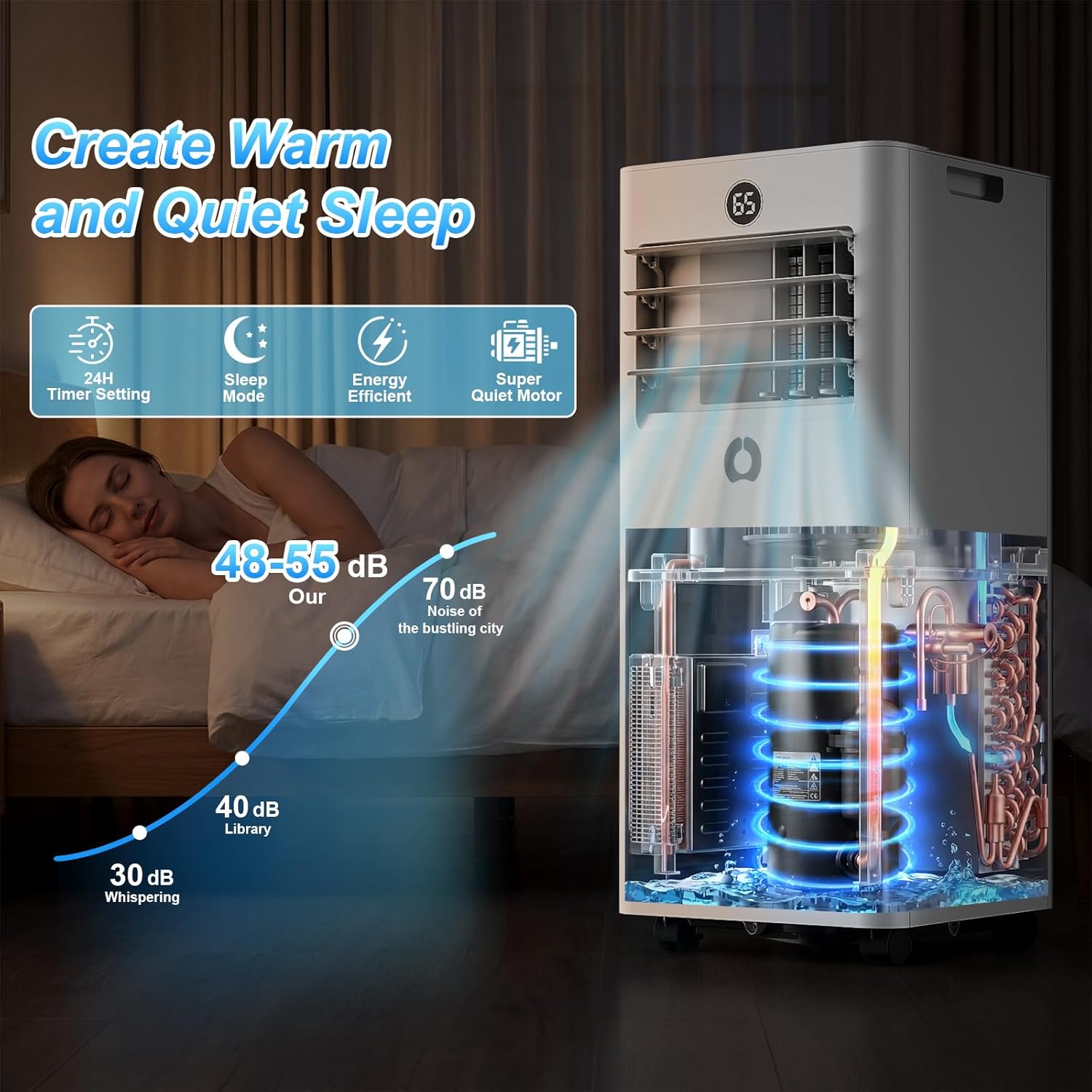
Image 4.2: The unit operating in Sleep Mode, demonstrating its quiet performance (48-55 dB) compared to typical city noise.
5. Maintenance
Regular maintenance ensures optimal performance and extends the lifespan of your AirOrig portable air conditioner.
5.1 Cleaning the Air Filter
The unit features a washable air filter. A clean filter improves air quality and cooling efficiency.

Image 5.1: The washable air filter, along with the remote control, hidden handle, and 360° wheels, highlighting convenience features.
- Unplug the air conditioner from the power outlet.
- Locate the air filter panel (usually at the back or side of the unit).
- Remove the filter by gently pulling it out.
- Wash the filter under running water (warm, not hot) or use a vacuum cleaner to remove dust.
- Allow the filter to air dry completely before reinserting it. Do not expose to direct sunlight.
- Reinsert the dry filter into the unit and close the panel.
Recommendation: Clean the air filter every two weeks or more frequently if the unit is used in a dusty environment.
5.2 General Cleaning
- Wipe the exterior of the unit with a soft, damp cloth. Do not use harsh chemicals or abrasive cleaners.
- Ensure no water enters the electrical components.
5.3 Storage
- Before storing, run the unit in fan mode for a few hours to dry out any internal moisture.
- Clean the air filter and the exterior of the unit.
- Store the unit in a cool, dry place, covered to protect it from dust.
6. Troubleshooting
If you encounter issues with your AirOrig portable air conditioner, refer to the following common problems and solutions:
| Problem | Possible Cause | Solution |
|---|---|---|
| Unit does not turn on | No power supply; Power cord not plugged in; Circuit breaker tripped. | Check power outlet; Ensure cord is securely plugged in; Reset circuit breaker. |
| Insufficient cooling | Air filter dirty; Room too large; Doors/windows open; Exhaust hose not properly installed. | Clean air filter; Ensure room size is within specifications; Close all doors/windows; Verify exhaust hose installation. |
| Unit is noisy | Unit not on a flat surface; Obstruction in fan. | Place unit on a level surface; Check for and remove any obstructions. |
| Water leakage | Drainage plugs not properly inserted; Unit tilted. | Ensure all rubber plugs are securely inserted; Place unit on a level surface. |
| Remote control not working | Batteries dead or incorrectly inserted; Obstruction between remote and unit. | Replace batteries; Ensure correct polarity; Remove obstructions. |
If the problem persists after trying these solutions, please contact customer support.
7. Specifications
Technical specifications for the AirOrig 10000 BTU Portable Air Conditioner, Model A016JE-10K.
| Feature | Specification |
|---|---|
| Brand | AirOrig |
| Model Number | A016JE-10K |
| Cooling Capacity | 10000 BTU |
| Coverage Area | Up to 450 sq. ft. |
| Functions | Cooling, Dehumidification, Fan |
| Dehumidification Capacity | 100 pints/day |
| Noise Level | 45-55 dB (Sleep Mode) |
| Temperature Range | 61℉ to 90℉ |
| Product Dimensions (D x W x H) | 11.38"D x 26.5"W x 11.93"H |
| Item Weight | 48 Pounds |
| Voltage | 110 Volts (AC) |
| Refrigerant | R32 |
| Control Type | Button Control, Remote Controlled |
| Special Features | Child Lock, Fast Cooling, Sleep Mode, Auto-Evaporation |
8. Warranty and Support
8.1 Product Warranty
This AirOrig portable air conditioner comes with a full one-year warranty from the date of purchase. The warranty covers defects in materials and workmanship under normal use. Please retain your proof of purchase for warranty claims.
8.2 Customer Support
For technical assistance, troubleshooting, or warranty inquiries, please contact our expert support team. Our team is available to assist you with any questions or concerns you may have.
Contact Information:
- Email: support@airorig.com
- Phone: 1-800-XXX-XXXX (Please refer to your product packaging or official website for the most current contact details.)
- Website: www.airorig.com


