
Introduction
This manual provides comprehensive instructions for the installation, operation, maintenance, and troubleshooting of your LOCKIMELOW L2 Managed Network Switch, model JT-S203CW-251TS. This device is designed to provide reliable and high-speed network connectivity, supporting advanced features such as LACP, QoS, Stackable configurations, and VLAN management.
The JT-S203CW-251TS switch supports full-duplex and auto-negotiation Gigabit Ethernet data transmission, ensuring fast and stable network performance. Its design prioritizes ease of installation and efficient heat dissipation for continuous, stable operation.
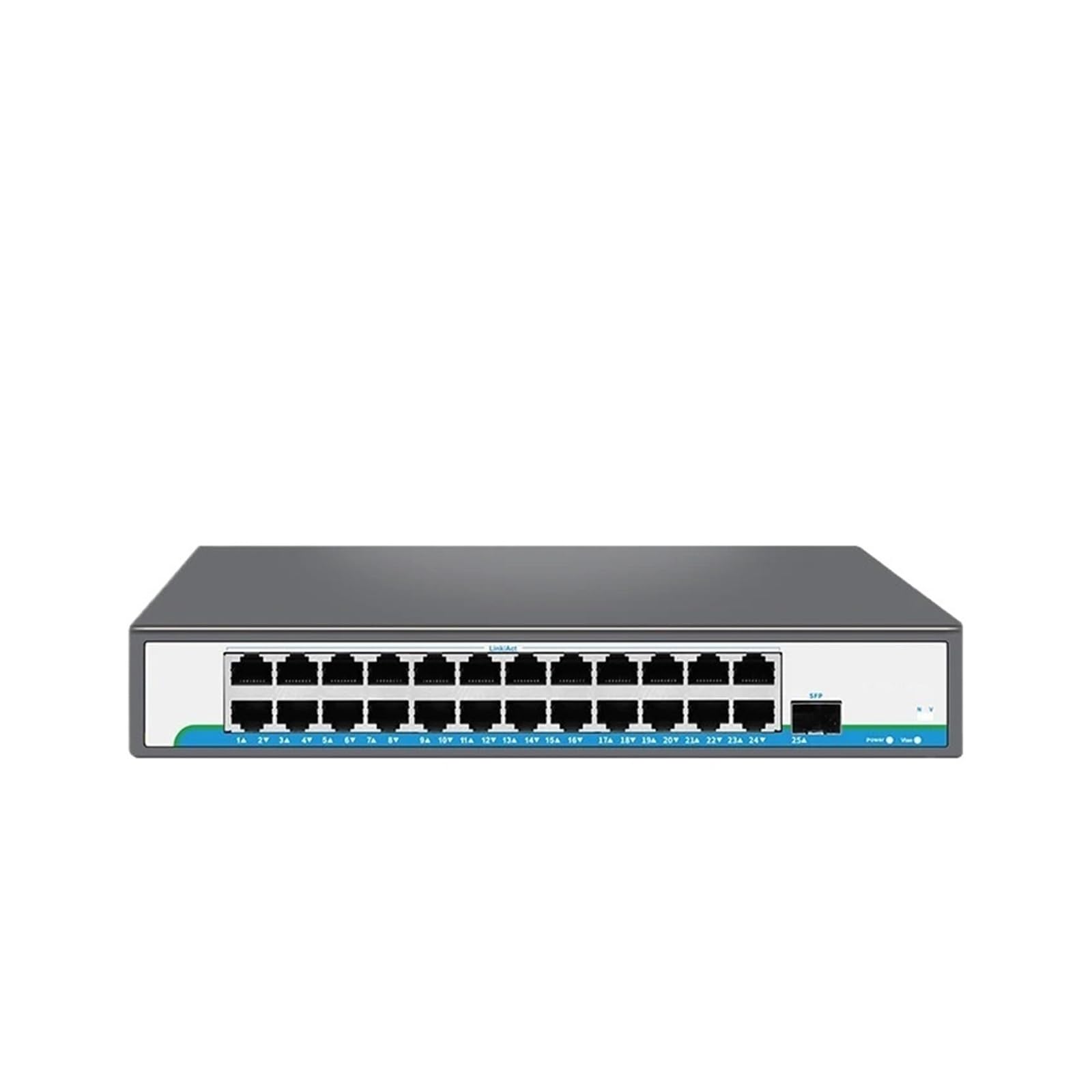
Figure 1: Front view of the LOCKIMELOW JT-S203CW-251TS L2 Managed Network Switch. This image highlights the device's compact form factor and the arrangement of its network ports and indicator lights.
Setup and Installation
Follow these steps to set up your LOCKIMELOW L2 Managed Network Switch.
1. Unpacking
- Carefully remove the switch and all accessories from the packaging.
- Verify that all components are present and undamaged. If any items are missing or damaged, contact your vendor immediately.
2. Physical Placement
- Place the switch on a stable, flat surface or mount it in a server rack. Ensure adequate ventilation around the device to facilitate heat dissipation.
- Avoid placing the switch near heat sources, in direct sunlight, or in areas with high humidity or dust.
3. Connecting Network Cables
- Connect your network devices (e.g., computers, servers, other switches) to the switch's Ethernet ports using Cat5, Cat5e, or Cat6 network cables.
- The switch supports auto-negotiation, so it will automatically detect the speed and duplex mode of the connected devices.
4. Powering On
- Connect the provided power adapter to the switch's power input and then to a suitable power outlet.
- The power indicator LED on the switch should illuminate, indicating that the device is receiving power.
- Allow a few moments for the switch to boot up.
Operating Instructions
Once the switch is powered on and connected, it will begin forwarding network traffic. For basic plug-and-play operation, no further configuration is required.
1. Accessing the Management Interface
As an L2 Managed Network Switch, the JT-S203CW-251TS offers a web-based management interface or a Command Line Interface (CLI) for advanced configuration. Refer to the separate Software Configuration Guide for detailed instructions on accessing and using these interfaces.
Typically, you will need to connect a computer to the switch and configure its IP address to be in the same subnet as the switch's default management IP address. The default IP address and login credentials are usually found on a label on the device or in the Software Configuration Guide.
2. Key Features and Configuration (Overview)
- VLAN Support: Configure Virtual Local Area Networks to segment your network for improved security and performance.
- QoS (Quality of Service): Prioritize network traffic for critical applications, ensuring smooth operation for voice and video communications.
- LACP (Link Aggregation Control Protocol): Combine multiple physical links into a single logical link to increase bandwidth and provide redundancy.
- Stackable: Manage multiple switches as a single unit, simplifying network administration.
- Port Mirroring: Monitor network traffic by sending a copy of packets from one port to another for analysis.
Detailed configuration steps for these features are provided in the Software Configuration Guide.
Maintenance
Regular maintenance helps ensure the longevity and optimal performance of your switch.
1. Cleaning
- Periodically clean the exterior of the switch with a soft, dry cloth.
- Ensure that ventilation openings are free from dust and obstructions to maintain proper airflow and heat dissipation.
- Do not use liquid cleaners or aerosol sprays directly on the device.
2. Firmware Updates
- Check the LOCKIMELOW official website periodically for firmware updates.
- Firmware updates can provide new features, performance improvements, and security enhancements.
- Follow the instructions provided with the firmware update package carefully.
3. Environmental Considerations
- Maintain the operating environment within the recommended temperature and humidity ranges specified in the product's technical specifications.
- Ensure the switch is placed in an area with good airflow to prevent overheating, which can impact performance and lifespan.
Troubleshooting
This section addresses common issues you might encounter with your switch.
1. No Power
- Verify that the power adapter is securely connected to both the switch and a working power outlet.
- Check the power outlet with another device to ensure it is functional.
- Ensure the power adapter is the correct one supplied with the switch.
2. No Network Connectivity
- Check the Ethernet cables connecting your devices to the switch. Ensure they are securely plugged in and undamaged.
- Verify that the link/activity LEDs on the switch ports are illuminated for connected devices. If not, try a different cable or port.
- Ensure the connected devices (e.g., computer, router) are powered on and functioning correctly.
- If using advanced features like VLANs, ensure your configuration is correct.
3. Slow Network Speeds
- Ensure you are using Cat5e or Cat6 cables for Gigabit speeds. Older Cat5 cables may limit performance.
- Check for network congestion. If many devices are active, consider optimizing QoS settings.
- Verify that the switch's ports are operating at the expected speed (e.g., 1000Mbps). This can often be checked via the management interface or by observing LED patterns.
4. Resetting the Switch
If you encounter persistent issues or forget your management interface password, you may need to perform a factory reset. Refer to the Software Configuration Guide for specific instructions on how to reset your JT-S203CW-251TS switch to its default factory settings. Note: A factory reset will erase all custom configurations.
Specifications
Below are the key technical specifications for the LOCKIMELOW JT-S203CW-251TS L2 Managed Network Switch.
| Feature | Description |
|---|---|
| Brand | LOCKIMELOW |
| Model Number | JT-S203CW-251TS |
| Switch Type | L2 Managed Ethernet Switch |
| Transmission Rate | 10/100/1000Mbps (Gigabit Ethernet) |
| Communication Mode | Full-Duplex & Half-Duplex |
| Functions Supported | LACP, QoS, Stackable, VLAN Support |
| Compatibility | Cat5, Cat5e, Cat6 Network Cables |
| Heat Dissipation | Designed for excellent heat dissipation to ensure continuous, stable operation. |
Warranty Information
LOCKIMELOW products are covered by a limited warranty. For specific warranty terms and conditions, including duration and coverage details, please refer to the warranty card included with your product or visit the official LOCKIMELOW website. Keep your proof of purchase for warranty claims.
Customer Support
If you require further assistance or encounter issues not covered in this manual, please contact LOCKIMELOW customer support. You can typically find contact information (phone, email, or support portal) on the official LOCKIMELOW website or on the product packaging.
When contacting support, please have your product model number (JT-S203CW-251TS) and a detailed description of your issue ready.