
Introduction
The Oklar B19T Upper Arm Blood Pressure Monitor is designed for convenient and accurate blood pressure measurement at home. This device features a large LCD backlit display, voice broadcast functionality, and an adjustable cuff suitable for arm circumferences from 8.7 to 16.5 inches. It supports two users with 120 memory records each, allowing for effective tracking of blood pressure trends over time. This manual provides essential instructions for setup, operation, maintenance, and troubleshooting to ensure optimal performance and accurate readings.
Safety Information
- Consult your physician before using this device if you have any medical conditions or are on medication.
- This device is intended for home use and should not replace professional medical advice or treatment.
- Do not self-diagnose or self-medicate based on the measurement results. Always consult a healthcare professional.
- Keep the device out of reach of children and pets.
- Avoid using the device in strong electromagnetic fields or near mobile phones.
- Do not disassemble or attempt to repair the device yourself. Contact customer support for assistance.
Package Contents
Please check the box to ensure all items are present:
- Oklar Upper Arm Blood Pressure Monitor (Main Device) ×1
- Wide Cuff (8.7"-16.5") ×1
- USB Cable ×1
- User Manual ×1
- Quick Start Guide ×1
- Storage Bag ×1

This image shows all items included in the product package: the main blood pressure monitor device, the cuff, a storage bag, the user manual, a quick start guide, and a USB cable.
Product Features
- One-Button Operation: Simplifies the measurement process for ease of use.
- Adjustable Cuff: Fits arm circumferences from 8.7 to 16.5 inches, ensuring a comfortable and accurate fit for various users.
- Large LCD Backlit Display: Provides clear, easy-to-read results, even in low-light conditions.
- Voice Broadcast: Announces measurement results, beneficial for users with impaired vision. Can be muted.
- Dual User Memory: Stores 120 readings for each of two users (total 240 sets) with date and time stamps.
- Dual Power Supply: Operates with 3 AA batteries (not included) for portability or via a Type-C USB cable (adapter not included) for continuous use.
- Irregular Heartbeat Detection: Alerts the user to potential irregular heartbeats during measurement.

This image shows the Oklar B19T Blood Pressure Monitor in use, with the cuff properly placed on an arm. It highlights features like dual users, sound control, one-button operation, and accurate measurement.

This image summarizes key features of the Oklar B19T monitor, including its accuracy, 2x120 memory capacity, irregular heartbeat detection, adjustable cuff, and simple one-button operation.
Setup
1. Power Source
The monitor can be powered by either 3 AA batteries or a Type-C USB cable.
- Battery Installation: Open the battery compartment on the back of the device. Insert 3 AA batteries, ensuring correct polarity (+/-). Close the compartment securely.
- USB Power: Connect the provided Type-C USB cable to the monitor's Type-C port and plug the other end into a compatible USB power adapter (not included) or a USB port. Note: The device is not rechargeable; the Type-C port provides continuous power.

This image displays the two power supply modes for the monitor: using 3 AA batteries (not included) for portability and connecting via a Type-C cable (not for charging) for continuous operation.
2. Cuff Connection
Insert the air tube connector from the cuff firmly into the air jack on the side of the monitor.
3. Date and Time Setting
Upon first use or after battery replacement, you may need to set the date and time. Refer to the Quick Start Guide or the full User Manual for detailed instructions on navigating the settings menu using the 'Set' button.
4. User Selection
The device supports two users. Press the 'User' button (if available, or refer to manual for user switching) to select User 1 or User 2 before taking a measurement to ensure readings are stored in the correct memory profile.
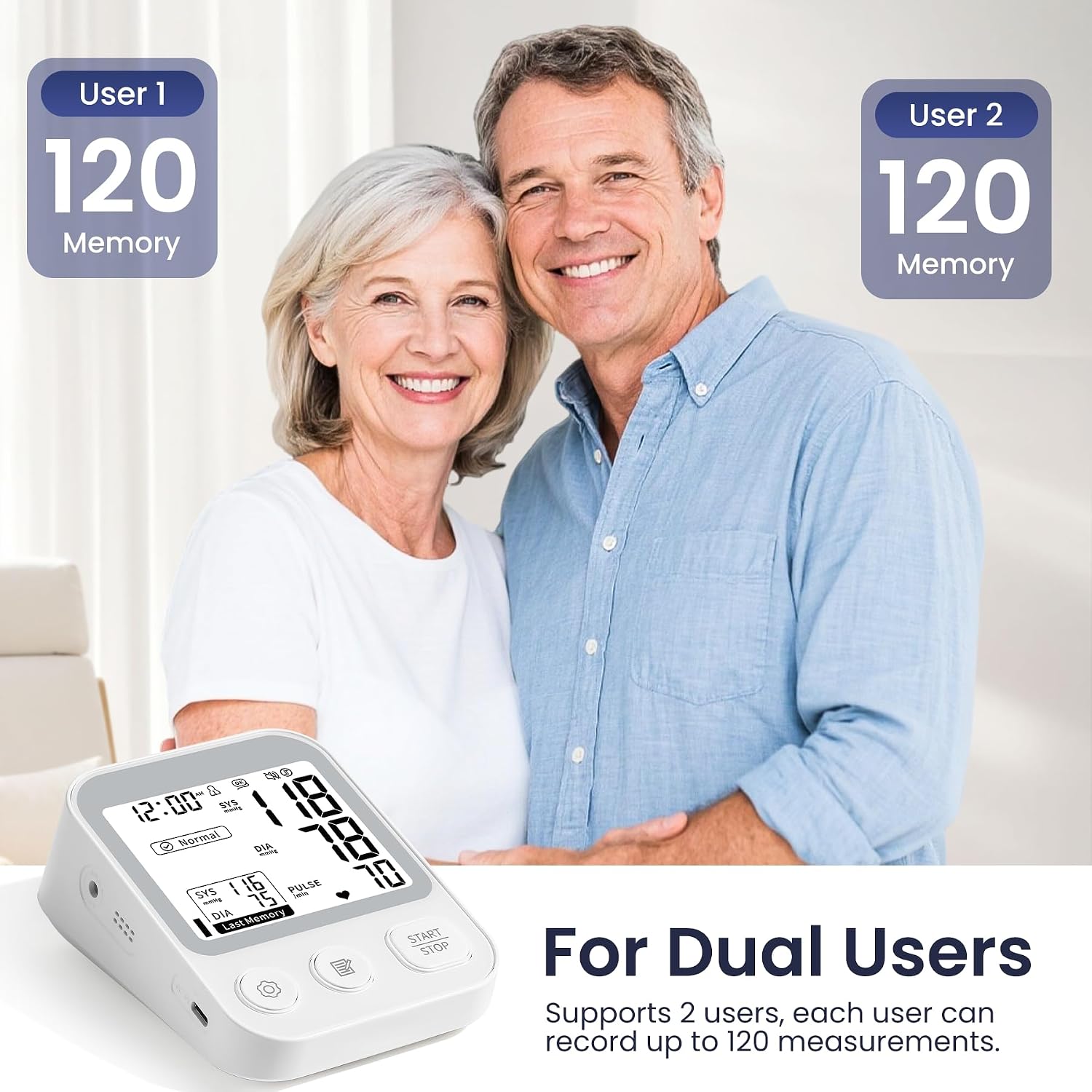
The image highlights the dual-user capability of the monitor, allowing two individuals to independently track their blood pressure with up to 120 memory slots each.
Operating Instructions
1. Preparation for Measurement
For accurate readings, follow these guidelines:
- Rest for at least 10 minutes before taking a measurement.
- Measure before breakfast or before taking medication.
- Avoid measuring immediately after physical activity. Wait at least 30 minutes.
- Ensure you are in a quiet, relaxed environment.
- Sit upright with your back supported and feet flat on the floor.
- Avoid talking or moving during the measurement.

This image provides six crucial steps to ensure accurate blood pressure readings, including resting before measurement, timing measurements, and avoiding certain activities.
2. Applying the Cuff
- Wrap the cuff around your left upper arm, approximately 0.8-1.2 inches (2-3 cm) above the elbow.
- Ensure the air tube is positioned along the center of your arm, pointing towards your hand.
- Leave a small space (about 2 fingers) between your arm and the cuff. The cuff should feel snug but not too tight.
- Position your arm on a table so the cuff is at the same level as your heart.

This visual guide demonstrates how to correctly wrap the cuff 0.8-1.2 inches above the elbow, leave space, keep the arm at heart level, and press the START button for measurement.
3. Taking a Measurement
Once the cuff is correctly applied and you are in a relaxed position, press the START/STOP button. The cuff will automatically inflate and then slowly deflate. The measurement results (Systolic, Diastolic, and Pulse Rate) will be displayed on the screen and announced via voice broadcast (if enabled).
4. Voice Broadcast Settings
The monitor features a voice broadcast function. To adjust the volume or mute the voice, use the dedicated sound control buttons or refer to the settings menu. This feature is particularly helpful for users with visual impairments.

This image illustrates the monitor's voice broadcast function and its easy-to-read design, featuring a large-font LCD screen. It shows options for three-level adjustable volume and a mute function.
5. Reviewing Memory
Press the MEMORY button to view previous readings. The device stores 120 readings for each of the two users, including date and time. Press the button repeatedly to scroll through the stored data.
6. Understanding Readings
The monitor classifies your blood pressure readings into categories (e.g., Normal, Borderline, High) for easy interpretation. Consult your healthcare provider for personalized advice based on your readings.

A close-up of the monitor's LCD screen, demonstrating how it classifies blood pressure readings into High, Borderline, and Normal categories for easy understanding. It also shows the Set, Memory, and Start/Stop buttons.
Maintenance
- Cleaning: Wipe the monitor and cuff with a soft, dry cloth. If necessary, use a slightly damp cloth with mild soap, then wipe dry. Do not use abrasive cleaners or immerse the device in water.
- Storage: Store the device and cuff in the provided storage bag in a cool, dry place, away from direct sunlight, extreme temperatures, and humidity.
- Battery Replacement: Replace all 3 AA batteries when the low battery indicator appears on the display. Remove batteries if the device will not be used for an extended period.
- Cuff Care: Ensure the cuff is not twisted or kinked during storage. Avoid sharp objects that could puncture the cuff.
Troubleshooting
| Problem | Possible Cause | Solution |
|---|---|---|
| Device does not power on. | Batteries are depleted or incorrectly inserted; USB cable not connected properly. | Replace batteries with new ones, ensuring correct polarity. Check USB cable connection. |
| Inaccurate or inconsistent readings. | Improper cuff placement; movement or talking during measurement; not resting before measurement; incorrect arm position. | Ensure cuff is correctly placed and snug. Remain still and silent during measurement. Rest for 10 minutes prior. Keep arm at heart level. |
| Cuff does not inflate or inflates too little/much. | Air tube disconnected or kinked; cuff size is incorrect. | Check that the air tube is securely connected and not obstructed. Ensure cuff fits arm circumference (8.7"-16.5"). |
| Buttons are unresponsive or controls are sluggish. | Low battery power; temporary software glitch. | Replace batteries. Try removing and reinserting batteries to reset the device. |
| Voice broadcast not working or too loud/quiet. | Voice function is muted or volume is set too low/high. | Adjust the volume settings using the dedicated buttons or through the device's menu. |
Specifications
| Model Number | B19T |
| Brand | Oklar |
| Cuff Circumference | 8.7" - 16.5" (22 - 42 cm) |
| Memory Storage | 2 users x 120 readings each (total 240) |
| Power Supply | 3 AA batteries (not included) or Type-C USB (adapter not included) |
| Display | Large LCD Backlit Display |
| Unit Count | 1.0 Count |
| Package Dimensions | 6.3 x 4.88 x 3.23 inches; 1.04 Pounds |
| Manufacturer | Shenzhen Jamr Technology Co., Ltd. |
| UPC | 199874462110 |
Warranty Information
For specific warranty details, please refer to the warranty card included in your product packaging or contact Oklar customer support directly. Keep your purchase receipt as proof of purchase for any warranty claims.
Customer Support
If you have any questions, concerns, or require assistance with your Oklar B19T Blood Pressure Monitor, please contact our customer support team. Contact information can typically be found on the product packaging, the official Oklar website, or the warranty card.


