
Important Safety Instructions
Please read and understand all instructions before attempting to assemble, install, or operate this ceiling fan. Failure to follow these instructions could result in electric shock, fire, or serious personal injury.
- Electrical Safety: All electrical connections must be made by a qualified electrician and conform to local codes and ordinances. Disconnect power at the main circuit breaker before installation or servicing.
- Mounting: The mounting structure must be capable of supporting the weight of the fan (approximately 6.7 kg) plus the dynamic load during operation. Ensure the fan is securely mounted to a ceiling joist or an outlet box marked "Acceptable for Fan Support."
- Blade Clearance: Maintain a minimum clearance of 2.3 meters (7.5 feet) from the floor to the fan blades and at least 0.5 meters (1.6 feet) from the blade tips to any walls or obstructions.
- Remote Control: Use only the provided remote control. Do not attempt to modify the remote or fan wiring.
- Cleaning: Always turn off the fan and disconnect power before cleaning. Use a soft, damp cloth; never use abrasive cleaners.
Package Contents
Verify that all components listed below are present and undamaged before beginning installation. If any parts are missing or damaged, contact Sofucor customer service.
- Ceiling Fan Motor Assembly
- Fan Blades (5x)
- LED Light Kit
- Remote Control
- Mounting Bracket
- Downrod
- Canopy
- Hardware Pack (screws, wire nuts, etc.)
- Instruction Manual
Setup and Installation
This section provides general guidance for installing your Sofucor ceiling fan. For detailed, step-by-step instructions, refer to the included installation manual and any official installation videos provided by Sofucor.
1. Prepare for Installation
- Turn off power at the circuit breaker.
- Ensure the mounting location is suitable and can support the fan's weight.
- Unpack all components and lay them out for easy access.
2. Mount the Bracket and Downrod
Secure the mounting bracket to the ceiling outlet box. Attach the downrod to the motor assembly, feeding the electrical wires through the downrod.
3. Make Electrical Connections
Connect the fan's electrical wires to the household wiring according to the wiring diagram in the detailed manual. Ensure all connections are secure and insulated.
4. Attach Fan Blades and Light Kit
Carefully attach the five fan blades to the motor assembly. Then, connect and secure the LED light kit to the bottom of the fan motor housing.

Image: This illustration shows the process of tightening the fan blade screws and securing the safety rope during installation, ensuring stability and safety.
Note: For visual assistance, Sofucor provides detailed installation videos. Please refer to the manufacturer's website or the QR code in your physical manual for access to these resources.
Operating Instructions
Your Sofucor ceiling fan is controlled by the included remote control. Ensure the remote has fresh batteries installed.
Fan Speed Control
The fan features 6 adjustable speeds. Use the speed buttons on the remote to cycle through the settings:

Image: This diagram illustrates the 6 adjustable fan speeds, categorized into three levels: 1-2 for low soft wind, 3-4 for medium natural wind, and 5-6 for high cool wind, demonstrating airflow intensity.
- Levels 1-2: Low soft wind, ideal for gentle air circulation.
- Levels 3-4: Medium natural wind, suitable for comfortable airflow.
- Levels 5-6: High cool wind, for maximum cooling effect.
Reversible DC Motor (Summer/Winter Mode)
The fan's DC motor allows for reversible blade rotation, optimizing air circulation for different seasons.
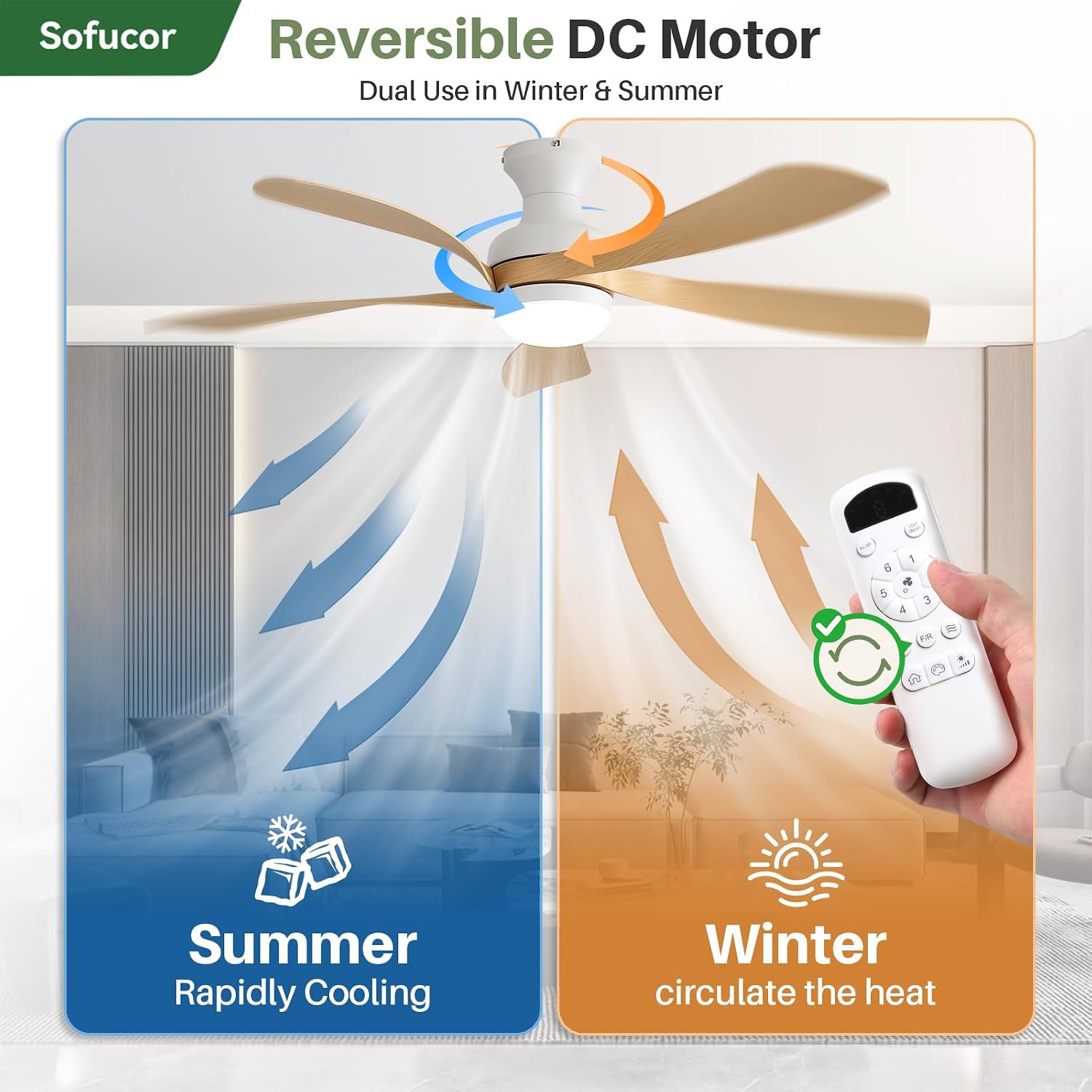
Image: This diagram illustrates the reversible DC motor function. In summer mode, the fan rapidly cools by pushing air downwards. In winter mode, it circulates warm air upwards, helping to distribute heat evenly.
- Summer Mode: Blades rotate counter-clockwise, pushing air downwards to create a cooling breeze.
- Winter Mode: Blades rotate clockwise, drawing air upwards to circulate warm air trapped near the ceiling.
Use the dedicated button on the remote control to switch between modes.
Lighting Control
The integrated LED light offers customizable illumination:

Image: This diagram demonstrates the customizable lighting features, including three color temperatures: 3000K (warm light), 4000K (natural light), and 6000K (cold light). It also shows stepless dimming from 1% to 100% brightness.
- Color Temperature: Select between 3000K (warm white), 4000K (natural white), and 6000K (cool white) using the remote.
- Stepless Dimming: Adjust brightness continuously from 10% to 100%.
- Memory Function: The light will remember your last brightness and color temperature setting when turned off and on again.
Timer Function
Set the fan to automatically turn off after a specified period:

Image: This image highlights the fan's timer function, offering settings for 1, 4, or 8 hours. It also emphasizes the low-noise DC motor, operating at less than 20dB for quiet performance.
- Available timer settings: 1 hour, 4 hours, 8 hours.
- Activate the timer using the corresponding buttons on the remote control.
Maintenance
Regular maintenance ensures optimal performance and extends the lifespan of your ceiling fan.
- Cleaning: Periodically clean the fan blades and motor housing with a soft, lint-free cloth. For stubborn dirt, a slightly damp cloth can be used. Ensure the fan is completely dry before operating. Do not use abrasive materials or harsh chemicals.
- Blade Balance: Over time, fan blades may become unbalanced, leading to wobbling. Check that all blade screws are tight. If wobbling persists, consult the troubleshooting section or contact customer support.
- Light Kit: The integrated LED light is designed for long life and typically does not require replacement. If the light malfunctions, refer to the troubleshooting section.
Troubleshooting
If you encounter issues with your Sofucor ceiling fan, refer to the following common problems and solutions:
| Problem | Possible Cause | Solution |
|---|---|---|
| Fan does not start | No power, loose wiring, remote control battery dead. | Check circuit breaker. Ensure all wiring connections are secure. Replace remote control batteries. |
| Light does not work | Loose wiring, LED driver issue, remote control battery dead. | Check light kit wiring. Replace remote control batteries. If issue persists, contact customer support. |
| Fan wobbles excessively | Loose blades, unbalanced blades, loose mounting bracket. | Ensure all blade screws are tight. Check mounting bracket for secure installation. Use a balancing kit if necessary (not included). |
| Remote control not responding | Dead batteries, remote out of range, interference. | Replace batteries. Ensure you are within range. Minimize interference from other electronic devices. |
If the problem persists after attempting these solutions, please contact Sofucor customer support for further assistance.
Specifications

Image: This image provides a detailed view of the fan's internal components and design features, including the brushless DC motor, high transmittance lampshade, 2100 Lumens LED light, unique curved blades, and reinforced metal canopy.
| Feature | Detail |
|---|---|
| Brand | Sofucor |
| Model Number | KBS-52K349 |
| Dimensions (L x W x H) | 132L x 132l x 35H cm |
| Weight | 6.7 Kilograms |
| Material | ABS (Blades, Lampshade) |
| Motor Type | DC Motor, Brushless |
| Noise Level | Less than 20 dB |
| Fan Speeds | 6 |
| Light Type | Integrated LED |
| Light Power | 18 Watts |
| Light Output | 2100 Lumens |
| Color Temperatures | 3000K (Warm), 4000K (Natural), 6000K (Cool) |
| Dimming | Stepless (10% - 100%) |
| Control Method | Remote Control |
| Timer Settings | 1 hour, 4 hours, 8 hours |
| Voltage | 220 Volt |
| Energy Efficiency Class | D (EU Label) |
| Recommended Room Size | 3.5m x 3.5m – 6.5m x 6.5m |
| Included Accessories | Remote Control |

Image: This image highlights the energy-saving DC motor, which consumes up to 75% less energy. It also indicates the recommended room size for optimal performance, ranging from 3.5m x 3.5m to 6.5m x 6.5m.
Warranty and Support
Sofucor products are manufactured to high-quality standards. For information regarding warranty coverage, please refer to the warranty card included with your product or contact Sofucor customer support directly.
If you have any questions, require technical assistance, or need to report a missing or damaged part, please contact our customer service team. Contact details can typically be found on the manufacturer's website or in the product packaging.


