
1. Introduction
This manual provides essential information for the safe and efficient operation of your Albott 35,000 BTU Electric Pool Heat Pump, Model BI02V1-1B2B0. This unit is designed to heat and cool swimming pools up to 10,000 gallons, offering all-season temperature control. Please read this manual thoroughly before installation and use, and retain it for future reference.
2. Safety Information
Important Safety Instructions:
- Always disconnect power before performing any service or maintenance.
- Installation must be performed by a qualified electrician and plumber in accordance with all local and national codes.
- Ensure the unit is properly grounded to prevent electrical shock.
- Do not operate the unit if any part is damaged or malfunctioning.
- Keep children and pets away from the unit during operation.
- Maintain proper clearance around the unit for adequate airflow.
- Never block the air intake or exhaust vents.
3. Package Contents
Verify that all components are present and undamaged upon unpacking:
- Albott Pool Heat Pump Unit (Model BI02V1-1B2B0)
- Instruction Manual (1)
- Connectors (2)
- Shock Absorber Pads (4)
- Drainage Set (1)

Image: Product Details showing the main unit and included accessories.
4. Product Features
- All-Season Temperature Comfort: Maintains stable water temperatures from 44°F to 104°F, extending your swimming season.
- Powerful Heating and Cooling: Delivers 35,000 BTU capacity, suitable for pools up to 10,000 gallons.
- Smart Control Options: Manage settings and adjust water temperatures remotely via a mobile app using Bluetooth connectivity.
- Advanced Inverter System: Achieves a high COP (Coefficient of Performance) of up to 12.2 for stable and efficient operation.
- Intelligent Defrost Function: Ensures reliable performance even in colder conditions by preventing ice buildup.
- Quiet Performance: Operates at approximately 35 decibels, minimizing noise disturbance.
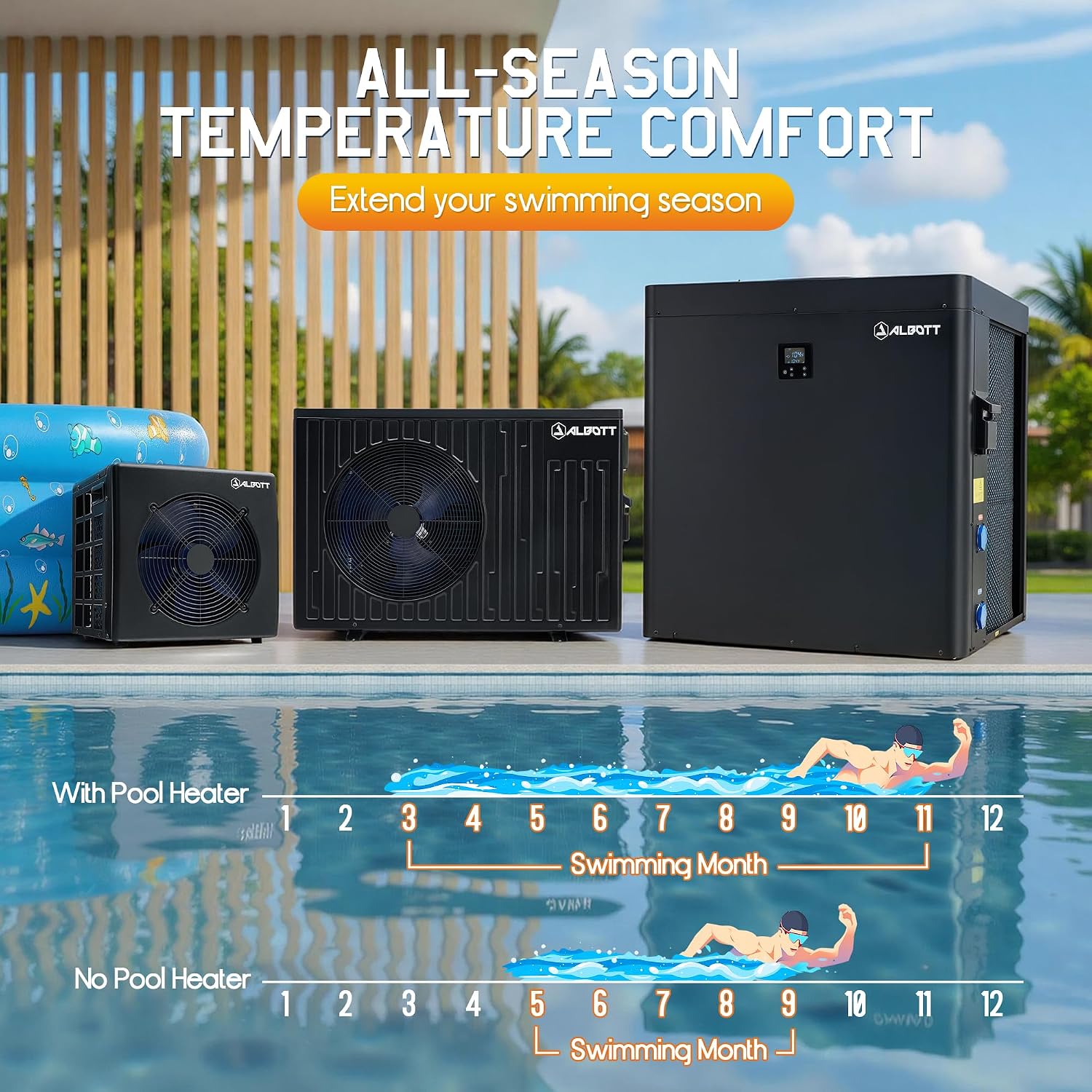
Image: Illustration of all-season temperature comfort provided by the heat pump.

Image: Albott 35,000 BTU Pool Heat Pump overview.

Image: Depiction of the unit's ultra-quiet operation.

Image: Built-in defrost protection feature.
5. Specifications
| Model Number | BI02V1-1B2B0 |
| Heating Capacity | 35,000 BTU |
| Pool Volume Capacity | Up to 10,000 Gallons |
| Temperature Range | 44°F - 104°F (7°C - 40°C) |
| Power Supply | 220V |
| COP (Coefficient of Performance) | Up to 12.2 |
| Noise Level | Approximately 35 dB |
| Product Dimensions (L x W x H) | 38.8 x 13.4 x 25.9 inches |
| Item Weight | 102.5 pounds |
6. Setup and Installation
Proper installation is crucial for the performance and longevity of your heat pump. It is highly recommended that installation be carried out by a certified professional.
6.1 Placement
- Choose a location with adequate airflow, ensuring at least 20 inches of clearance around the unit.
- Place the unit on a solid, level surface, preferably concrete, to minimize vibration and noise.
- Avoid placing the unit near windows or areas where noise might be a concern.
6.2 Plumbing Connection
- Connect the heat pump to your pool's filtration system using PVC pipes.
- Ensure all connections are watertight and secured with the provided connectors.
- The drainage set should be connected and remain connected during use to manage condensation.
6.3 Electrical Connection
- The unit requires a 220V electrical supply.
- All electrical wiring must comply with local and national electrical codes.
- A dedicated circuit with appropriate overcurrent protection is recommended.
- Ensure proper grounding to prevent electrical hazards.

Image: Installation guidance for connecting the system with PVC pipe and drain hose.
7. Operating Instructions
Your Albott Pool Heat Pump offers both manual control via its integrated panel and remote control via a mobile application.
7.1 Initial Startup
- Ensure the pool pump is running and water is flowing through the heat pump.
- Turn on the electrical power to the heat pump.
- The unit will perform a self-check upon startup.
7.2 Using the Control Panel
- The integrated control panel allows you to view the current water temperature and adjust settings.
- Use the navigation buttons to select desired mode (heating/cooling) and set the target temperature.
- Refer to the specific control panel section in the full manual for detailed button functions.
7.3 Mobile App Control (Bluetooth)
- Download the Albott mobile application from your device's app store.
- Enable Bluetooth on your mobile device and pair it with the heat pump.
- Through the app, you can monitor water temperature, adjust the target temperature, switch operating modes, and set timers.

Image: Mobile app interface for remote control.
8. Maintenance
Regular maintenance ensures optimal performance and extends the lifespan of your heat pump.
8.1 Routine Cleaning
- Periodically clean the exterior of the unit and clear any debris from the air intake and exhaust grilles.
- Inspect the evaporator coils for dirt or blockages. Use a soft brush or vacuum to gently remove any accumulation.
- Ensure the drainage system is clear and free-flowing to prevent water buildup.
8.2 Water Chemistry
- Maintain proper pool water chemistry as recommended by pool professionals. Imbalanced water can corrode internal components.
8.3 Winterization (for cold climates)
- Before freezing temperatures, disconnect power to the unit.
- Drain all water from the heat pump's plumbing to prevent freeze damage.
- Cover the unit with a protective, breathable cover to shield it from harsh weather.
9. Troubleshooting
This section addresses common issues you might encounter. For more complex problems, contact customer support.
| Problem | Possible Cause | Solution |
|---|---|---|
| Unit not turning on | No power supply; Circuit breaker tripped | Check power connection; Reset circuit breaker |
| Insufficient heating/cooling | Low water flow; Dirty coils; Incorrect temperature setting | Ensure pool pump is running; Clean coils; Adjust target temperature |
| Error code displayed | Sensor malfunction; System fault | Refer to the full manual for specific error code meanings; Contact support if persistent |
| Excessive noise | Loose components; Unit not level; Obstruction in fan | Inspect for loose parts; Ensure unit is level; Clear any obstructions |
10. Warranty and Support
Albott products are manufactured to high-quality standards. For warranty information, please refer to the warranty card included with your product or visit the official Albott website. If you encounter any issues or require technical assistance, please contact Albott customer support through the contact information provided in your warranty documentation or on the official website.