
1. Product Overview
The BROTTAR 6-Tier 71" Display Cabinet (Model BD019) is designed to showcase collectibles, figures, books, trophies, and home decor. It features a tall, vertical design with six tiers, adjustable glass shelves, 3-color LED lighting, and a human body sensor for enhanced functionality and display.
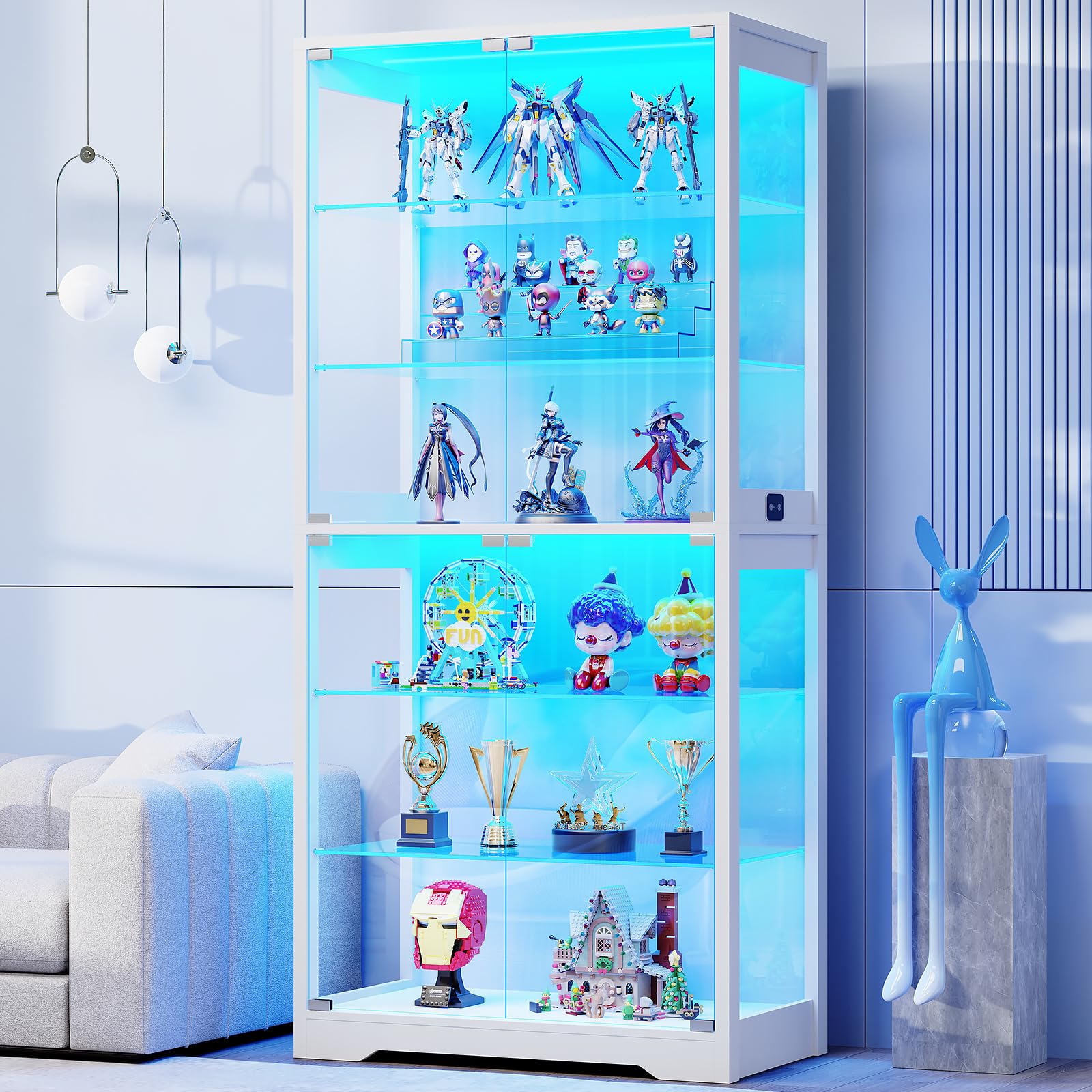
Figure 1.1: BROTTAR 6-Tier 71" Display Cabinet in White.

Figure 1.2: Product dimensions: 71" H x 31.5" W x 13.8" D.
2. Safety Information
Please read and understand all instructions before assembly and use. Keep this manual for future reference.
- Anti-Tipping Device: Always install the included anti-tipping device to prevent the cabinet from falling, especially in households with children or pets.
- Glass Handling: Handle glass components with care. Wear protective gloves during assembly to avoid cuts.
- Weight Capacity: Do not exceed the maximum weight capacity of the shelves (30-40 lbs per shelf). Distribute weight evenly.
- Electrical Safety: Ensure the LED lighting system is connected to a suitable power outlet. Do not expose electrical components to moisture. Disconnect power before cleaning or maintenance.
- Placement: Place the cabinet on a flat, stable surface. Avoid placing it in areas with high humidity or direct sunlight, which can affect materials and electronics.
- Children and Pets: Keep small parts and packaging materials away from children and pets during assembly.

Figure 2.1: Illustration of the anti-tipping device installation.
3. Package Contents
Before beginning assembly, verify that all parts listed in the instruction manual are present and undamaged. The package typically includes:
- Cabinet panels (top, bottom, side, back)
- Glass doors
- Adjustable glass shelves (6 total)
- LED lighting strips and power adapter
- Human body sensor module
- Hardware kit (screws, connectors, hinges, shelf pins, anti-tipping device)
- Assembly tools (e.g., Allen wrench)
- Instruction manual
Note: Extra components (screws, etc.) are often included.
4. Assembly Instructions
Assembly is required for this product. A detailed manual and necessary tools are provided. Follow the step-by-step instructions carefully.
- Unpack and Identify Parts: Lay out all components on a clean, soft surface to prevent scratches. Compare parts with the provided list in the manual.
- Assemble Frame: Follow the manual to connect the base, side panels, and top panel using the provided hardware.
- Install Back Panels: Secure the back panels. Note that these may be made of plexiglass.
- Install LED Lighting: Attach the LED light strips according to the manual's diagrams. Ensure proper cable routing.
- Attach Door Hinges: Install hinges onto the glass doors. This step may require two people for easier handling. Ensure the black plastic ring is installed with the hinges.
- Mount Glass Doors: Carefully attach the glass doors to the cabinet frame. Adjust hinges for proper alignment. The doors feature a handle-free, push-to-open design.
- Insert Shelf Pins: Place the adjustable shelf pins into the desired slots.
- Place Glass Shelves: Carefully place the glass shelves onto the pins. Each shelf can be adjusted by 2.5 inches.
- Install Human Body Sensor: Mount the sensor module as indicated in the manual.
- Secure Anti-Tipping Device: Attach the anti-tipping device to the cabinet and wall as per safety instructions.
- Connect Power: Plug in the power adapter for the LED lights and sensor.
Note: The assembly process can be time-consuming. Clear instructions with good drawings are provided in the included manual.

Figure 4.1: Close-up of tempered glass doors, stable hinges, and glass shelves.

Figure 4.2: Durable rebounder equipment for the push-to-open door mechanism.
5. Operating Instructions
5.1. LED Lighting System
The cabinet is equipped with 3-color LED lights (white, warm, and blue) and adjustable brightness.
- Changing Colors: Short press the light control button to cycle through white, warm, and blue light options.
- Adjusting Brightness: Long press the light control button to adjust the brightness level from 0% to 100%.
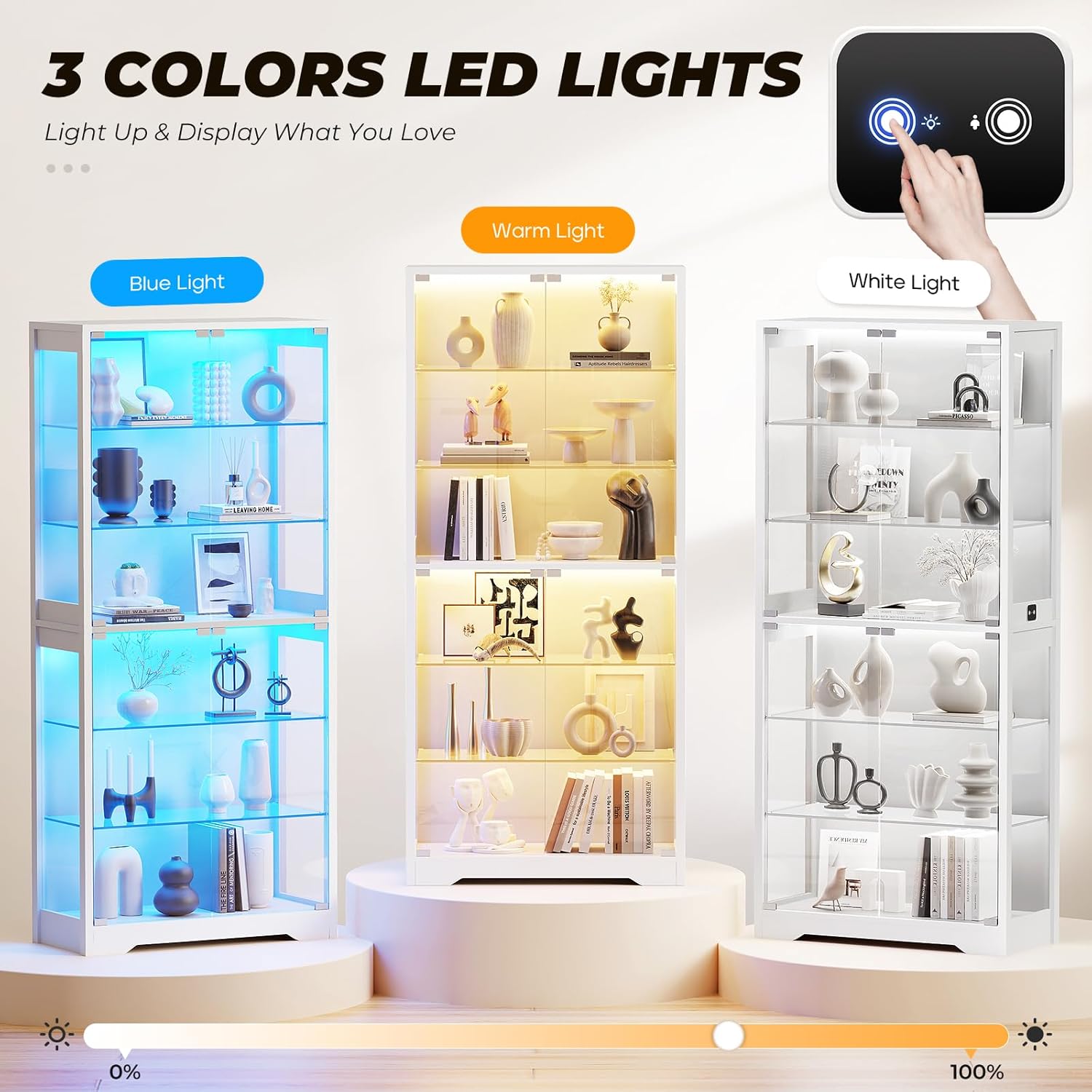
Figure 5.1: The cabinet features blue, warm, and white LED lighting options.

Figure 5.2: Short press to adjust colors.

Figure 5.3: Long press to adjust brightness.
5.2. Human Body Sensor
The intelligent human body sensor automatically activates the lights when motion is detected within approximately 1 meter and turns them off when no presence is detected.
- Activation: The lights will turn on automatically when you approach the cabinet.
- Deactivation: The lights will turn off automatically after a period of no detected motion.

Figure 5.4: The human body sensor triggers the lights when a person is within 1 meter.

Figure 5.5: The Intelligent HumanBody Sensing Module lights up the cabinet automatically.
5.3. Adjustable Glass Shelves
The glass shelves are adjustable, allowing you to customize the display space for items of various heights.
- Adjusting Height: Remove items from the shelf. Carefully lift the glass shelf and remove the support pins. Reinsert the pins into new slots (adjustable by 2.5 inches) and place the glass shelf back.
- Removing Shelves: Shelves can be completely removed if a larger vertical space is needed.

Figure 5.6: The height and number of shelves can be adjusted to meet storage needs.

Figure 5.7: Each shelf holds up to 30-40 lbs and is adjustable.
5.4. Pop-Up Glass Doors
The cabinet features handle-free, push-to-open glass doors for a clear view of your collection.
- Opening: Gently press the door to activate the rebounder mechanism, allowing the door to pop open.
- Closing: Push the door firmly until it clicks into place.
Video 5.1: Demonstration of the push-to-open glass door mechanism and adjustable shelves.

Figure 5.8: The transparent glass door provides a clear view of displayed items.
6. Maintenance
Regular cleaning and care will help maintain the appearance and longevity of your display cabinet.
- Cleaning Glass: Use a soft, lint-free cloth and a non-abrasive glass cleaner. Spray cleaner onto the cloth, not directly onto the glass, to avoid dripping onto other components.
- Cleaning Wood Surfaces: Wipe wood surfaces with a soft, damp cloth. Avoid harsh chemicals or abrasive cleaners.
- Dusting: Regularly dust the interior and exterior with a soft, dry cloth to prevent buildup.
- Electrical Components: Ensure the power is disconnected before cleaning near LED lights or the sensor. Use a dry cloth for these areas.
- Check Connections: Periodically check all screws and connections to ensure they remain tight.
7. Troubleshooting
| Problem | Possible Cause | Solution |
|---|---|---|
| LED lights do not turn on. |
|
|
| Motion sensor not working. |
|
|
| Glass doors do not close properly. |
|
|
| Cabinet feels unstable. |
|
|
8. Specifications
| Brand | BROTTAR |
| Model Number | BD019 |
| Color | White |
| Material | Engineered Wood, Glass |
| Product Dimensions (D x W x H) | 13.8"D x 31.5"W x 71"H (35cm D x 80cm W x 180cm H) |
| Number of Shelves | 6 (Adjustable) |
| Shelf Weight Capacity | 30-40 lbs per shelf |
| Special Features | Illuminated (3-Color LED Lights), Human Body Sensor, Push-to-Open Glass Doors |
| Assembly Required | Yes |
| Item Weight | 108.4 Pounds |
| UPC | 747759455490 |
9. Warranty and Customer Support
BROTTAR is committed to providing high-quality products and customer satisfaction. For any questions regarding assembly, missing parts, or product functionality, please contact our customer support team.
Refer to your purchase documentation or the BROTTAR website for specific warranty details and contact information.
Contact Information: Please refer to the contact details provided with your purchase or visit the official BROTTAR store on Amazon: BROTTAR Store