
1. Safety Information
Please read all instructions carefully before assembly and use. Keep this manual for future reference.
- Always assemble the desk according to the provided instructions.
- Ensure the desk is stable and secure on a level surface before use.
- Do not overload the desk with heavy equipment beyond its weight capacity.
- Always unplug the desk from the power source before making any adjustments, cleaning, or repairs.
- Keep liquids away from electrical components to prevent electric shock.
2. Product Overview
The Huuger 63-inch Computer Desk is designed for home office, gaming, or study use, offering a blend of functionality and modern aesthetics. It features integrated LED lighting, convenient power outlets, and ample storage solutions.
Key Features:
- Integrated Power Outlets: Equipped with 4 standard AC outlets, 2 USB ports, and 1 Type-C port for convenient charging of devices.
- RGB LED Lighting: Features an RGB LED light strip with 12 scene modes, adjustable speed, and 3 brightness levels, controllable via a smart controller or a mobile app.
- Four Fabric Drawers: Provides significant storage space for files, stationery, books, gamepads, and other office supplies. The drawers are designed for varied storage needs and can be arranged in multiple layouts.
- Elevated Monitor Stand: A built-in monitor stand helps maintain proper posture and eye level, promoting a healthy cervical spine during extended use.
- Sturdy Construction: Constructed with engineered wood and a metal base for durability and stability.
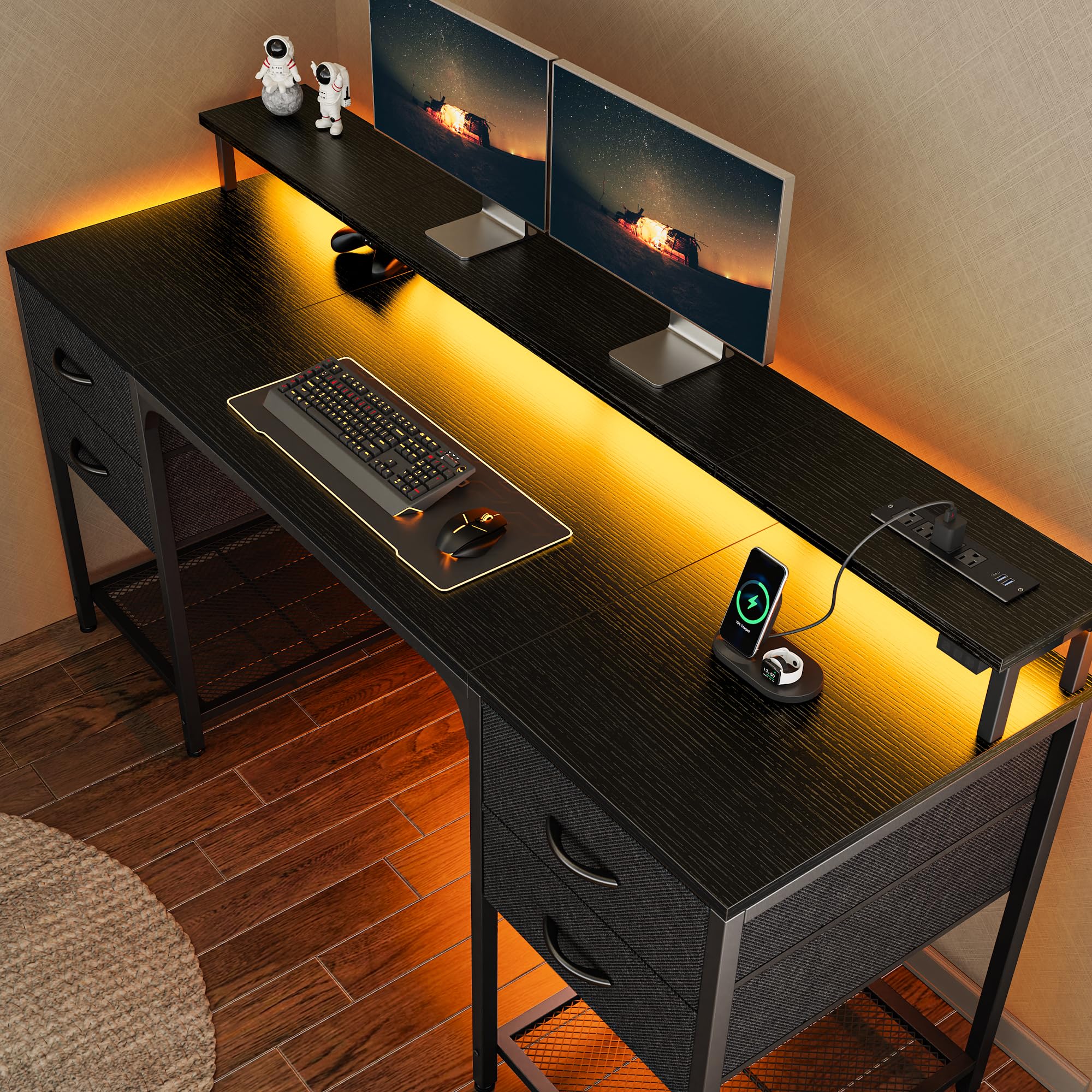
Figure 2.1: Overall dimensions of the Huuger 63-inch Computer Desk, showing the monitor stand, power outlets, and drawer units.

Figure 2.2: Illustration of five possible drawer layouts, demonstrating the versatility of the storage units.

Figure 2.3: Close-up view of the four fabric drawers, showcasing their capacity for storing files, books, gamepads, and other small items.
3. Setup and Assembly
Assembly of the Huuger Computer Desk is designed to be straightforward. It is recommended to have a second person for easier assembly, though it can be completed individually. Ensure all parts are present before beginning.
3.1. Unpacking and Part Identification
- Carefully unpack all components from the box.
- Lay out all parts on a clean, soft surface (e.g., carpet or a blanket) to prevent scratches.
- Refer to the included assembly diagram and parts list to identify each component and hardware.
- Verify that all parts and hardware are accounted for. If any parts are missing or damaged, contact customer support.
3.2. Assembly Steps
Follow the step-by-step instructions provided in the separate assembly manual included with your product. General steps typically include:
- Assemble the main desk frame using the provided screws and tools.
- Attach the desktop and monitor stand components.
- Install the fabric drawer units into their designated slots.
- Secure the power outlet strip and connect the LED light strip.
- Adjust the desk's feet to ensure stability on uneven surfaces.
Note: The LED light strip requires connection to a USB port to function.
4. Operating Instructions
4.1. Using the Power Outlets
The desk is equipped with a recessed power strip for convenient access to power.
- Plug the desk's main power cord into a standard wall outlet.
- Use the 4 standard AC outlets for devices such as monitors, laptops, or lamps.
- Utilize the 2 USB ports and 1 Type-C port to charge smartphones, tablets, and other compatible USB-powered devices.
- Avoid overloading the power strip. Do not exceed the maximum wattage rating specified in the product specifications.

Figure 4.1: Detail of the integrated power strip, showing the various charging options available.
4.2. Controlling the LED Lights
The RGB LED light strip enhances your workspace ambiance. It can be controlled via a smart controller or a mobile application.
- Smart Controller: Use the inline smart controller to switch the lights on/off, cycle through 12 scene modes, and adjust brightness levels.
- Mobile App Control: Download the compatible mobile application (refer to the assembly manual for app details) to access over 60,000 colors, timing modes, and sync the lights with music or microphone input.
- Ensure the LED light strip's USB connector is plugged into a functional USB port (either on the desk's power strip or another power source).

Figure 4.2: The desk illuminated by the RGB LED light strip, demonstrating its visual effect.
5. Maintenance
Proper care will extend the life and appearance of your Huuger Computer Desk.
- Cleaning: Wipe the desk surfaces with a damp cloth. Avoid harsh chemicals or abrasive cleaners that may damage the finish.
- Drawer Care: The fabric drawers can be spot cleaned with a mild detergent and water. Allow them to air dry completely before reinserting.
- Electrical Components: Keep the power outlets and LED strip free from dust and debris. Do not attempt to disassemble or repair electrical components yourself.
- Regular Checks: Periodically check all screws and connections to ensure they remain tight and secure.
6. Troubleshooting
If you encounter any issues with your Huuger Computer Desk, refer to the following common troubleshooting steps:
| Problem | Possible Cause | Solution |
|---|---|---|
| Desk is wobbly/unstable. | Loose screws; uneven floor. | Tighten all assembly screws. Adjust the leveling feet at the bottom of the desk legs. |
| LED lights are not working. | USB not plugged in; faulty connection; power issue. | Ensure the LED strip's USB connector is securely plugged into a functional USB port. Check the power source. If using the desk's power strip, ensure the desk is plugged into a wall outlet. |
| Power outlets are not providing power. | Desk not plugged in; circuit breaker tripped; faulty device. | Verify the desk's main power cord is securely plugged into a live wall outlet. Check your home's circuit breaker. Test with a different device to rule out a faulty device. |
| Drawers are difficult to open/close or are damaged. | Overloaded drawer; improper installation; fabric wear. | Reduce the weight in the drawer. Ensure the drawer is correctly inserted into its slot. If fabric is torn, contact customer support for replacement options. |
If the problem persists after attempting these solutions, please contact Huuger customer support for further assistance.
7. Specifications
Detailed specifications for the Huuger 63-inch Computer Desk:
| Feature | Detail |
|---|---|
| Brand | Huuger |
| Model | 63 Inch Computer Desk |
| Product Dimensions (D x W x H) | 19.7"D x 62.9"W x 33.8"H |
| Color | Black |
| Style | Modern |
| Top Material Type | Engineered Wood |
| Base Material | Metal |
| Number of Drawers | 4 (Fabric Drawers) |
| Power Outlets | 4 Standard AC, 2 USB, 1 Type-C |
| LED Lighting | RGB, 12 Scene Modes, Adjustable Brightness/Speed, App Control |
| Special Feature | Corded, Monitor Stand |
| Assembly Required | Yes |
| Product Care Instructions | Wipe with Damp Cloth |
8. Warranty and Support
For warranty information, product support, or to inquire about replacement parts, please contact Huuger customer service. Refer to the contact details provided in your product packaging or visit the official Huuger website.


