
1. Introduction
Thank you for choosing the Sperax 4-in-1 Vibrating Walking Pad P3 Max. This manual provides essential information for the safe and effective use of your new walking pad. Please read it thoroughly before operation and retain it for future reference.
The Sperax P3 Max is designed for both home and office use, offering a versatile exercise experience with adjustable incline, multiple vibration modes, and smart app compatibility. Its compact design allows for easy storage under a desk or sofa.
2. Safety Instructions
To ensure your safety and prolong the life of your walking pad, please observe the following precautions:
- Always place the walking pad on a flat, stable surface.
- Ensure adequate clear space around the walking pad during use.
- Do not allow children or pets near the walking pad while it is in operation.
- Consult a physician before starting any new exercise program.
- Stop exercising immediately if you feel faint, dizzy, or experience pain.
- Keep hands and feet clear of all moving parts.
- Do not use the walking pad if it is damaged or malfunctioning.
- Unplug the power cord when not in use or before cleaning/maintenance.
- The maximum user weight capacity is 120 kg.
3. Package Contents
Carefully unpack the box and ensure all items are present:
- Sperax 4-in-1 Vibrating Walking Pad P3 Max (x1)
- Remote Control (x1)
- L-shaped Hex Key (x1)
- Lubricant Oil (x1)
- Power Cable (x1)
- User Manual (x1)

Image: All accessories included with the Sperax Walking Pad, such as the remote control, power cable, and lubricant.
4. Product Overview
4.1 Components
- LED Display: Shows speed, time, distance, calories, and vibration mode.
- Running Belt: The main walking surface.
- Power Socket & Switch: For connecting to power and turning the unit on/off.
- Remote Control: Controls speed, start/stop, and mode selection.
- Incline Support: Adjustable legs for setting incline levels.
- Pulley Wheels: For easy movement and storage.

Image: Close-up views of the LED display, belt adjustment screw hole, incline handle, power socket, rear cover, running belt, and remote control functions.
4.2 Dimensions and Weight
- Product Dimensions (L x W x H): 112.5 cm x 57.3 cm x 9.5 cm
- Item Weight: 14 kg
- Running Area: Approximately 105 cm x 42 cm
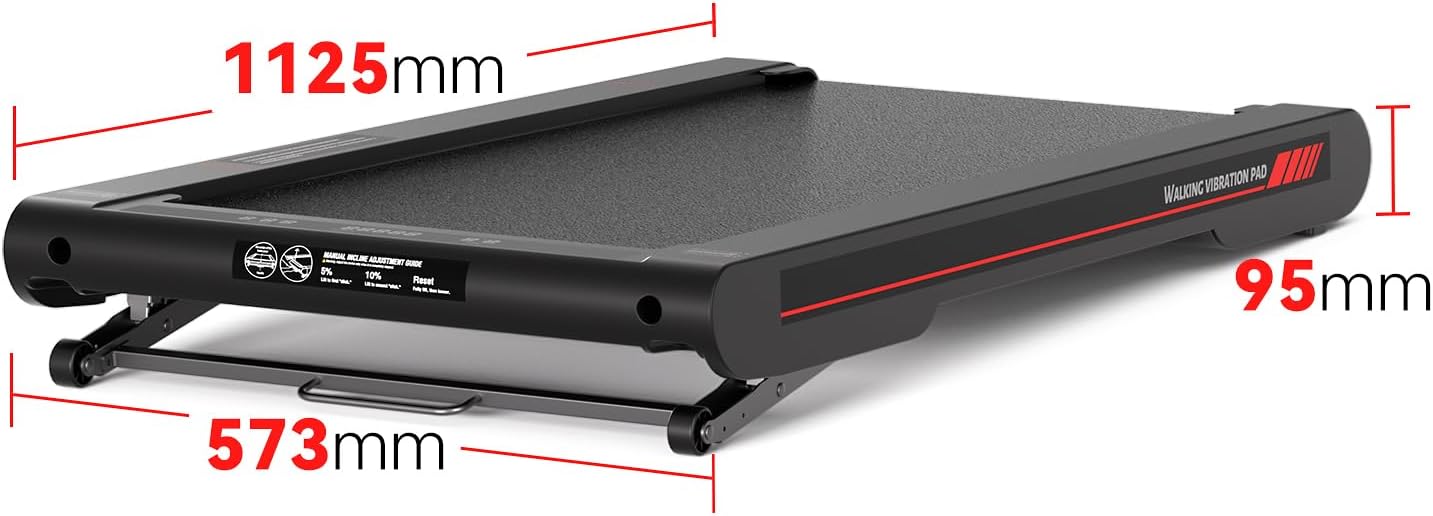
Image: The walking pad with its dimensions labeled: 1125mm length, 573mm width, and 95mm height.
5. Setup
- Unpack: Remove the walking pad and all accessories from the packaging.
- Placement: Place the walking pad on a firm, level surface. Ensure there is at least 0.5 meters of clear space around the unit.
- Power Connection: Connect the power cable to the walking pad's power socket and then to a suitable electrical outlet.
- Initial Check: Turn on the power switch. The LED display should light up.
- Incline Adjustment (Optional): To adjust the incline, lift the walking pad and manually adjust the support legs to either the 5% or 10% incline position. Ensure the legs are securely locked in place before use.

Image: A person adjusting the incline mechanism of the walking pad, demonstrating the 5% and 10% incline options.

Image: Visual representation of the walking pad at 0%, 5%, and 10% incline, with a person walking on it at 10% incline.
6. Operating Instructions
6.1 Power On/Off
- To turn on, flip the main power switch located at the front of the walking pad.
- To turn off, flip the main power switch to the OFF position.
6.2 Using the Remote Control
The remote control allows you to manage the walking pad's functions:
- Start/Stop Button: Press to start or pause the walking pad.
- Speed +/- Buttons: Adjust the walking speed from 0.3 km/h to 6 km/h.
- Mode Button: Cycle through different modes (e.g., walking, vibration).
6.3 App Connectivity (Bluetooth)
The Sperax Walking Pad is compatible with a smart application for enhanced tracking and control:
- Download the Sperax app from your device's app store (available on Google Play and Apple App Store).
- Ensure Bluetooth is enabled on your smartphone or tablet.
- Open the Sperax app and follow the on-screen instructions to pair with your walking pad.
- The app allows you to track calories burned, speed, time, and distance, and optimize your workouts.

Image: A user interacting with the Sperax app on a smartphone while walking on the pad, demonstrating Bluetooth app interconnection and data tracking.
6.4 Vibration Modes
The walking pad features 4 adjustable vibration modes to stimulate muscle activity and aid in calorie burning and muscle relaxation:
- Light Vibration Mode
- Strong Vibration Mode
- Light Superposition Mode
- Strong Superposition Mode
Use the remote control or app to select your desired vibration mode. Experiment with different modes to find what suits your workout and recovery needs.

Image: A person demonstrating various postures for the 4 vibration modes: Light Vibration, Strong Vibration, Light Superposition, and Strong Superposition.
6.5 Usage Scenarios (4-in-1 Functionality)
The Sperax P3 Max offers versatile usage:
- Work Mode (0.3-4 km/h): Ideal for use under a standing desk while working.
- Climbing Mode (2 Adjustable Levels): Utilize the incline feature for a more intense workout.
- Running Mode (4-6 km/h): For brisk walking or light jogging.
- Vibration Mode (4 Adjustable Modes): For muscle stimulation and relaxation.

Image: Four panels illustrating the 4-in-1 functionality: Work Mode (under desk), Climbing Mode (with incline), Running Mode, and Vibration Mode.
7. Maintenance
Regular maintenance ensures optimal performance and longevity of your walking pad:
- Cleaning: Wipe down the walking pad with a damp cloth after each use. Do not use abrasive cleaners.
- Lubrication: Apply lubricant oil to the running belt every 3-6 months, or after approximately 100 hours of use, to reduce friction and wear. Refer to the specific instructions for lubrication in the included manual.
- Belt Adjustment: If the running belt shifts to one side or slips, use the L-shaped hex key to adjust the tension. Turn the adjustment screws slightly (quarter turn at a time) until the belt is centered and taut.
- Storage: When not in use, store the walking pad in a dry, cool place. Its compact design allows it to be stored under a sofa or bed.

Image: A person demonstrating how easily the walking pad can be stored under furniture, emphasizing its compact and portable design.
8. Troubleshooting
| Problem | Possible Cause | Solution |
|---|---|---|
| Walking pad does not power on. | Power cable not connected; Power switch off; No power from outlet. | Ensure power cable is securely connected. Turn on the power switch. Check the power outlet with another device. |
| Remote control not working. | Batteries low or dead; Remote not paired. | Replace batteries in the remote. Refer to the manual for remote pairing instructions. |
| Running belt slips or shifts. | Belt tension too loose; Belt not centered. | Adjust belt tension using the L-shaped hex key. Center the belt by adjusting the rear screws. |
| Unusual noise during operation. | Lack of lubrication; Loose components. | Apply lubricant to the running belt. Check for any loose screws and tighten them. |
| App not connecting via Bluetooth. | Bluetooth off on device; App not updated; Interference. | Ensure Bluetooth is on. Update the app to the latest version. Try restarting both the device and the walking pad. |
9. Specifications
- Model Name: P3 Max
- Brand: Sperax
- Color: Gold-Black
- Material: Alloy Steel
- Product Dimensions (L x W x H): 112.5 cm x 57.3 cm x 9.5 cm
- Item Weight: 14 kg
- Maximum Speed: 6 km/h
- Minimum Speed: 0.3 km/h
- Special Feature: Manual Incline (5% and 10% adjustable)
- Maximum Incline Percentage: 10%
- Maximum Power: 400 Watt
- Power Source: Electric Cable
- Connectivity Technology: Bluetooth
- Counter Type: Distance, Speed, Time, Calories
- Target Audience: Adult
- UPC: 726960448255
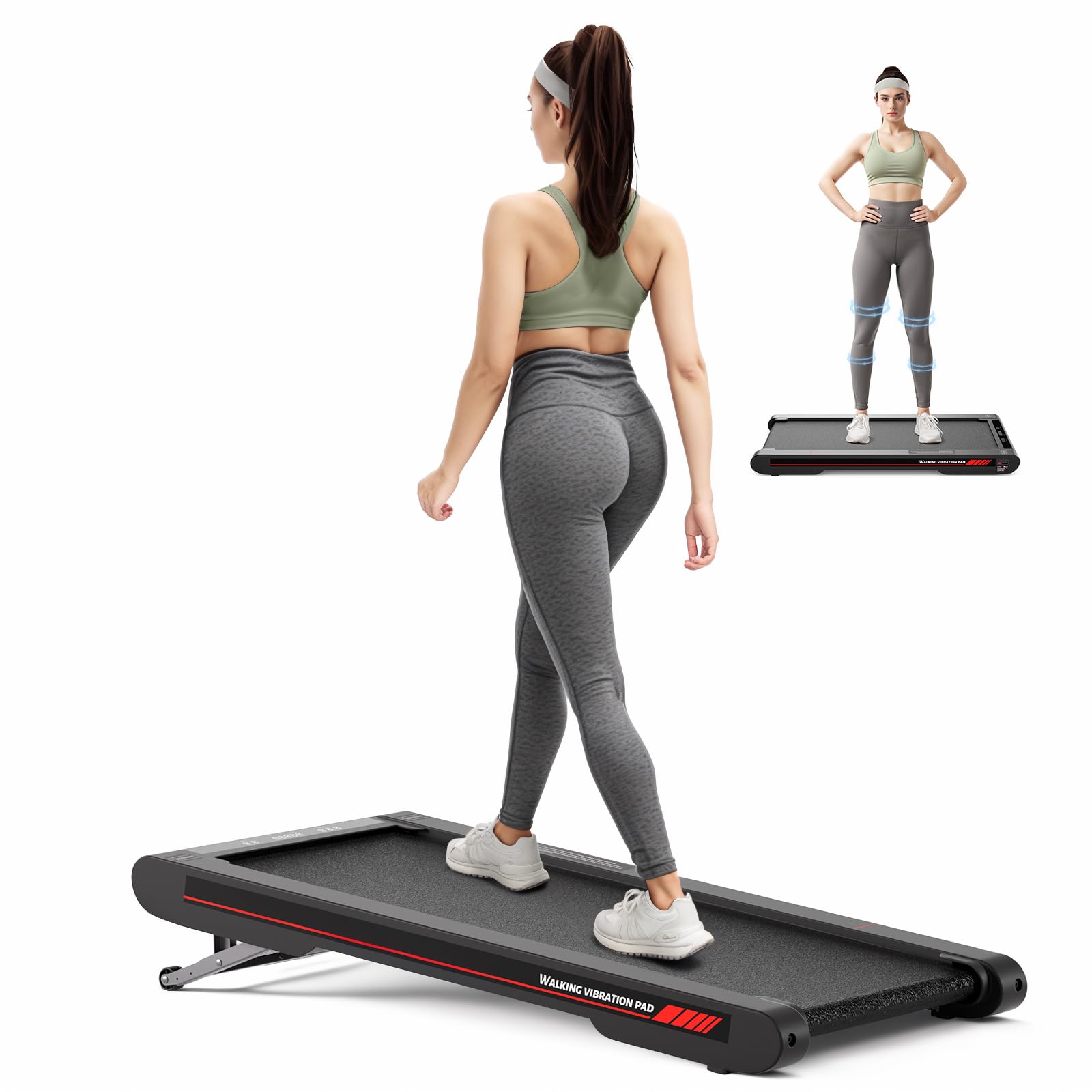
Image: The Sperax 4-in-1 Vibrating Walking Pad P3 Max, showcasing its sleek design and Gold-Black color.

Image: An internal view of the walking pad's motor and belt system, emphasizing the 2.5HP ultra-quiet servo motor and multi-layer shock absorption design.
10. Warranty and Support
Sperax products are manufactured to high-quality standards. For warranty information, technical support, or service inquiries, please refer to the warranty card included in your package or contact Sperax customer service through the official website or your retailer.
Please have your model number (P3 Max) and UPC (726960448255) ready when contacting support.


