
1. Safety Information
Please read and understand all safety instructions before assembly and use. Failure to follow these instructions may result in injury or product damage.
- Always secure the cabinet to the wall using the provided anti-tip device to prevent tipping.
- Do not place heavy items on the top shelf to maintain stability.
- Handle glass components with care to avoid breakage and injury.
- Ensure all connections for the LED lighting and sensor are secure and correctly installed.
2. Product Overview
The BROTTAR BD022BUS is a 4-tier display cabinet designed to showcase your collectibles with enhanced visibility and smart features.
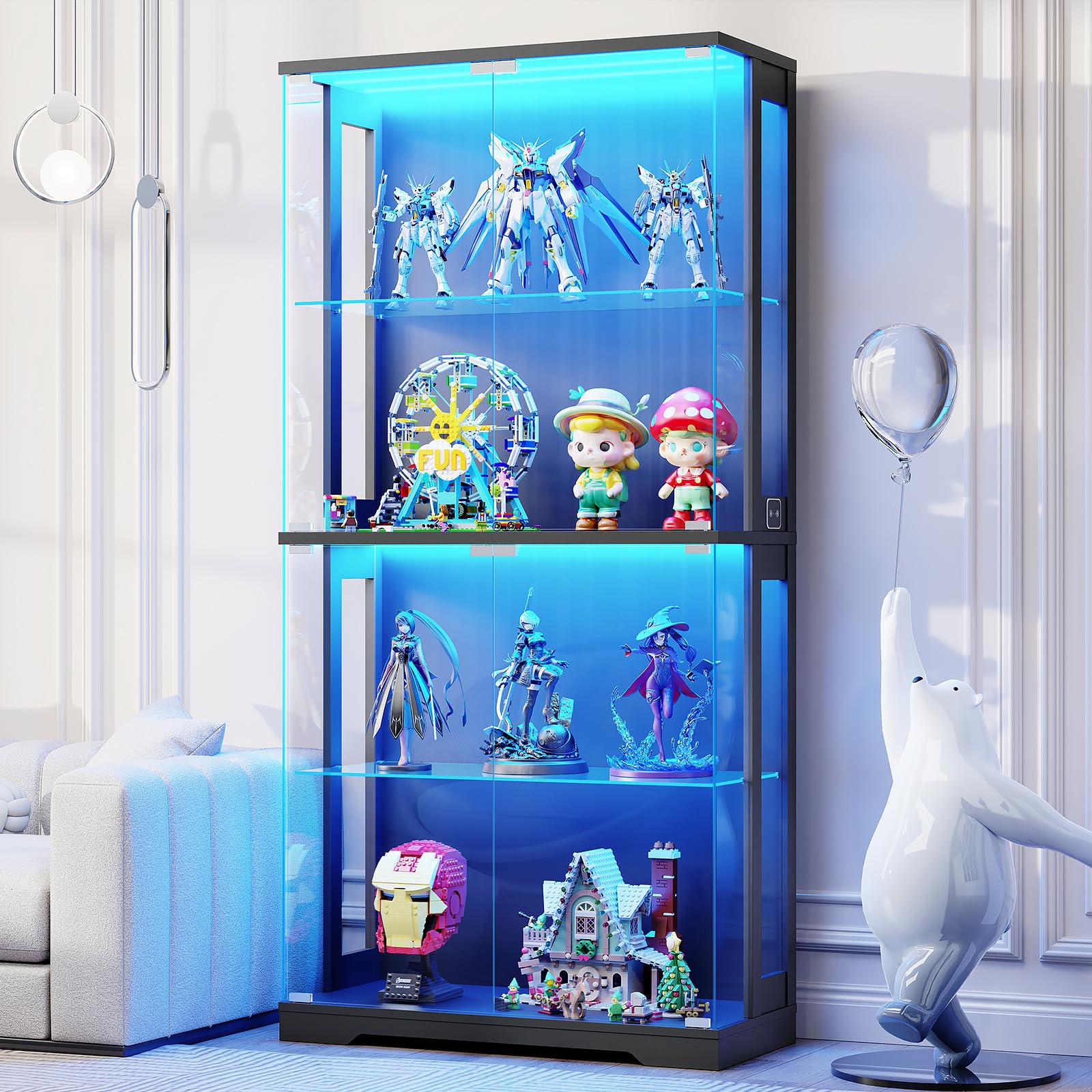
Figure 2.1: The BROTTAR BD022BUS 4-Tier Display Cabinet, featuring glass doors and integrated LED lighting.
Key Features:
- Pop-Up Glass Door: Tempered glass doors offer a clear view and handle-free design for sleek sophistication.
- Ample Storage Space: 65" H × 31.5" W × 13.7" D dimensions with 4-tier shelving for various items.
- 3 Color LED Lighting: Adjustable LED lights with blue, warm, and white options, and adjustable brightness.
- Smart Human Sensor: Automatically turns lights on/off when a person approaches or leaves within 1 meter.
- User-Friendly Assembly: Designed for quick and straightforward assembly with detailed instructions and labeled parts.
3. Specifications
| Feature | Detail |
|---|---|
| Brand | BROTTAR |
| Model Number | BD022BUS |
| Color | Black |
| Material | Acrylic, Glass, Wood |
| Product Dimensions | 13.7"D x 31.5"W x 65"H |
| Number of Shelves | 4 |
| Additional Features | Illuminated, Removable Shelf, Human Sensor |
| Installation Type | Freestanding |
| Required Assembly | Yes |
4. Setup & Assembly
The BROTTAR BD022BUS display cabinet is designed for user-friendly assembly. All parts are labeled, and detailed instructions are included in the packaging. It is recommended to have a second person assist with assembly, especially when handling glass doors.
Assembly Steps Overview:
- Unpack Components: Carefully remove all parts from the packaging. Verify all components are present against the parts list in your manual.
- Assemble Frame: Follow the instructions to connect the base, side panels, and top panel.
- Install Shelves: Place the glass shelves into the designated slots.
- Attach Doors: This step often requires two people. Carefully align and attach the tempered glass doors using the stable hinges.
- Install LED Lighting & Sensor: Connect the pre-installed LED strips and human sensor according to the wiring diagram.
- Secure Anti-Tipping Device: Attach the anti-tipping device to the cabinet and secure it to a wall stud to prevent accidental tipping.
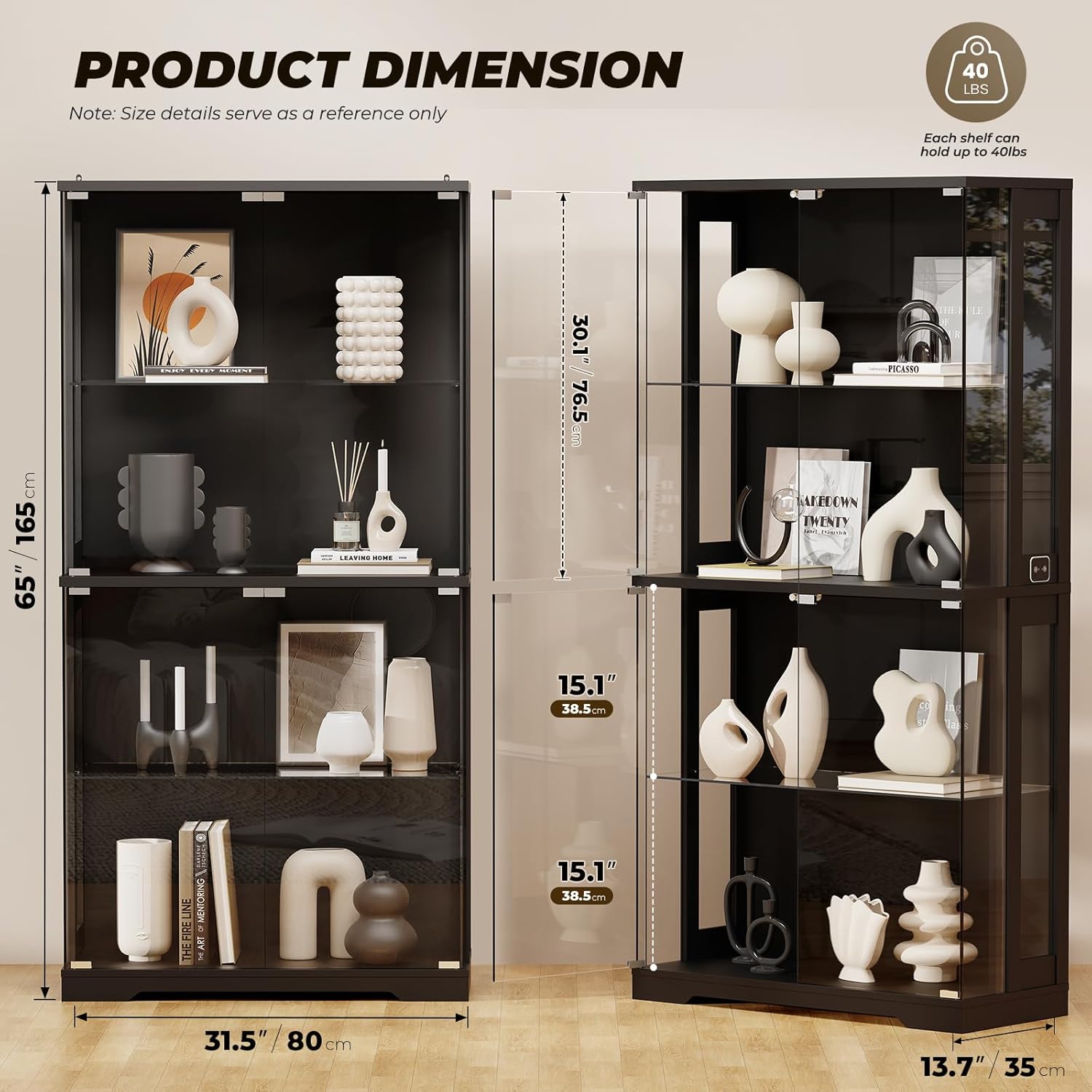
Figure 4.1: Product Dimensions. Note: Size details serve as a reference only.

Figure 4.2: Anti-tipping Device. Ensure this is securely installed for safety.

Figure 4.3: Stable Hinges. Please note that the black plastic ring needs to be installed together with the hinge.
Assembly Video Guide:
Video 4.1: Official BROTTAR assembly guide for the display cabinet. This video provides a visual walkthrough of the assembly process, including tips for handling glass components and installing the lighting system.
5. Operating Instructions
5.1 LED Lighting Control
The display cabinet features integrated LED lighting with multiple color options and adjustable brightness.
- Changing Colors: Locate the touch panel on the side of the cabinet. Short press the button to cycle through the 3 available colors: Blue, Warm Light, and White Light.
- Adjusting Brightness: Long press the button on the touch panel to adjust the brightness level from 0% to 100%. Release when the desired brightness is achieved.

Figure 5.1: The 3-Color LED Lights feature allows you to choose between blue, warm, and white illumination to suit your ambiance.

Figure 5.2: Adjustable Brightness. Long press the control button to fine-tune the light intensity.
5.2 Smart Human Sensor Function
The cabinet is equipped with a smart human body sensing feature that automates the lighting.
- Automatic Activation: When the human sensor mode is active, the lights will automatically turn on when a person approaches within 1 meter.
- Automatic Deactivation: The lights will automatically turn off when no motion is detected within the 1-meter range for a set period.
- Activating/Deactivating Sensor Mode: Refer to the specific instructions in your included manual for how to toggle the human sensor mode using the control panel.
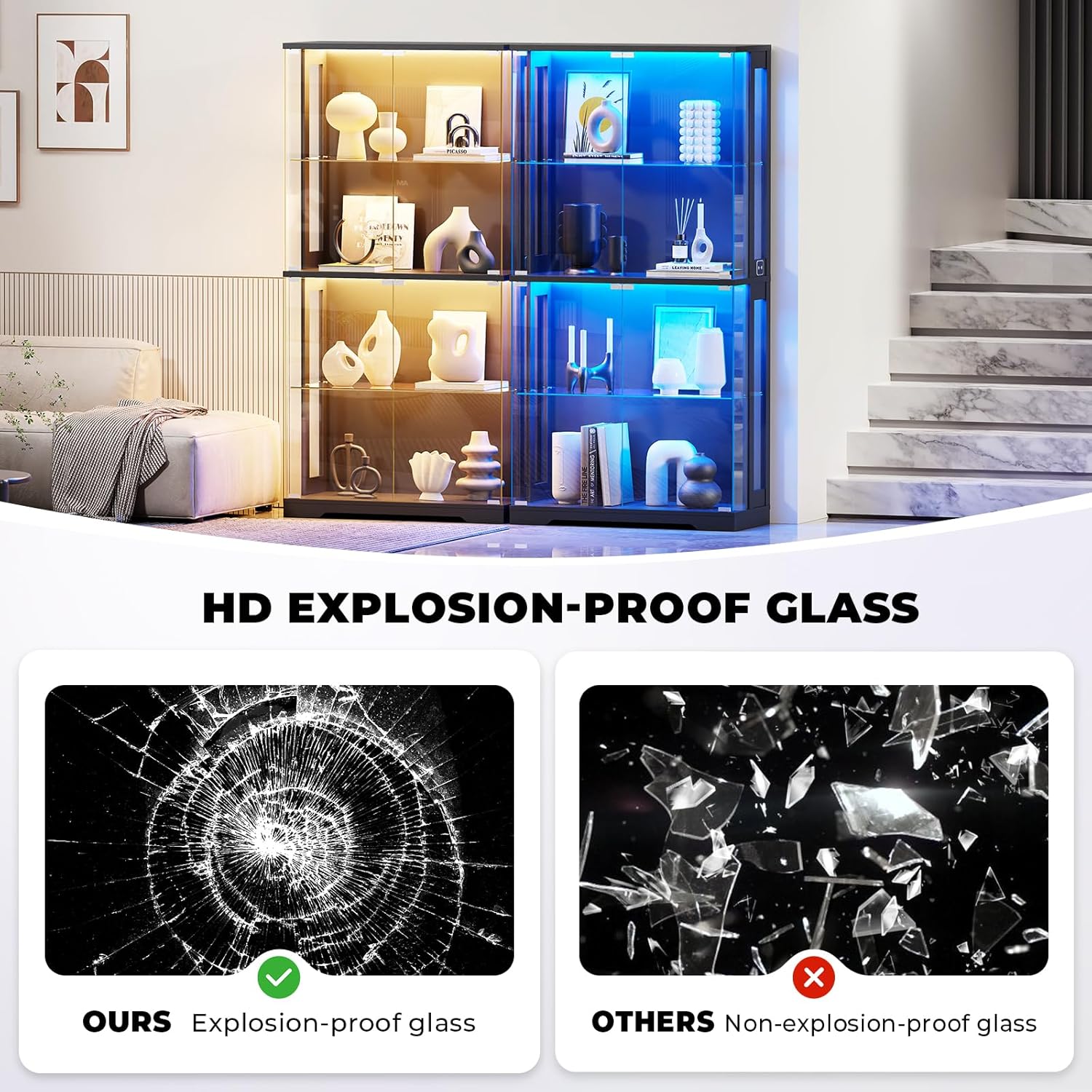
Figure 5.3: Human Body Sensing. The lights automatically activate when motion is detected within 1 meter, providing convenience and intelligent display.
5.3 Pop-Up Glass Door Operation
The cabinet features handle-free pop-up glass doors for a clean aesthetic and easy access.
- Opening the Door: Gently press on the door panel. The door will pop open slightly, allowing you to pull it fully open.
- Closing the Door: Push the door firmly until it clicks into place, ensuring it is securely closed.
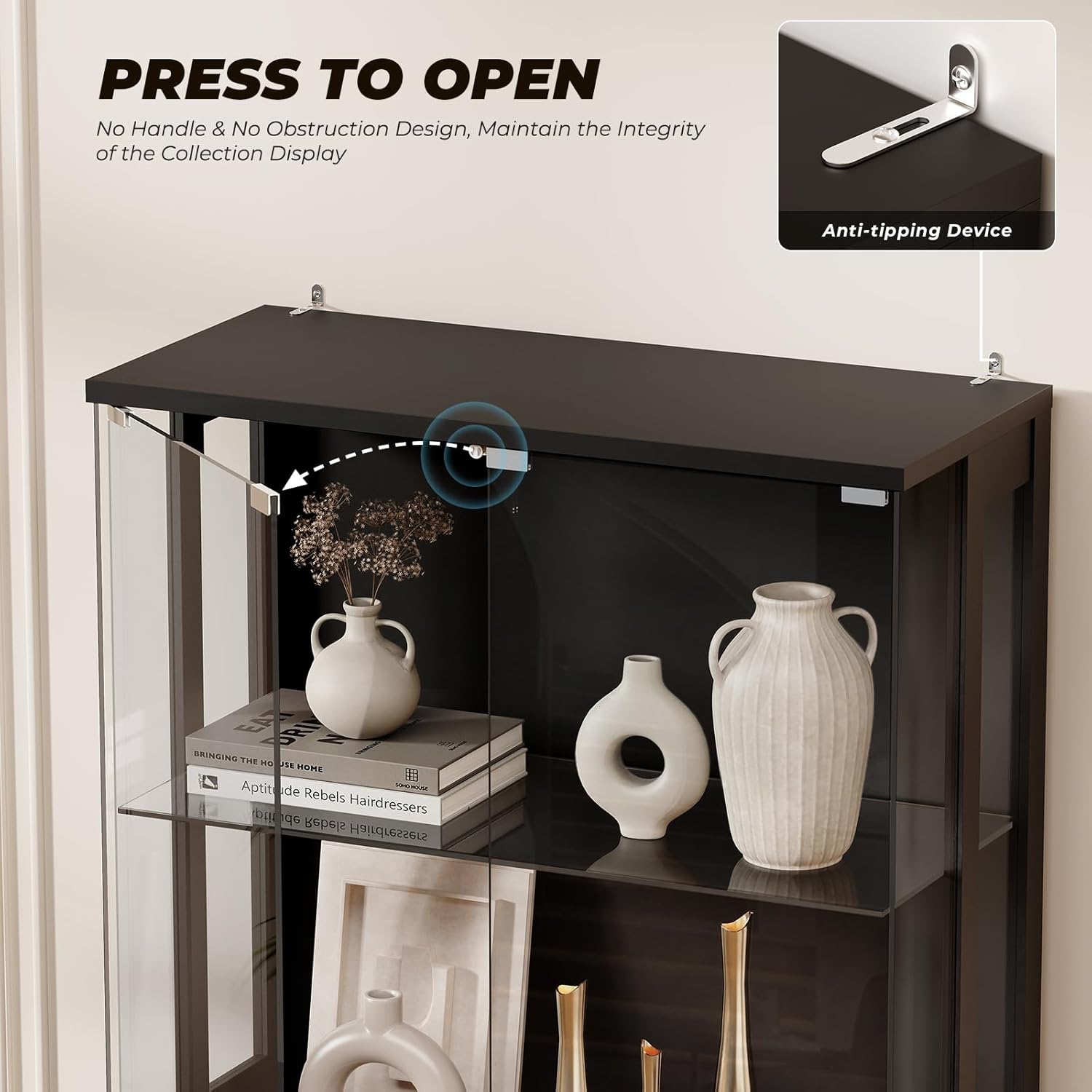
Figure 5.4: Press to Open. The handle-free design allows for easy opening with a gentle press, maintaining the integrity of your collection display.
6. Maintenance & Care
Proper maintenance will ensure the longevity and appearance of your display cabinet.
- Cleaning Glass Surfaces: Use a soft, lint-free cloth and a non-abrasive glass cleaner. Spray the cleaner onto the cloth, not directly onto the glass, to avoid streaks and damage to internal components.
- Cleaning Frame: Wipe the black frame with a soft, damp cloth. Avoid harsh chemicals that may damage the finish.
- Dusting: Regularly dust the interior and exterior surfaces to prevent buildup.
- Check Connections: Periodically inspect all screws, hinges, and electrical connections to ensure they are secure.
Figure 6.1: Tempered Glass Doors. These doors provide a clear display while protecting your items from dust. Clean them regularly for optimal clarity.
7. Troubleshooting
If you encounter any issues with your BROTTAR BD022BUS display cabinet, refer to the following common problems and solutions:
- LED Lights Not Working:
- Check if the power adapter is securely plugged into both the cabinet and a working electrical outlet.
- Ensure the LED light strips are properly connected to the control unit.
- Verify that the light mode is not set to off or motion sensor mode in a brightly lit room. Try cycling through the light colors with a short press.
- Human Sensor Not Activating Lights:
- Confirm the human sensor mode is activated via the control panel.
- Ensure there are no obstructions blocking the sensor's field of view.
- Test the sensor by walking within 1 meter of the designated sensor area.
- Doors Not Closing Properly:
- Check if any items inside the cabinet are obstructing the door's path.
- Inspect the hinges for any misalignment or damage. Adjust if necessary.
- Ensure the push-to-open mechanism is functioning correctly and not jammed.
If the issue persists after attempting these solutions, please contact BROTTAR customer support for further assistance.
8. Warranty & Support
BROTTAR is committed to providing high-quality products. For any questions, concerns, or support needs, please refer to the contact information provided with your purchase or visit the official BROTTAR store on Amazon.
Protection Plans:
Extended protection plans may be available for your product:
- 2-Year Protection Plan
- 3-Year Protection Plan
- Complete Protect (monthly renewal)
Please check the terms and conditions of these plans at the time of purchase for full details.